Introduction
This manual provides detailed instructions for the setup, operation, and maintenance of your SPYPOINT FORCE-PRO 30 Megapixel 4K Trail Camera. Designed for outdoor monitoring, this camera captures high-resolution photos and videos, making it ideal for wildlife observation and security. Please read this manual thoroughly to ensure proper use and optimal performance of your device.
Пакеттин мазмуну
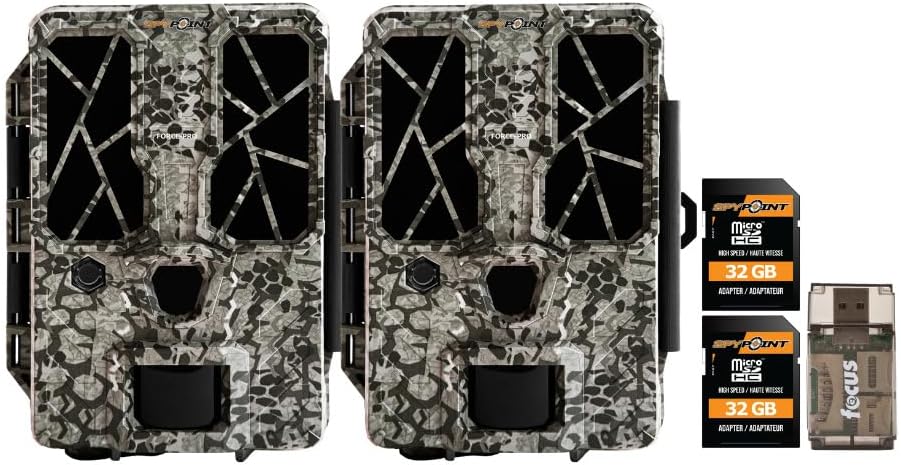
Verify that all items listed below are present in your package. If any items are missing or damaged, please contact SPYPOINT customer support.
- 2 x SPYPOINT FORCE-PRO 30 Megapixel Trail Camera
- 2 x SPYPOINT MicroSD 32GB Ultra High Speed Class 10 Memory Card
- 1 x Focus All-In-One High Speed Card Reader

Продукт бүттүview
The SPYPOINT FORCE-PRO is a robust trail camera designed for reliable performance in outdoor environments. It features advanced imaging capabilities and user-friendly controls.
Негизги өзгөчөлүктөрү
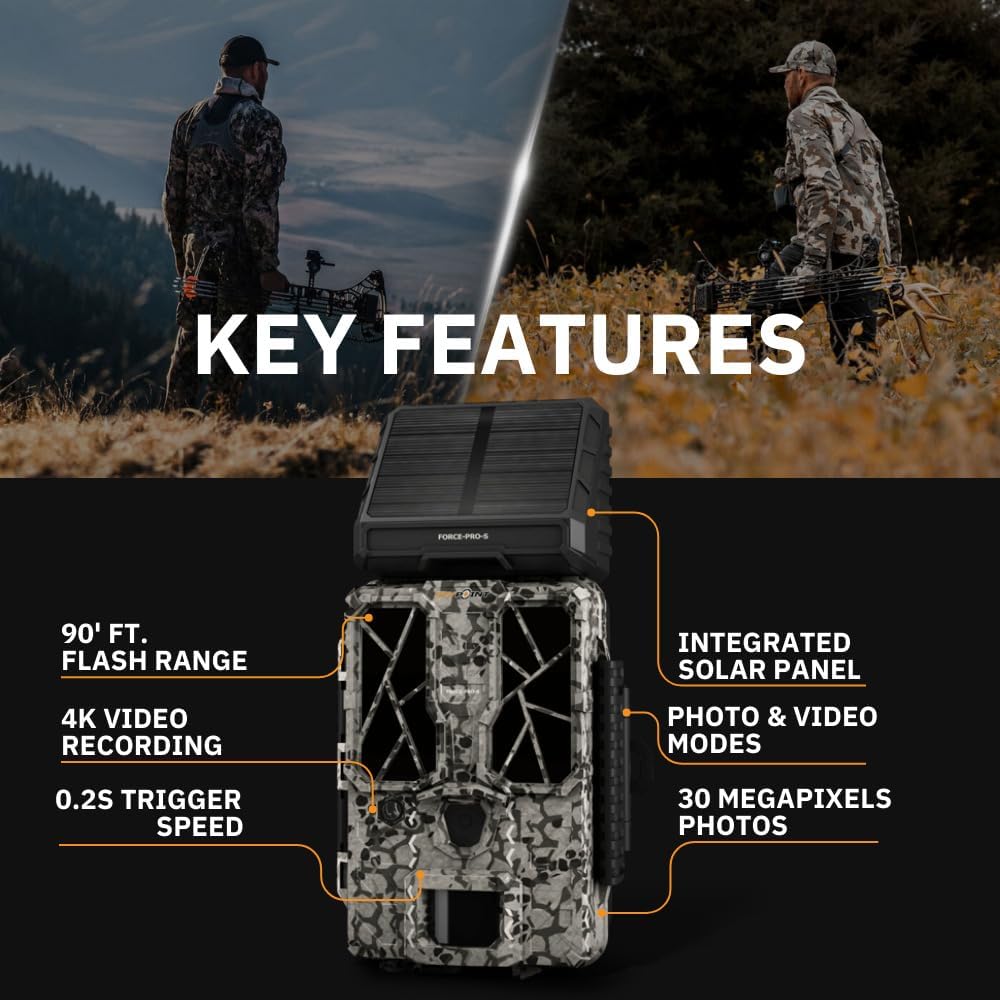
- Жогорку чечим: 30 Megapixel photos and 4K video recording with sound.
- Тез триггер ылдамдыгы: Ultra-fast 0.2-second trigger speed to capture quick movements.
- Кеңири аныктоо диапазону: 110-foot detection range.
- Powerful Flash: 90-foot flash range with 54 LEDs for clear night images.
- Интегралдык Күн панели: For extended battery life and reduced maintenance.
- Dual-SIM Cellular: Automatically connects to the best available network for reliable transmission (if cellular model).



Жайгашуу
1. Power Source Installation
The FORCE-PRO camera is equipped with an integrated solar panel for charging its internal battery. For initial setup or extended use without sufficient sunlight, an external power source can be used.
- Ички батарея: Ensure the camera's internal battery is charged. The integrated solar panel will charge it during daylight hours.
- Тышкы кубат (милдеттүү эмес): If using an external 12V power source (not included), connect it to the camera's 12V jack.
2. MicroSD картасын киргизүү
A MicroSD card is required to store photos and videos. Two 32GB MicroSD cards are included in this bundle.
- Камерадагы MicroSD карта уячасын табыңыз.
- MicroSD картаны алтын түстүү контакттары камеранын арткы бетине каратып, ордуна чыкылдаганча салыңыз.
- Алып салуу үчүн, картаны ал чыгып кеткенче акырын басыңыз.
3. Баштапкы күйгүзүү жана негизги конфигурация
- Turn the camera ON using the power switch.
- Follow the on-screen prompts (if available) or refer to the camera's menu for initial settings such as date, time, and language.
- Format the MicroSD card through the camera's menu for optimal performance.
4. Камераны орнотуу
The camera can be mounted using a strap, tripod, or other compatible mounting accessories. While specifications mention 'Tabletop Mount', for outdoor use, secure mounting is crucial.
- Так маалымат бере турган жерди тандаңыз view каалаган мониторинг аймагынын.
- Ensure the camera is securely fastened to prevent movement from wind or animals.
- Position the camera to avoid direct sunlight into the lens, which can cause overexposure.
Иштөө нускамалары
Камера режимдери
- Сүрөт режими: Иштетилгенде кыймылсыз сүрөттөрдү тартат.
- Видео режими: Иштетилгенде видеоклиптерди жаздырат.
- Сүрөт + видео режими: Сүрөткө тартып, андан кийин видеоклип тартат.
Орнотуулар
Access the camera's menu using the built-in screen and navigation buttons to customize settings:
- Чечим: Select desired photo (up to 30MP) and video (up to 4K) resolution. Higher resolutions consume more storage.
- Ишти кечиктирүү: Катарлуу триггерлердин ортосундагы кечиктирүүнү коюңуз.
- Сезимталдуулук: Adjust the motion sensor sensitivity to suit the environment and avoid false triggers.
- Иштөө сааттары: Define specific times the camera should be active.
- Дата/убакыт Stamp: Enable or disable the date and time overlay on images/videos.
Маалымат алуу
- MicroSD картасы: Remove the MicroSD card from the camera and insert it into the included Focus All-In-One High Speed Card Reader. Connect the card reader to a computer to access files.
- SPYPOINT колдонмосу: For cellular models, use the SPYPOINT mobile application to view and manage captured media remotely. The app also allows for camera settings adjustments and firmware updates.
Техникалык тейлөө
- Тазалоо: Regularly clean the camera lens and housing with a soft, dry cloth. Avoid abrasive materials or harsh chemicals.
- Батареяны текшерүү: Monitor battery levels, especially during periods of low sunlight. The integrated solar panel helps maintain charge, but supplemental charging may be needed.
- Программалык камсыздоонун жаңыртуулары: Periodically check for and install firmware updates via the SPYPOINT app or webоптималдуу аткарууну жана жаңы функцияларга жетүүнү камсыз кылуу үчүн сайт.
- Сактагыч: When not in use, store the camera in a cool, dry place away from direct sunlight.
Проблемаларды чечүү
- Камера иштебей жатат: Check motion sensor sensitivity, ensure no obstructions, and verify battery level.
- Сүрөттүн/видеонун сапаты начар: Clean the lens, check resolution settings, and ensure proper lighting conditions.
- Кубат маселеси: Ensure the internal battery is charged or an external power source is properly connected. Check for any damage to power cables.
- MicroSD карта каталары: Reformat the MicroSD card (backing up data first) or try a different card. Ensure the card is properly inserted.
- Connectivity Problems (Cellular Models): Verify cellular signal strength in the camera's location. Check your SPYPOINT app for data plan status.
Техникалык шарттар
| Өзгөчөлүк | Спецификация |
|---|---|
| Модел | FORCE-PRO |
| Сүрөттүн резолюциясы | 30 мегапиксел |
| Video Resolution | 4K |
| Триггер ылдамдыгы | 0.2 секунд |
| Тактоо диапазону | 110 фут |
| Жарк диапазону | 90 фут |
| Светодиоддор | 54 |
| Power Source | Integrated Solar Panel, Corded Electric (external 12V option) |
| Байланыш | USB, Wired (for data transfer), Cellular (for remote management) |
| Материал | Пластик |
| Суу каршылык | Сууга чыдамдуу |
| Фокус түрү | Автофокус |
| UPC | 196271434986 |
Кепилдик жана колдоо
For warranty information, technical support, or service inquiries, please refer to the official SPYPOINT webсайтка же түздөн-түз кардарларды тейлөө бөлүмүнө кайрылыңыз. Кепилдик дооматтар үчүн сатып алганыңыздын далилин сактаңыз.
SPYPOINT Webсайт: www.spypoint.com


