Introduction
This manual provides essential information for setting up, operating, maintaining, and troubleshooting your Microsoft Surface Pro 7+ Tablet PC. Please read this guide thoroughly to ensure optimal performance and longevity of your device.
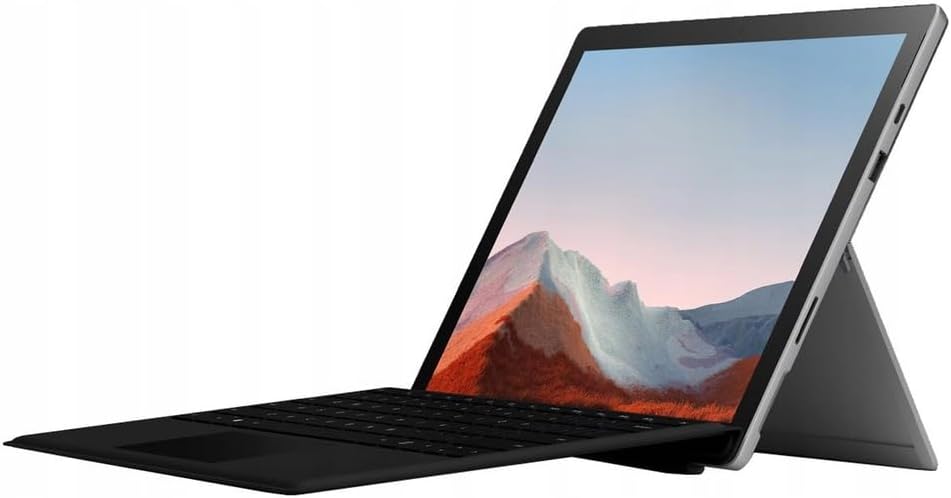
Image: The Microsoft Surface Pro 7+ in tablet mode with an attached keyboard, showcasing its versatile design.
The Microsoft Surface Pro 7+ is a versatile 2-in-1 device, functioning as both a powerful tablet and a laptop. It features a 12.3-inch PixelSense touchscreen display with a resolution of 2736 x 1824 pixels, powered by an Intel Core i7-1165G7 processor. This model comes with 16GB RAM and a 512GB Solid State Drive, running on Windows 11 Pro.
Жайгашуу
1. Кутудан чыгаруу жана алгачкы текшерүү
Бардык компоненттерди таңгактан кылдаттык менен алып салыңыз. Төмөнкү заттар бар экенин текшериңиз:
- Microsoft Surface Pro 7+ Tablet PC
- Кубат адаптери/кабели
Улантуудан мурун аспапта көрүнгөн зыяндын бар-жоктугун текшериңиз.

Image: The Microsoft Surface Pro 7+ tablet shown alongside its detachable keyboard, illustrating the two main components.
2. Кубатка туташуу
Connect the power adapter to the Surface Connect port on your device and then plug the adapter into a wall outlet. The battery indicator will illuminate to show that the device is charging.
3. Баштапкы жүктөө жана Windows орнотуу
Press the power button located on the top edge of the device to turn it on. Follow the on-screen prompts to complete the Windows 11 Pro setup, including language selection, network connection, and user account creation.
4. Attaching the Type Cover (Keyboard)
Align the magnetic connector of the Surface Type Cover with the bottom edge of the Surface Pro 7+. The magnets will snap the keyboard into place. You can adjust the angle of the keyboard for comfortable typing.

Image: The Microsoft Surface Pro 7+ with its keyboard attached, set up on a wooden surface, demonstrating its portability and usability in various environments.
Иштеп жатат
1. Негизги навигация
- Сенсордук экран: Навигация, чоңойтуу жана жылдыруу үчүн жаңсоолорду колдонуңуз.
- Мукабанын түрү: Utilize the keyboard for typing and the integrated trackpad for cursor control.
- Surface Pen (Optional): If you have a Surface Pen, it can be used for writing, drawing, and precise interaction with the screen.
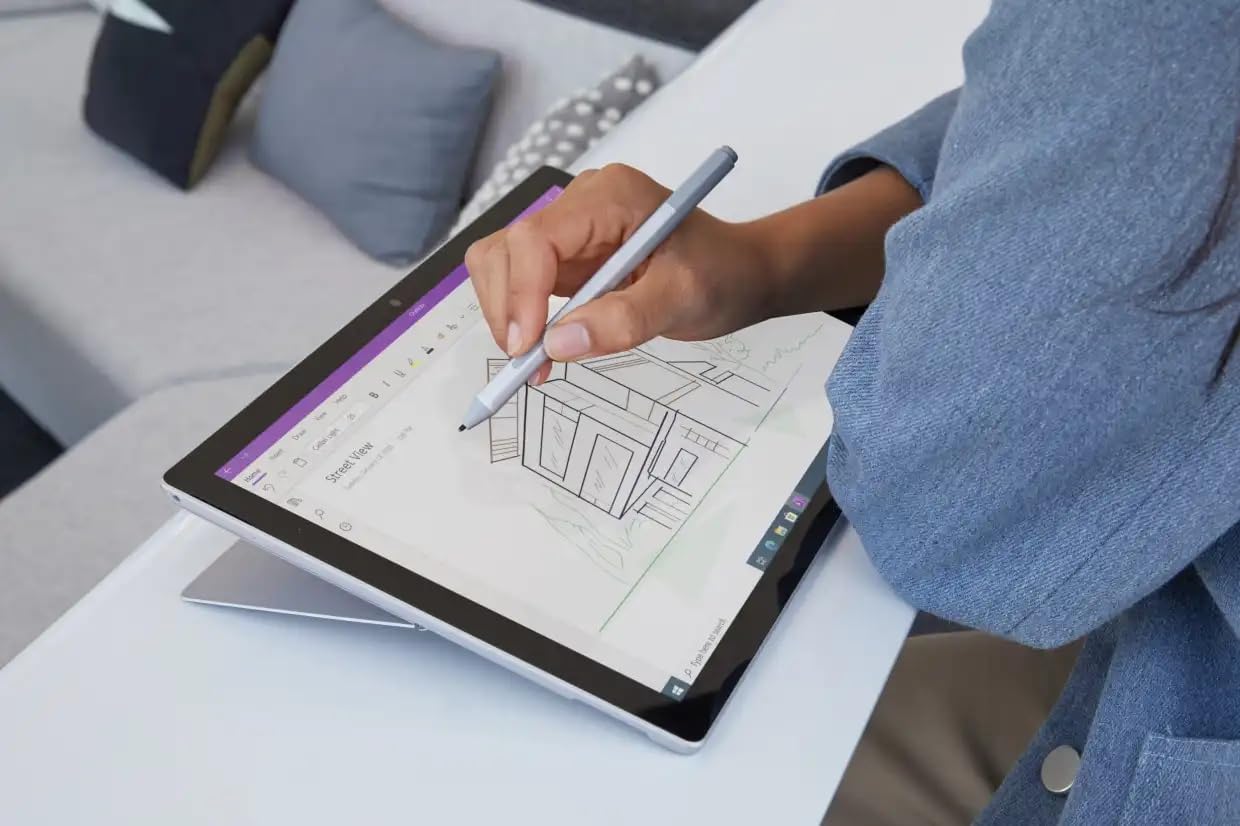
Image: A user interacting with the Microsoft Surface Pro 7+ using a Surface Pen, highlighting its capabilities for creative and precise tasks.
2. Порттор жана байланыш
Your Surface Pro 7+ includes various ports for connecting peripherals:
- USB-C порту: Маалыматтарды өткөрүү, видео чыгаруу жана шайкеш келген түзмөктөрдү кубаттоо үчүн.
- USB-A порту: For connecting standard USB devices like flash drives or mice.
- 3.5 мм кулакчын уячасы: Кулакчындарга же тышкы динамиктерге аудио чыгаруу үчүн.
- Surface Connect Port: Surface Dock аксессуарларын кубаттоо жана туташтыруу үчүн.
- Micro SDXC Card Reader: Сактагычты кеңейтүү же өткөрүп берүү үчүн fileэстутум карталарынан.

Сүрөт: А тарап профессионалfile view of the Microsoft Surface Pro 7+, clearly showing the various input/output ports available for connectivity.
Зымсыз туташуу: The device supports Wi-Fi 6 (802.11ax) for high-speed internet access and Bluetooth 5.0 for connecting wireless accessories.
3. Windows 11 Pro функциялары
Leverage the advanced features of Windows 11 Pro, including enhanced security, powerful management tools, and improved productivity with features like Snap Layouts and virtual desktops. Regular updates will ensure your system remains secure and up-to-date.
Техникалык тейлөө
1. Аппаратыңызды тазалоо
- Экран: Бир аз жумшак, түксүз кездемени колдонуңуз dampсуу же экран тазалоочу менен бүттү. Катуу химиялык заттардан алыс болуңуз.
- Дене: Сыртын жумшак, кургак чүпүрөк менен сүртүңүз.
- Порттор: Портторду чаңдан жана таштандылардан таза кармаңыз. Зарыл болсо, кысылган абаны колдонуңуз, бирок этияттык менен жасаңыз.
2. Программалык камсыздоону жаңыртуу
Ensure your Surface Pro 7+ is always up-to-date by regularly checking for Windows updates. Go to Орнотуулар > Windows Жаңыртуу to check for and install available updates. This helps maintain security and performance.
3. Батареяга кам көрүү
Батареянын иштөө мөөнөтүн көбөйтүү үчүн:
- Ашыкча температурадан сактаныңыз.
- Батареяны дайыма 0% га чейин кургатпаңыз же узак убакыт бою 100% га чейин кармабаңыз.
- Use the provided official power adapter.
Проблемаларды чечүү
Жалпы маселелер жана чечимдер
- Түзмөк күйбөй жатат:
Ensure the device is charged. Connect the power adapter and wait a few minutes before attempting to power on again. If unresponsive, perform a force restart by holding the power button for 30 seconds.
- Дисплей маселелери:
If the screen is blank or flickering, try restarting the device. Check display settings in Windows. Ensure drivers are updated.
- Wi-Fi/Bluetooth байланыш көйгөйлөрү:
Toggle Wi-Fi/Bluetooth off and on. Restart your router. Check device drivers in Device Manager.
- Жай аткаруу:
Close unnecessary applications. Check for background processes. Ensure sufficient free storage space. Run a disk cleanup.
Көбүрөөк маалымат алуу үчүн, Microsoft Surface расмий колдоо кызматына кайрылыңыз webсайт.
Техникалык шарттар
| Өзгөчөлүк | Деталь |
|---|---|
| Бренд | Microsoft |
| Модел | Surface Pro 7+ |
| CPU | Intel Core i7-1165G7 Processor (3.4GHz up to 4.6GHz) |
| Эстутум (RAM) | 16 ГБ |
| Сактагыч | 512 ГБ катуу абалдагы диск (SSD) |
| Графика | Intel Iris Plus графикасы |
| Операция системасы | Windows 11 Pro 64 Bit |
| Дисплей | 12.3-inch Full HD (2736 x 1824) 2K PixelSense Touchscreen |
| Wi-Fi | 802.11ax (Wi-Fi 6) |
| Bluetooth | BT5.0 |
| Порттар | 1 x USB-C, 1 x USB-A, 1 x Surface Connect port, 1 x 3.5 mm headphone jack, 1 x Micro SDXC card reader |
| Өлчөмдөр | 20.1 x 29.2 x 0.85 см (7.9 x 11.5 x 0.33 дюйм) |
| Салмагы | 0.77 кг (1.7 фунт) |
Кепилдик жана колдоо
This Microsoft Surface Pro 7+ comes with a 90-day warranty. For warranty claims or technical support, please contact the vendor or refer to the official Microsoft support resources.
For additional assistance, visit the official Microsoft Surface support webсайт: support.microsoft.com/surface


