1. Киришүү
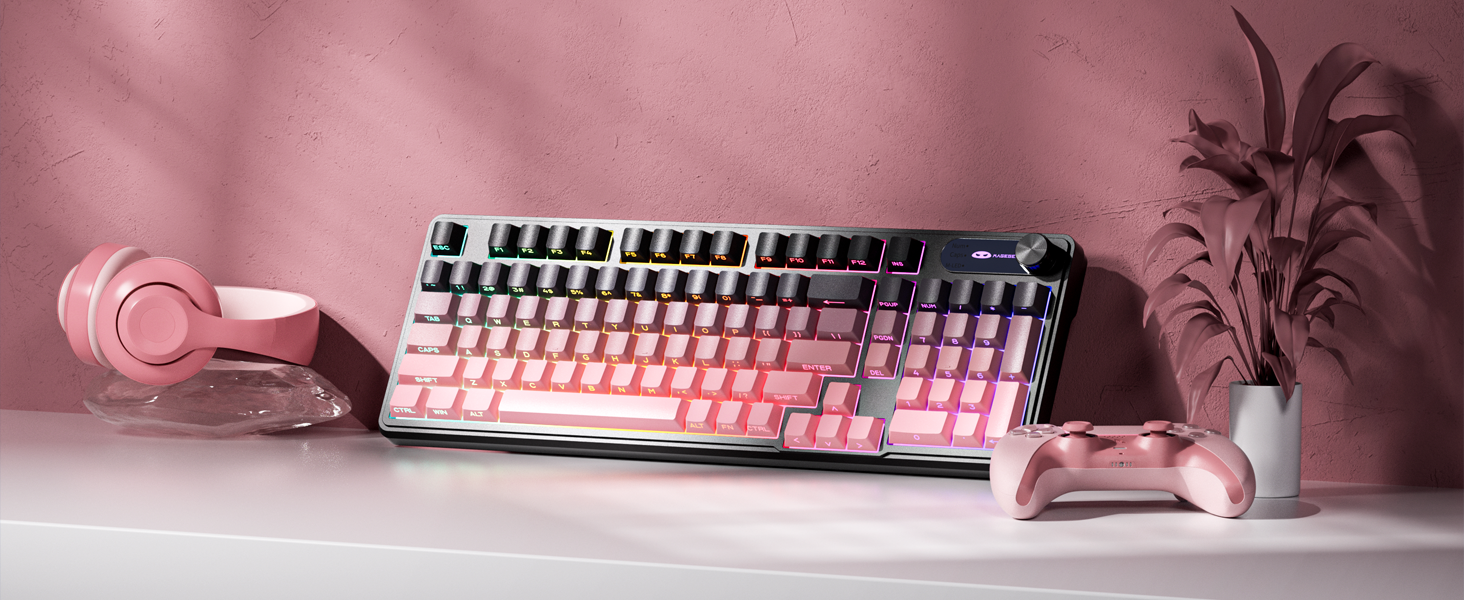
The MageGee GK960 is a versatile wireless gaming keyboard designed for optimal performance and user comfort. Featuring triple-mode connectivity (Wired USB-C, 2.4GHz Wireless, and Bluetooth), vibrant RGB backlighting, a multi-functional rotary knob, and a 98% layout with a number pad, this keyboard is suitable for various computing environments and tasks. Its ergonomic design and anti-ghosting capabilities enhance the typing and gaming experience.

Image 1.1: MageGee GK960 Wireless Gaming Keyboard highlighting key features such as Tri-Mode Connection, Side-Printed Keycaps, Knob Control, RGB Backlit, Win/Mac Support, and 19-Key Anti-Ghosting.
2. Пакеттин мазмуну
Төмөндө тизмеленген нерселердин баары пакетиңизге камтылганын текшериңиз:
- 1 x MageGee GK960 Wireless Gaming Keyboard
- 1 x User Manual
- 1 х USB-C кубаттоо кабели
- 1 x 2.4G USB кабыл алгыч
- 1 x User Guide (Quick Start)
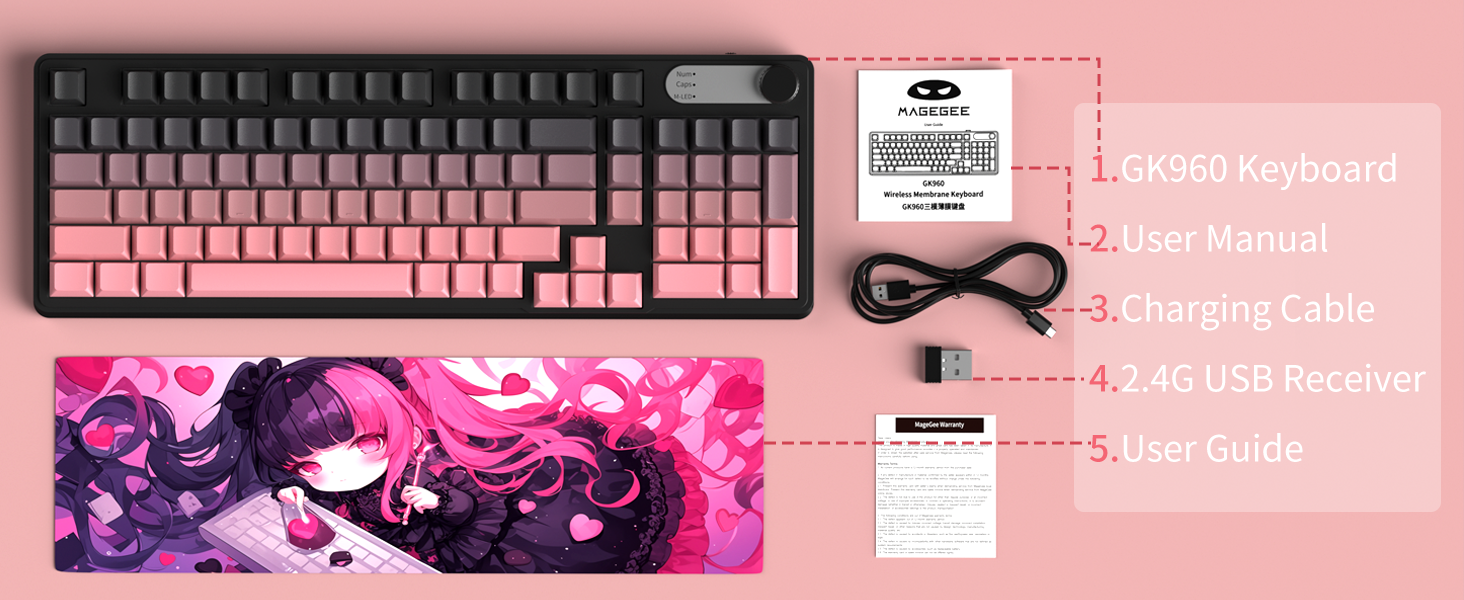
Image 2.1: Visual representation of the MageGee GK960 keyboard and its included accessories: user manual, charging cable, 2.4G USB receiver, and user guide.
3. Setup: Connectivity Modes
The GK960 keyboard offers three connectivity options: Wired USB-C, 2.4GHz Wireless, and Bluetooth. You can connect up to 5 devices simultaneously (1 wired, 1 via 2.4G, and up to 3 via Bluetooth).

Image 3.1: Diagram illustrating the three connection modes: Wired Type-C, 2.4GHz Wireless, and Bluetooth (BT FN+1/2/3).
3.1. Зымдуу USB-C туташуусу
- Баскычтоптогу USB-C портун табыңыз.
- Берилген USB-C кабелин клавиатурага жана экинчи учун компьютериңиздеги жеткиликтүү USB портуна туташтырыңыз.
- Баскычтоп автоматтык түрдө таанылып, колдонууга даяр болот.
3.2. 2.4 ГГц зымсыз туташуу
- Locate the 2.4G USB receiver (dongle) in the package.
- 2.4G USB ресиверди компьютериңиздеги жеткиликтүү USB портуна сайыңыз.
- Ensure the keyboard's mode switch (located on the back or side) is set to 2.4G mode.
- Баскычтоп автоматтык түрдө туташуу керек.
3.3. Bluetooth туташуусу
The keyboard supports connecting to up to three Bluetooth devices.
- Баскычтоптун режим которгучу Bluetooth режимине коюлганын текшериңиз.
- To pair with a device, press and hold FN + 1, FN + 2, же FN + 3 for 3-5 seconds until the corresponding indicator light flashes rapidly. This indicates pairing mode.
- Түзмөгүңүздө (компьютер, планшет, смартфон) Bluetooth жөндөөлөрүн ачып, жаңы түзмөктөрдү издеңиз.
- Select "MageGee GK960" from the list of available devices to complete the pairing process. The indicator light will stop flashing once connected.
- Жупташтырылган Bluetooth түзмөктөрүнүн ортосунда которулуу үчүн, жөн гана басыңыз FN + 1, FN + 2, же FN + 3 (кыскача басуу).
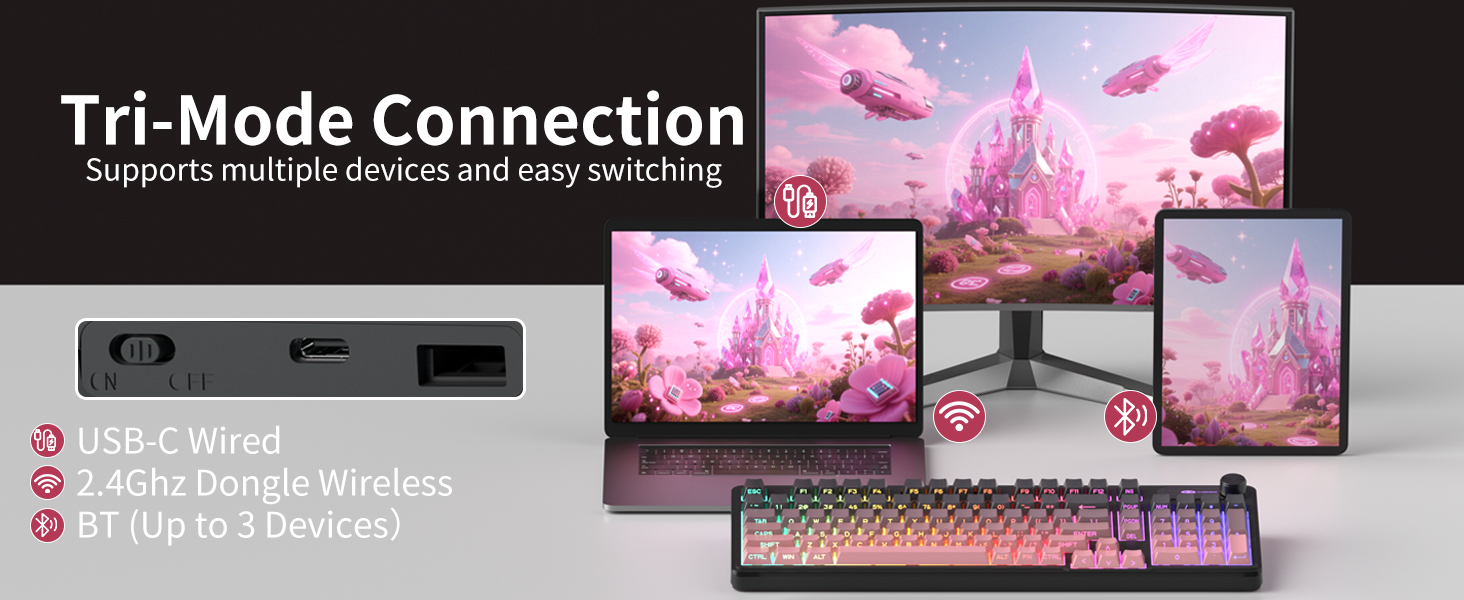
Image 3.2: The keyboard's connectivity switch, allowing selection between USB-C Wired, 2.4GHz Dongle Wireless, and Bluetooth modes.
4. Иштөө нускамалары
4.1. Dual-Mode Rotary Knob
The multi-functional knob provides quick control over volume and lighting settings.
- Которуу режимдери: Узак басуу FN + баскыч for 5 seconds to switch between Volume Mode and Light Mode.
- Үн режими:
- Twist the knob clockwise to increase volume.
- Twist the knob counter-clockwise to decrease volume.
- Press down on the knob to mute/unmute audio.
- Жарык режими:
- Twist the knob clockwise to increase backlight brightness.
- Twist the knob counter-clockwise to decrease backlight brightness.
- Press down on the knob to cycle through different lighting effects.
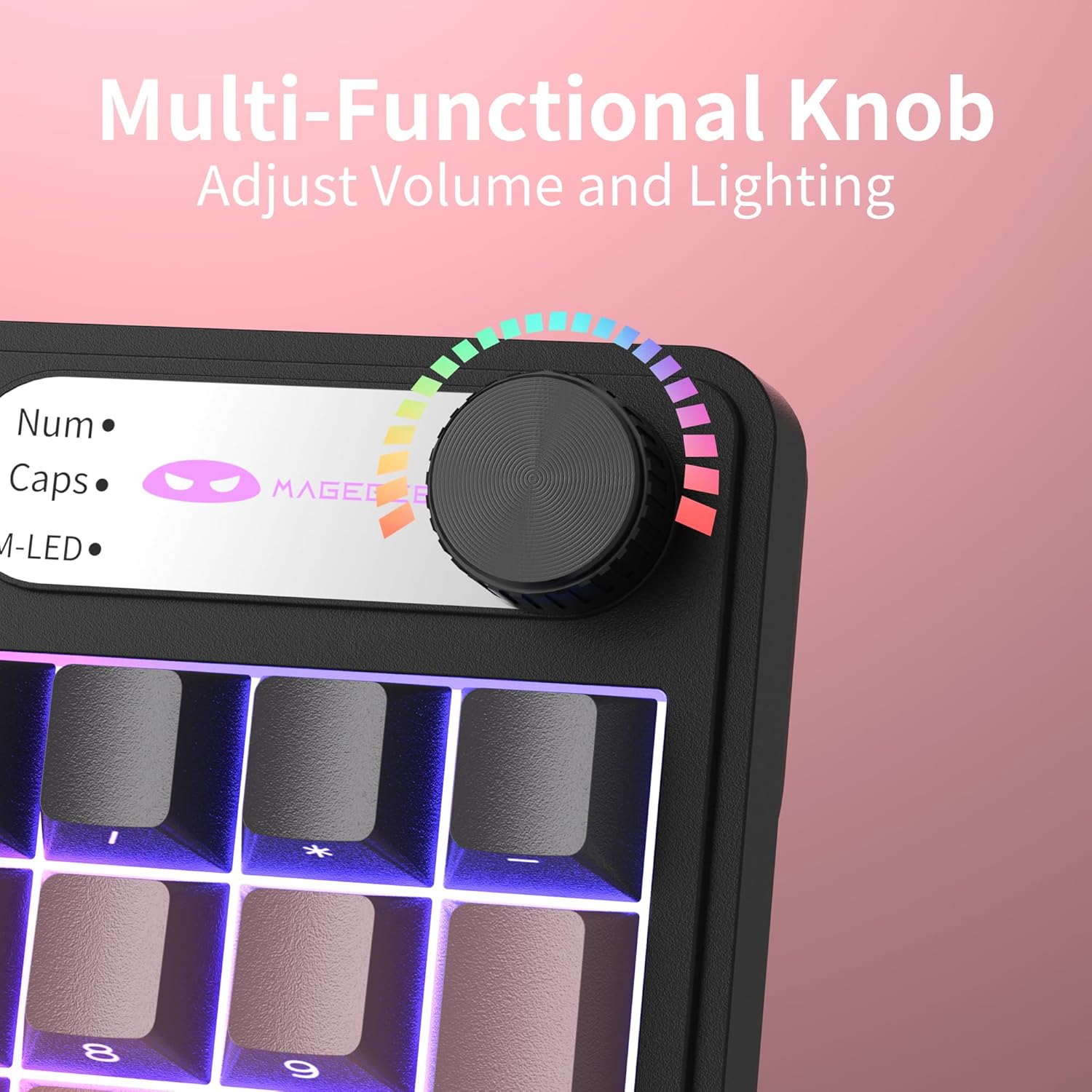
Сүрөт 4.1: Жакын пландан view of the multi-functional rotary knob, indicating its use for adjusting volume and lighting.
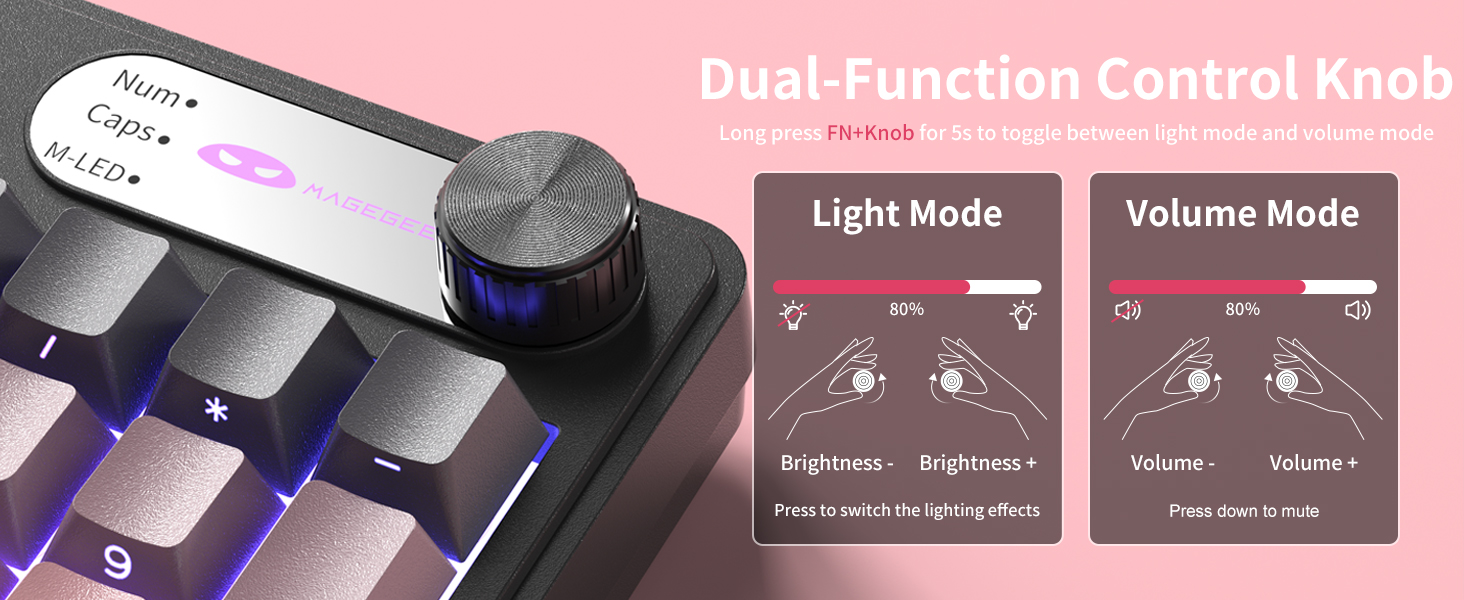
Image 4.2: Detailed illustration of the knob's functions in Light Mode (brightness adjustment, effect cycling) and Volume Mode (volume adjustment, mute).
4.2. RGB жарыгын башкаруу
The GK960 features vibrant RGB backlighting with adjustable settings.
- FN + Ins: Ар кандай жарык режимдерин которуштуруу.
- FN + Backspace: Арткы жарыкты күйгүзүңүз/өчүңүз.
- FN + - / = +: Жарыктын ылдамдыгын тууралаңыз.
- FN + PgUp / PgDn: Жарыктын жарыктыгын тууралаңыз.
- FN + P: Toggle the logo color.
Сүрөт 4.3: Бүттүview of function key combinations for controlling the vibrant RGB LED backlight, including switching modes, adjusting speed and brightness, and toggling logo color.
4.3. Системаны которуу (Windows/Mac)
The GK960 keyboard supports both Windows and Mac operating systems. You can switch between them using a simple key combination.
- To switch to Windows mode: Press FN + W.
- To switch to Mac mode: Press FN + M.
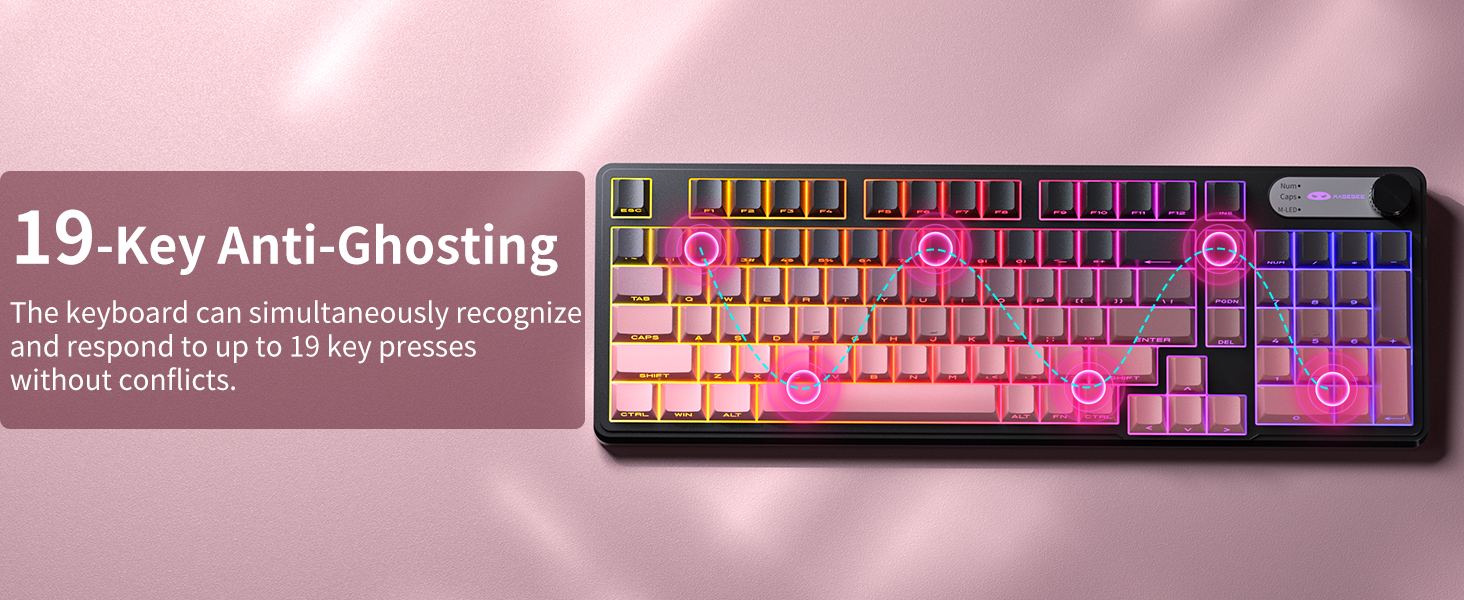
4.4. 19-Key Anti-Ghosting
The GK960 features 19-key anti-ghosting, ensuring that every keystroke is registered accurately, even during rapid, simultaneous key presses. This is particularly beneficial for gaming and fast typing, preventing missed inputs.
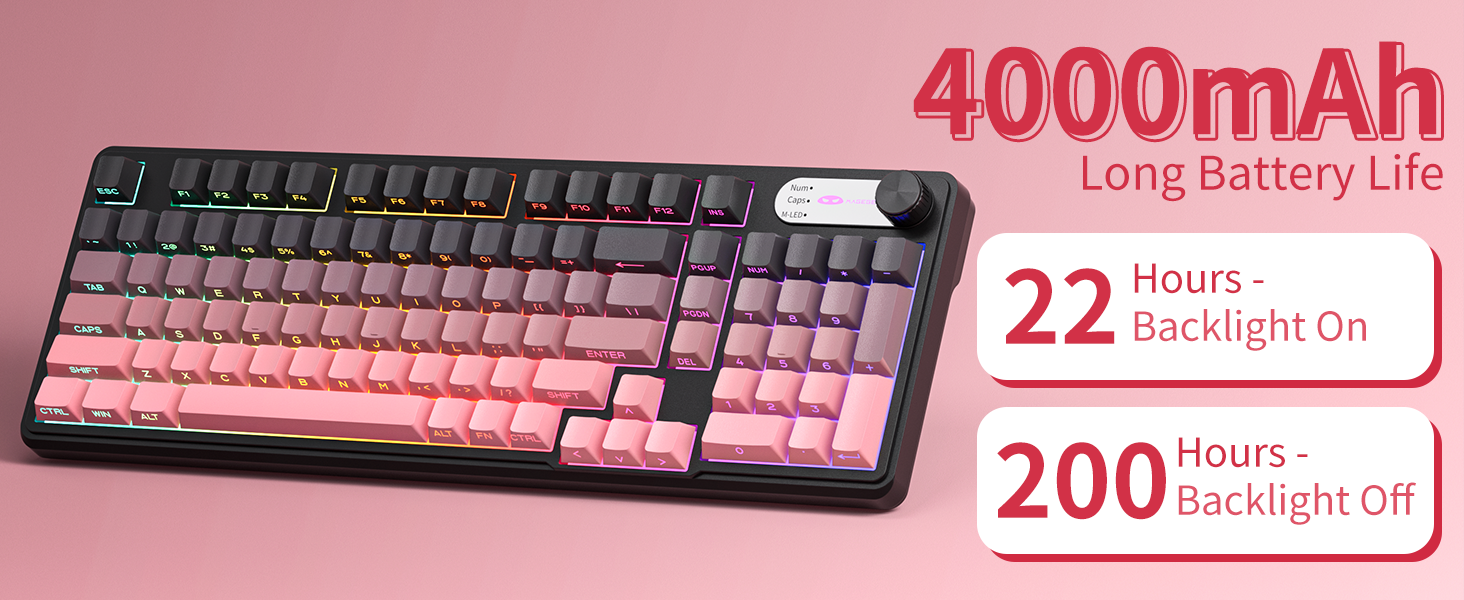
Image 4.4: Diagram illustrating the 19-key anti-ghosting feature, showing multiple simultaneous key presses being recognized.
4.5. Side-Printed Keycaps
The keycaps are crafted with double-shot injection molding, providing durability and clear legends that resist fading from prolonged use. The side-printed legends allow the backlight to shine through, enhancing visibility and aesthetics.

Сүрөт 4.5: Жакын пландан view of the side-printed keycaps, demonstrating how the backlight illuminates the legends.
5. Батарея жана заряддоо
The GK960 keyboard is equipped with a high-capacity 4000mAh battery, providing extended usage times.
- Батареянын иштөө мөөнөтү: Approximately 22 hours with backlight on, and up to 200 hours with backlight off.
- Заряддоо: Connect the provided USB-C cable to the keyboard and a power source (e.g., computer USB port, USB wall adapter). The keyboard can be used in wired mode while charging.
- Төмөн батарея көрсөткүчү: An indicator light will signal when the battery is low, prompting you to recharge.
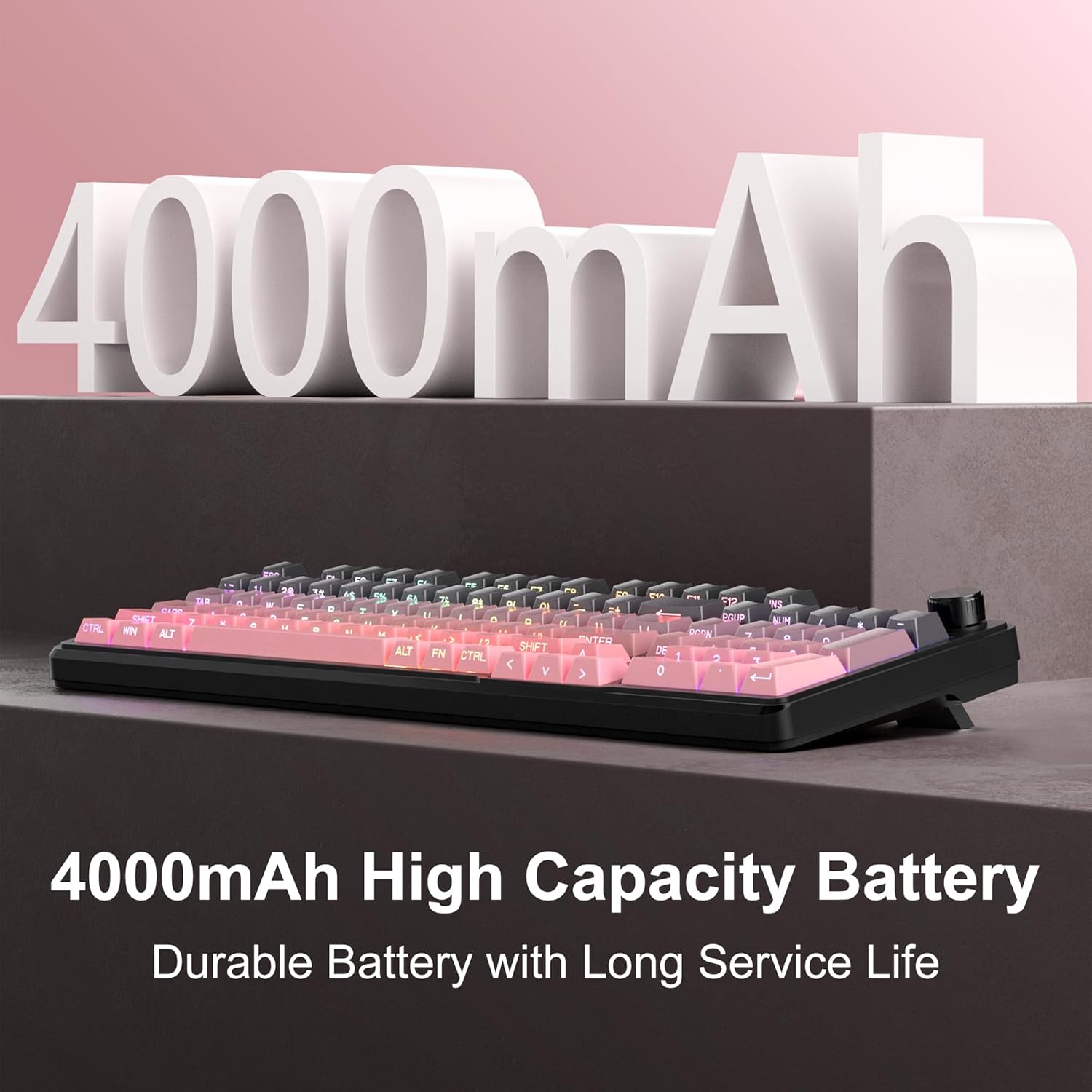
Image 5.1: Visual representation emphasizing the 4000mAh high-capacity battery for durable and long service life.
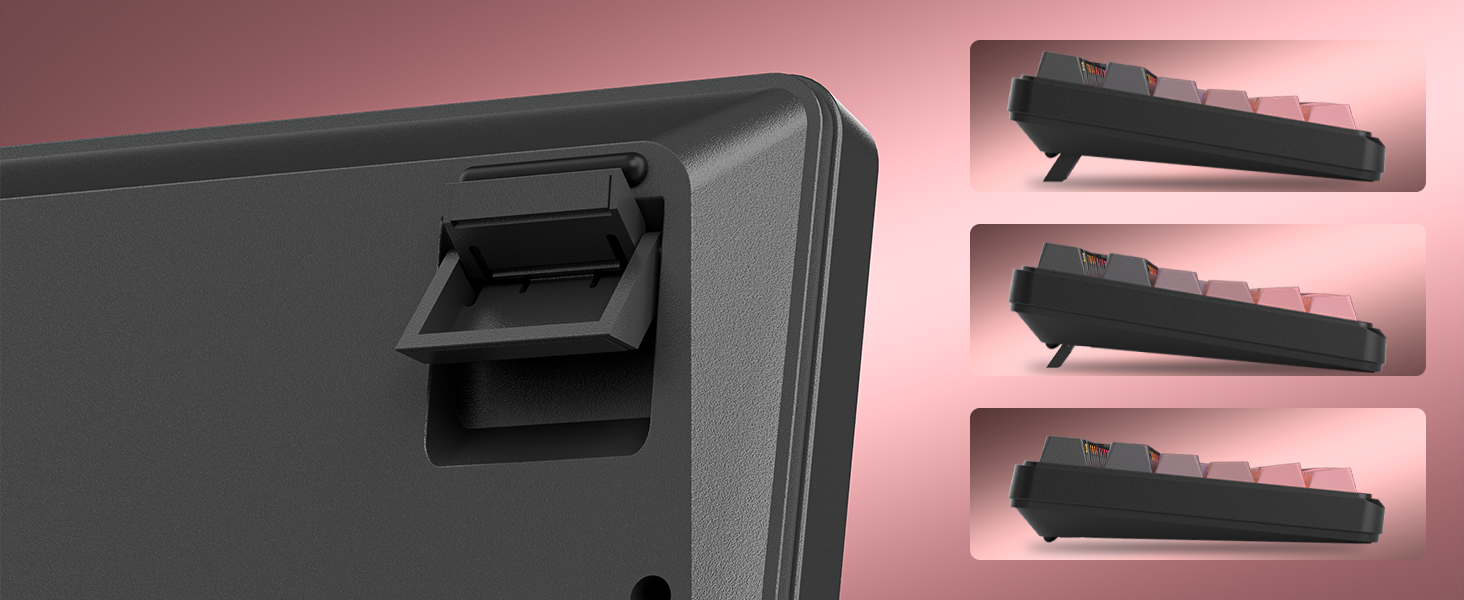
Image 5.2: Battery life estimates for the 4000mAh battery: 22 hours with backlight on and 200 hours with backlight off.
6. Техникалык тейлөө
Proper maintenance ensures the longevity and optimal performance of your MageGee GK960 keyboard.
- Тазалоо: Use a soft, dry cloth to wipe the surface of the keyboard. For deeper cleaning, you may use a can of compressed air to remove dust and debris from between the keycaps. Avoid using harsh chemicals or abrasive materials.
- Клавиатураны алып салуу: If necessary, keycaps can be carefully removed using a keycap puller (not included) for thorough cleaning. Exercise caution to avoid damaging the switches.
- Сактагыч: Клавиатураны күн нурунан жана экстремалдык температурадан алыс, салкын, кургак жерде сактаңыз.
- Суюктук таасири: Avoid spilling liquids on the keyboard. If a spill occurs, immediately disconnect the keyboard, turn it upside down to drain, and allow it to dry completely before reconnecting.
7. Кыйынчылыктарды
If you encounter issues with your GK960 keyboard, refer to the following common troubleshooting steps:
- Баскычтоп жооп бербей жатат:
- Баскычтоп кубатталганын текшериңиз.
- Check the connectivity mode switch (Wired, 2.4G, BT) and ensure it matches your connection method.
- 2.4G үчүн, USB кабыл алгыч бекем сайылганын текшериңиз.
- For Bluetooth, ensure the keyboard is paired correctly and selected on your device. Try re-pairing if necessary.
- Зымсыз көйгөйлөрдү болтурбоо үчүн USB-C кабели аркылуу туташтырып көрүңүз.
- Ачкычтар катталбайт же жасалма эмес:
- Баскычтоптун таза жана клавиатуранын астындагы таштандылардан таза экенин текшериңиз.
- The GK960 features 19-key anti-ghosting, but excessive simultaneous presses beyond this limit may still lead to issues.
- Test the keyboard on another device to determine if the issue is with the keyboard or the computer.
- RGB backlight not working or incorrect:
- Колдонуу менен арткы жарык күйгүзүлгөнүн текшериңиз FN + Backspace.
- жардамы менен жарыктыгын тууралаңыз FN + PgUp / PgDn.
- Режимдерди колдонуп цикл аркылуу өтүү FN + Ins.
- Check if the knob is in Light Mode and adjust brightness/effects.
- Bluetooth байланышы туруксуз:
- Баскычтоп түзмөгүңүздүн эффективдүү диапазонунда экенин текшериңиз.
- Башка зымсыз түзмөктөрдүн кийлигишүүсүн азайтыңыз.
- Remove and re-pair the keyboard in your device's Bluetooth settings.
8. Техникалык шарттар
| Өзгөчөлүк | Спецификация |
|---|---|
| Модель аты | GK960 |
| Бренд | MageGee |
| Байланыш технологиясы | BT/2.4G/USB-C (Tri-Mode) |
| Баскычтоптун жайгашуусу | 98% Layout (with Number Pad) |
| Клавиатура түрү | Side-Printed, Double-Shot Injection Molding |
| Anti-Ghosting | 19 Ачкычтар |
| Арткы жарыктандыруу | RGB |
| Батарея сыйымдуулугу | 4000mAh |
| Шайкеш түзмөктөр | Ноутбук, компьютер, смартфон, планшет |
| Операциялык системаны колдоо | Windows, Mac |
| Өзгөчөлүктөр | Backlit, Hotkeys and Media Keys, Rechargeable, Volume Roller, Ergonomic Design |
| Элемент Салмагы | 1.88 фунт |
| Пакеттин өлчөмдөрү | 17.68 x 7.09 x 2.01 дюйм |

Image 8.1: Diagram showing the dimensions of the MageGee GK960 keyboard.
Сүрөт 8.2: Жакын пландан view of the adjustable stands on the underside of the keyboard, illustrating the different ergonomic angles.
9. Кепилдик жана колдоо
Specific warranty details and direct support contact information are not provided in this manual. For warranty claims, technical support, or further inquiries, please refer to the official MageGee website or contact the retailer from whom you purchased the product. Please retain your proof of purchase for warranty purposes.


