1. Киришүү
Thank you for choosing the QCY SP2 Portable Bluetooth Speaker. This manual provides essential information for setting up, operating, and maintaining your speaker. Please read it thoroughly before use to ensure optimal performance and longevity of your device.
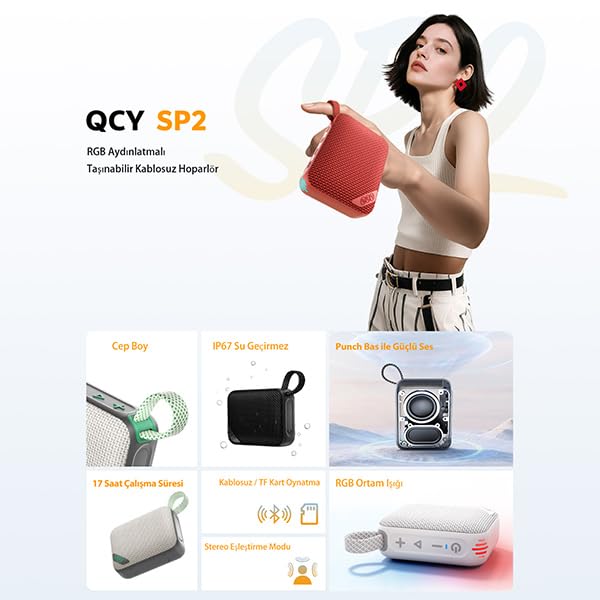
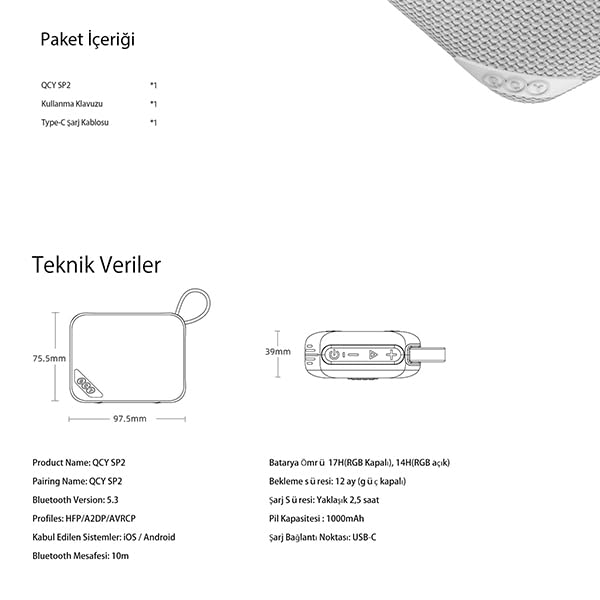
The QCY SP2 is a compact and powerful portable speaker designed for various environments. It features Bluetooth 5.3 connectivity, IP67 dust and water resistance, RGB lighting, and True Wireless Stereo (TWS) pairing capabilities.
2. Пакеттин мазмуну
Пакетиңизде бардык буюмдар бар экенин текшериңиз:
- QCY SP2 Portable Bluetooth Speaker
- USB Type-C кубаттоочу кабель
- Көрсөтмө (бул документ)
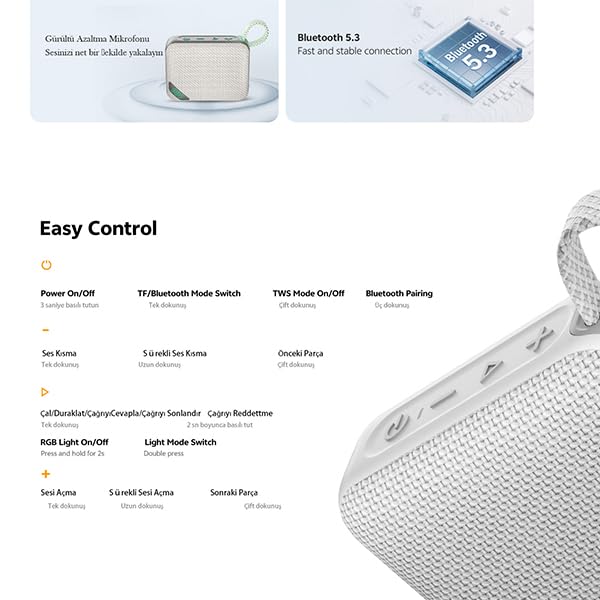
Image: QCY SP2 speaker, charging cable, and manual.
3. Продукт бүтүп калдыview
Спикердин компоненттери жана башкаруу элементтери менен таанышыңыз.
Сүрөт: алдыңкы view of the QCY SP2 speaker.
Сүрөт: каптал view of the QCY SP2 speaker, showing strap attachment.
Сүрөт: Артка view of the QCY SP2 speaker.
Башкаруу каражаттары жана порттор:
Сүрөт: деталдуу view of the QCY SP2 speaker's control buttons.
- Күйгүзүү / Өчүрүү баскычы: Күйгүзүү же өчүрүү үчүн 3 секунд басып туруңуз.
- TF/Bluetooth Mode Switch Button: Single press to switch between TF card and Bluetooth modes.
- TWS Mode On/Off Button: Double press to activate/deactivate True Wireless Stereo mode.
- Bluetooth жупташтыруу баскычы: Triple press to enter Bluetooth pairing mode.
- Үндү азайтуу / Мурунку трек баскычы (-): Single press for volume down, double press for previous track.
- Play/Pause / Answer/Reject Call Button: Single press to play/pause, answer/end call. Press and hold for 2 seconds to reject a call.
- Үндү катуулатуу / Кийинки трек баскычы (+): Single press for volume up, double press for next track.
- RGB Light On/Off Button: Press and hold for 2 seconds to turn RGB lights on/off.
- Жарык режимин которуу баскычы: Double press to cycle through RGB light effects.
- USB Type-C порту: Динамикти заряддоо үчүн.
4. Орнотуу
4.1 Динамикти заряддоо
- Берилген USB Type-C кубаттоо кабелин динамиктин кубаттоо портуна туташтырыңыз.
- Кабелдин экинчи учун USB кубат адаптерине (кошумча эмес) же компьютердин USB портуна туташтырыңыз.
- Кубаттоо көрсөткүчү күйөт. Толук кубаттоо болжол менен 2.5 саатты талап кылат.
- Толук заряддалгандан кийин индикатордун жарыгы өзгөрөт же өчөт. Заряддоо кабелин ажыратыңыз.
Эскертүү: Батареянын оптималдуу иштөө мөөнөтү үчүн, биринчи жолу колдонуудан мурун динамикти толук заряддаңыз.
4.2 Күйгүзүү/өчүрүү
- Күйгүзүү үчүн: Press and hold the Power On/Off button for 3 seconds. You will hear an audible prompt.
- Өчүрүү үчүн: Press and hold the Power On/Off button for 3 seconds. You will hear an audible prompt.
4.3 Bluetooth жупташтыруу
- Ensure the speaker is powered on and in Bluetooth mode (indicated by a flashing blue light). If not, single press the TF/Bluetooth Mode Switch button.
- Мобилдик түзмөгүңүздө Bluetooth иштетип, жеткиликтүү түзмөктөрдү издеңиз.
- Түзмөктөр тизмесинен "QCY SP2" тандаңыз.
- Once paired, the speaker will emit an audible confirmation, and the blue indicator light will become solid.
- If pairing fails, triple press the Bluetooth Pairing button on the speaker to re-enter pairing mode, then try again.
Эскертүү: Динамик күйгүзүлгөндө автоматтык түрдө акыркы жупташтырылган түзмөккө кайра туташуу аракетин көрөт.
4.4 QCY тиркемесинин интеграциясы
For advanced sound customization, download the QCY app from your device's app store. The app allows you to access multiple sound modes (EQ settings) like Rock, Classical, Pop, and more, to tailor your audio experience.
5. Иштөө нускамалары
5.1 Музыканы ойнотуу
- Ойнотуу/тындыруу: Play/Pause баскычын бир жолу басуу.
- Кийинки трек: Double press the Volume Up (+) button.
- Мурунку трек: Double press the Volume Down (-) button.
5.2 Үндү башкаруу
- Көлөмүн жогорулатуу: Single press the Volume Up (+) button.
- Көлөмдү азайтуу: Single press the Volume Down (-) button.
5.3 RGB жарыктандыруу
The QCY SP2 features 24 dynamic RGB light effects that can sync with your music.
- Жарыктарды күйгүзүү/өчүрүү: Press and hold the RGB Light On/Off button for 2 seconds.
- Жарык режимин өзгөртүү: Double press the Light Mode Switch button to cycle through different lighting effects.
5.4 Чыныгы зымсыз стерео (TWS) жупташтыруу
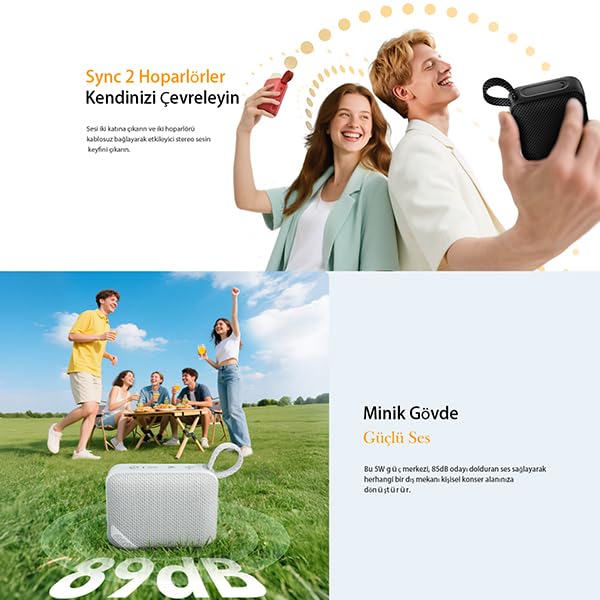
Pair two QCY SP2 speakers for an immersive stereo sound experience.
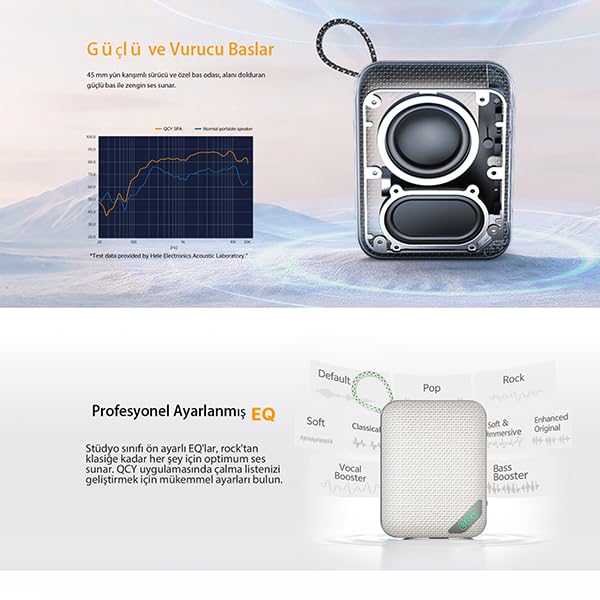
Image: Two QCY SP2 speakers operating in True Wireless Stereo mode.
- Ensure both QCY SP2 speakers are powered on and not connected to any device.
- On one speaker (this will be the primary speaker), double press the TWS Mode On/Off button. It will enter TWS pairing mode.
- The primary speaker will automatically search for the secondary speaker. Once connected, you will hear an audible confirmation.
- Эми мобилдик түзмөгүңүздү 4.3-бөлүмдө сүрөттөлгөндөй Bluetooth аркылуу негизги динамикке туташтырыңыз.
- To disconnect TWS, double press the TWS Mode On/Off button on either speaker.
5.5 Эквалайзер (EQ) орнотуулары
Utilize the QCY app to customize the speaker's equalizer settings. The app offers various preset sound modes to enhance your listening experience.
Image: Diagram illustrating various EQ settings available for the QCY SP2 speaker.
6. Техникалык тейлөө
6.1 IP67 Суу жана чаңга туруктуулук
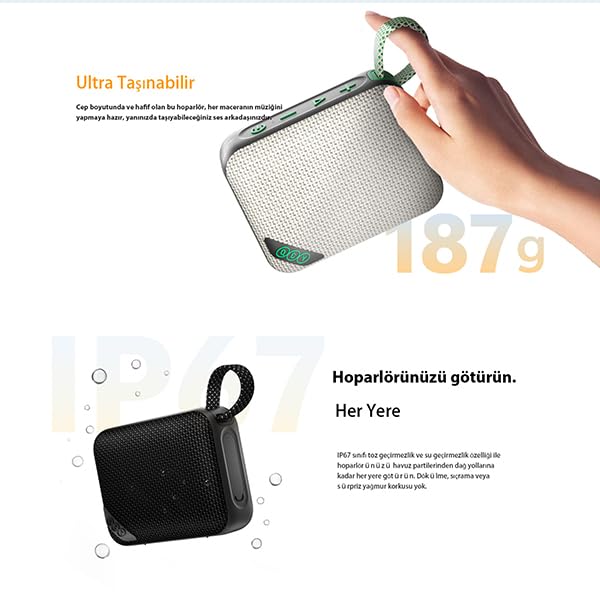
The QCY SP2 speaker is rated IP67, meaning it is protected against dust ingress and can withstand immersion in water up to 1 meter for 30 minutes. This makes it suitable for outdoor use, by the pool, or at the beach.
Image: QCY SP2 speaker submerged in water, highlighting its IP67 water resistance.
- Динамикти сууга же чаңга тийгизүүдөн мурун, кубаттоо портунун капкагы бекем жабылганын текшериңиз.
- Do not expose the speaker to saltwater, chlorinated water, or other chemicals.
- After exposure to water, wipe the speaker dry with a soft, clean cloth before charging.
6.2 Тазалоо жана сактоо
- Динамикти жумшак, кургак чүпүрөк менен тазалаңыз. Абразивдүү тазалагычтарды же эриткичтерди колдонбоңуз.
- Динамикти түз күн нурунан жана өтө температурадан алыс салкын, кургак жерде сактаңыз.
- Узак мөөнөткө сактасаңыз, батарейканын ден соолугун сактоо үчүн бир нече ай сайын батареяны болжол менен 50% га чейин заряддаңыз.
7. Кыйынчылыктарды
| Көйгөй | Чечим |
|---|---|
| Динамик күйбөйт. | Батарея заряддалганын текшериңиз. Динамикти USB Type-C кабели аркылуу кубат булагына туташтырыңыз. |
| Bluetooth аркылуу жупташтыруу мүмкүн эмес. | Make sure the speaker is in pairing mode (flashing blue light). Ensure your device's Bluetooth is on and within 10 meters. Forget "QCY SP2" from your device's Bluetooth list and try pairing again. Triple press the Bluetooth Pairing button on the speaker. |
| Үн жок же үнү төмөн. | Increase the volume on both the speaker and your connected device. Ensure the speaker is not muted. Check if the speaker is properly connected via Bluetooth. |
| TWS жупташтыруу ишке ашпай калды. | Ensure both speakers are QCY SP2 models and are not connected to any other device. Place them close to each other. Double press the TWS button on one speaker to initiate pairing. |
| RGB чырактары иштебей жатат. | Press and hold the RGB Light On/Off button for 2 seconds to activate. Double press the Light Mode Switch button to cycle through effects. |
8. Техникалык шарттар
| Өзгөчөлүк | Деталь |
|---|---|
| Модель аты | QCY SP2 Portable Bluetooth Speaker |
| Динамик түрү | Көчмө спикер |
| Байланыш технологиясы | Bluetooth |
| Bluetooth версиясы | 5.3 |
| Максималдуу диапазон | 10 метр |
| Динамик чыгаруу күчү | 5 Ватт |
| Айдоочунун өлчөмү | 45мм |
| Батарея сыйымдуулугу | 1000mAh |
| Playtime (Lights Off) | 17 саатка чейин |
| Playtime (Lights On) | 14 саатка чейин |
| Заряддоо убактысы | Болжол менен 2.5 саат |
| Заряддоо порту | USB Type-C |
| Суу жана чаңга туруктуулук | IP67 |
| Продукциянын өлчөмдөрү | 3.9D x 9.8W x 7.6H Сантиметр |
| Элемент Салмагы | 196 грамм |
| Өзгөчөлүктөр | RGB Lighting, True Wireless Stereo (TWS), Smart EQ via QCY App |
Image: Technical data and dimensions of the QCY SP2 speaker.
9. Кепилдик жана колдоо
The QCY SP2 Portable Bluetooth Speaker comes with a manufacturer's warranty. Please refer to the warranty card included in your package or visit the official QCY webдеталдуу кепилдик шарттары жана шарттары үчүн сайт.
For technical support, troubleshooting assistance, or service inquiries, please contact QCY customer support through their official channels. Contact information can typically be found on the QCY webсайтында же продуктунун таңгагында.


