1. Коопсуздук нускамалары
Please read all instructions carefully before assembly and operation. Failure to follow these instructions may result in injury or damage to the product.
- Монтаждоодон мурун бардык компоненттер бар экенин жана бузулбаганын текшериңиз.
- Кырсыктарды болтурбоо үчүн иш учурунда балдарды жана үй жаныбарларын столдон алыс кармаңыз.
- 270 фунттан (122 кг) ашпаңыз.
- Connect the power cord to a grounded outlet (100V-240V).
- Суюктуктарды түздөн-түз башкаруу панелине же электрдик тетиктердин жанына коюудан алыс болуңуз.
- Бийиктикти тууралоодо столдун жолунда эч кандай тоскоолдуктар жок экенин текшериңиз.
- Үстөлдүн рамкасында отурбаңыз жана турбаңыз.
2. Пакеттин мазмуну
Verify that all parts are included in your package. If any parts are missing or damaged, contact Okin customer support.
- Lifting Columns (2)
- Буттар (2)
- кайчылаш тилке (1)
- Каптал кашаалар (2)
- Башкаруу панели (1)
- Башкаруу кутучасы (1)
- Кубат адаптери (1)
- Электр шнуры (1)
- Туташуу кабелдери
- Аппараттык комплект (буроолор, шайбалар, аллен ачкычтары)
- Instruction Manual
3. Монтаждоо боюнча нускамалар
Follow these steps to assemble your Okin standing desk frame. A complete set of tools and parts is included for convenience.
- Буттарды көтөрүүчү мамычаларга бекитүү: Securely fasten the feet to the bottom of each lifting column using the provided screws.
- Assemble the Crossbar: Connect the two sections of the crossbar. The crossbar is adjustable in length from 43.3 inches to 71 inches (110-180 cm) to accommodate various desktop sizes.
- Connect Lifting Columns to Crossbar: Attach the lifting columns to the assembled crossbar using the designated screws.
- Каптал кронштейндерди орнотуу: Mount the side brackets to the top of the lifting columns. These will support your desktop.
- Mount Control Box and Control Panel: Attach the control box to the underside of one of the side brackets. Install the control panel in a convenient location, typically on the front edge of your chosen desktop.
- Кабелдерди туташтыруу: Plug the motor cables from the lifting columns and the control panel cable into the control box. Connect the power adapter to the control box and then to the power cord.
- Attach Desktop (Not Included): Place your desktop onto the assembled frame. The frame is designed for desktops ranging from 47.2 to 78.7 inches (120-200 cm) in length and 24 to 35.5 inches (60-90 cm) in depth. Secure the desktop to the side brackets using appropriate screws (not included, as desktop material varies).

Сүрөт: бүттүview of the Okin Standing Desk Frame components, including the lifting columns, feet, crossbar, and control panel.

Image: Diagram illustrating the recommended tabletop dimensions and the adjustable length of the desk frame's crossbar (43.3"-71").

Сүрөт: Жакын план view highlighting the sturdy steel construction, T-shaped stability feet, and adjustable leveling feet of the desk frame.
4. Иштөө нускамалары
The Okin standing desk frame features an intuitive control panel for easy height adjustments.
- Бийиктикти жөндөө: колдонуу Up жана Төмөн arrow buttons on the control panel to raise or lower the desk. The desk adjusts smoothly at a speed of 1.4 inches per second.
- Бийиктик диапазону: The desk can be adjusted from a minimum height of 23.6 inches (60 cm) to a maximum height of 49.2 inches (125 cm).
- Эстутум алдын ала орнотуулары: The control panel includes 3 memory preset buttons (1, 2, 3). To save a desired height, adjust the desk to the preferred level, then press the M button followed by the desired number button (1, 2, or 3). The desk will beep to confirm the setting.
- Алдын ала орнотууларды эстөө: Press the corresponding number button (1, 2, or 3) to automatically move the desk to your saved height.
- Санариптик дисплей: The LED screen on the control panel displays the current desk height.
- Тынч иштөө: The dual motor system operates at a quiet level of approximately 48 dB, minimizing disruption.

Сүрөт: деталдуу view of the smart control panel, showing the Up/Down buttons, digital display, and memory preset buttons (M, 1, 2, 3).

Image: Illustration demonstrating the adjustable height range of the Okin standing desk, from 23.6 inches to 49.2 inches.
5. Техникалык тейлөө
Regular maintenance ensures the longevity and optimal performance of your standing desk frame.
- Тазалоо: Wipe the desk frame with a dry cloth to remove dust and debris. Avoid using abrasive cleaners or solvents.
- Байланыштарды текшерүү: Мезгил-мезгили менен бардык бурамалар менен болттордун бекемдигин текшерип туруңуз. Керек болсо кайра тартыңыз.
- Кабелдик башкаруу: Ensure all cables are neatly managed and not pinched or tangled, which could affect operation.
6. Кыйынчылыктарды
If you encounter issues with your Okin standing desk frame, refer to the following common solutions:
- Үстөл кыймылдабайт:
- Кубат шнуру розеткага да, башкаруу кутусуна да бекем сайылганын текшериңиз.
- Бардык мотор кабелдеринин башкаруу кутучасына туура туташтырылганын текшериңиз.
- Розетканын иштеп жатканын башка түзмөк менен сынап көрүү менен текшериңиз.
- Uneven Movement or Desk Stops:
- Perform a reset: Press and hold the 'Down' button until the desk reaches its lowest position and then slightly rises. Release the button. If this does not work, consult the full manual or contact support.
- Ensure the desk is not overloaded (maximum 270 lbs).
- Check for any obstructions preventing smooth movement.
- Дисплейдеги ката коддору: If an error code appears, unplug the desk for 10 minutes, then plug it back in. If the error persists, contact customer support.
For further assistance, please contact Okin customer support.
7. Техникалык шарттар
| Бренд | Окин |
| Модель номери | DS2.451.3B.01WU111.C |
| Бийиктигин тууралоо диапазону | 23.6" - 49.2" (60 см - 125 см) |
| Жөнгө салуу ылдамдыгы | 1.4 дюйм/секунда |
| Жүктөө жөндөмдүүлүгү | 270 фунт (122 кг) |
| Ызы-чуу деңгээли | <48 дБ |
| Crossbar Length Adjustment | 43.3" - 71" (110 см - 180 см) |
| Recommended Desktop Length | 47.2" - 78.7" (120 см - 200 см) |
| Сунушталган жумушчу столдун тереңдиги | 24" - 35.5" (60 см - 90 см) |
| Материал | Эритме болот |
| Түс | Кара |
| Item Weight (Frame Only) | 72.8 фунт (33 кг) |

Image: Visual representation of the desk frame's maximum load capacity of 270 lbs.
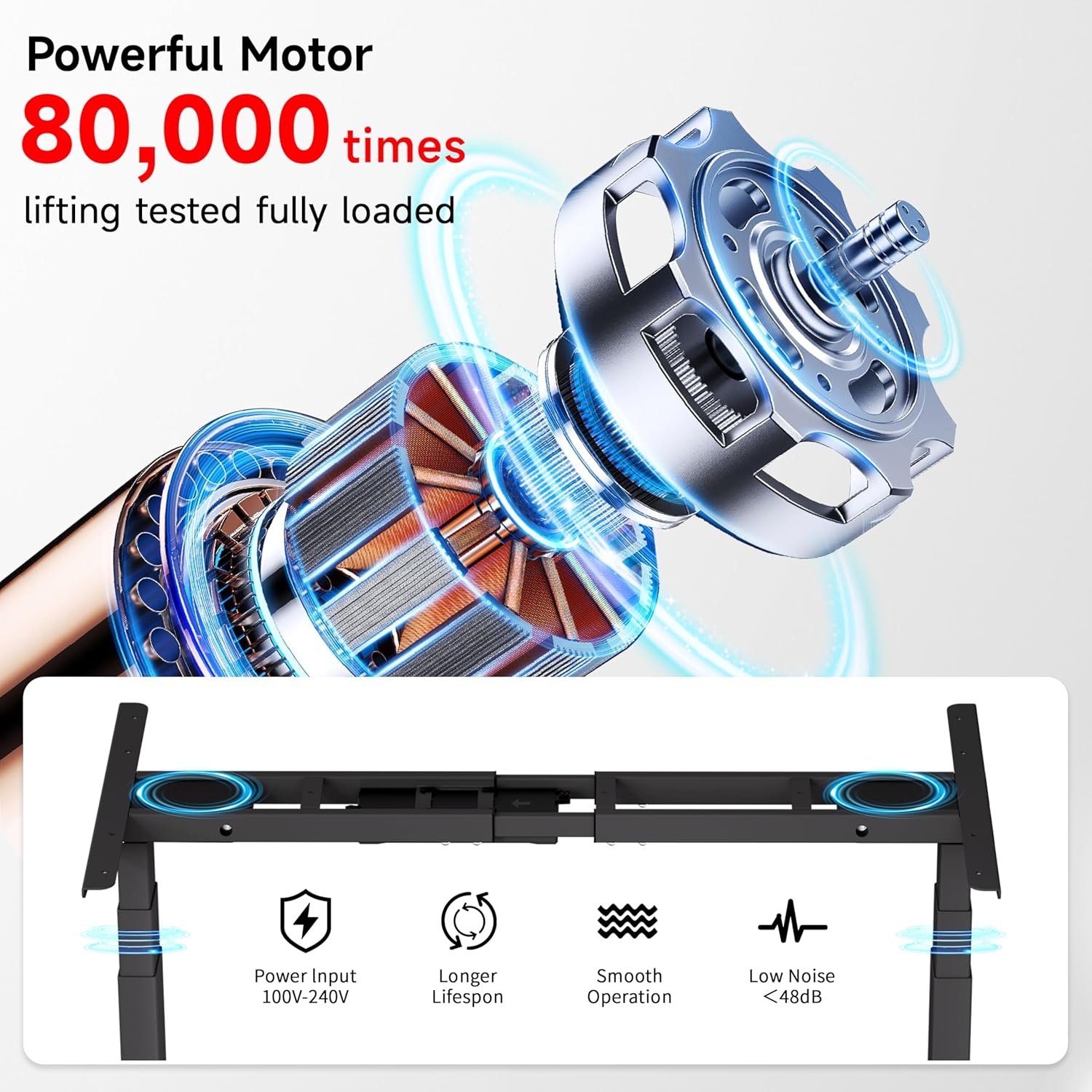
Image: Diagram illustrating the powerful dual motor system, highlighting its smooth operation, longer lifespan, and low noise level (<48dB).

Image: Comparison showing Okin's frame features, including 30% longer flanks, 30% thicker columns (3"x2"), and 30% wider feet for enhanced stability.
8. Кепилдик жана колдоо
Okin is committed to providing quality products and customer satisfaction.
- Кардарларды колдоо: A dedicated support team is available to assist with any questions or concerns regarding setup, operation, or troubleshooting.
- Кайтаруулар: Enjoy a 30-day easy return policy.
- Коргоо пландары: Optional 2-Year and 3-Year protection plans are available for extended coverage.
For more information or to contact support, please visit the Amazon'догу Okin дүкөнү.


