1. Киришүү
This manual provides essential information for the proper setup, operation, and maintenance of your Veout 15.6-inch Portable Monitor. Please read these instructions thoroughly before using the product to ensure optimal performance and longevity.
2. Пакеттин мазмуну
Төмөндө көрсөтүлгөн бардык буюмдар продуктуңуздун таңгагында бар экенин текшериңиз:
- 1 х Портативдик Монитор
- 1 x USB-A - USB-C кабели
- 1 x USB-C - USB-C кабели
- 1 x Mini HDMI - HDMI кабели
- 1 x User Manual

Figure 2.1: Included accessories with the portable monitor.
3. Продукт бүтүп калдыview
The Veout portable monitor features a 15.6-inch IPS display with a slim profile and integrated kickstand for versatile use.
3.1. Физикалык өзгөчөлүктөрү

Сүрөт 3.1: Алдыңкы view of the Veout 15.6-inch Portable Monitor.

3.2-сүрөт: Арткы view highlighting connectivity ports.

3.3-сүрөт: Side profile demonstrating the monitor's thin design.
3.2. Порттор жана башкаруу элементтери
- Full-Function USB-C Ports: For video, audio, data, and power delivery with a single cable.
- Mini-HDMI порт: For video and audio input. Requires external power via USB-C when used.
- 3.5 мм аудио уячасы: Тышкы кулакчындарды же динамиктерди туташтыруу үчүн.
- Control Wheel/Buttons: Used for adjusting volume, brightness, and navigating the On-Screen Display (OSD) menu.
3.3. Integrated Kickstand
The monitor features a foldable kickstand for stable positioning at various viewбурчтар.
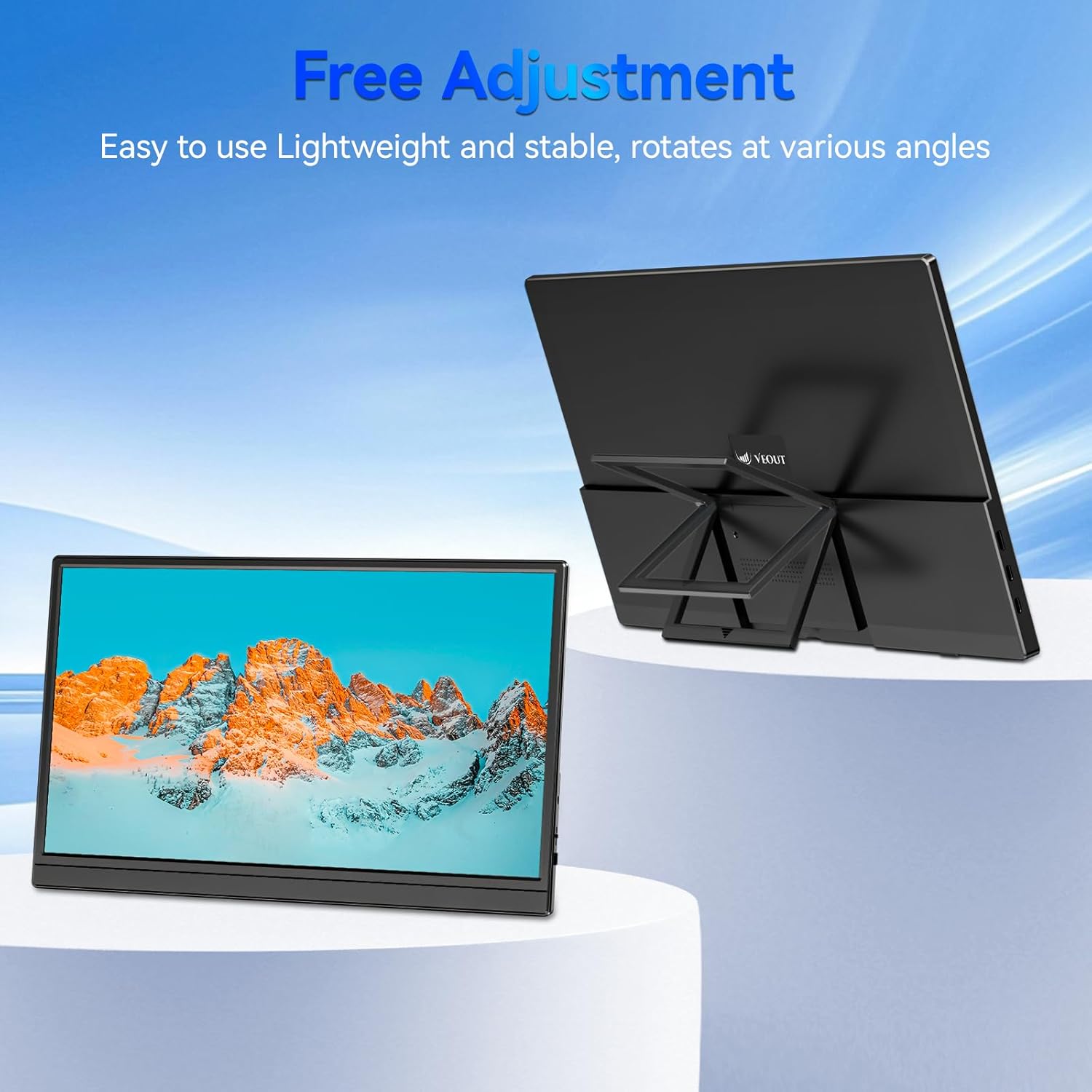
Figure 3.4: Monitor with kickstand for adjustable viewing.
4. Орнотуу
The Veout portable monitor supports plug-and-play functionality, requiring no driver installation for most devices.
4.1. Түзмөккө туташуу
- USB-C туташуусу (бир кабель):
- Connect one end of the USB-C to USB-C cable to a full-function USB-C port on your laptop, smartphone, or other compatible device.
- Connect the other end of the USB-C to USB-C cable to one of the full-function USB-C ports on the portable monitor.
- This connection provides video, audio, and power to the monitor.
- HDMI Connection (Requires Additional Power):
- Connect one end of the Mini-HDMI to HDMI cable to the Mini-HDMI port on the monitor.
- Connect the other end of the Mini-HDMI to HDMI cable to the HDMI port on your device.
- For power, connect the USB-A to USB-C cable or a USB-C to USB-C cable from your device's USB port or a power adapter (not included) to one of the monitor's USB-C ports.
4.2. Positioning the Monitor
Deploy the integrated kickstand to position the monitor on a flat surface. Adjust the angle for optimal viewing. The monitor can be used in both landscape and portrait orientations.

Figure 4.1: Monitor used in portrait mode for document viewing.
5. Иштөө нускамалары
5.1. Дисплей режимдери
When connected to a computer, you can configure the display mode through your operating system's display settings:
- Copy Mode (Mirror Display): Duplicates your primary screen's content onto the portable monitor. Useful for presentations or sharing content.
- Кеңейтилген режим: Extends your desktop across both screens, providing additional workspace for multitasking.
- Экинчи экран гана режими: Displays content only on the portable monitor, with the primary device's screen turned off.
5.2. Орнотууларды тууралоо
The monitor features an intuitive control mechanism for quick adjustments:
- Жарыктыкты жөндөө: Scroll the control wheel up or down to instantly adjust screen brightness.
- Үндү тууралоо: Scroll the control wheel up or down to instantly adjust speaker volume.
- OSD менюсу: Press the control wheel or designated button to access the On-Screen Display menu for advanced settings like color, contrast, and input source selection.
5.3. Көзгө кам көрүү технологиясы
The monitor incorporates advanced eye-care technology designed to reduce blue light emission and screen flicker, promoting comfortable viewузак мөөнөттүү колдонуу учурунда күйгүзүү.
6. Техникалык тейлөө
Мониторуңуздун иштешин жана көрүнүшүн сактап калуу үчүн, бул көрсөтмөлөрдү аткарыңыз:
- Экранды тазалоо: Экранды жумшак, түксүз чүпүрөк менен акырын сүртүңүз. өжөр белгилери үчүн, жеңил гampчүпүрөккө суу же экранды тазалоо эритмеси. Катуу химиялык заттардан же абразивдүү материалдардан алыс болуңуз.
- Тазалоо Casing: Мониторду тазалоо үчүн жумшак, кургак чүпүрөктү колдонуңуз casing.
- Сактагыч: When not in use, store the monitor in a cool, dry place, preferably in its original packaging or a protective sleeve.
- Суюктуктардан алыс болуңуз: Do not expose the monitor to excessive moisture or spill liquids directly onto it.
7. Кыйынчылыктарды
Мониторуңузда көйгөйлөргө туш болсоңуз, төмөнкү жалпы көйгөйлөрдү жана чечимдерди караңыз:
| Көйгөй | Мүмкүн себеп | Чечим |
|---|---|---|
| Дисплей жок/"Сигнал жок" билдирүүсү | Incorrect cable connection, insufficient power, incorrect input source. | Ensure cables are securely connected. If using HDMI, ensure a separate power source is connected to the monitor's USB-C port. Check your device's display settings to ensure the monitor is detected and enabled. Select the correct input source via the OSD menu. |
| Жымыңдаган экран | Loose cable connection, incompatible resolution/refresh rate, power fluctuations. | Reconnect cables. Adjust display resolution or refresh rate on your connected device. Ensure stable power supply. |
| Монитордон үн чыкпайт | Monitor volume too low, incorrect audio output selected on device. | Increase monitor volume using the control wheel. On your connected device, ensure the portable monitor is selected as the audio output device. |
| Монитор күйбөйт | No power supply, faulty cable. | Ensure the monitor is receiving power via a USB-C connection from a compatible device or power adapter. Try a different USB-C cable. |
8. Техникалык шарттар
| Өзгөчөлүк | Деталь |
|---|---|
| Продукт моделинин номери | Veout-15.6 |
| Screen Size | 15.6 дюйм |
| Резолюция | 1920 x 1080 пиксел (FHD 1080p) |
| Аспект катышы | 16:9 |
| Панел түрү | IPS |
| Screen Surface | Мт |
| Продукциянын өлчөмдөрү | 1.97 x 13.78 x 11.02 дюйм |
| Элемент Салмагы | 3.08 фунт |
| Киргизүү көлөмүtage | 5V |
| Номиналдуу ток | 3A |
| Чыгуу күчү | 5.5 Вт |
| Өндүрүүчү | Guangdong Zhanwei electronic Technology Co., LTD |

Figure 8.1: Product information and certification details.
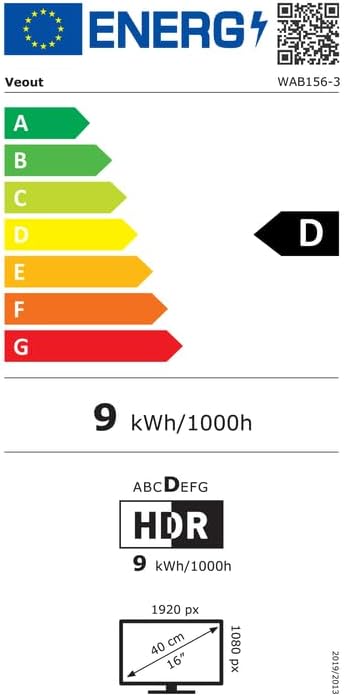
Figure 8.2: EU Energy Label for model WAB156-3. For more details, visit eprel.ec.europa.eu/qr/2209122.
9. Кепилдик жана колдоо
Your Veout Portable Monitor is backed by a 12-month warranty from the date of purchase. We are committed to providing customer service and support.
- Кепилдик мөөнөтү: 12 ай
- Кайтаруу саясаты: 30 күндүк акчаны кайтаруу кепилдиги
- Кардарларды тейлөө: 24 саат жеткиликтүү

9.1-сүрөт: Кепилдик жана колдоо жөнүндө маалымат.
For technical assistance or warranty claims, please contact Veout customer support at support@veout.com.


