1. Киришүү
The VIISAN A8401 Document Scanner Camera is a versatile and compact device designed for efficient document and object scanning. It features a 16MP camera, a built-in microphone, and an LED light source, making it suitable for various applications including office work, remote learning, and accessibility needs. This manual provides detailed instructions for setting up, operating, and maintaining your A8401 scanner.

Figure 1.1: VIISAN A8401 Document Scanner Camera with an open book on the scanning mat.
2. Орнотуу
2.1 Түзмөктү таңгактан чыгаруу
Carefully remove all components from the packaging. The box should contain the VIISAN A8401 Document Camera Scanner, a scanning mat, and a USB cable. Refer to the quick start guide for a visual representation of the package contents.

Figure 2.1: Package contents including the A8401 scanner, scan pad, and quick start guide.
2.2 Компьютериңизге туташуу
- Place the scanning mat on a flat, stable surface.
- Position the VIISAN A8401 Document Scanner Camera on the mat, ensuring it is stable.
- Connect the scanner to your computer using the provided USB Type-A cable. The scanner is UVC/UAC compliant for plug-and-play functionality.
- Ensure the necessary software (VIISAN OfficeCam) is installed. (Refer to Section 5: Software for download instructions).
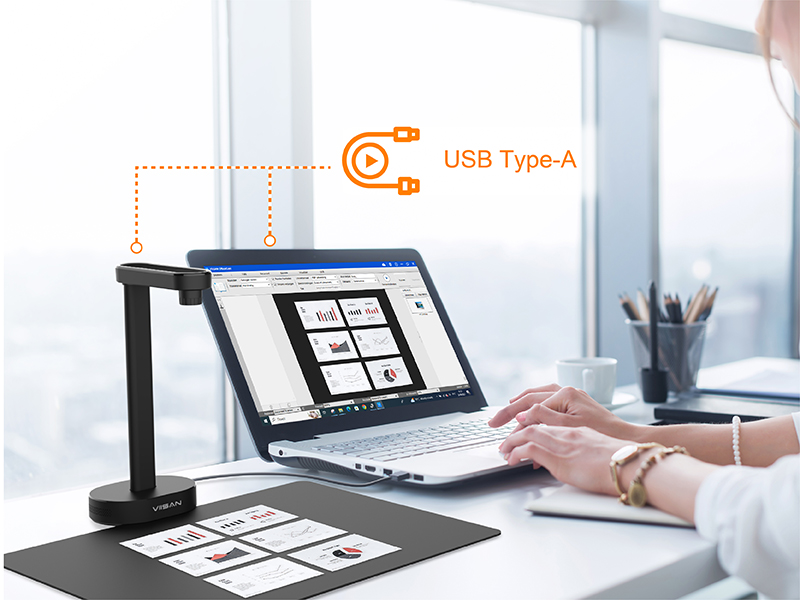
Figure 2.2: Connecting the A8401 to a laptop via USB.
3. Иштөө нускамалары
3.1 Негизги сканерлөө
- Launch the VIISAN OfficeCam software on your computer.
- Place the document or object you wish to scan on the scanning mat, directly beneath the camera.
- Adjust the position of the document as needed. The software will display a live preview.
- Use the software interface to initiate the scan. The A8401 supports high-speed scanning at approximately 1.5 seconds per page.

Figure 3.1: High-speed scanning capability.
3.2 Multiple Document Scanning
The A8401 allows for scanning multiple documents simultaneously. Arrange several items on the scanning mat, and the software can automatically detect and process them as individual images.

Figure 3.2: Scanning multiple documents at once.
3.3 LED жарыгын колдонуу
The camera head includes an integrated LED light. Use the ON/OFF switch on the camera head to activate or deactivate the light, which can improve image clarity in low-light conditions.
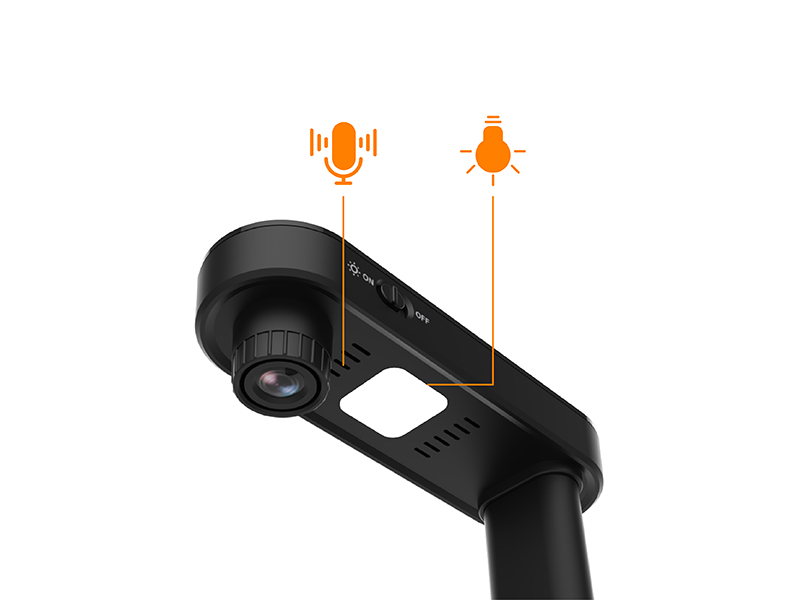
Figure 3.3: LED light and microphone controls.
4. Негизги өзгөчөлүктөрү
- Lightweight and Desk Saving Design: The A8401 features a short-armed camera and an A4 shooting area, optimizing scanning efficiency and minimizing desk space usage.
- Powerful Document Scanning Software: Works with VIISAN OfficeCam scanning software, enabling snapshots, barcode recognition, and scanning documents or books into JPEG files. It can convert these into searchable PDF or editable Word, Excel, and Text formats using its embedded OCR engine for Windows or MacOS.
- Штрихкод таануу: The A8401 functions as a barcode reader with embedded recognition functionality, allowing for barcode or QR code recognition and outputting results in Excel format.
- Unique Text to Speech (TTS): Features assistive technology for word-by-word reading and listening to any document. This tool is beneficial for individuals with dyslexia or for child language learning.
- Distance Learning Ready: As a UVC/UAC compliant camera, it allows for demonstrating physical objects and showing live teacher or presenter activities to remote learners via third-party video conferencing software such as Zoom, Google Meet, and Microsoft Teams.
- Advanced Video Filters for Low Vision Accessibility: The OfficeCam software includes advanced video filters (e.g., Invert, B&W, Yellow on Blue, Green on Black) to enhance visibility for users with low vision.
- Screen Reader for Enhanced Accessibility: An integrated screen reader provides real-time auditory feedback when interacting with the software, making it more intuitive for users with low vision or blindness.
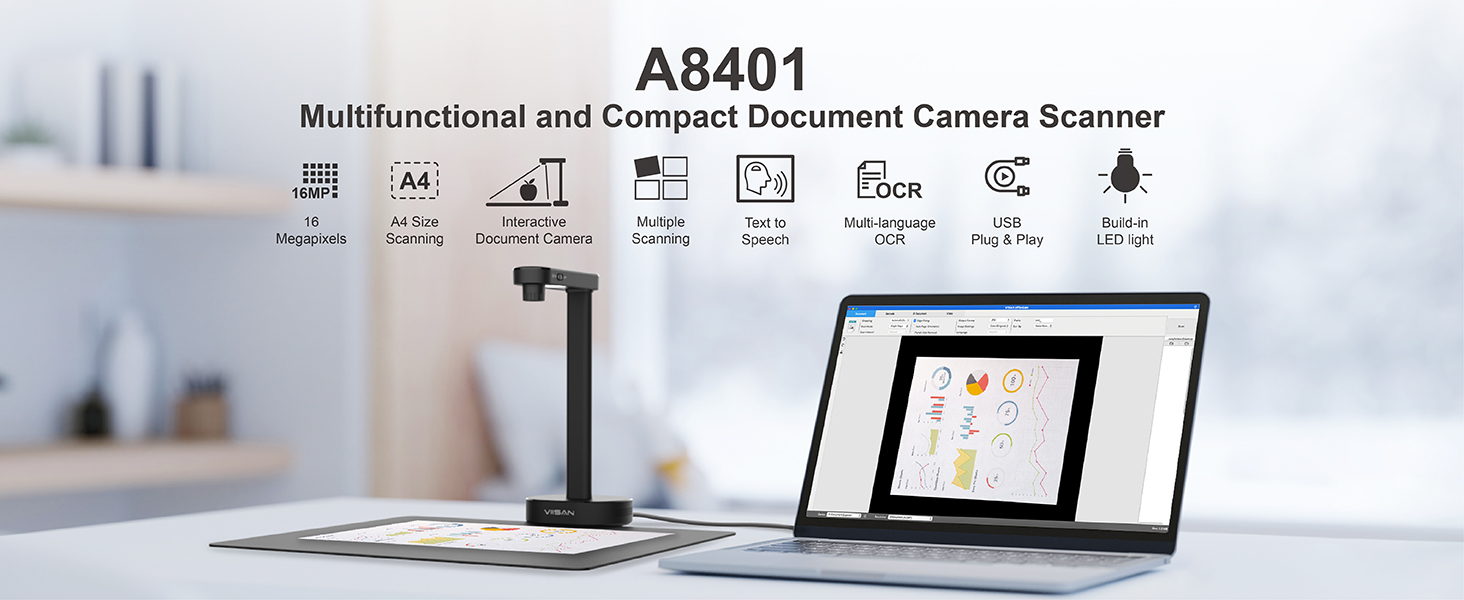
Figure 4.1: ашыкview of A8401 features.
5. Программалык камсыздоо
5.1 VIISAN OfficeCam Software
The VIISAN A8401 operates with the dedicated VIISAN OfficeCam software, which provides a comprehensive suite of scanning and document management tools. This software is compatible with both Windows and macOS operating systems.
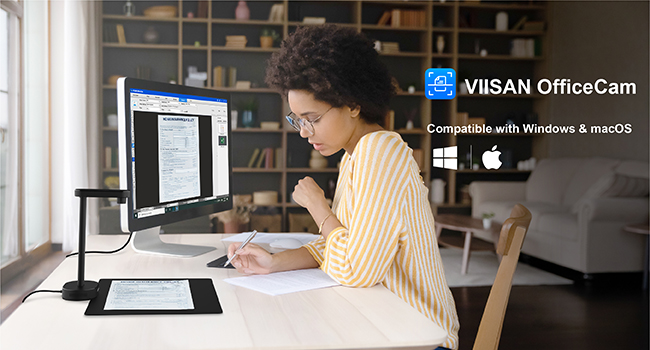
Figure 5.1: VIISAN OfficeCam software interface.
5.2 Программаны жүктөө жана орнотуу
To download the latest version of the VIISAN OfficeCam software, please visit the official VIISAN website. Navigate to the 'Support' or 'Downloads' section, select 'Document Camera Scanners' as the product type, and choose the appropriate software version for your operating system (Windows or macOS).
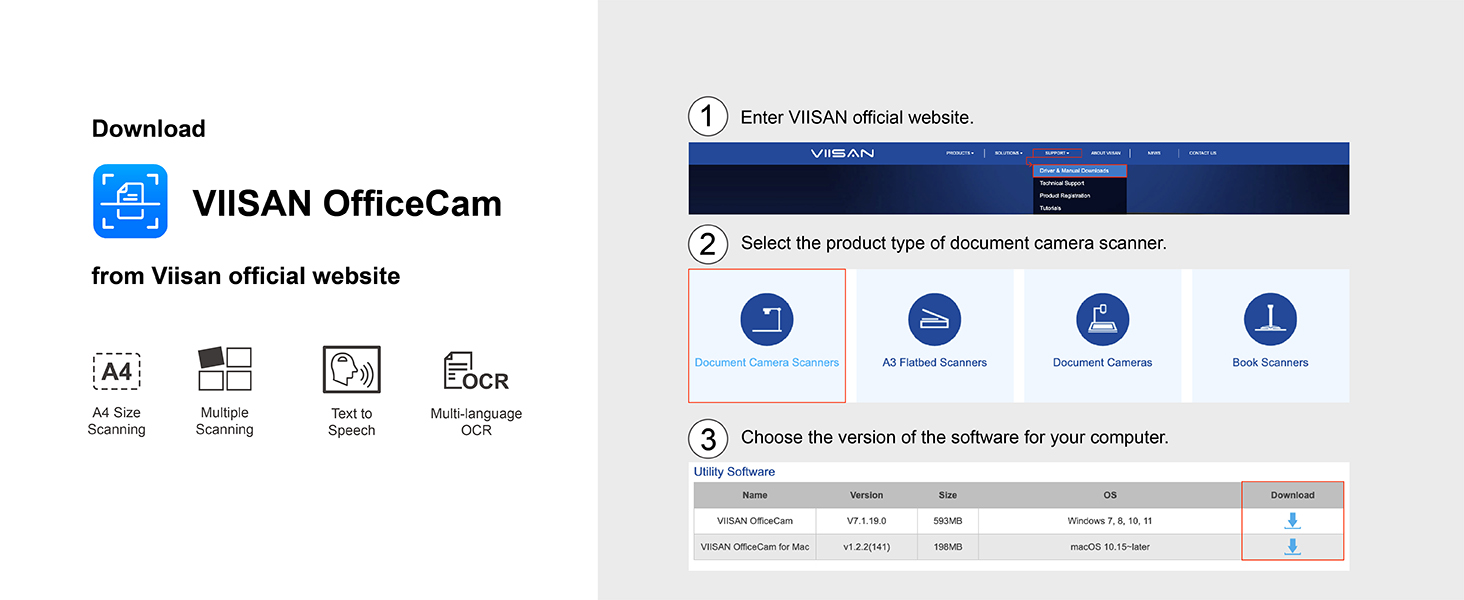
Figure 5.2: Software download instructions.
6. Техникалык тейлөө
6.1 Тазалоо
- Ensure the device is disconnected from the power source before cleaning.
- Сканердин сыртын сүртүү үчүн жумшак, кургак чүпүрөктү колдонуңуз.
- For the camera lens, use a lens cleaning cloth and a specialized lens cleaning solution to avoid scratches or damage.
- Do not use abrasive cleaners or solvents, as these can damage the device's finish.
6.2 Сактоо
When not in use, store the scanner in a cool, dry place away from direct sunlight and extreme temperatures. Keep it covered to prevent dust accumulation.
7. Кыйынчылыктарды
7.1 Жалпы маселелер жана чечимдер
- Түзмөк таанылган жок: Ensure the USB cable is securely connected to both the scanner and the computer. Try a different USB port or restart your computer. Verify that the VIISAN OfficeCam software is correctly installed.
- Сүрөттүн сапаты начар: Check that the document is placed flat on the scanning mat and is well-lit. Activate the built-in LED light if necessary. Clean the camera lens for any smudges or dust. Adjust settings within the OfficeCam software.
- Программалык камсыздоо ишке киргизилбей жатат: Reinstall the VIISAN OfficeCam software from the official website. Ensure your operating system meets the minimum requirements.
For further assistance, please refer to the online support resources on the VIISAN official webсайтка же кардарларды колдоо менен байланышыңыз.
8. Техникалык шарттар
| Өзгөчөлүк | Деталь |
|---|---|
| Модель номери | A8401 |
| Өндүрүүчү | VIISAN |
| Камеранын чечилиши | 16MP (4608x3456 pixels) |
| Video Resolution | 1600x1200@30 кадр/сек |
| DPI | 300дпи |
| Скандоо аймагы | A4 өлчөмү |
| Байланыш технологиясы | USB |
| Экспозицияны башкаруу түрү | Автоматтык |
| Түс | Кара |
| Элемент Салмагы | 12.3 унция |
| Пакеттин өлчөмдөрү | 10.59 x 6.69 x 5.79 дюйм |
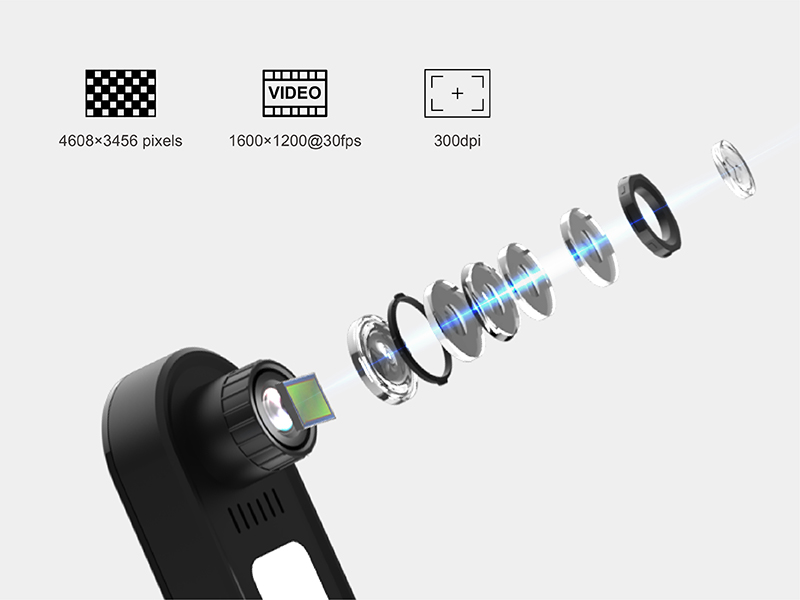
Figure 8.1: Camera lens and resolution details.
9. Кепилдик жана колдоо
For information regarding product warranty, returns, or technical support, please contact VIISAN customer service directly or visit their official website. Additional protection plans may be available for purchase through authorized retailers.


