Introduction
This manual provides detailed instructions for the assembly, operation, and maintenance of your WOSPORTS 90mm Aperture 600mm Refractor Telescope. Please read this manual thoroughly before using your telescope to ensure proper function and optimal viewтажрыйбасы.
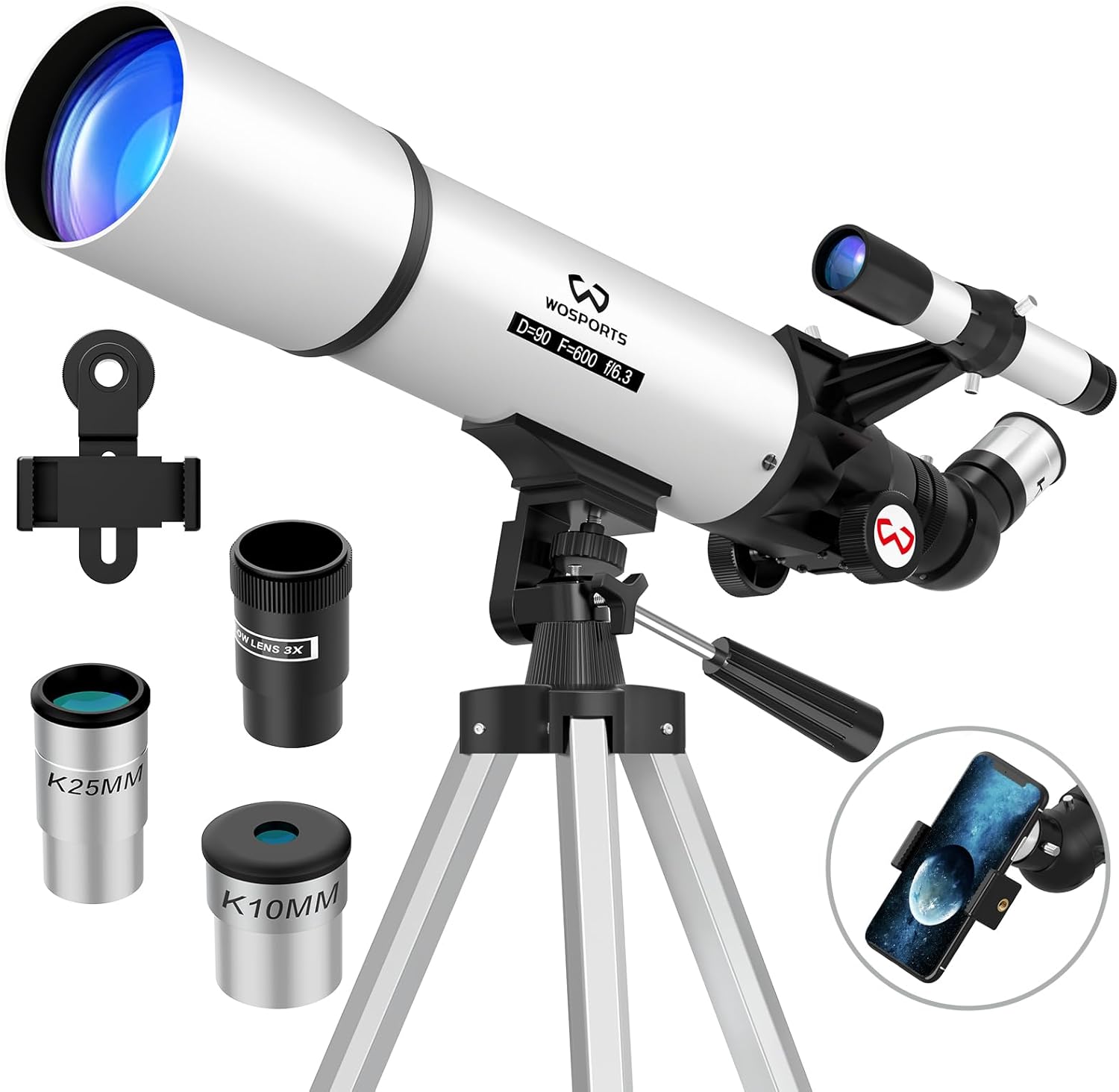
Image: The WOSPORTS 90mm Aperture 600mm Refractor Telescope, shown with its adjustable tripod, eyepieces, Barlow lens, finderscope, and phone adapter.
Пакеттин мазмуну
Сүрөт: бүттүview of all components included in the WOSPORTS Telescope kit, including the telescope tube, tripod, eyepieces, Barlow lens, finderscope, phone adapter, and carry bag.
Төмөндө тизмеленген бардык компоненттер пакетиңизде бар экенин текшериңиз:
- Telescope Tube (90mm Aperture, 600mm Focal Length)
- Жөнгө салынуучу алюминий штатив
- 3x24 Finderscope
- Eyepieces: K25mm, K10mm
- 3X Барлоу линзасы
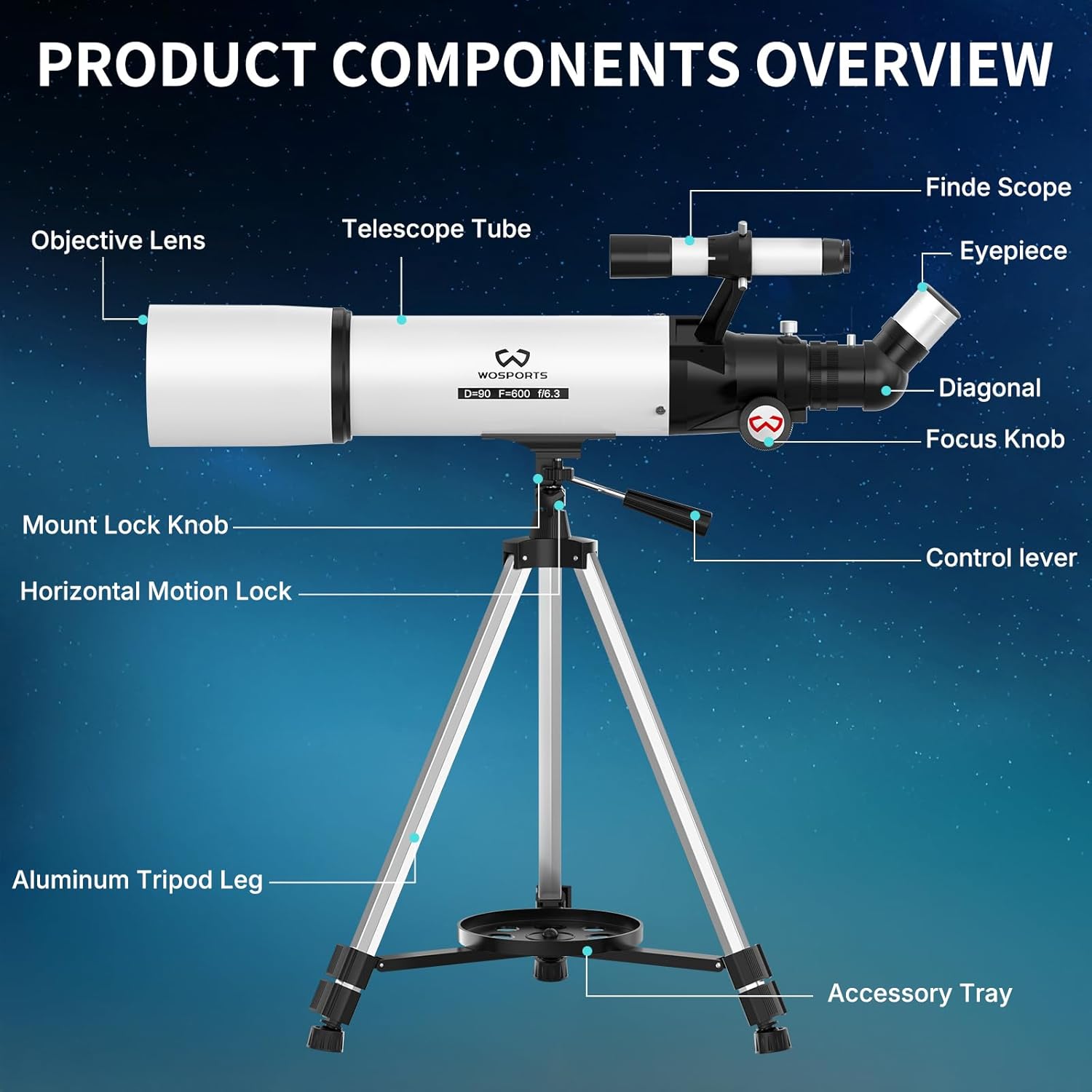
- 45° Erect-Image Zenith Mirror (Diagonal)
- Телефон адаптери
- Аксессуарлар лотогу
- Гулжигит Сатыбеков
- Колдонуучунун Колдонмосу (бул документ)
Орнотуу нускамалары
1. Assemble the Tripod
Unfold the aluminum tripod legs and extend them to your desired height. Secure the legs using the locking mechanisms. Attach the accessory tray to the center brace of the tripod for stability and storage of eyepieces.

Image: The adjustable aluminum tripod for the WOSPORTS telescope, illustrating its height range from 29 inches to 49 inches and 360-degree horizontal rotation.
2. Attach the Telescope Tube to the Tripod
Locate the mounting screw on the tripod head. Align the telescope tube's mounting hole with the screw and securely fasten it. Ensure the tube is stable and does not wobble.
3. Install the Finderscope
Slide the 3x24 finderscope into its bracket on the main telescope tube. Tighten the small screws on the bracket to hold it in place. The finderscope helps in quickly locating objects before viewing them through the main telescope.
4. Insert the Diagonal Mirror and Eyepiece
Insert the 45° erect-image zenith mirror (diagonal) into the focuser tube. Secure it with the small thumbscrew. Then, insert your chosen eyepiece (e.g., K25mm) into the diagonal mirror and tighten its thumbscrew. The diagonal mirror provides a more comfortable viewing angle and corrects the image orientation for terrestrial viewing.

Image: A diagram illustrating the 45° erect-image zenith mirror for comfortable viewing and the 3x24 finderscope for target acquisition on the WOSPORTS telescope.
5. Attach the Phone Adapter (Optional)
If you wish to capture photos or videos, attach the phone adapter to an eyepiece. Secure your smartphone in the adapter and align its camera lens with the eyepiece. Then, insert the eyepiece with the attached phone adapter into the diagonal mirror.
Иштөө нускамалары
1. Finderscope'ту тегиздөө
Before observing, align the finderscope with the main telescope. Point the main telescope at a distant, stationary object (e.g., a tree or building) during daylight hours. Center the object in the main telescope's eyepiece. Then, adjust the finderscope's alignment screws until the same object is centered in its crosshairs. This ensures that whatever you see in the finderscope is also visible in the main telescope.
2. Объектилердин жайгашкан жерин аныктоо
Use the finderscope to locate your desired celestial or terrestrial object. Once the object is centered in the finderscope's crosshairs, look through the main telescope's eyepiece. The object should be visible within the field of view.
3. Фокустоо
Turn the focus knob slowly until the image appears sharp and clear. For astronomical observations, slight adjustments may be needed as objects move across the sky due to Earth's rotation.
4. Чоңойтууну өзгөртүү
Your telescope comes with two eyepieces (K25mm and K10mm) and a 3X Barlow lens. The K25mm eyepiece provides lower magnification and a wider field of view, ideal for initial object location. The K10mm eyepiece offers higher magnification for more detailed views. The 3X Barlow lens triples the magnification of any eyepiece it is used with.
- K25mm Eyepiece: 24X magnification (600mm / 25mm = 24)
- K10mm Eyepiece: 60X magnification (600mm / 10mm = 60)
- K25mm + 3X Barlow: 72X magnification (24X * 3 = 72)
- K10mm + 3X Barlow: 180X magnification (60X * 3 = 180)
To change magnification, remove the current eyepiece and insert the desired one. To use the Barlow lens, insert it into the diagonal mirror first, then insert an eyepiece into the Barlow lens.

Image: A visual representation of the different magnification levels (24X, 60X, 72X, 180X) achievable with the WOSPORTS telescope using the 25mm and 10mm eyepieces, and the 3X Barlow lens, showing corresponding views of the moon.
5. Жердик Viewing
The 45° erect-image diagonal mirror ensures that images are upright, making the telescope suitable for observing distant terrestrial objects such as wildlife or landscapes.

Сүрөт: Мисamples of versatile viewing scenarios for the WOSPORTS telescope, including observing the moon, planets, distant cityscapes, and wildlife.
Техникалык тейлөө
Тазалоочу линзалар:
Use a soft, lint-free cloth specifically designed for optical lenses. Gently wipe the lens surface. For stubborn smudges, use a small amount of optical lens cleaning fluid applied to the cloth, not directly to the lens. Avoid touching the lens surfaces with your fingers.
Сактагыч:
When not in use, store the telescope in its carry bag in a dry, dust-free environment. Avoid extreme temperatures and humidity, which can damage optical components.
Проблемаларды чечүү
| Көйгөй | Мүмкүн себеп | Чечим |
|---|---|---|
| Сүрөт бүдөмүк же фокуста эмес. | Туура эмес фокус жөндөөсү. | Сүрөт курч болгонго чейин фокус баскычын жай буруңуз. |
| Объектилерди табуу мүмкүн эмес. | Finderscope is not aligned with the main telescope. | Align the finderscope during daylight hours using a distant, stationary object. |
| Сүрөт тескери же тескери. | Diagonal mirror not used or incorrect eyepiece. | Ensure the 45° erect-image diagonal mirror is properly installed for terrestrial viewing. Astronomical viewing will naturally show inverted images. |
| Сүрөт күңүрт же караңгы. | High magnification in low light conditions; dirty lenses. | Use a lower magnification eyepiece. Clean the objective lens and eyepieces if necessary. |
Техникалык шарттар
- Бренд: WOSPORTS
- Модель аты: 90600 telescope
- Оптикалык дизайн: Refractor
- Апертура: 90мм
- Фокустун узундугу: 600мм
- Фокустук катышы: f/6.7
- Окулярлар: K25mm, K10mm
- Барлоу Линз: 3X
- Чоңойтуу диапазону: 24X - 180X
- Finderscope: 3x24 Reflex
- Диагоналдык: 45° Erect-Image Zenith Mirror
- Тоо түрү: Алтазимут тоосу
- Трипод: Adjustable Aluminum Alloy (29-49 inches)
- Продукциянын өлчөмдөрү: 12 x 4.5 x 32 дюйм
- Элемент Салмагы: 6.59 фунт
Кепилдик жана колдоо
WOSPORTS offers a 1 жылдык кепилдик for this telescope. For any questions regarding product operation, technical support, or warranty claims, please contact WOSPORTS customer service. Our expert team is available to assist you.
Please refer to the contact information provided with your purchase or visit the official WOSPORTS webколдоо чоо-жайы үчүн сайт.


