1. Киришүү
This manual provides essential information for the safe operation and maintenance of your karuisrc K610 GPS Drone. Please read this manual thoroughly before operating the drone to ensure proper usage and to prevent damage or injury. The K610 is a foldable GPS quadcopter equipped with a 4K camera, designed for both beginners and experienced users, featuring intelligent flight modes and stable performance.

Image 1.1: The karuisrc K610 GPS Drone in flight.
2. Коопсуздук боюнча көрсөтмөлөр
Operating a drone requires responsibility. Adhere to the following safety guidelines to ensure a safe flight experience for yourself and others:
- Учуу алдында текшерүү: Always inspect the drone, propellers, and battery before each flight. Ensure all components are securely attached and undamaged.
- Экологиялык шарттар: Fly in open areas, away from people, animals, buildings, and obstacles. Avoid flying in strong winds, rain, snow, or fog.
- Батареянын коопсуздугу: Use only approved batteries and chargers. Do not overcharge or puncture batteries. Discontinue use if batteries are damaged or swollen.
- Көрүү сызыгы: Дрон менен ар дайым визуалдык сызыкты сактаңыз.
- Купуялыкты урматтоо: Do not use the drone to invade privacy.
- Жергиликтүү эрежелер: Be aware of and comply with all local laws and regulations regarding drone operation.
3. Пакеттин мазмуну
Пакетиңизде бардык буюмдар бар экенин текшериңиз:
- K610 Drone x 1
- Алыстан башкаруу x 1
- Batteries x 1 (Nonstandard Battery)
- Запастык пропеллерлер x 4
- X 1 бурагыч
- USB кабели x 1
- Көтөрмө кап x 1
- Колдонмо колдонмо x 1

Image 3.1: Included items in the karuisrc K610 drone package.
4. Components Overview
4.1 дрон
The K610 drone features a foldable design for portability, brushless motors for stable flight, and an integrated 4K camera.

Image 4.1: The karuisrc K610 drone and remote control.
4.2 Алыстан башкаруу
The remote control provides intuitive flight control and a mount for your smartphone to view the FPV feed.
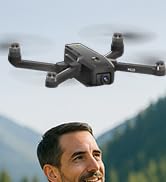
Image 4.2: Remote control with smartphone for FPV viewing.
5. Орнотуу
5.1 Батареяны орнотуу жана заряддоо
- Insert the modular battery into the drone's battery compartment until it clicks into place.
- To charge, remove the battery from the drone. Connect the USB charging cable to the battery and a suitable USB power adapter (not included).
- The charging indicator on the battery will show its status. Ensure the battery is fully charged before flight.

Image 5.1: Modular battery for the K610 drone.
5.2 Пропеллерди орнотуу
Attach the propellers according to the markings (A and B) on the propellers and motor arms. Ensure they are securely fastened with the provided screwdriver.
5.3 Алыстан башкарууну жөндөө
- Install 3x AA batteries (not included) into the remote control.
- Extend the phone holder and securely mount your smartphone.
5.4 Колдонмону орнотуу жана туташуу
- Download the official karuisrc drone app from your smartphone's app store.
- Power on the drone, then power on the remote control.
- On your smartphone, connect to the drone's Wi-Fi network (usually named 'K610-XXXXXX').
- Байланыш түзүү үчүн колдонмону ачып, view түз эфирдеги FPV түрмөгү.

Image 5.2: 5GHz WiFi transmission for real-time viewing.
5.5 Калибрлөө
Before the first flight and after any significant change in location, perform compass and gyroscope calibration as instructed in the app or quick start guide. This ensures stable flight and accurate GPS positioning.
6. Иштөө
6.1 Учууну башкаруунун негизги каражаттары
Refer to the remote control diagram in the quick start guide for specific joystick and button functions. Generally:
- Left Joystick: Controls altitude (up/down) and rotation (yaw left/right).
- Right Joystick: Controls forward/backward and left/right movement (pitch/roll).
6.2 Учуп-конуу
- Бир баскычтуу учуу: Press the designated take-off button on the remote or in the app. The drone will automatically ascend to a safe height and hover.
- Кол менен учуу: Push both joysticks to the bottom-outer corners to unlock motors, then slowly push the left joystick up to ascend.
- Бир ачкыч конуу: Press the designated landing button. The drone will descend and land automatically.
- Кол менен конуу: Slowly pull the left joystick down to descend. Once landed, push both joysticks to the bottom-outer corners to stop motors.
6.3 GPS Features
The K610 drone utilizes GPS for enhanced stability and intelligent flight functions.
- Автоматтык түрдө үйгө кайтуу (RTH): The drone can automatically return to its take-off point if the signal is lost, battery is low, or the RTH button is pressed.

Image 6.1: GPS Auto Return Home functionality.
6.4 Өркүндөтүлгөн учуу режимдери
Access these modes via the drone's app:
- Мени ээрчи: The drone will automatically follow the remote control or smartphone, capturing footagкыймылдаган сайын.
- Waypoint Flight (Tap Fly): Tap points on the map in the app, and the drone will fly along the specified path.
- Point-of-Interest (Circle Fly): Select a point on the map, and the drone will circle around it at a set radius and altitude.

Image 6.2: Advanced flight modes: Follow Me, Circle Fly, and Tap Fly.
6.5 4K камерасынын иштеши
The K610 is equipped with a 4K UHD camera with 90° adjustable tilt for capturing high-quality aerial footagд жана сүрөттөр.
- Сүрөт/Видео тартуу: Сүрөткө тартуу же видео жаздырууну баштоо/токтотуу үчүн алыстан башкаруу пультундагы же колдонмо интерфейсиндеги атайын баскычтарды колдонуңуз.
- Жөнгө салынуучу камера бурчу: The camera's tilt can be adjusted remotely via the app or remote control.
- SD картаны колдоо: Insert an SD card (not included) into the drone for direct storage of high-resolution media.

Image 6.3: The K610's 4K HD Camera.
6.6 Продукт бүттүview Video
Watch this video for a visual guide on the karuisrc K610 GPS Drone's features and operation.
Видео 6.4: Бүттүview of the karuisrc K610 GPS Drone's features and capabilities.
7. Техникалык тейлөө
Үзгүлтүксүз тейлөө сиздин дронуңуздун узак иштөөсүн жана оптималдуу иштешин камсыздайт.
- Тазалоо: Gently wipe the drone and remote control with a soft, dry cloth after each use. Avoid using harsh chemicals.
- Пропеллер текшерүү: Пропеллерлерде жаракалар, ийилүү же бузулуулар бар-жогун үзгүлтүксүз текшерип туруңуз. Бузулган пропеллерлерди берилген запастык бөлүктөрдү колдонуп, дароо алмаштырыңыз.
- Батареяга кам көрүү: Store batteries in a cool, dry place. Do not store fully charged or completely depleted batteries for extended periods. Charge them to about 50-60% for long-term storage.
- Сактагыч: When not in use, fold the drone and store it in its carrying case to protect it from dust and physical damage.
8. Кыйынчылыктарды
Эгер көйгөйлөргө туш болсоңуз, төмөнкү жалпы көйгөйлөрдү жана чечимдерди караңыз:
| Көйгөй | Мүмкүн себеп | Чечим |
|---|---|---|
| Drone does not take off or respond to controls. | Low battery, improper calibration, motors locked. | Charge drone/remote batteries. Perform calibration. Unlock motors (refer to section 6.2). |
| Туруксуз учуу же дрейф. | Poor calibration, strong winds, damaged propellers. | Recalibrate the drone. Fly in calm conditions. Inspect and replace damaged propellers. |
| No FPV feed on smartphone. | Wi-Fi not connected, app not open, drone/phone too far apart. | Ensure phone is connected to drone's Wi-Fi. Open the app. Move closer to the drone. |
| GPS features (RTH, Follow Me) not working. | Insufficient GPS signal, drone not calibrated. | Fly in an open area with clear sky. Wait for sufficient GPS satellites to connect (indicated by app). Perform GPS calibration. |
9. Техникалык шарттар
Key technical specifications for the karuisrc K610 GPS Drone:
| Өзгөчөлүк | Деталь |
|---|---|
| Модель аты | K610 |
| Элемент Салмагы | 204 грамм (7.2 унция) |
| Камера | 4K UHD (4096×3072P images), 12 MP Effective Still Resolution, 90° Adjustable, CMOS Sensor |
| Видео тартуунун резолюциясы | 1080p (MP4 формат) |
| Байланыш технологиясы | Wi-Fi, RF (5GHz FPV Transmission) |
| Башкаруу түрү | Алыстан башкаруу |
| Өзгөчөлүктөр | Adjustable, Auto-Landing, Portable, GPS Auto Return, Follow Me, Waypoint Flight, Point-of-Interest Circle |
| Мотор түрү | Brushless Motor |
| Батарея | 1 Nonstandard Lithium Ion Battery (included) |
| Учуу убактысы | Up to 20 minutes (typical 18 minutes) |
| Материал | Пластик |
| Продукциянын өлчөмдөрү | 7"L x 2"W x 8"H |

Image 9.1: Brushless motor technology for the K610 drone.
10. Кепилдик жана колдоо
For warranty information or technical support, please contact karuisrc customer service. Keep your purchase receipt as proof of purchase.
- Телефон: +44 7419 298225
- Электрондук почта: Karuisrc@gmail.com

Image 10.1: karuisrc customer support.


