1. Киришүү
Welcome to your Alphawolf Lpad3A Android 15 Tablet. This manual provides essential information for setting up, operating, and maintaining your device. Please read it carefully to ensure optimal performance and longevity of your tablet.
The Alphawolf Lpad3A features an 11-inch FHD IPS display, an Octa-Core Unisoc T615 processor, 20GB RAM, 128GB ROM (expandable to 2TB), dual cameras (5MP front, 13MP rear), Widevine L1 support, 2.4G/5G WiFi, and an 8000mAh battery. It runs on the Android 15 operating system.
2. Пакеттин мазмуну
Пакетте бардык буюмдар бар экенин текшериңиз:
- Alphawolf Lpad3A Android 15 Tablet
- Коргоочу кап
- USB Type-C кубаттоочу кабель
- Кубат адаптери (эгер камтылган болсо)
- Колдонуучунун Колдонмосу (бул документ)

Image: The Alphawolf Lpad3A tablet shown with its protective case, displaying the screen with content.
3. Түзмөктүн жайгашуусу
Планшетиңиздин физикалык компоненттери менен таанышып алыңыз.

Image: A diagram illustrating various features of the Alphawolf Lpad3A tablet, including camera, ports, and buttons.
- Алдыңкы камера: Видео чалуулар жана селфи үчүн.
- Арткы камера: Сүрөт жана видео тартуу үчүн.
- Кубат баскычы: Планшетті күйгүзөт/өчүрөт же уйку режимине коёт.
- Үн баскычтары: Аудионун үнүн тууралайт.
- USB Type-C порту: Заряддоо жана маалыматтарды өткөрүү үчүн.
- 3.5 мм аудио уячасы: Наушниктерди туташтыруу үчүн.
- MicroSD картасынын уячасы: Сактоо аянтын кеңейтүү үчүн.
- Баяндамачылар: Аудио чыгаруу үчүн.
4. Орнотуу
4.1. Баштапкы төлөм
Before first use, fully charge your tablet. Connect the USB Type-C cable to the tablet's charging port and the other end to the power adapter, then plug the adapter into a wall outlet. The charging indicator will show the charging status.
4.2. Күйгүзүү/өчүрүү
- Күйгүзүү үчүн: Press and hold the Power button until the Alphawolf logo appears.
- Өчүрүү үчүн: Кубат баскычын басып, кармап туруңуз, андан кийин экрандагы параметрлерден "Өчүрүү" дегенди тандаңыз.
- Кайра баштоо үчүн: Кубат баскычын басып, кармап туруңуз, андан кийин параметрлерден "Кайра баштоо" тандаңыз.
- Уйку/ойгонуу үчүн: Кубат баскычын кыскача басыңыз.
4.3. Баштапкы орнотуу устасы
Upon first power-on, the tablet will guide you through the initial setup process. Follow the on-screen instructions to:
- Тилиңизди тандаңыз.
- Connect to a Wi-Fi network (2.4G/5G supported).
- Google аккаунтуңуз менен кириңиз же жаңысын түзүңүз.
- Экран кулпусун (PIN код, үлгү, сырсөз же бетти таануу) орнотуңуз.
- Review жана шарттарды кабыл алуу.
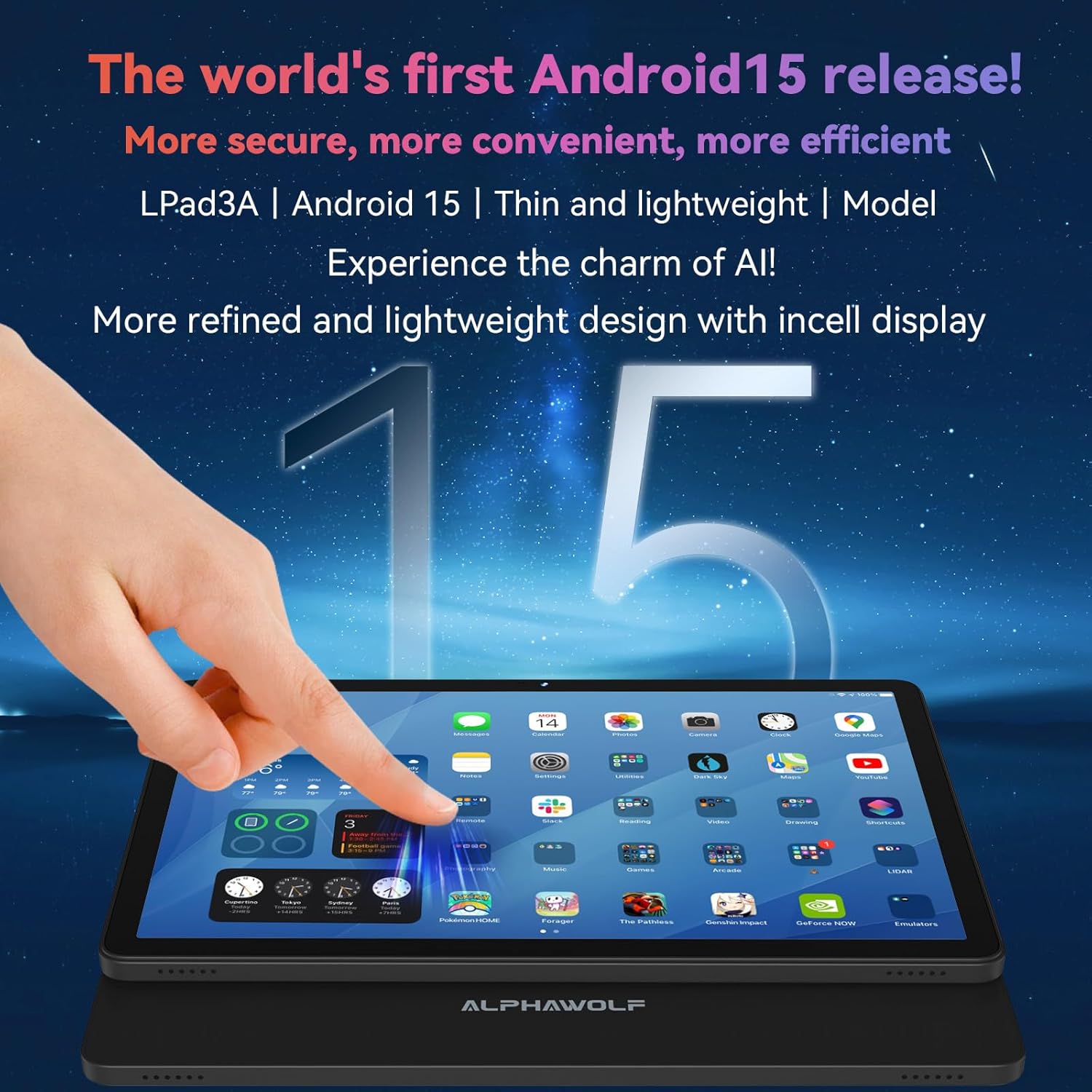
Image: The Alphawolf Lpad3A tablet displaying the Android 15 home screen with various application icons.
4.4. Expandable Storage
To expand storage, insert a MicroSD card (up to 2TB) into the designated slot. Ensure the tablet is powered off before inserting or removing the card.
5. Иштөө нускамалары
5.1. Навигация
- Тийүү жаңсоолору: Таптоо, сүртүү, чоңойтуу үчүн чымчып басуу - бул Android'дин стандарттуу жаңсоолору.
- Башкы экран: Колдонмолорго, виджеттерге жана эскертмелерге кирүү.
- Эскертме панели: Экрандын өйдө жагынан төмөн карай сүрүңүз view эскертмелер жана тез орнотуулар.
- Колдонмо тартмасы: Бардык орнотулган колдонмолорго жетүү үчүн экранды ылдый жагынан өйдө сүрүңүз.
5.2. Wi-Fi туташуусу
- барыңыз Орнотуулар > Тармак жана интернет > Wi-Fi.
- Wi-Fi күйгүзүү/күйгүзүү.
- Тизмеден каалаган тармакты тандап, суралса сырсөздү киргизиңиз.
5.3. Bluetooth Жупташтыруу
- барыңыз Орнотуулар > Туташкан түзмөктөр > Bluetooth.
- Bluetooth күйгүзүү.
- Bluetooth түзмөгүңүз жупташтыруу режиминде экенин текшериңиз.
- Select the device from the "Available devices" list to pair.
5.4. Камераны колдонуу
Үй экранынан же колдонмо суурмасынан Камера колдонмосун ачыңыз.
- Сүрөткө тартуу үчүн жапкычты басыңыз.
- Сүрөт жана видео режимдерин которуштуруу.
- Tap the icon to switch between front (5MP) and rear (13MP) cameras.

Image: The Alphawolf Lpad3A tablet displaying its camera interface, ready to capture an image.
5.5. Widevine L1 Support
The tablet supports Widevine L1, enabling high-definition (1080P) video streaming on compatible platforms such as Netflix, Amazon Prime Video, and Disney+. Ensure you have a stable internet connection for optimal streaming quality.

Image: The Alphawolf Lpad3A tablet screen illustrating the difference between Widevine L1 (1080P) and L3 (720P) content, highlighting its HD streaming capability.
6. Техникалык тейлөө
6.1. Тазалоо
Планшеттин экранын жана корпусун тазалоо үчүн жумшак, мамыксыз чүпүрөктү колдонуңуз. Абразивдүү материалдарды же катуу химиялык заттарды колдонбоңуз.
6.2. Батареяга кам көрүү
- Ашыкча температурадан сактаныңыз.
- Батареяны үзгүлтүксүз толук зарядсыздандырбаңыз.
- Берилген заряддагычты же тастыкталган шайкеш кубаттагычты колдонуңуз.
- The 8000mAh battery provides approximately 8-10 hours of video playback or reading on a full charge.
6.3. Программалык камсыздоону жаңыртуу
Планшетиңизде эң акыркы функциялар жана коопсуздук жаңыртуулары бар экенин текшерүү үчүн системанын жаңыртууларын үзгүлтүксүз текшерип туруңуз. Орнотуулар > Система > Системаны жаңыртуу.
6.4. Маалыматтын резервдик көчүрмөсү
Periodically back up important data to cloud storage or an external device to prevent data loss.
7. Кыйынчылыктарды
7.1. Планшет күйбөй жатат
- Батарея заряддалганын текшериңиз. Заряддагычты туташтырыңыз жана күйгүзүүгө аракет кылуудан мурун бир нече мүнөт күтүңүз.
- Кайра иштетүү үчүн кубат баскычын 10-15 секунд басып туруңуз.
7.2. Wi-Fi туташуу маселелери
- Wi-Fi роутериңизди жана планшетиңизди өчүрүп күйгүзүңүз.
- Wi-Fi жөндөөлөрүнөн тармакты унутуп, кайра туташыңыз.
- Wi-Fi сигналынын чегинде экениңизди текшериңиз.
7.3. Колдонмолор бузулуп жатат же катып жатат
- Колдонмону жаап, кайра ачыңыз.
- Колдонмонун кэшин жана дайындарын тазалоо (Орнотуулар > Колдонмолор > [Колдонмонун аты] > Сактоо жана кэш).
- Колдонмону алып салуу жана кайра орнотуу.
- Планшеттин программалык камсыздоосу жаңыртылганын текшериңиз.
7.4. Жай аткаруу
- Керексиз фон колдонмолорун жабуу.
- Көбүнчө колдонулган колдонмолор үчүн кэшти тазалаңыз.
- Жеткиликтүү сактоо мейкиндигин камсыз кылыңыз.
- Планшетти үзгүлтүксүз кайра иштетиңиз.
8. Техникалык шарттар
| Өзгөчөлүк | Спецификация |
|---|---|
| Модел | Lpad3A |
| Операция системасы | Android 15 |
| Процессор | Unisoc T615 Octa-Core CPU |
| Дисплей | 11-inch FHD IPS (1920 x 1200) |
| RAM | 20GB (8GB + 12GB expandable) |
| Ички сактагыч (ROM) | 128 ГБ |
| Кеңейтүүчү сактагыч | MicroSD картасы аркылуу 2 ТБ чейин |
| Алдыңкы камера | 5MP |
| Арткы камера | 13MP |
| Батарея | 8000mAh |
| Wi-Fi | 2.4G/5G |
| Bluetooth | Bluetooth 5.0 |
| Аудио Jack | 3.5мм |
| Widevine колдоосу | L1 |
| Өлчөмдөрү (болжол менен) | Thickness: 8mm, Weight: 495g |
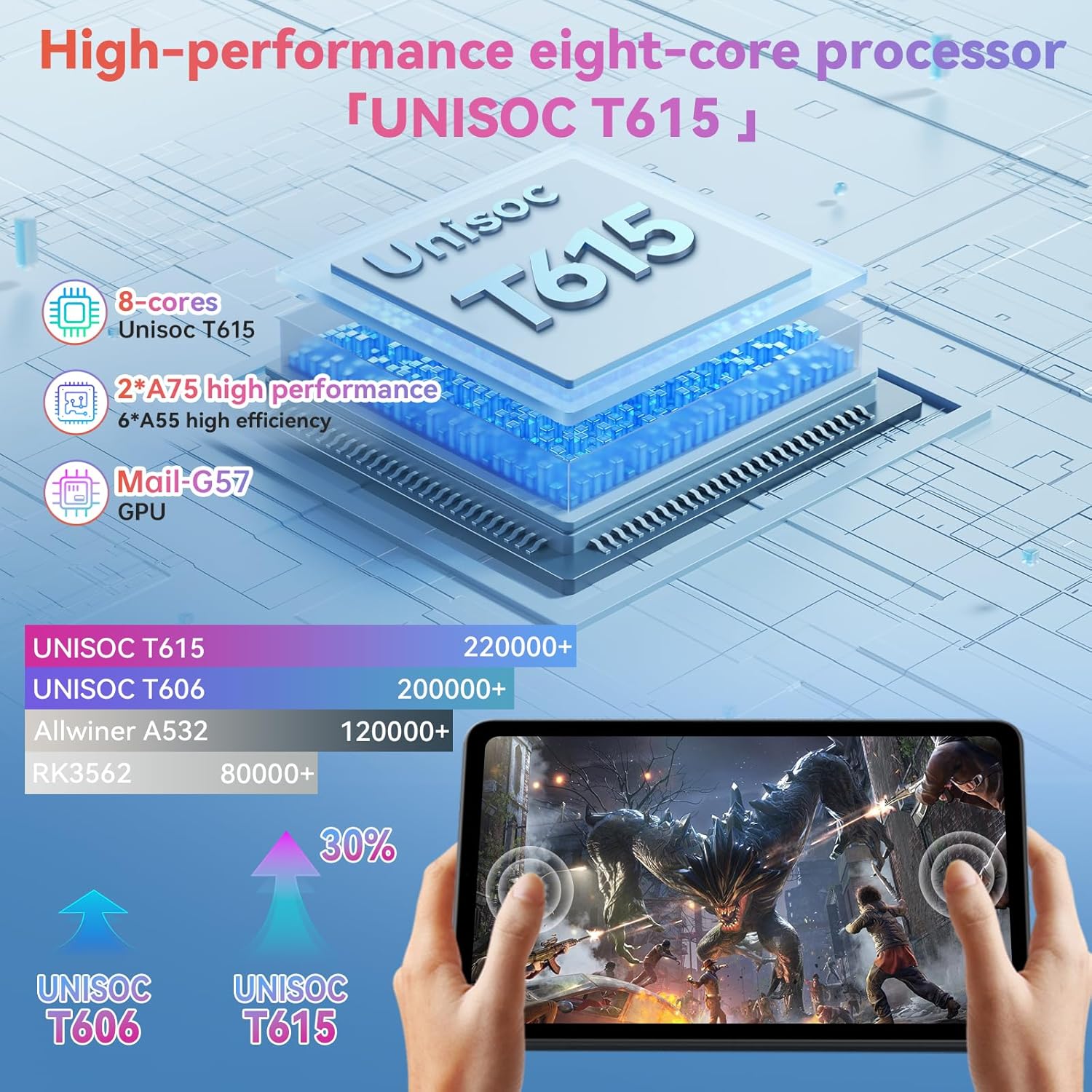
Image: A visual representation of the Unisoc T615 Octa-Core processor and its performance comparison against older models, highlighting its efficiency.
Сүрөт: An overview of the Alphawolf Lpad3A tablet's key features including display, battery, RAM, ROM, processor, and physical dimensions.
9. Кепилдик жана колдоо
For warranty information and technical support, please refer to the warranty card included in your package or visit the official Alphawolf webсайт. Сатып алганыңыздын далили катары сатып алуу дүмүрчөгүңүздү сактаңыз.
Өндүрүүчү: Альфвольф
Биринчи жеткиликтүү болгон күнү: 12-июнь, 2025-жыл
