Introduction
This manual provides comprehensive instructions for the setup, operation, and maintenance of your JBL Bar 500MK2 5.1 Channel Soundbar System. The system is designed to deliver an immersive audio experience for movies, music, and games, featuring Dolby Atmos, MultiBeam 3.0 technology, and a powerful 10-inch wireless subwoofer.
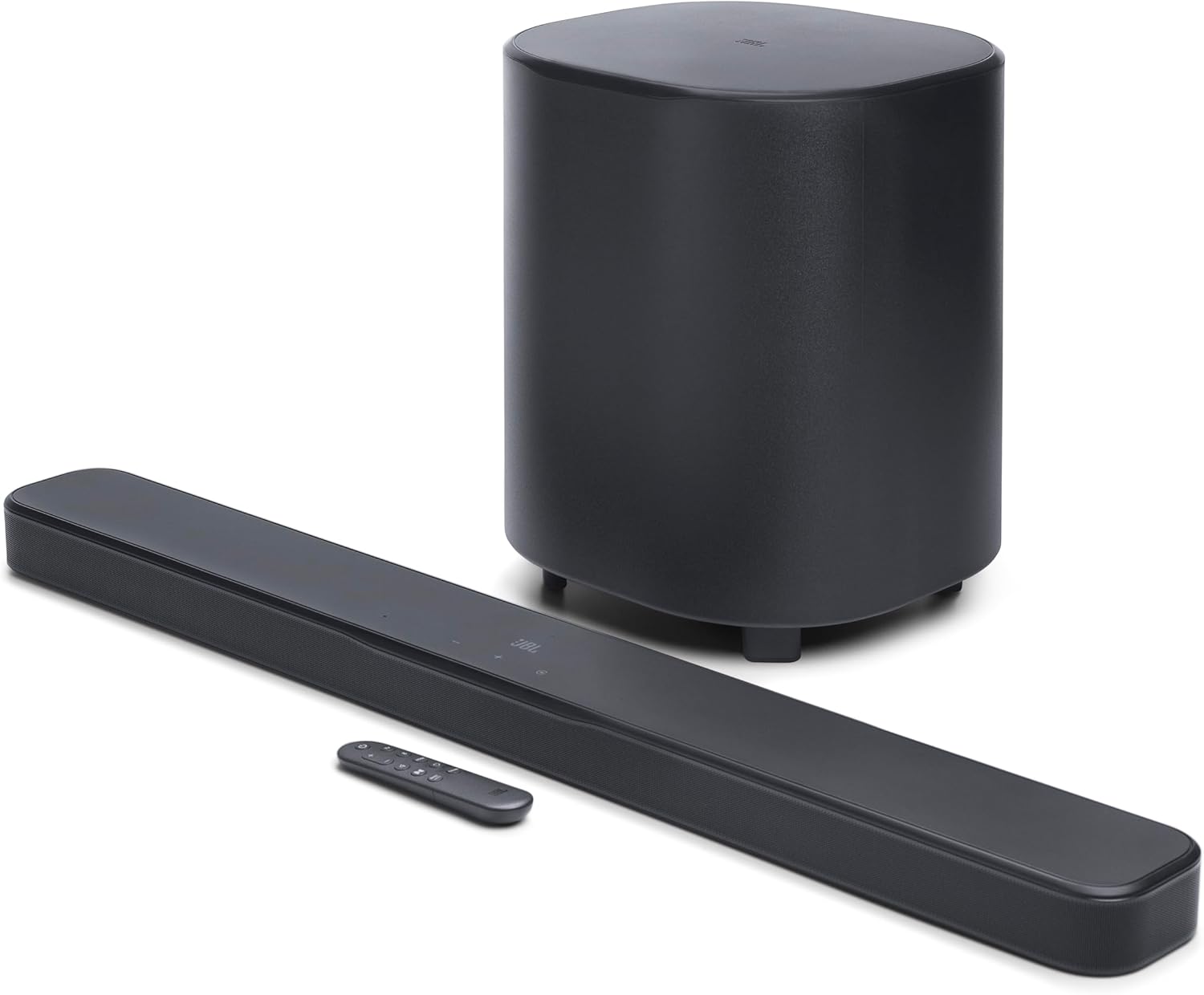
Image: The JBL Bar 500MK2 soundbar, wireless subwoofer, and remote control.
Жайгашуу
1. Unboxing and Included Components
Бардык компоненттерди кутудан кылдаттык менен чыгарыңыз. Төмөнкү нерселердин бар экенин текшериңиз:
- 1x Bar 500MK2 soundbar
- 1x Зымсыз сабвуфер
- 1x Remote control with 2 x batteries
- Электр шнурлары
- 1x HDMI кабель
- 2 x L-shape wall-mount brackets (main bar) & Wall mount template
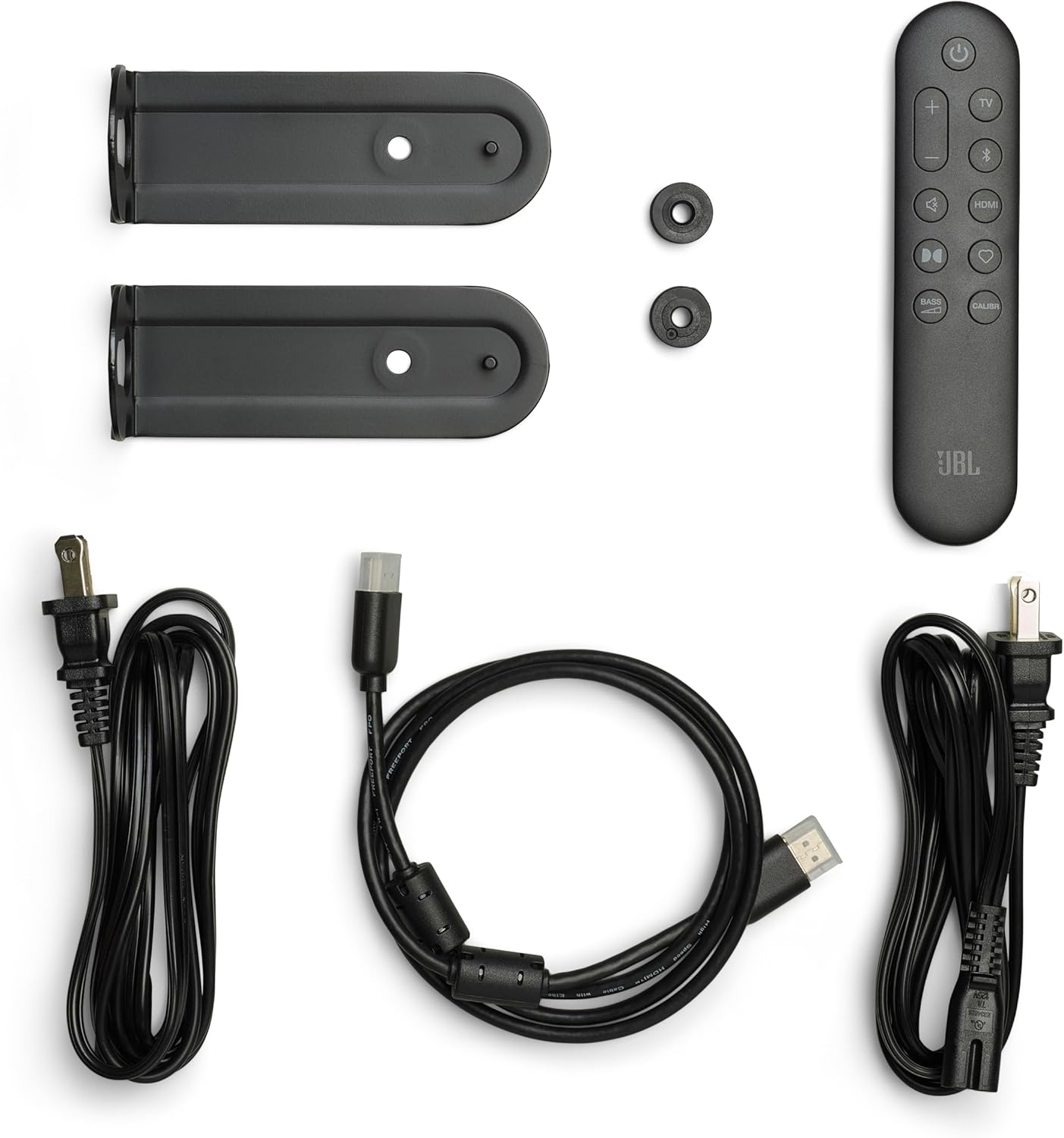
Image: All components included with the JBL Bar 500MK2 system, laid out for inspection.
2. Жайгаштыруу
For optimal audio performance, position the soundbar centrally below your television. The wireless subwoofer can be placed anywhere in the room, ideally in a corner or near a wall to enhance bass response. Ensure there are no obstructions between the soundbar and the subwoofer for a stable wireless connection.

Image: The JBL Bar 500MK2 soundbar placed under a television on a media console, with the wireless subwoofer positioned to the left.
3. Байланыштар
Connect the soundbar to your television using the supplied HDMI cable. For the best audio quality, use the HDMI eARC/ARC port on your TV. If your TV does not have an HDMI eARC/ARC port, use an optical cable (not included) to connect the soundbar to your TV's optical audio output.
- HDMI eARC/ARC: Connect the HDMI OUT (TV ARC/TV eARC) port on the soundbar to the HDMI ARC/eARC port on your TV. This allows for uncompressed Dolby Atmos surround sound and control via your TV remote.
- HDMI IN: Connect external devices like a gaming console or Blu-ray player to the HDMI IN port on the soundbar for 4K Dolby Vision passthrough.
- Оптикалык: If HDMI ARC/eARC is not available, connect an optical cable from your TV's optical output to the OPTICAL port on the soundbar.
- USB: The USB port (5V 500mA) is for service only.
- Күч: Кубат шнурларын саундбарга жана сабвуферге туташтырыңыз, андан кийин аларды розеткага сайыңыз.

Image: Close-up of the soundbar's rear panel showing the Power, USB, HDMI IN, HDMI OUT (TV ARC/TV eARC), and Optical ports.

Сүрөт: Арткы view of the JBL Bar 500MK2 soundbar and subwoofer, highlighting the power input on the subwoofer.
4. Баштапкы күйгүзүү
After connecting all cables, press the power button on the soundbar or remote control to turn on the system. The soundbar and subwoofer should automatically pair. If not, refer to the troubleshooting section for manual pairing instructions.
Иштеп жатат
1. Негизги башкаруу элементтери
The soundbar features intuitive controls on its top panel and via the included remote control.
- Кубат баскычы: Саундбарды күйгүзөт же өчүрөт.
- Үн баскычтары (+/-): Башкы үн деңгээлин тууралайт.
- Булак баскычы: Cycles through available input sources (HDMI IN, TV, Bluetooth, Wi-Fi).
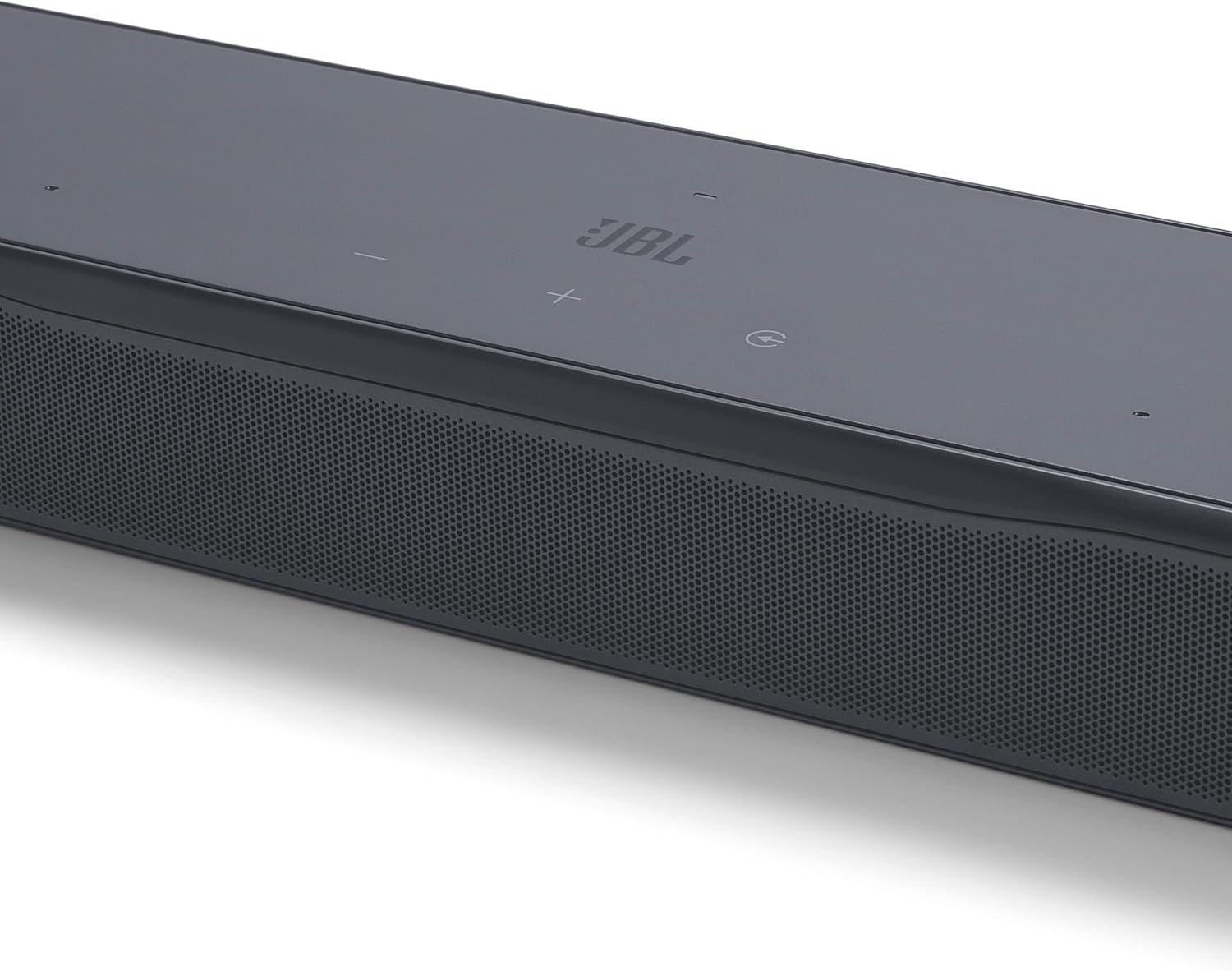
Image: Close-up of the soundbar's top panel, showing the power, volume, and input selection buttons.
2. Аудио өзгөчөлүктөрү
- Dolby Atmos: Experience three-dimensional audio that moves around you, providing an immersive cinematic sound.
- Көп нурлуу 3.0: Creates a wide, cinema-like soundstage by reflecting sound off walls, ensuring an immersive listening experience from any seating position.
- PureVoice 2.0: Automatically optimizes dialogue clarity based on ambient sound and soundbar volume, ensuring every word is heard.
- Акылдуу маалыматтар: Enhances subtle audio cues in films, delivering a clear and balanced sound field as intended by filmmakers.
3. Streaming and Connectivity
The JBL Bar 500MK2 supports various wireless streaming options:
- Wi-Fi: Connect to your home network for access to online music streaming services.
- AirPlay: Apple түзмөктөрүнөн зымсыз аудио агымын өткөрүңүз.
- Google Cast: Cast audio from compatible apps on Android devices or Chrome browsers.
- Spotify Connect: Музыканы ойнотууну түздөн-түз Spotify колдонмосунан башкарыңыз.
- Tidal Connect: Жогорку тактыктагы аудиону түздөн-түз Tidal колдонмосунан агылыңыз.
- Бөлмө даяр: Integrate with your Roon music management system.
- Bluetooth: Connect any Bluetooth-enabled device for wireless audio streaming.
4. JBL ONE App
Download the JBL ONE App to your smartphone or tablet for enhanced control and customization. The app allows you to:
- Set up the soundbar.
- Customize sound with a precise equalizer.
- Browse and control music apps.
- Receive software upgrades for new features.
5. Үн калибрлөө
The system includes an easy sound calibration feature that analyzes your room's acoustics. It detects how sound reflects off walls and furniture to optimize the 3D surround effects specifically for your space and TV setup. Follow the instructions in the JBL ONE App to perform calibration.
6. Үн жардамчысын интеграциялоо
Link the soundbar to your voice assistant-enabled speakers (e.g., Google Assistant or Siri) to control music playback hands-free.
Техникалык тейлөө
To ensure the longevity and optimal performance of your JBL Bar 500MK2, follow these maintenance guidelines:
- Тазалоо: Саундбардын жана сабвуфердин беттерин тазалоо үчүн жумшак, кургак чүпүрөктү колдонуңуз. Суюк тазалоочу каражаттарды же абразивдүү материалдарды колдонуудан алыс болуңуз.
- Вентиляция: Ашыкча ысып кетүүнүн алдын алуу үчүн саундбардын жана сабвуфердин айланасында жакшы желдетүүнү камсыз кылыңыз. Желдетүүчү тешиктерди жаппаңыз.
- Курчап турган чөйрө: Системаны түз күн нурунан, жылуулук булактарынан жана ашыкча нымдуулуктан алыс кармаңыз.
Проблемаларды чечүү
If you encounter issues with your JBL Bar 500MK2, refer to the following common troubleshooting steps:
- Кубат жок: Check if the power cords are securely connected to both the soundbar/subwoofer and the power outlet.
- Үн жок: Verify the correct input source is selected. Ensure the volume is not muted or set too low. Check all audio cable connections (HDMI, Optical).
- Subwoofer Not Connected: If the subwoofer does not automatically pair, press and hold the pairing button on the back of the subwoofer and the soundbar (refer to the JBL ONE App for specific instructions) until they connect.
- Бурмаланган үн: Үнүн азайтыңыз. Башка электрондук шаймандардын кийлигишүүсүн текшериңиз. Кабелдер бузулбагандыгын текшериңиз.
- Алыстан башкаруу иштебейт: Check and replace the batteries. Ensure there are no obstructions between the remote and the soundbar.
For further assistance, consult the JBL ONE App or the official JBL support webсайт.
Техникалык шарттар
| Өзгөчөлүк | Спецификация |
|---|---|
| Модель аты | 500MK2 тилкеси |
| Динамик түрү | Саундбар |
| Көлөмдүү үн каналынын конфигурациясы | 5.1 |
| Динамиктин максималдуу чыгаруу күчү | 750 Ватт |
| Сабвуфердин диаметри | 10 дюйм |
| Frequency Response | 20 Гц |
| Байланыш технологиясы | Bluetooth, HDMI, Optical, USB, Wi-Fi |
| Зымсыз байланыш технологиясы | Airplay, Bluetooth, Wi-Fi |
| Аудио чыгаруу режими | Курчап |
| Продукциянын өлчөмдөрү | 4.1"D x 37"W x 2"H |
| Элемент Салмагы | 24.3 фунт |
| Башкаруу ыкмасы | Алыстан |
| Өзгөчө өзгөчөлүк | Built-in Microphone, Display, Dolby Enabled, Multi Room Audio, USB Port |
Кепилдик жана колдоо
The JBL Bar 500MK2 comes with a Limited Warranty. For detailed warranty information, product registration, and technical support, please visit the official JBL website or contact JBL customer service. Keep your proof of purchase for warranty claims.
Продукт видеосу
Видео: расмий продукт бүттүview of the JBL Bar 500MK2, showcasing its features and benefits in a home entertainment setting.


