1. Киришүү
This manual provides detailed instructions for the CHEREEKI Digital Alarm Clock. Please read it carefully to ensure proper use and to fully utilize all features of your new alarm clock. This device is designed for convenience and reliability, offering a large LED display, dual alarm settings, adjustable brightness and volume, and a USB charging port.

Figure 1: CHEREEKI Digital Alarm Clock with included power adapter and USB cable.
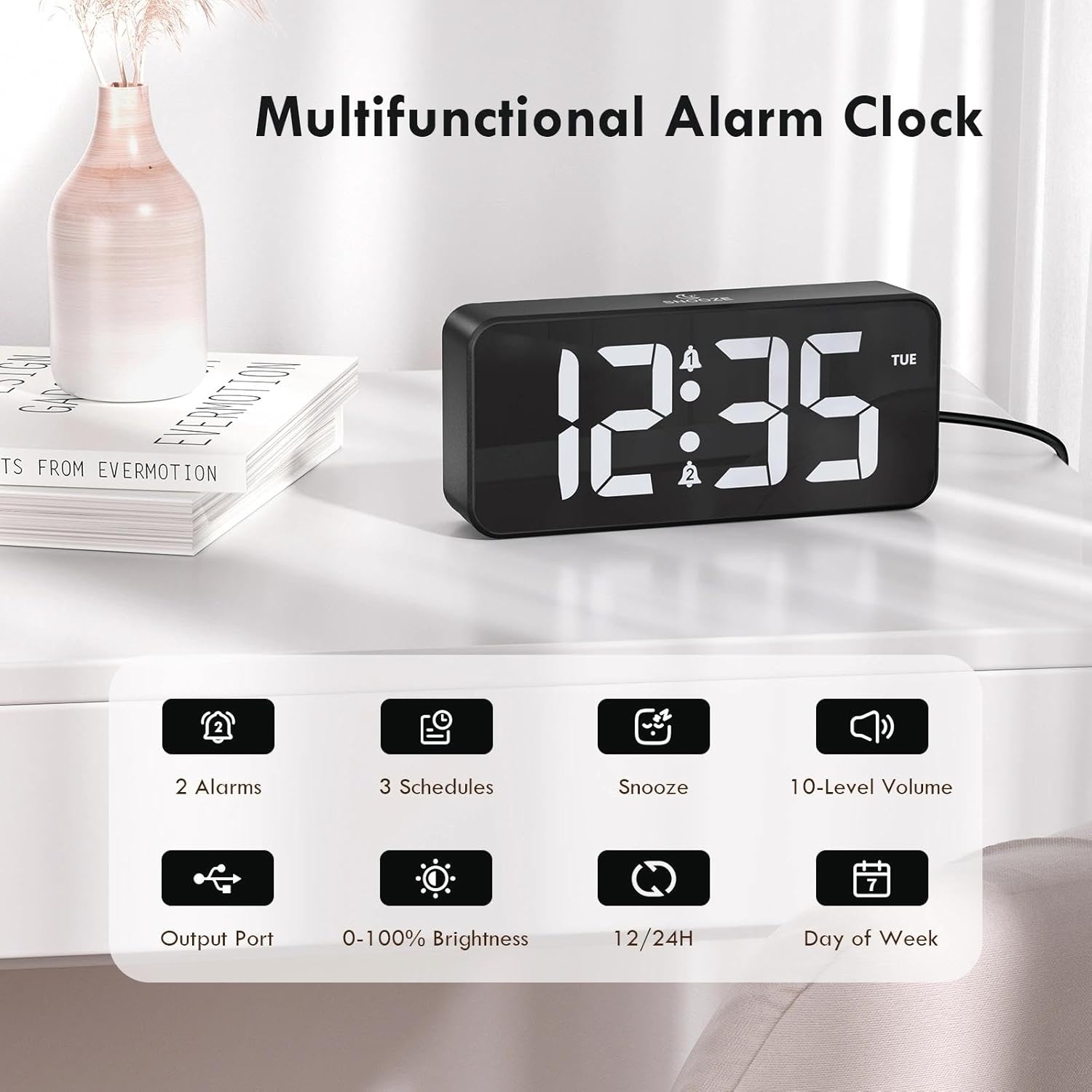
Figure 2: Key features of the CHEREEKI Digital Alarm Clock.
2. Пакеттин мазмуну
Пакетти ачкандан кийин, төмөнкү нерселердин бардыгы камтылганын текшериңиз:
- 1 x CHEREEKI Digital Alarm Clock
- 1 х кубат адаптери
- 1 x USB заряддоо кабели (1.5м)
- 1 x Instruction Manual

Figure 3: Contents of the CHEREEKI Digital Alarm Clock package.
3. Продукт бүтүп калдыview
Familiarize yourself with the various buttons and ports on your CHEREEKI Digital Alarm Clock:

Figure 4: Rear panel controls and ports of the alarm clock.
- Dimmer Knob: Adjusts display brightness (0% to 100%).
- Убакытты коюу баскычы: Убакытты орнотуу режимине кирет.
- Ойготкуч 1 баскычы: Enters Alarm 1 setting mode.
- Ойготкуч 2 баскычы: Enters Alarm 2 setting mode.
- Up Button (+): Орнотуу учурунда маанилерди жогорулатат.
- Down Button (-): Орнотуу учурунда маанилерди азайтат.
- Үн баскычы: Adjusts alarm volume (10 levels).
- USB Port (Output): Тышкы түзмөктөрдү кубаттоо үчүн.
- Type-C Port (DC 5V Input): For main power connection.
- DST которгуч: Activates/deactivates Daylight Saving Time.
- Батарея бөлүмү: Houses the CR2032 backup battery.
4. Орнотуу
4.1 Кубат туташтыруу
The CHEREEKI Digital Alarm Clock operates solely on AC power. Connect the provided USB cable to the Type-C port on the back of the alarm clock and plug the power adapter into a standard wall outlet (5V/1A or 5V/2A adapter recommended). The display will illuminate once power is connected.

Figure 5: Connecting the alarm clock to a power source.
4.2 Backup Battery Installation (Memory Function)
The alarm clock includes a CR2032 backup battery (pre-installed) to retain time and alarm settings during power outages. This battery does not power the clock's display or functions; it only preserves memory. If the battery needs replacement, open the battery compartment on the rear panel and insert a new CR2032 battery, ensuring correct polarity.

Figure 6: The backup battery ensures settings are retained during power interruptions.
5. Иштөө нускамалары
5.1 Убакытты коюу
- басыңыз Убакыт коюу баскычы. Саат цифралары жарк этет.
- колдонуу Өйдө (+) or Төмөн (-) саатты тууралоо үчүн баскычтар.
- Басыңыз Убакыт коюу кайра. Мүнөт сандары күйөт.
- колдонуу Өйдө (+) or Төмөн (-) мүнөттөрдү тууралоо үчүн баскычтар.
- Басыңыз Убакыт коюу убакытты орнотуу режимин ырастоо жана чыгуу үчүн дагы бир жолу басыңыз.
5.2 12/24 сааттык формат
12 сааттык жана 24 сааттык убакыт форматтарынын ортосунда которулуу үчүн, басыңыз Убакыт коюу button while the time is displayed (not in setting mode). The display will show "AM" or "PM" for 12-hour format, or no indicator for 24-hour format.

Figure 7: The alarm clock supports both 12-hour and 24-hour time displays.
5.3 Ойготкучтарды орнотуу (ойготкуч 1 & Ойготкуч 2)
The clock features two independent alarms. The setting process is identical for both:
- басыңыз Ойготкуч 1 or Ойготкуч 2 баскычы. Ойготкуч сааттарынын сандары өчүп калат.
- колдонуу Өйдө (+) or Төмөн (-) ойготкуч саатын тууралоо үчүн баскычтар.
- Press the respective alarm button again. The minute digits will flash.
- колдонуу Өйдө (+) or Төмөн (-) ойготкуч мүнөттөрдү тууралоо үчүн баскычтар.
- Press the alarm button again to select the alarm schedule:
- ДШ-ЖУМ: Alarm sounds on weekdays.
- ИШЕМБИ-ЖЕКШЕМБИ: Alarm sounds on weekends.
- Дүйшөмбү-Жекшемби: Alarm sounds daily.
- Press the alarm button once more to confirm and activate the alarm. A bell icon will appear on the display.

Figure 8: Dual alarms with customizable schedules.
5.4 Тындыруу функциясы
When an alarm sounds, press any button (except the alarm buttons) to activate the 5-minute snooze function. The alarm will temporarily stop and sound again after 5 minutes. To completely turn off the alarm, press the corresponding Ойготкуч 1 or Ойготкуч 2 баскычы.
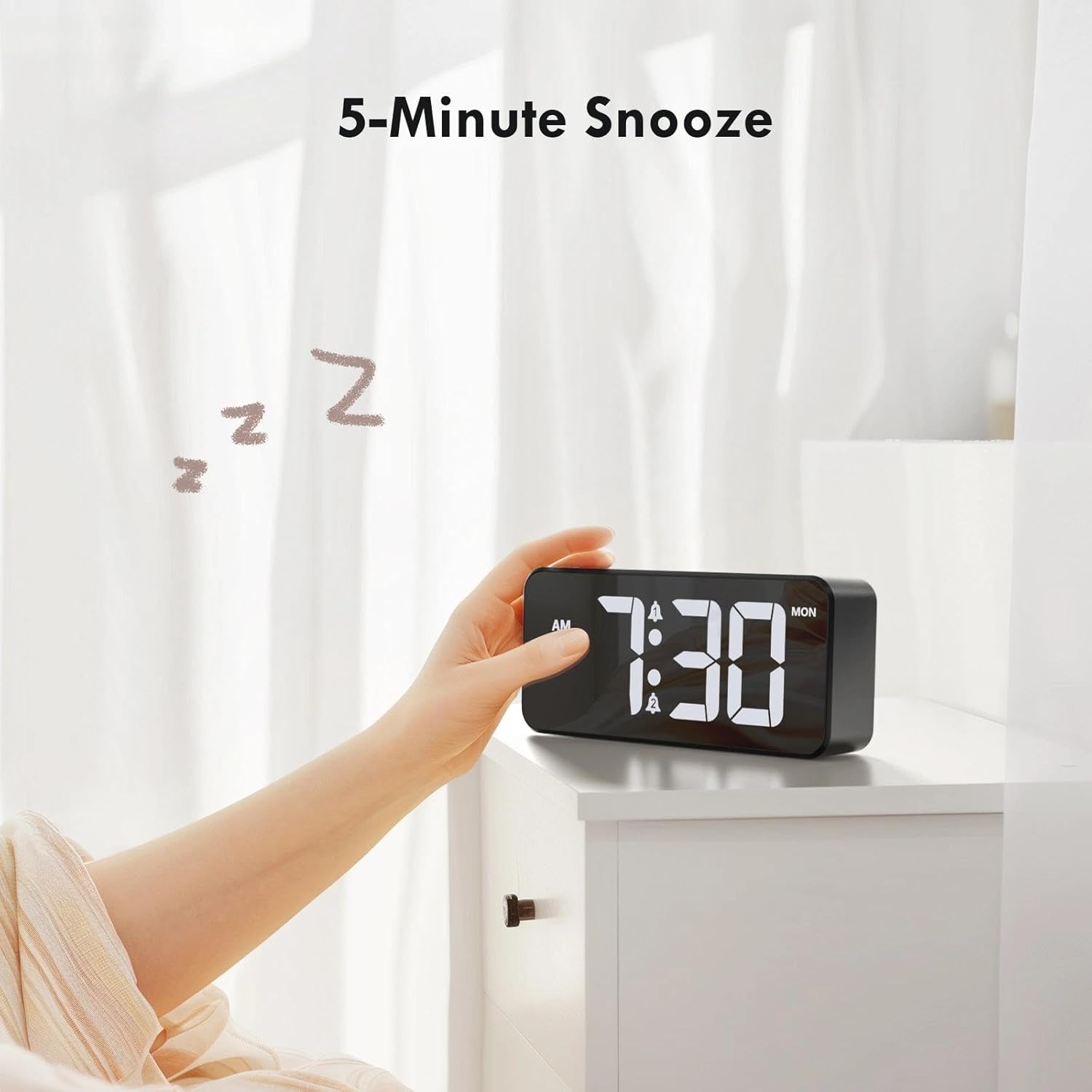
Figure 9: Activating the 5-minute snooze.
5.5 Дисплейдин жарыктыгын жөндөө
айлантыңыз Диммер knob on the rear panel to adjust the LED display brightness from 0% (off) to 100% (maximum brightness). This allows you to customize the display visibility for different lighting conditions and personal preference.
5.6 Ойготкучтун үнүн тууралоо
айлантыңыз Көлөм knob on the rear panel to select one of the 10 available volume levels for the alarm sound. Choose a volume that is suitable for your needs.

Figure 10: Controls for brightness and volume adjustment.
5.7 Жайкы убакыт (DST)
The alarm clock supports Daylight Saving Time. Locate the DST switch on the rear panel. Slide the switch to activate or deactivate DST as required by your local time zone.
6. USB кубаттоочу порт
The alarm clock is equipped with a USB output port on the rear panel. This port allows you to conveniently charge other electronic devices, such as smartphones or tablets, directly from the alarm clock. Simply connect your device's charging cable to the USB port.

Figure 11: Using the USB port to charge an external device.
7. Техникалык тейлөө
To ensure the longevity and optimal performance of your CHEREEKI Digital Alarm Clock, follow these maintenance guidelines:
- Тазалоо: Use a soft, dry cloth to clean the surface of the alarm clock. Avoid using abrasive cleaners, solvents, or chemical sprays, as these can damage the finish.
- Жайгашкан жери: Place the alarm clock on a stable, flat surface. Avoid areas with excessive heat, humidity, direct sunlight, or strong magnetic fields.
- Күч: Always use the provided power adapter and cable. Do not attempt to power the clock with incompatible adapters.
8. Кыйынчылыктарды
Эгерде сиз ойготкуч саатыңыз менен кандайдыр бир көйгөйлөргө туш болсоңуз, төмөнкү кеңири таралган көйгөйлөрдү жана чечимдерди караңыз:
| Көйгөй | Мүмкүн себеп | Чечим |
|---|---|---|
| Дисплей өчүк же иштебейт. | Эч кандай электр байланышы же кубаты жокtage. Backup battery does not power the display. | Ensure the power adapter is securely plugged into both the clock and a working wall outlet. Check the power source. |
| Ойготкуч угулбайт. | Ойготкуч иштетилген эмес, үнү өтө төмөн же ойготкучтун убактысы туура эмес коюлган. | Verify that the alarm is activated (bell icon visible). Adjust the volume knob. Re-check alarm time settings. |
| Электр кубаты өчүрүлгөндөн кийин убакыт/орнотуулар жоголотtage. | Backup battery is depleted or not installed correctly. | Replace the CR2032 backup battery, ensuring correct polarity. |
| USB заряддоо порту иштебей жатат. | Device not properly connected or power issue. | Ensure the alarm clock is powered on. Check the connection of the charging cable to both the clock and your device. Try a different USB cable. |
9. Техникалык шарттар
| Өзгөчөлүк | Деталь |
|---|---|
| Бренд | ЧЕРЕКИ |
| Модел | B0FHHKMP1X |
| Түс | Кара |
| Продукциянын өлчөмдөрү | 14.5 x 3.81 x 6.5 см |
| Салмагы | 230 грамм |
| Материал | Акрилонитрил бутадиен стирол (ABS) |
| Дисплей түрү | Digital LED |
| Өзгөчөлүктөр | Adjustable Brightness, Dual Alarms, Snooze, USB Charging Port, 12/24H Format, DST Support |
| Power Source | Corded Electric (5V/1A or 5V/2A adapter) |
| Камдык батарея | CR2032 (for memory retention only) |
10. Кепилдик жана колдоо
10.1 Кепилдик маалыматы
The CHEREEKI Digital Alarm Clock comes with a Lifetime Warranty from CHEREEKI. Please refer to the warranty card included in your package or contact CHEREEKI customer support for detailed terms and conditions.
10.2 Кардарларды колдоо
For any questions, technical assistance, or warranty claims, please contact CHEREEKI customer support. You can typically find contact information on the product packaging, the official CHEREEKI webсайты же сатып алуу платформасы аркылуу.
