1. Киришүү
This manual provides detailed instructions for the setup, operation, maintenance, and troubleshooting of your Miroir SL5100 5.1 Dolby Atmos Sound Bar System. Please read this manual thoroughly before using the product to ensure proper functionality and safety.
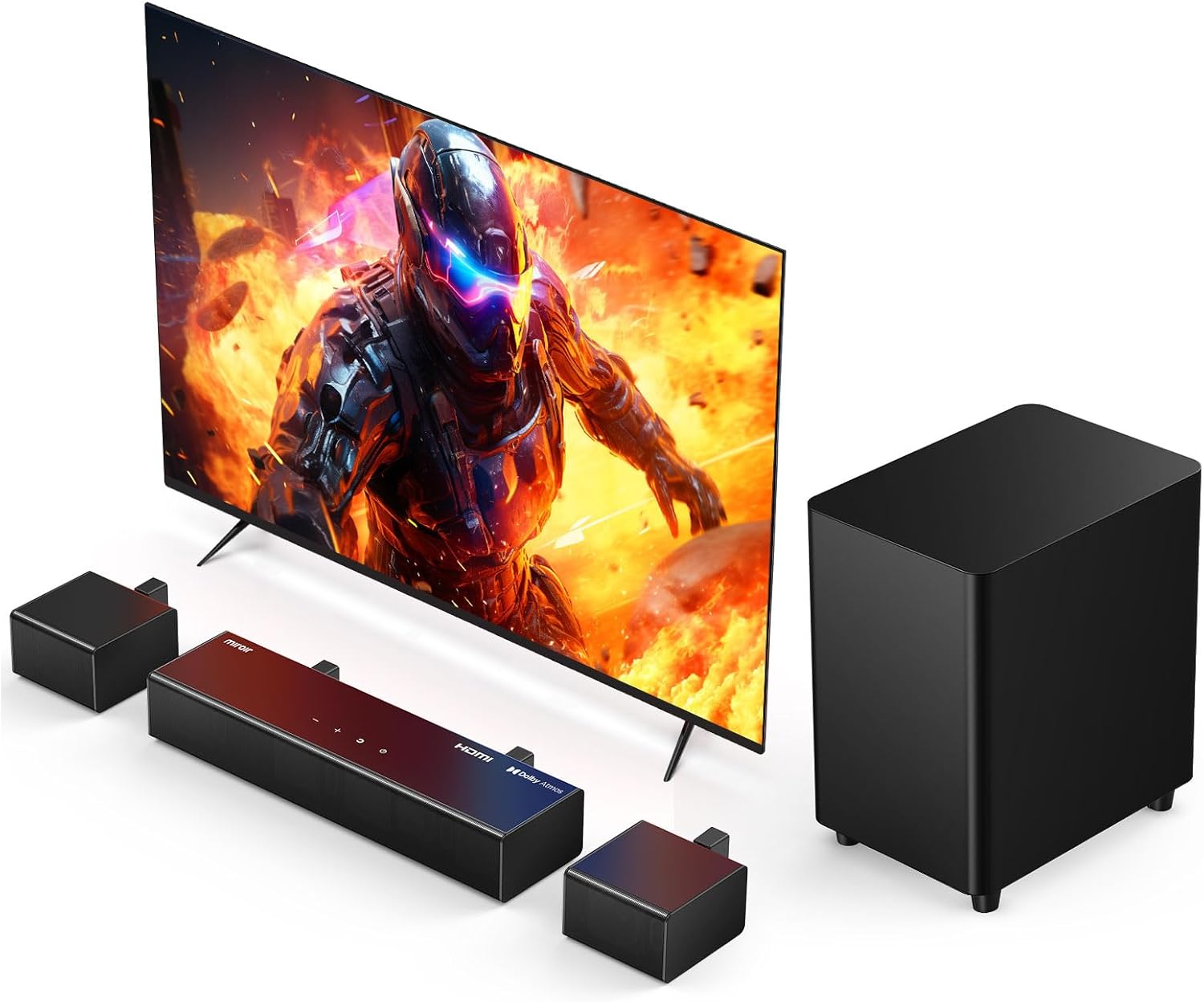
Figure 1: Miroir SL5100 5.1 Dolby Atmos Sound Bar System
The Miroir SL5100 system delivers immersive 5.1 surround sound with Dolby Atmos technology, featuring a 3-channel soundbar, a wireless subwoofer, and two wired surround speakers. It offers 410W peak power and multiple connectivity options for an enhanced home theater experience.
2. Орнотуу
2.1 Кутуда эмне бар
- Саундбар
- Зымсыз сабвуфер
- Surround Speakers (x2)
- Алыстан башкаруу
- HDMI кабели
- Санариптик оптикалык кабель
- Stereo RCA to RCA Cable (6m) L
- Stereo RCA to RCA Cable (6m) R
- Кубаттуу адаптер
- Subwoofer Power Cable
- Wall Bracket & Screws
- User Manual
- 2 AAA батареясын талап кылат (камтылган эмес)

2-сүрөт: Камтылган компоненттер
Ensure all listed components are present before proceeding with the setup.
2.2 Спикерди жайгаштыруу
Optimal placement of the soundbar, subwoofer, and surround speakers is crucial for achieving the best Dolby Atmos 5.1 surround sound experience.
- Саундбар: Place the soundbar centrally below your TV.
- ЛГурченко: The wireless subwoofer can be placed anywhere in the room, ideally in a corner or near a wall for enhanced bass response.
- Көлөмдүү динамиктер: Position the two wired surround speakers behind your primary listening area, to the left and right. The included 20-foot extension cables allow for flexible placement.

Figure 3: Recommended Speaker Layout
This diagram illustrates the ideal setup for a balanced and immersive audio field.
2.3 Байланыштар
Connect your sound system to your TV and other devices using the appropriate cables.
- HDMI eARC (Сунушталат): For the best audio quality and Dolby Atmos support, connect the included HDMI cable from your TV's HDMI (eARC) port to the soundbar's HDMI (eARC) port.
- Оптикалык: If your TV does not have an HDMI eARC port, connect the Digital Optical Cable from your TV's optical output to the soundbar's OPTICAL input.
- AUX: Use the Stereo RCA to RCA Cable to connect devices with analog audio output to the soundbar's AUX input.
- Bluetooth: For wireless audio streaming, pair your Bluetooth-enabled device with the soundbar.
- Көлөмдүү динамиктер: Connect the two wired surround speakers to the corresponding RCA ports on the wireless subwoofer.
- Күч: Connect the power adaptor to the soundbar and the subwoofer power cable to the subwoofer, then plug both into a power outlet.

Figure 4: Soundbar Rear Connections
The HDMI eARC port is highlighted for optimal Dolby Atmos performance.

Figure 5: HDMI eARC Connection Steps
Follow these steps for a seamless HDMI eARC connection.
Video 1: Miroir 5.1 Sound Bar with Dolby Atmos Overview
This video provides a visual guide to the features and setup of the Miroir 5.1 Sound Bar System, demonstrating its immersive capabilities.
3. Operating Your Sound System
3.1 Күйгүзүү/өчүрүү
басыңыз Күч системаны күйгүзүү же өчүрүү үчүн үн панелиндеги же алыстан башкаруу пультундагы баскычты басыңыз.
3.2 Киргизүүнү тандоо
колдонуу Киргизүү button on the remote control to cycle through available input sources: HDMI eARC, Optical, AUX, and Bluetooth.
3.3 Үн режимдери
The system features three optimized sound modes for different content types. Press the EQ button on the remote control to switch between them:
- Кино режими: Кинематографиялык аудиону бай бас жана так диалог менен жакшыртат.
- Диалог режими: Optimizes vocal clarity for news, podcasts, and TV shows.
- Музыка режими: салмактуу үн про камсыз кылатfile музыка угуу үчүн.

Figure 6: Sound Optimized for Each Scene
Easily switch between modes to match your audio content.
3.4 Үндү башкаруу
колдонуу Көлөм +/- buttons on the remote control or the soundbar to adjust the master volume.
3.5 Adjusting Bass and Surround Levels
Аудио тажрыйбаңызды жакшыртыңыз:
- Бас: колдонуу Бас +/- buttons on the remote to increase or decrease the subwoofer's output.
- Айлана: колдонуу Surround +/- buttons to adjust the volume of the rear surround speakers.
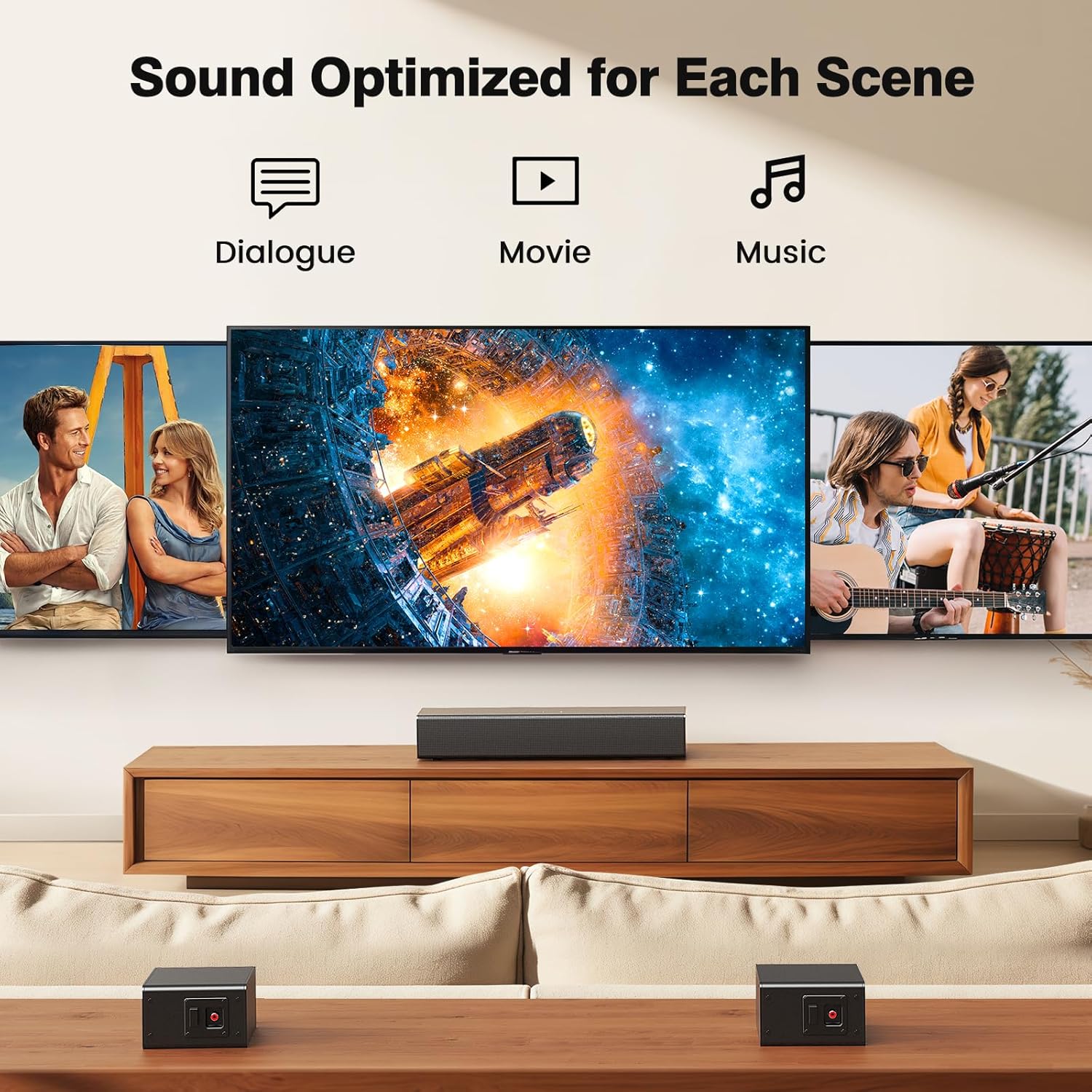
Figure 7: Mighty Bass Engine Adjustment
Customize your bass intensity for a powerful audio impact.
4. Техникалык тейлөө
4.1 Тазалоо
To maintain the appearance and performance of your sound system:
- Тазалоодон мурун ар дайым системаны розеткадан сууруп алыңыз.
- Use a soft, dry cloth to wipe down the surfaces of the soundbar, subwoofer, and speakers.
- Do not use liquid cleaners, abrasive cleaners, or chemical sprays, as these can damage the finish or internal components.
- Эгерде чаң топтолсо, динамик торчолорун акырын чаң соргуч менен тазалаңыз.
4.2 Сактоо
If storing the system for an extended period:
- Бардык кабелдерди жана электр зымдарын ажыратыңыз.
- Store the components in their original packaging or a protective container to prevent dust and damage.
- Keep the system in a cool, dry place away from direct sunlight and extreme temperatures.
5. Кыйынчылыктарды
If you encounter issues with your Miroir SL5100 system, refer to the following common problems and solutions:
| Көйгөй | Мүмкүн себеп | Чечим |
|---|---|---|
| Күч жок | Power cables not connected or outlet not working. | Ensure all power cables are securely connected and the power outlet is functional. |
| Үн жок | Incorrect input source selected; volume too low; cables loose. | Select the correct input source (HDMI eARC, Optical, AUX, Bluetooth). Increase volume. Check all audio cable connections. |
| Айлана үн жок | Surround speakers not connected to subwoofer; audio source not 5.1. | Ensure surround speakers are properly connected to the subwoofer. Verify your audio source is outputting 5.1 channel audio. |
| Пульт иштебей жатат | Batteries depleted or incorrectly inserted; obstruction between remote and soundbar. | Replace batteries (2 AAA). Ensure no obstructions block the remote's signal to the soundbar. |
| Dolby Atmos not working | TV or source device not configured for Dolby Atmos; using incorrect input. | Ensure your TV and source device (e.g., Blu-ray player, streaming device) are set to output Dolby Atmos. Use the HDMI eARC connection. Note: DTS decoding is not supported. |
Бул чечимдерди колдонуп көргөндөн кийин көйгөй чечилбесе, кардарларды колдоо менен байланышыңыз.
6. Техникалык шарттар
| Өзгөчөлүк | Спецификация |
|---|---|
| Модель аты | SL5100 |
| Динамик түрү | Soundbar (3-channel), Wireless Subwoofer, Surround Speakers (x2) |
| Динамиктин максималдуу чыгаруу күчү | 410 Ватт |
| Байланыш технологиясы | HDMI-eARC, Bluetooth 5.3, Optical, AUX, USB |
| Аудио чыгаруу режими | Surround (Dolby Atmos) |
| Frequency Response | 20 KHz |
| Продукциянын өлчөмдөрү | Түздүгү 15.6" x Туурасы 2.54" x Бийиктиги 4.1" (Саундбар) |
| Элемент Салмагы | 16 фунт (жалпы система боюнча) |
| Материал | ABS пластик |
| Түс | Кара |
| Монтаж түрү | Wall Mount (brackets included) |
7. Кепилдик маалыматы
Miroir products are designed and manufactured to the highest quality standards. For specific warranty details regarding your SL5100 5.1 Dolby Atmos Sound Bar System, please refer to the warranty card included in your product packaging or visit the official Miroir webсайт. Сатып алуу квитанциясын кепилдик дооматтары үчүн сатып алуунун далили катары сактаңыз.
8. Кардарларды колдоо кызматы
Should you require further assistance or have any questions not covered in this manual, please contact Miroir customer support. Contact information can typically be found on the official Miroir webсайтында же продуктунун таңгагында.
When contacting support, please have your product model number (SL5100) and purchase details readily available.


