Introduction
This manual provides detailed instructions for the setup, operation, and maintenance of your HyperGear FIT X2 Smartwatch + Fitness Tracker. Please read this manual thoroughly before using the device to ensure proper function and to maximize your user experience.
Кутуда эмне бар
- HyperGear FIT X2 Smartwatch
- Магниттик кубаттоочу кабель
- Колдонуучунун Колдонмосу (бул документ)
Жайгашуу
1. Аппаратты заряддоо
Before initial use, fully charge your HyperGear FIT X2 Smartwatch. Connect the magnetic charging cable to the charging contacts on the back of the watch and plug the USB end into a power source (e.g., computer USB port or a 5V/1A USB wall adapter). The watch display will indicate charging status.

Image: The HyperGear FIT X2 Smartwatch connected to its magnetic charging cable, showing a 'Fully Charged' notification on its screen.
A full charge typically takes approximately 2.5 hours. The watch offers up to 5+ days of typical use and up to 15 days of basic use on a single charge.
2. Күйгүзүү / Өчүрүү
- Күйгүзүү: Press and hold the side button until the HyperGear logo appears on the screen.
- Өчүрүү: From the watch face, swipe down to access the quick settings, then tap the power icon. Confirm power off. Alternatively, navigate to Settings > System > Power Off.
3. Колдонмону орнотуу жана жупташтыруу
The HyperGear FIT X2 requires the 'Da Fit' companion app for full functionality and data synchronization. The app is compatible with iOS 9.0+ and Android 5.0+ devices.
- Колдонмону жүктөп алыңыз: Издөө 'Da Fit' in the Apple App Store (for iOS) or Google Play Store (for Android) and install it on your smartphone.
- Bluetooth иштетүү: Смартфонуңузда Bluetooth иштетилгенин текшериңиз.
- Da Fit колдонмосун ачыңыз: Launch the 'Da Fit' app and follow the on-screen instructions to create an account or log in.
- Түзмөк кошуу: In the app, navigate to the 'Device' section and tap 'Add Device'. The app will search for nearby devices. Select 'FIT X2' from the list to pair.
- Жупташтыруу ырастоо: A pairing request may appear on your watch and phone. Confirm on both devices to complete the connection.

Image: A smartphone screen showing the 'Da Fit' app download options and the HyperGear FIT X2 Smartwatch, illustrating the companion app integration.
Иштөө нускамалары
1. Интерфейсте навигация
The FIT X2 features a 2-inch ultra-large touchscreen LCD display and a side button for navigation.
- Өйдө серпүү: Эскертмелерге кирүү.
- Төмөн сүрүү: Тез жөндөөлөргө өтүү (мисалы, жарыктык, DND, батареяны үнөмдөө).
- Солго/Оңго сүрүү: Cycle through widgets (e.g., activity, heart rate, weather, music control).
- Каптал баскычын басыңыз: Return to the watch face from any screen, or open the app menu from the watch face.
- таптаңыз: Бир нерсени тандаңыз же колдонмону ачыңыз.
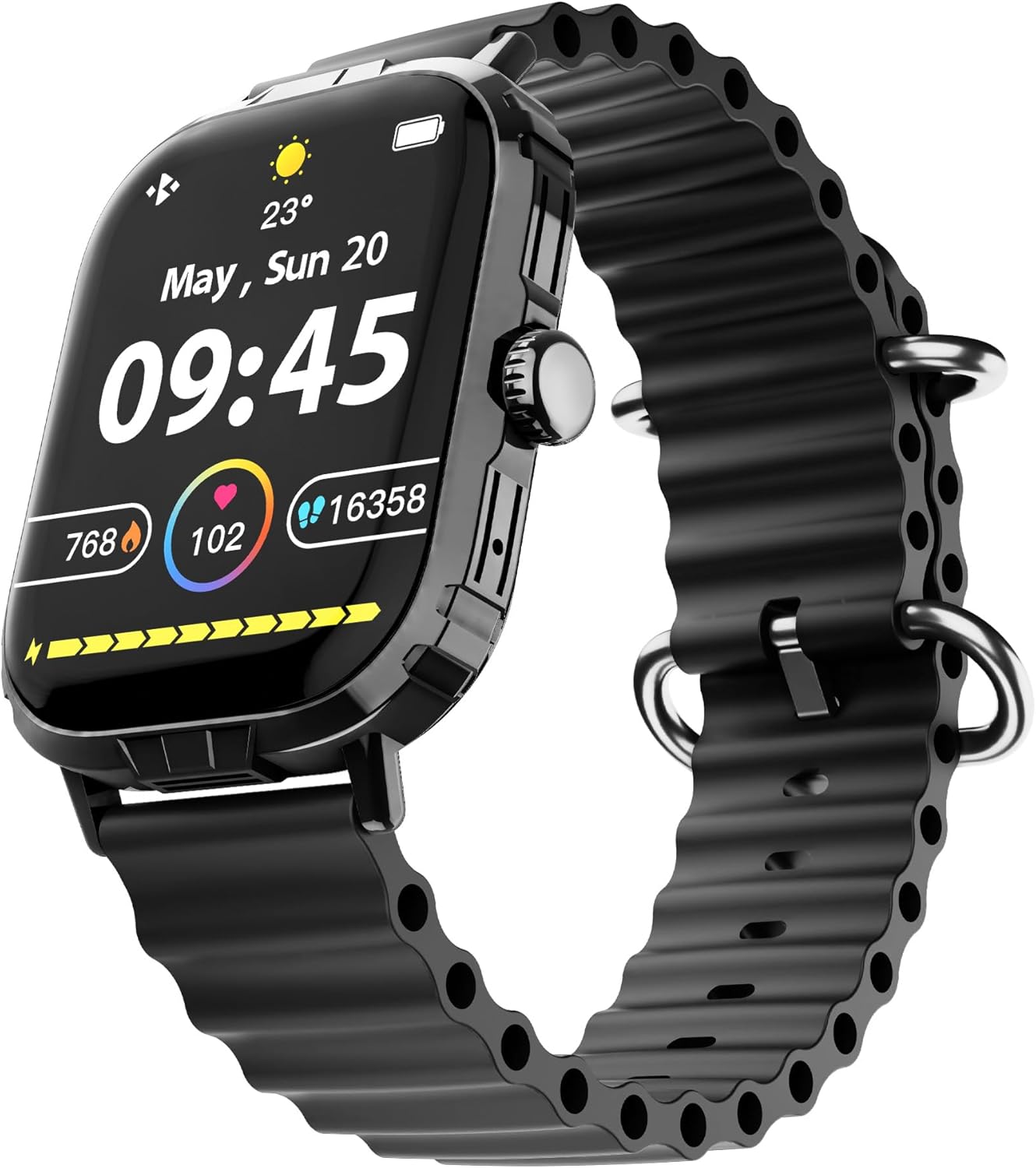
Image: The HyperGear FIT X2 Smartwatch showing its main watch face with current time, date, and various health metrics.
2. Ден соолук мониторингинин өзгөчөлүктөрү
The FIT X2 provides 24-hour health monitoring capabilities.
- Жүрөктүн кагышы: Access the Heart Rate app on the watch or swipe to the Heart Rate widget. The watch will automatically measure your heart rate. For continuous monitoring, enable it in the Da Fit app settings.
- Кандагы кычкылтек (SpO2): Open the SpO2 app on the watch. Keep your arm still during measurement.
- Кан басымы: Open the Blood Pressure app on the watch. Follow on-screen instructions for accurate readings.
- Стресс деңгээли: The watch can estimate stress levels. Access this feature via the dedicated app.
All health metrics can be viewed in detail and tracked over time within the Da Fit companion app.

Image: A visual representation of the HyperGear FIT X2's 24-hour health monitoring features, including heart rate, blood pressure, blood oxygen, and stress levels.
3. Фитнеске көз салуу
The FIT X2 supports over 100 exercise and sport modes.
- Активдүүлүккө көз салуу: The watch automatically records daily step count, calories burned, and total minutes of moderate or high physical activity. View these metrics on the watch or in the Da Fit app.
- Көнүгүү режимдери: From the app menu, select 'Exercise' to choose from various sport modes. The watch will track relevant data for your chosen activity.
- GPS Route Mapping: When connected to your smartphone, the Da Fit app can utilize your phone's GPS to map your outdoor exercise routes.

Image: The HyperGear FIT X2 Smartwatch displaying fitness tracking data, including step count, calories burned, and minutes exercised, with an individual engaged in physical activity.
4. Уйкуга көз салуу
Wear your FIT X2 to bed to monitor your sleep patterns.
- Sleep Time & Quality: The watch tracks your total sleep duration and analyzes sleep stages (Awake, REM, Light, Restful).
- Guided Breathing Sessions: Access guided breathing exercises on the watch to help improve relaxation before sleep.
Detailed sleep analysis and scores are available in the Da Fit app.

Image: The HyperGear FIT X2 Smartwatch showing sleep tracking features, including sleep duration, quality, and guided breathing, with a person sleeping in the background.
5. Байланыш өзгөчөлүктөрү
Stay connected with your smartphone via Bluetooth.
- On-Wrist Calls: With the built-in microphone and speaker, you can make and receive phone calls directly from your watch when connected to your phone.
- Акылдуу эскертмелер: Receive notifications for texts, social media apps, emails, and more directly on your watch. Manage notification settings in the Da Fit app.
- Музыкалык башкаруу: Саатыңыздан смартфонуңуздагы музыканы ойнотууну башкарыңыз (ойнотуу, тындыруу, тректерди өткөрүп жиберүү).

Image: The HyperGear FIT X2 Smartwatch highlighting its connectivity features, including Bluetooth pairing, on-wrist call functionality, smart notifications, and music control.
6. Башка колдонмолор
The FIT X2 includes over 15 easy-to-use applications:
- Секундомер
- Таймер
- Ойготкуч
- Аба ырайы
- Калькулятор
- Алыскы камера жапкыч
- AI үн жардамчысы
- Телефонду табуу
- Кол чырак
- And more, accessible via the app menu.
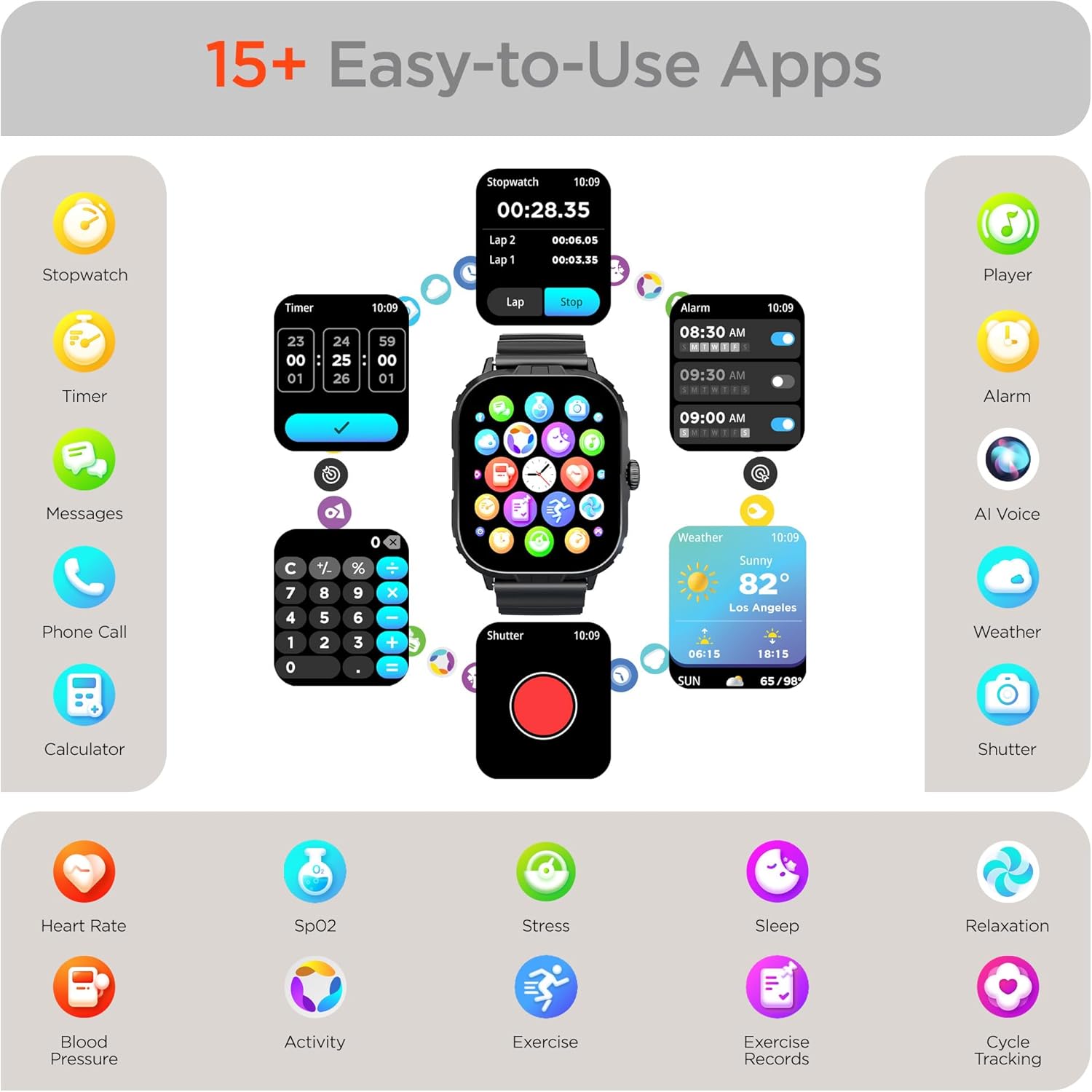
Image: The HyperGear FIT X2 Smartwatch showcasing its array of built-in applications, such as stopwatch, timer, alarm, weather, calculator, and various health monitoring tools.
Техникалык тейлөө
1. Тазалоо
Regularly clean your smartwatch and strap to prevent skin irritation and maintain device performance.
- Экранды жана сааттын корпусун жумшак, мамыксыз чүпүрөк менен сүртүңүз. Зарыл болсо, бир аз сүртүңүз.ampчүпүрөктү суу менен.
- For the silicone strap, wash with mild soap and water, then rinse thoroughly and dry completely before reattaching to your wrist.
- Катуу химиялык заттарды, абразивдүү тазалагычтарды же эриткичтерди колдонуудан алыс болуңуз, алар аппаратка зыян келтириши мүмкүн.
2. Сууга туруктуулук
The HyperGear FIT X2 is IP65 rated, meaning it is dustproof and water-resistant. It is certified sweatproof, splashproof, and rainproof. It is not recommended for swimming, showering, or submersion in water.
3. Боону алмаштыруу
The FIT X2 uses universally compatible 22mm-wide watch straps with quick-release spring bars. To replace the strap:
- Locate the quick-release lever on the underside of the strap where it connects to the watch body.
- Pull the lever inward to release the spring bar and gently detach the strap.
- Align the new 22mm strap with the watch lugs, insert one end of the spring bar, then pull the quick-release lever to slide the other end into place. Release the lever to secure.
Проблемаларды чечүү
- Күйгүзүлбөй турган саат: Саат толук заряддалганын текшериңиз. Аны магниттик заряддоо кабелине жана кубат булагына кеминде 10 мүнөт туташтырыңыз.
- Смартфон менен жупташтыруу мүмкүн эмес:
- Смартфонуңузда жана саатыңызда Bluetooth иштетилгенин текшериңиз.
- Make sure the watch is within Bluetooth range of your phone (typically 10 meters).
- Саатыңызды да, смартфонуңузду да өчүрүп күйгүзүңүз.
- Check if the 'Da Fit' app has necessary permissions enabled on your phone.
- If previously paired, try unpairing from your phone's Bluetooth settings and the Da Fit app, then re-pair.
- Туура эмес ден соолук көрсөткүчтөрү:
- Сааттын билегиңизге, туурасы билегиңизден бир манжадай жогору тагылганын текшериңиз.
- Өлчөө учурунда колуңузду кыймылдатпай кармаңыз.
- Сааттын артындагы сенсорду тазалаңыз.
- Эскертмелер көрүнбөй жатат:
- Verify the watch is connected to your phone via Bluetooth.
- Check notification settings within the 'Da Fit' app to ensure desired apps are enabled.
- Ensure your phone's notification settings allow the 'Da Fit' app to display notifications.
- Батарейканын кыска мөөнөтү:
- Экран жарыктыгын азайтыңыз.
- Зарыл болбосо, жүрөктүн кагышын үзгүлтүксүз көзөмөлдөөнү өчүрүңүз.
- Limit frequent use of power-intensive features like calls or GPS tracking.
- Саат ар бир жолу толук кубатталганын текшериңиз.
Техникалык шарттар
| Өзгөчөлүк | Спецификация |
|---|---|
| Модел | FIT X2 |
| Дисплей өлчөмү | 2 Inches IPS LCD |
| Байланыш | Bluetooth 5.2 |
| Батарея сыйымдуулугу | 250 миллионamp Саат |
| Батареянын иштөө мөөнөтү | 5+ күн |
| Basic Battery Life | 15 күнгө чейин |
| Убакытты толтуруу | 2.5 Hours (Rapid Recharge) |
| Суу каршылык | IP65 (Dustproof, Sweatproof, Splashproof, Rainproof) |
| Операциялык системанын шайкештиги | Android 5.0+ / iOS 9.0+ |
| Иштин материалы | Zinc Alloy (11mm thick) |
| Боонун шайкештиги | 22mm Quick-Release |
| Элемент Салмагы | 4.8 унция |
Кепилдик маалымат
HyperGear products are designed and manufactured to the highest quality standards. For specific warranty details, including coverage period and terms, please refer to the warranty card included with your product or visit the official HyperGear webсайт. Кепилдик дооматтар үчүн сатып алганыңыздын далилин сактаңыз.
Колдоо
If you encounter any issues or have questions not covered in this manual, please contact HyperGear customer support:
- Онлайн колдоо: Visit the official HyperGear webКөп берилүүчү суроолор, көйгөйлөрдү аныктоо боюнча колдонмолор жана байланыш формалары үчүн сайт.
- Электрондук почта колдоо: Refer to your product packaging or the HyperGear webкардарларды тейлөө электрондук почта дареги үчүн сайт.