1. Киришүү
This manual provides essential information for the safe and efficient operation of your Sceptre E345W-QU120D 34-inch Ultrawide Monitor. Please read this manual thoroughly before using the product and retain it for future reference. This monitor features a 34-inch 3440x1440 display, up to 115Hz refresh rate, 103% sRGB color gamut, and multiple connectivity options including DisplayPort and HDMI, along with built-in speakers.
2. Коопсуздук маалыматы
Observe the following safety precautions to ensure proper operation and prevent damage to the monitor or injury to yourself.
- Мониторду туруксуз арабага, стендге же столго койбоңуз.
- Өрт же шок коркунучун болтурбоо үчүн мониторду жамгырга же нымга тийгизбеңиз.
- Мониторду ачпаңыз casinг. Ичинде колдонуучу тейлей турган бөлүктөр жок. Бардык тейлөөлөрдү квалификациялуу тейлөө кызматкерлерине тапшырыңыз.
- Туура желдетүүнү камсыз кылыңыз. Эч кандай желдетүүчү тешиктерди жаап албаңыз.
- Монитор менен кошо берилген кубат шнурын жана адаптерди гана колдонуңуз.
- Монитор узак убакыт бою колдонулбай турган болсо, электр сайгычын розеткадан ажыратыңыз.
3. Пакеттин мазмуну
Таңгактан чыгаргандан кийин бардык буюмдар бар экенин жана жакшы абалда экендигин текшериңиз.
- Sceptre E345W-QU120D Ultrawide Monitor
- Монитор стенд (негизги жана моюн)
- Кубат адаптери жана электр шнуры
- DisplayPort кабели
- Screwdriver (for stand assembly)
- Колдонуучунун Колдонмосу (бул документ)
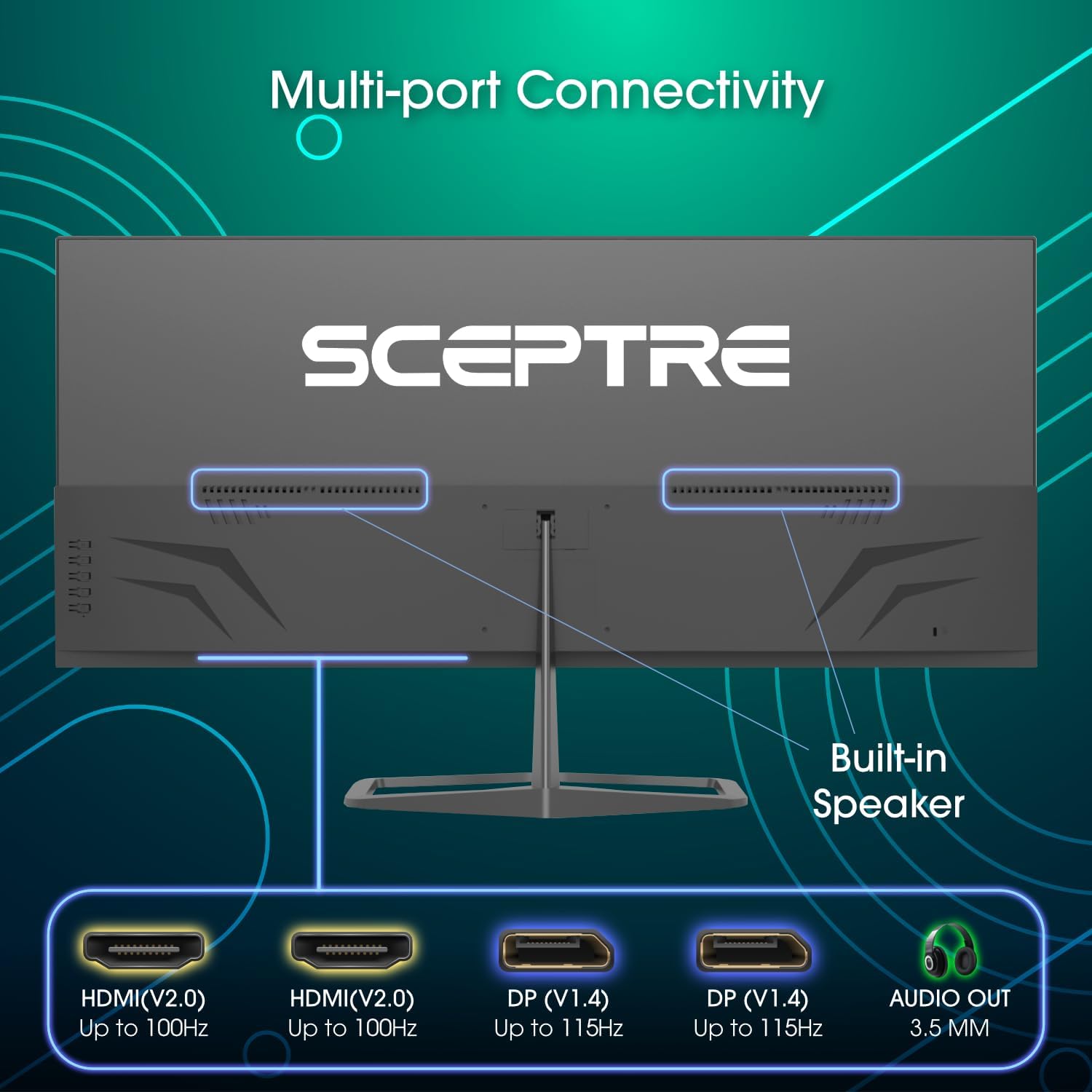
Image: Diagram illustrating the multi-port connectivity options on the Sceptre E345W-QU120D monitor, including HDMI, DisplayPort, and Audio Out. This image helps identify the various ports available on the monitor.
4. Орнотуу
4.1 Стендди чогултуу
- Чийилбеш үчүн мониторду кылдаттык менен жумшак, таза бетке ылдый каратып коюңуз.
- Берилген бурамаларды колдонуп, стенддин моюнун мониторго бекитиңиз.
- Connect the stand base to the neck, securing it with the remaining screws. Use the included screwdriver for assembly.
- Ensure all screws are tightened securely before placing the monitor upright.
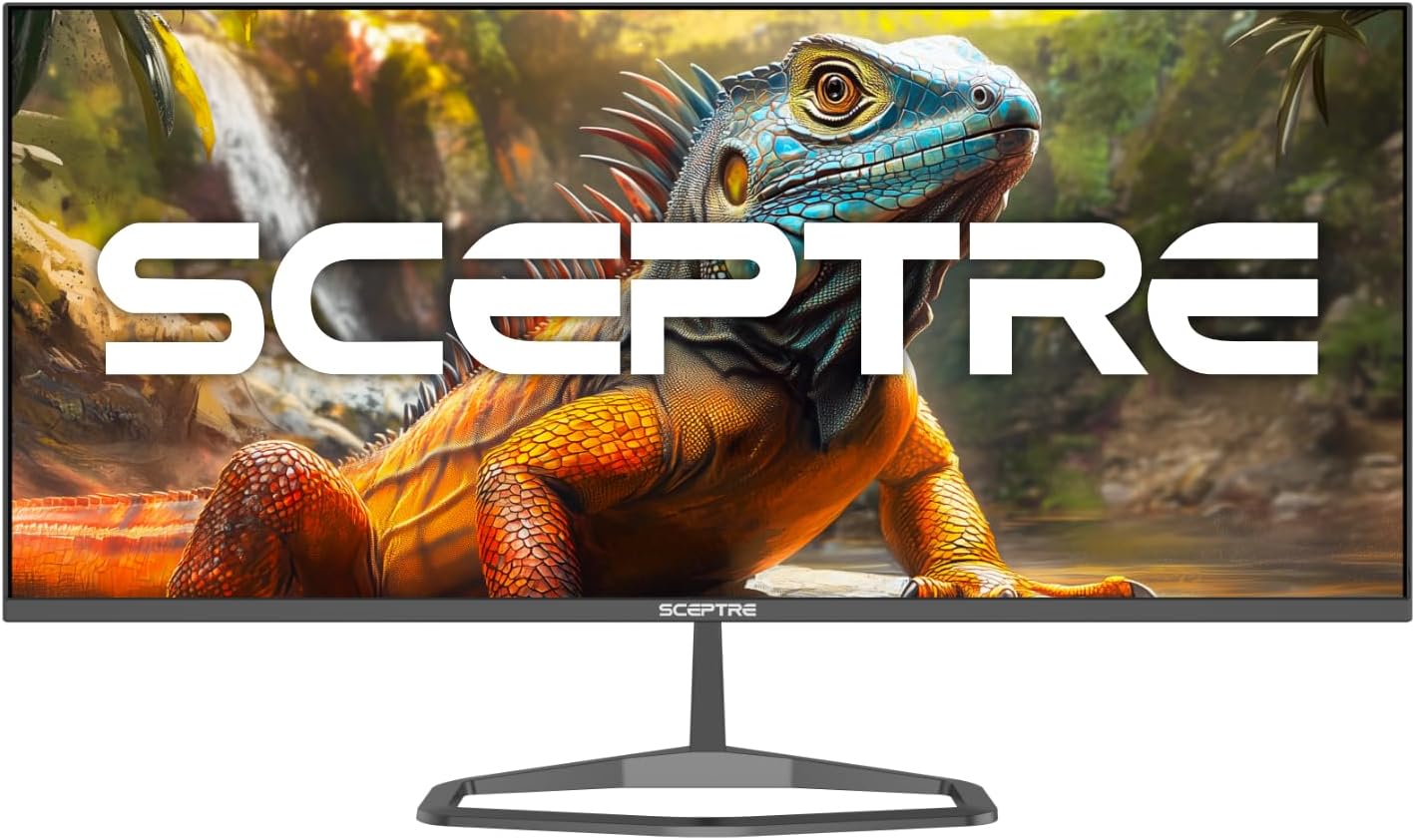
Image: The Sceptre E345W-QU120D Ultrawide Monitor displayed from the front, including its stable desktop stand. This image provides a visual reference for the assembled monitor.
4.2 Компьютерге туташуу
- Монитор да, компьютериңиз да өчүрүлгөнүн текшериңиз.
- Connect one end of the DisplayPort cable (included) or an HDMI cable (not included) to the corresponding port on your computer's graphics card.
- Connect the other end of the cable to an available DisplayPort or HDMI input on the monitor. The monitor supports two DisplayPort (v1.4) inputs for up to 115Hz refresh rate and two HDMI (v2.0) inputs for up to 100Hz refresh rate.
- For audio output, you can use the 3.5mm Audio Out jack on the monitor to connect external speakers or headphones.
- Кубат адаптерин монитордун кубат кирүүчүсүнө туташтырыңыз, андан кийин кубат шнурын розеткага сайыңыз.
Сүрөт: Арткы view of the Sceptre E345W-QU120D Ultrawide Monitor, highlighting the input ports and VESA mount area. This image assists in locating the various connection points.
5. Мониторду иштетүү
5.1 Күйгүзүү/өчүрүү
Press the power button, typically located on the back or bottom right side of the monitor, to turn the monitor on or off. The power indicator light will illuminate when the monitor is on.
5.2 Экрандагы дисплей (OSD) менюсу
The OSD menu allows you to adjust various monitor settings. Use the control buttons (usually located on the back or bottom of the monitor) to navigate the menu.
- Киргизүү булагы: Select between DisplayPort 1, DisplayPort 2, HDMI 1, or HDMI 2.
- Сүрөт жөндөөлөрү: Жарыктыгын, контрастын, курчтугун жана түс температурасын тууралаңыз.
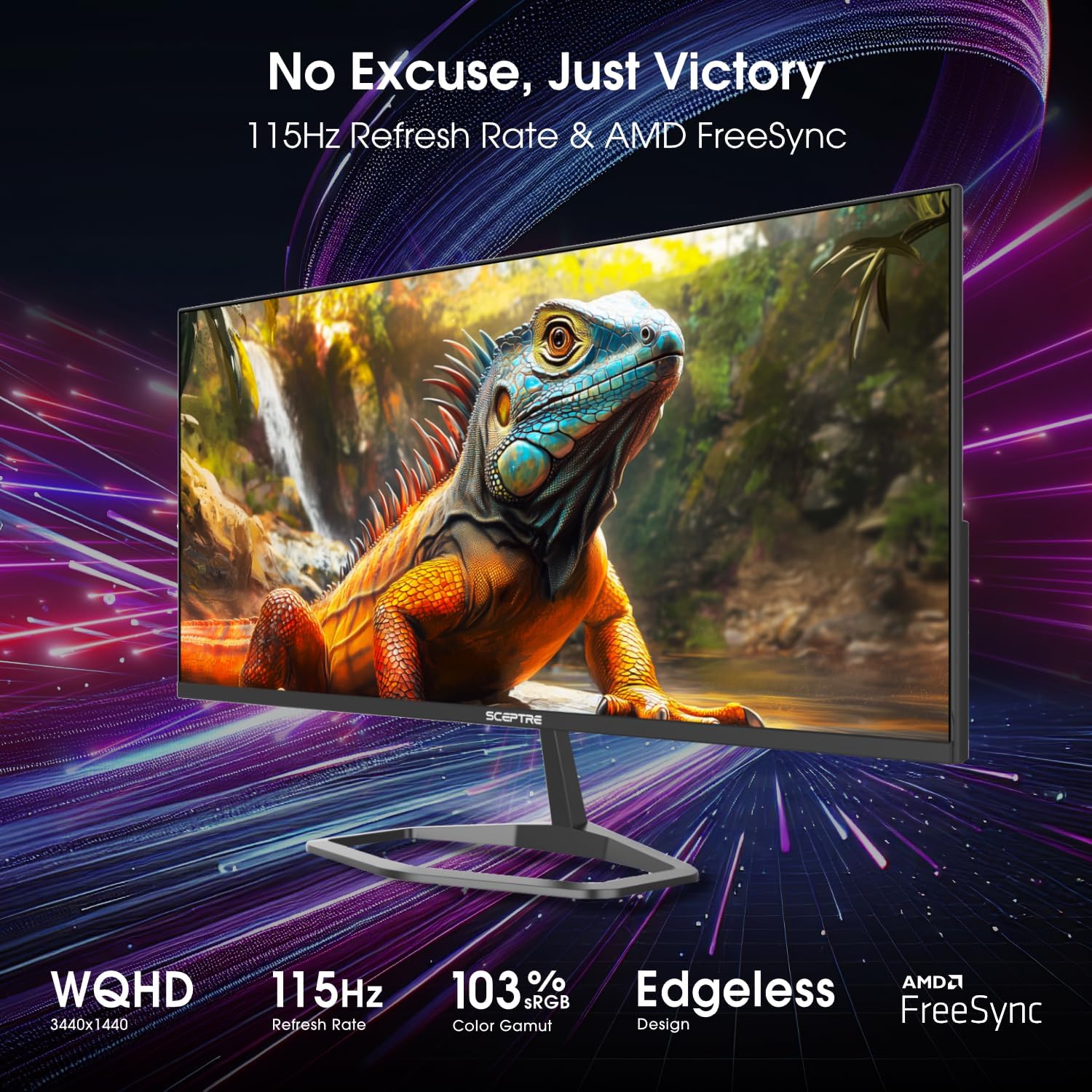
- Түс жөндөөлөрү: Fine-tune color balance and gamma. The monitor features 103% sRGB color gamut for accurate color reproduction.
- Аудио жөндөөлөрү: Орнотулган динамиктердин же туташкан аудио түзмөктөрдүн үнүн тууралаңыз.
- OSD Орнотуулары: OSD тилин, тунуктугун жана тайм-аутту конфигурациялаңыз.
- Өркүндөтүлгөн орнотуулар: Enable or disable features like AMD FreeSync and Blue-Light Shift.

Сүрөт: алдыңкы view of the Sceptre E345W-QU120D 34-inch Ultrawide Monitor, showcasing its edgeless design and wide display. This image provides a general view of the monitor during operation.
5.3 Негизги өзгөчөлүктөрү
- Жогорку жаңылануу ылдамдыгы: Up to 115Hz via DisplayPort and 100Hz via HDMI for smoother visuals.
- AMD FreeSync: Synchronizes the monitor's refresh rate with your graphics card's frame rate to eliminate screen tearing and stuttering. Enable this feature in the OSD menu and your graphics card settings.
- Blue-Light Shift: Reduces harmful blue light emissions to alleviate eye strain during prolonged use. This can be adjusted or enabled/disabled via the OSD menu.
- Интегралдык баяндамачылар: Provides audio output without the need for external speakers.
6. Техникалык тейлөө
6.1 Мониторду тазалоо
- Тазалоодон мурун мониторду дайыма электр розеткасынан сууруп алыңыз.
- Жумшак, түксүз кездемени жеңил колдонуңуз dampсуу же абразивдүү эмес экран тазалагыч менен иштетиңиз.
- Тазалоочу каражатты түздөн-түз экранга же кандайдыр бир тешиктерге чачпаңыз.
- Чаңды жана тактарды кетирүү үчүн экранды акырын сүртүңүз.
- Монитор үчүн casing, жумшак, кургак чүпүрөктү колдонуңуз.
6.2 Жалпы кам көрүү
- Монитор же анын кабелдерине оор нерселерди коюудан алыс болуңуз.
- Мониторду күн нурунан, жылуулук булактарынан жана ашыкча чаңдан алыс кармаңыз.
- Ensure adequate space around the monitor for proper ventilation.
7. Кыйынчылыктарды
If you encounter issues with your monitor, refer to the following troubleshooting guide.
| Көйгөй | Мүмкүн себеп | Чечим |
|---|---|---|
| Күч жок | Электр кабели туташкан эмес; Розетка иштебейт; Монитордун кубат баскычы өчүк. | Электр кабели мониторго жана розеткага бекем туташтырылганын текшериңиз. Башка түзмөк менен розетка сынагы. Монитордун кубат баскычын басыңыз. |
| Сигнал жок | Видео кабель туташкан эмес; Туура эмес киргизүү булагы тандалып алынган; Компьютер сигнал чыгарбай жатат. | Check video cable connections (DisplayPort/HDMI) to both monitor and computer. Select correct input source via OSD menu. Restart computer. |
| Сүрөт бүлбүлдөгөн же бурмаланган | Loose video cable; Incorrect resolution/refresh rate; Graphics card driver issues. | Secure video cable. Adjust resolution and refresh rate in computer display settings. Update graphics card drivers. |
| No audio from built-in speakers | Үнү өтө төмөн; Үнсүз; Компьютерде туура эмес аудио чыгышы тандалды. | Increase monitor volume via OSD. Check computer's audio settings to ensure monitor is selected as output device. |
| HDMI ports feel hot | Potential overheating; Cable issue. | Ensure proper ventilation around ports. Try a different HDMI cable. If problem persists, contact support. |
8. Техникалык шарттар
| Өзгөчөлүк | Деталь |
|---|---|
| Модель номери | E345W-QU120D |
| Screen Size | 34 дюйм |
| Резолюция | 3440 x 1440 (WQHD) |
| Max Refresh Rate (DisplayPort) | 115Hz |
| Max Refresh Rate (HDMI) | 100Hz |
| Аспект катышы | 21:9 |
| Түс гаммасы | 103% sRGB |
| Байланыш | 2x HDMI (v2.0), 2x DisplayPort (v1.4), 1x Audio Out (3.5mm) |
| Камтылган динамиктер | Ооба |
| VESA тоосуна шайкеш келет | Ооба |
| Элемент Салмагы | 9.7 фунт (болжол менен 4.4 кг) |
| Продукциянын өлчөмдөрү (LxWxH) | 32 x 9 x 21 дюйм (болжол менен 81.3 x 22.9 x 53.3 см) |
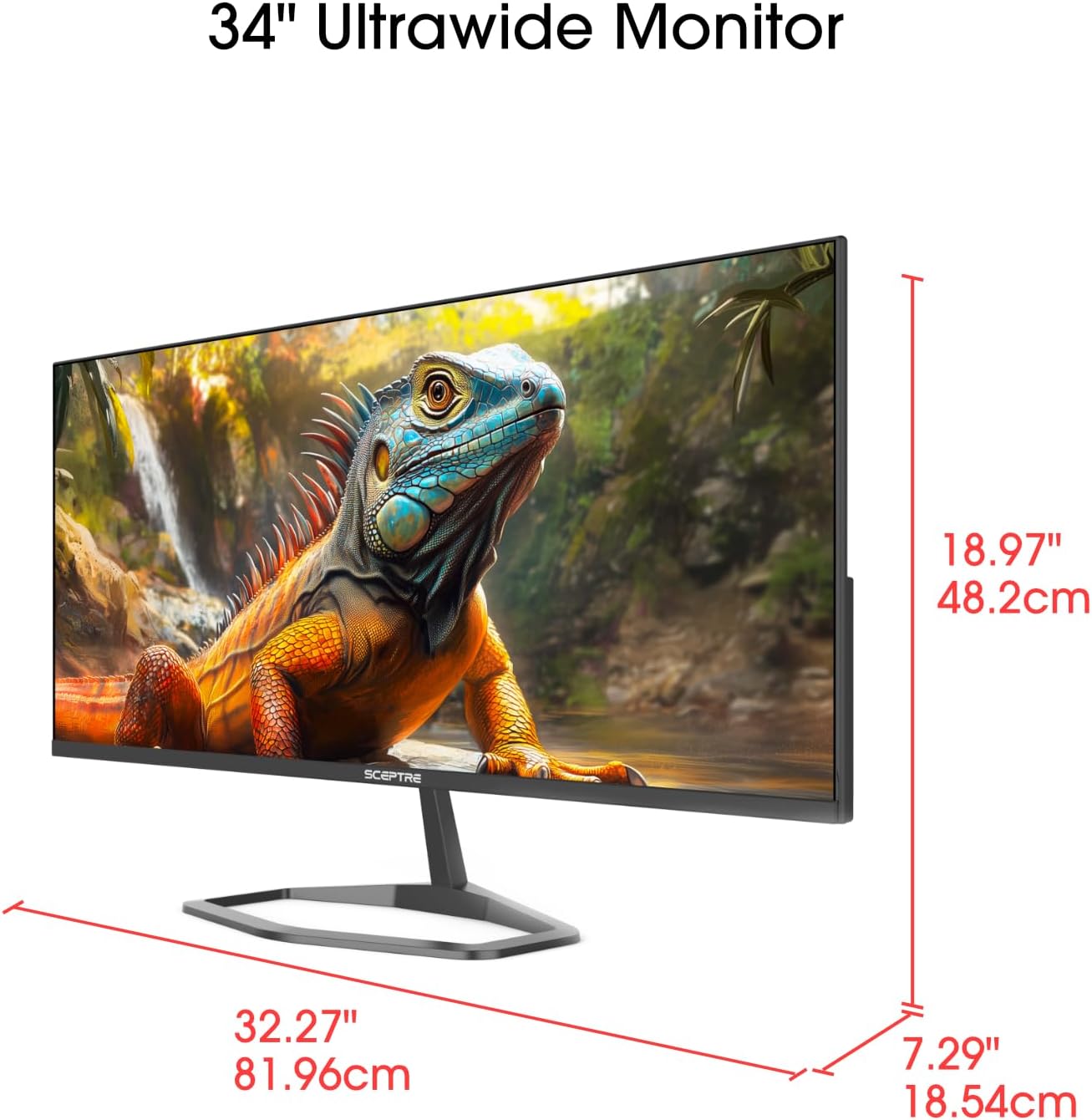
Image: This image displays the physical dimensions (height, width, and depth) of the Sceptre E345W-QU120D 34-inch Ultrawide Monitor, providing precise measurements for placement and setup.
9. Кепилдик маалыматы
Sceptre products are covered by a limited warranty. For detailed warranty terms, conditions, and registration information, please refer to the official Sceptre webсайтка же продуктуңузга кошулган кепилдик картасы. Кепилдик дооматтар үчүн сатып алганыңыздын далилин сактаңыз.
10. Кардарларды колдоо кызматы
If you require further assistance or have questions not covered in this manual, please contact Sceptre customer support.
- Онлайн колдоо: Visit the official Sceptre webКөп берилүүчү суроолор, драйверлерди жүктөө жана колдоо булактары үчүн сайт.
- Байланыш маалыматы: Refer to the Sceptre website or your product packaging for the most current contact details (phone, email).
- Sceptre Store: Сиз да зыярат кылсаңыз болот Sceptre Store on Amazon продукт маалымат жана аксессуарлар үчүн.


