1. Коопсуздук маалыматы
Please read this manual carefully before using the product to ensure proper operation and to avoid damage. Keep this manual for future reference.
- Айдап бара жатканда түзмөктү иштетпеңиз. Жөндөөлөрдү унаа коопсуз токтогондо гана тууралаңыз.
- Ensure the dash cam does not obstruct your view жолго же унаанын башкаруусуна тоскоол болот.
- Use only original accessories provided with the product.
- Түзмөктү узак убакыт бою өтө жогорку температурага же түз күн нуруна дуушар кылбаңыз.
- Аппаратты суудан жана нымдан алыс кармаңыз.
2. Пакеттин мазмуну
Пакетте бардык буюмдар бар экенин текшериңиз:
- Mirror Dash Camera Unit
- Арткы камера
- Унаа заряддагыч
- Заряддоо кабели (USB-C)
- GPS модулу
- 64 ГБ микро SD карта
- Орнотуу куралы (Pry куралы)
- User Manual
- Mounting Straps (for mirror)
- Adhesive Pads and Screws (for rear camera)

Image: All components included in the QOZ V969 Mirror Dual Dash Camera package.
3. Орнотуу жана орнотуу
3.1 Installing the Mirror Dash Camera
- Attach the mirror dash camera to your existing rearview берилген резина боолор менен күзгүнү бекитиңиз. Анын бекем бекитилгенин жана көзүңүзгө тоскоол болбогонун текшериңиз view.
- Adjust the integrated front camera lens to capture the desired view алдыдагы жолдун.

Image: The mirror dash camera is designed to clip securely over your vehicle's existing rearview күзгү.
3.2 Арткы камераны орнотуу
- Mount the rear camera at the back of your vehicle, typically above the license plate or inside the rear window. Use the provided adhesive pads and screws for secure attachment.
- Route the rear camera cable to the front of the vehicle, tucking it along the headliner and A-pillar trim using the installation tool to conceal the wiring.
- Connect the rear camera cable to the designated port on the mirror dash camera.
- Connect the red wire from the rear camera cable to your vehicle's reverse light power wire. This enables the display to automatically switch to the rear camera view артка кайтканда.

Image: Wiring diagram for connecting the rear camera to the main unit and the vehicle's reverse light for automatic activation.
3.3 Connecting Power and GPS
- Insert the 64GB Micro SD card into the designated slot on the mirror dash camera.
- Connect the GPS module to its port on the mirror dash camera. Position the GPS module on the dashboard or near the windshield for optimal signal reception.
- Plug the car charger into your vehicle's 12V power outlet (cigarette lighter).
- Connect the USB-C charging cable from the car charger to the mirror dash camera.

Image: The dash camera package includes a 64GB SD card and a GPS module for route and speed tracking.
4. Иштөө нускамалары
4.1 Күйгүзүү/өчүрүү
Унааңыздын от алдыруу системасы күйгүзүлгөндө, видеорегистратор автоматтык түрдө күйүп, жаздыра баштайт. Ал от алдыруу системасы өчүрүлгөндө автоматтык түрдө өчөт.
4.2 10" IPS Touch Screen Interface
The 10-inch IPS touch screen provides a wide viewing angle and vivid color accuracy. Swipe left/right to switch between front camera view, арткы камера view, or a split-screen display showing both simultaneously. Swipe up/down on the screen to adjust the camera's vertical viewбурч.
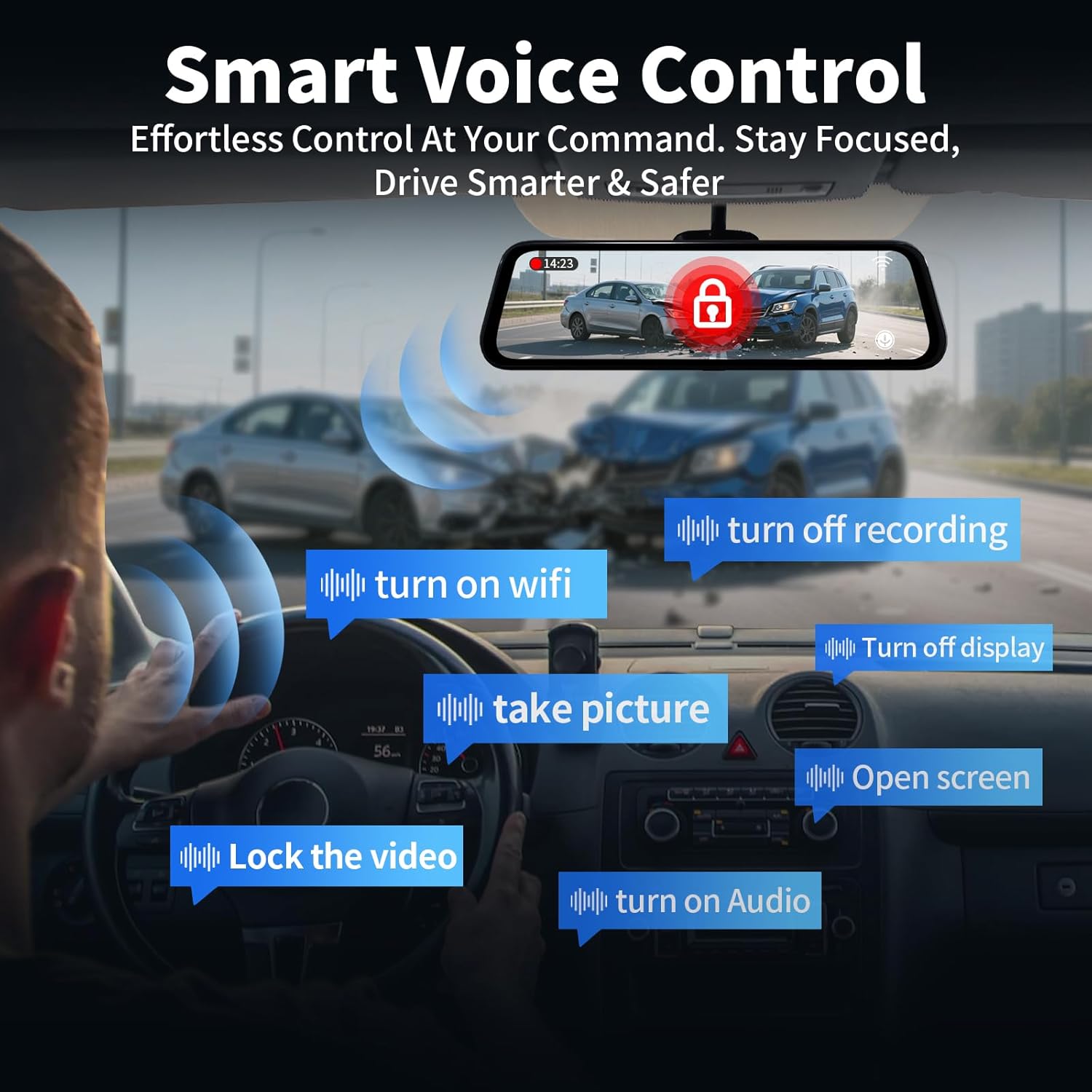
Image: The 10-inch IPS touch screen offers a clear and responsive interface for managing camera viewлар жана орнотуулар.
4.3 Үн менен башкаруу
Тире камерасы үн буйруктарын колдойт. Төмөнкү буйруктарды колдонуңуз:
- "Turn off screen" / "Turn on screen"
- "Show front camera" / "Show rear camera" / "Show both cameras"
- "Видеону кулпулоо"
- "Сүрөткө тартуу"
- "Аудио күйгүзүү" / "Аудио өчүрүү"
- "Turn on Wi-Fi" / "Turn off Wi-Fi"
- "Жаздырууну өчүрүү"
- "Ачык экран"

Image: Voice control allows for hands-free operation of key dash cam functions, enhancing driving safety.
Video: Demonstration of voice control features for the QOZ 4K+2.5K Mirror Dash Cam.
4.4 Built-in Wi-Fi & APP Control
Connect the dash cam to your smartphone via Wi-Fi using the dedicated app (available on iOS and Android). Through the app, you can view жаша фооtage, playback recorded videos, manage settings, and download files directly to your device. This allows for easy sharing of travel experiences.
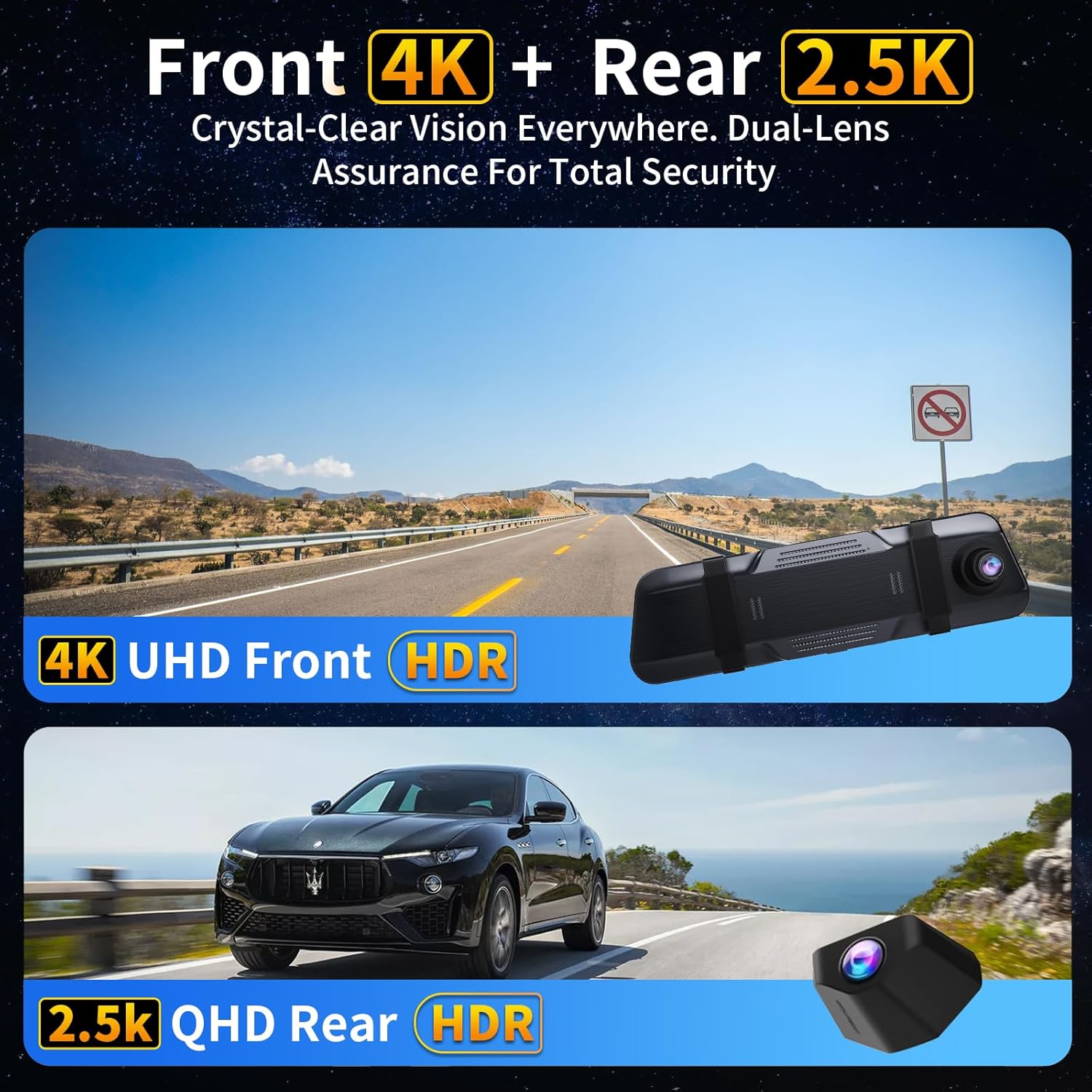
Image: The dash camera connects to a smartphone app via 5.8GHz Wi-Fi for viewойнотуу, иштетүү жана башкаруу.
4.5 Цикл жаздыруу
The dash cam continuously records video in segments (e.g., 1, 2, or 5 minutes). When the SD card is full, the oldest unlocked files are automatically overwritten to ensure uninterrupted recording. Locked fileлар кайра жазылуудан корголот.
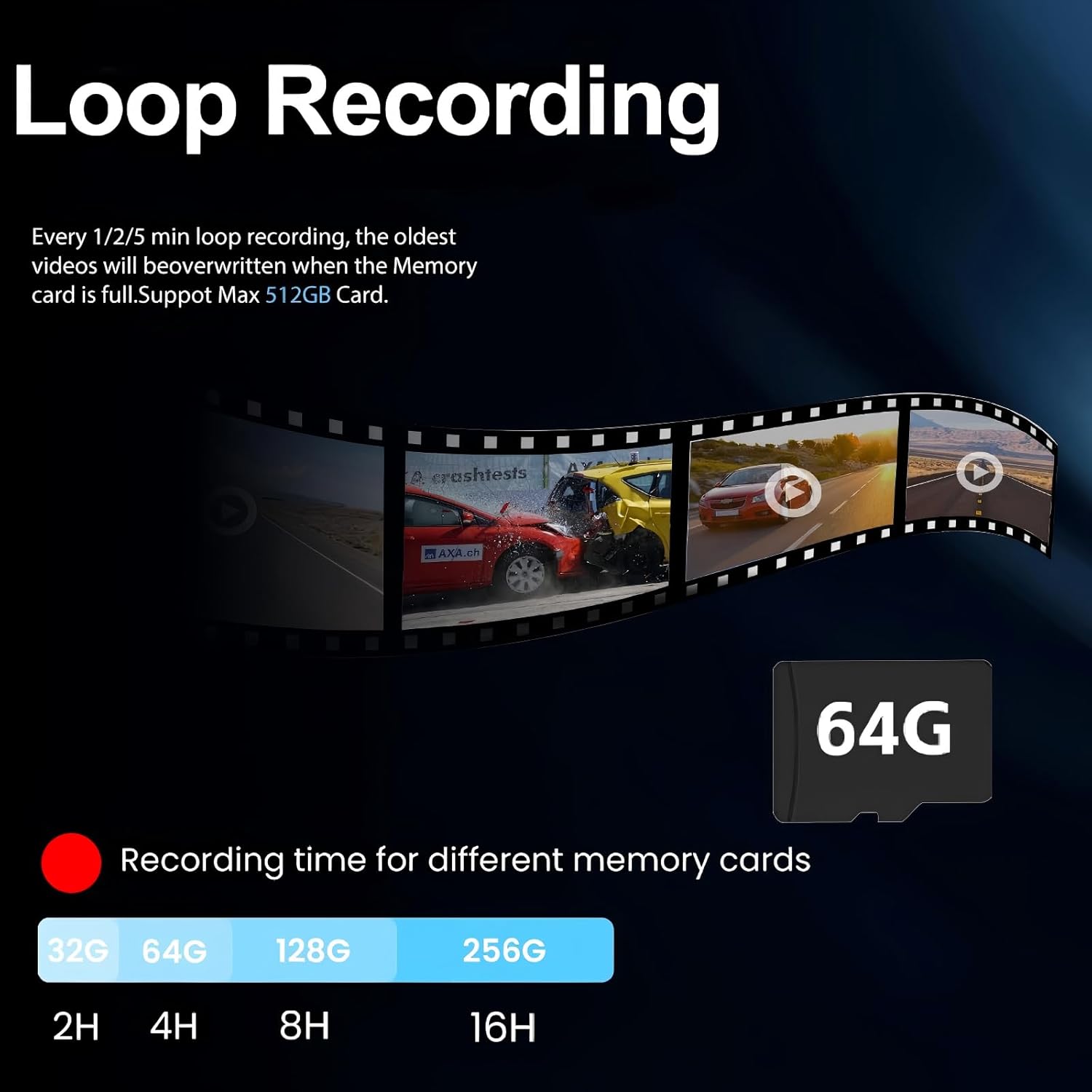
Image: Loop recording ensures continuous video capture by overwriting the oldest fileэстутум картасы толгондо.
4.6 G-сенсор (шашылыш жаздыруу)
The built-in G-Sensor detects sudden impacts or collisions. When triggered, it automatically locks the current video segment, preventing it from being overwritten by loop recording. These locked fileкырсык болгон учурда маанилүү далил катары кызмат кылат.

Image: The G-Sensor automatically locks video footage upon detecting a collision, securing important evidence.
4.7 24 сааттык унаа токтотуучу монитор
Кошумча катуу зым комплекти менен (ASIN: B0DCYYLL6T, sold separately), the dash cam can monitor your vehicle 24 hours a day. It detects collisions, vandalism, or suspicious activity while parked and automatically saves critical video clips to the memory card.

Image: The 24-hour parking monitor provides continuous surveillance, requiring an optional hardwire kit.
4.8 WDR & Super Night Vision
The Wide Dynamic Range (WDR) technology balances exposure in varying light conditions, preventing overexposure in bright areas and underexposure in dark areas. Super Night Vision enhances clarity in low-light environments, ensuring sharp details like license plates are captured 24/7.
Image: WDR and Super Night Vision technologies ensure clear and detailed recordings in various lighting conditions, day or night.
4.9 Adjustable Rear Cam Display
The rear camera display can be adjusted to adapt to different installation methods and vehicle types. Options include vertical flip and mirror flip to ensure the correct orientation of the rear view.

Image: The adjustable rear camera display allows for various viewing orientations, including vertical and mirror flips.
5. Техникалык тейлөө
- SD картаны форматтоо: Regularly format the Micro SD card (at least once a month) to ensure optimal performance and prevent data corruption. This can usually be done through the dash cam's settings menu.
- Тазалоо: Экранды жана камеранын линзаларын тазалоо үчүн жумшак, кургак чүпүрөктү колдонуңуз. Абразивдүү тазалоочу каражаттарды же эриткичтерди колдонуудан алыс болуңуз.
- Программалык камсыздоонун жаңыртуулары: Өндүрүүчүнү текшериңиз webТүзмөгүңүздө эң акыркы функциялар жана мүчүлүштүктөрдү оңдоолор бар экенине ынануу үчүн микропрограммаларды жаңыртуу үчүн сайтка мезгил-мезгили менен кириңиз.
6. Кыйынчылыктарды
- "SD Card Full" Error: If you encounter this message, ensure loop recording is enabled. If it persists, format the SD card. If the issue continues, the SD card may be faulty and require replacement.
- Dash Cam күйбөй жатат: Унаа кубаттагычынын туташуусун текшерип, унаанын 12 В кубат розеткасы иштеп жатканын текшериңиз.
- Видеонун сапаты начар: Ensure camera lenses are clean. Check the recording resolution settings (set to 4K front and 2.5K rear for optimal quality).
- GPS көзөмөлдөбөйт: Ensure the GPS module is properly connected and placed in an area with clear sky view.
7. Техникалык шарттар
| Модель аты | V969-Үн менен башкаруучу күзгүлүү видеорегистратор |
| Продукциянын өлчөмдөрү | 10 x 1 x 4 дюйм |
| Элемент Салмагы | 1.98 фунт |
| Видео тартуунун резолюциясы | 4K Front + 2.5K Rear |
| Field Of View | 170 Degrees (Front) + 150 Degrees (Rear) |
| Байланыш технологиясы | Wi-Fi (5.8 ГГц) |
| Өзгөчөлүктөр | App Control, Built-In Display, Built-In GPS, Night Vision, Parking Monitor, Voice Control, Loop Recording, G-Sensor, WDR |
| Камтылган компоненттер | Car Charger, Charging Cable, Installation Tool, User Manual, 64GB Card, GPS Module |
8. Кепилдик жана колдоо
For warranty information, technical support, or any inquiries regarding your QOZ V969 Mirror Dual Dash Camera, please contact the manufacturer directly. Refer to the contact information provided in the product packaging or on the official QOZ webсайт.


