1. Киришүү
This manual provides essential information for the safe and effective operation of your ZENTALITY Mini Projector A10 PLUS. Please read this manual thoroughly before using the product and retain it for future reference.
Продукт бүттүview
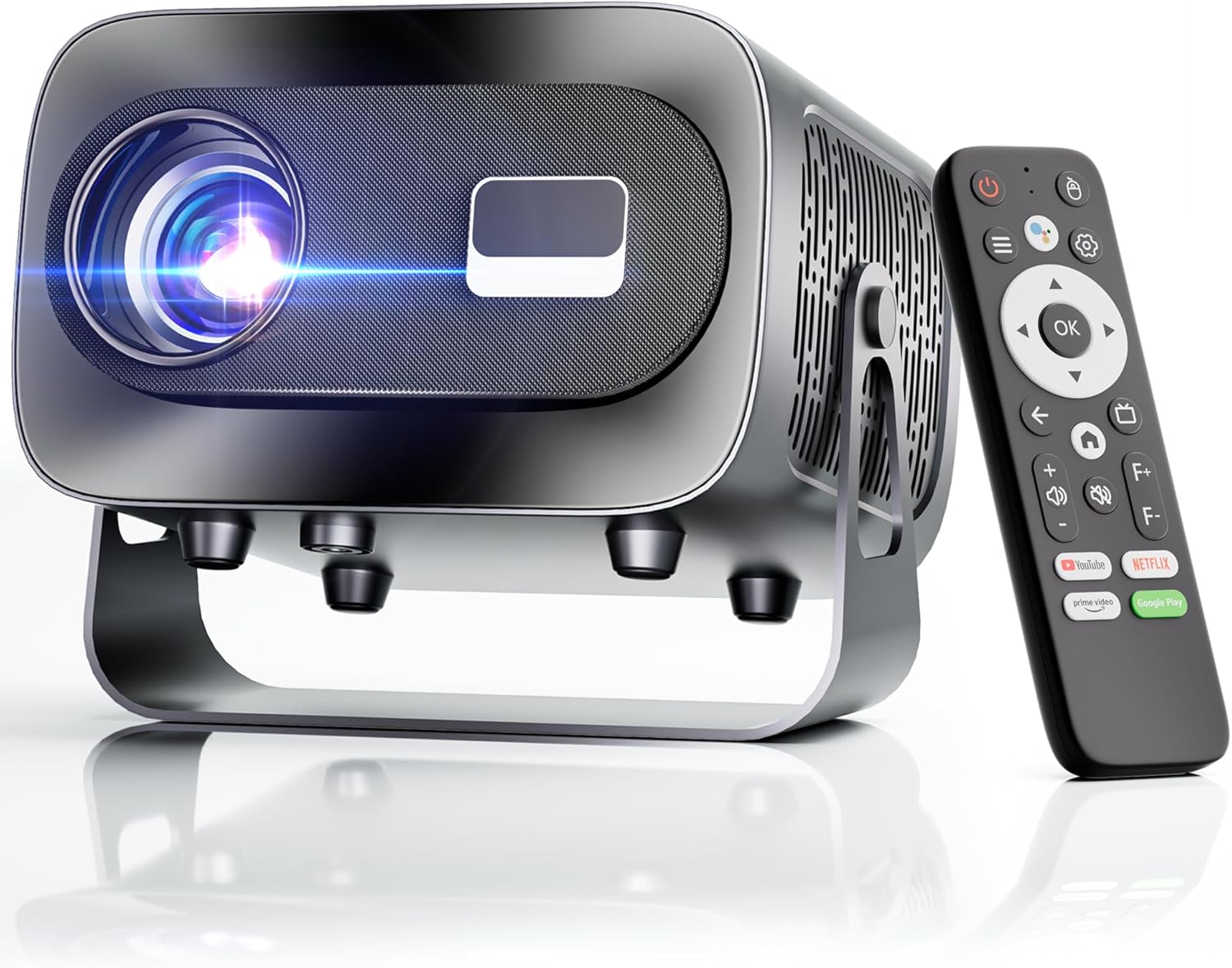
The ZENTALITY Mini Projector A10 PLUS is a smart projector featuring Android 13, designed for versatile home and outdoor entertainment. It supports 4K and 1080P HD content, offers electric focus, auto vertical keystone correction, and includes dual-band WiFi 6 and Bluetooth 5.1 connectivity. Its compact design and multiple input options make it suitable for various applications.
Кутуда эмне бар
- ZENTALITY Mini Projector A10 PLUS
- HDMI кабели
- Кубаттуу адаптер
- Алыстан башкаруу
- Колдонуучунун Колдонмосу (бул документ)
2. Коопсуздук маалыматы
Проектордун бузулушун алдын алуу жана колдонуучунун коопсуздугун камсыз кылуу үчүн төмөнкү коопсуздук чараларын сактаңыз:
- Вентиляция тешиктерин жаппаңыз. Ашыкча ысып кетүүнүн алдын алуу үчүн проектордун айланасында адекваттуу аба агымын камсыз кылыңыз.
- Проектордун линзасынын жарыгына түз тийүүдөн алыс болуңуз. Жаркыраган жарык көздүн чарчоосуна же зыян келтириши мүмкүн.
- Use only the provided power adapter. Using an incompatible adapter may cause fire, electric shock, or damage.
- Проекторду суудан же башка суюктуктардан алыс кармаңыз. г менен операция жасабагылаamp чөйрөлөр.
- Проекторду өз алдынча бөлүүгө же оңдоого аракет кылбаңыз. Бардык тейлөөлөрдү квалификациялуу кызматкерлерге тапшырыңыз.
- Проектор кулап калбашы үчүн аны туруктуу, түз жерге коюңуз.
- Балдар жетпеген жерде сактаңыз.
3. Продукциянын компоненттери жана порттору
Familiarize yourself with the projector's physical features and connectivity options.

Жеткиликтүү порттор:
- USB (x2): For connecting USB drives, external storage, or other USB-compatible devices.
- HDMI: For connecting devices such as laptops, gaming consoles, or TV sticks.
- Аудио чыгышы (3.5 мм уяча): Тышкы динамиктерди же наушниктерди туташтыруу үчүн.
- Кубат киргизүү: Кубат адаптерин туташтыруу үчүн.
4. Баштапкы орнотуу
4.1 Кубат туташтыруу
- Кубат адаптерин проектордун кубат киргизүү портуна туташтырыңыз.
- Кубат адаптерин розеткага сайыңыз.
- Аны күйгүзүү үчүн проектордун же пульттун кубат баскычын басыңыз.
4.2 Алыстан башкарууну жупташтыруу
Important: The remote control must be paired via Bluetooth before it can operate smoothly within 1-3 meters.
- Проектор күйгүзүлгөнүн текшериңиз.
- Navigate to the projector's Bluetooth settings (usually found in the 'Settings' menu).
- Select 'Pair new device' or similar option.
- On the remote control, press and hold the designated pairing button (refer to the remote's specific instructions if available, often a combination of 'OK' and 'Volume Down' or a dedicated Bluetooth button).
- Once the remote appears in the projector's Bluetooth device list, select it to complete pairing.

4.3 Жайгаштыруу жана экранды тууралоо
The projector offers automatic and electric adjustments for optimal image clarity and alignment.
- Электр Фокус: The projector features electric focus for instant clarity. Use the 'F+' and 'F-' buttons on the remote control to fine-tune the image sharpness.
- Автоматтык вертикалдуу негизги ташты оңдоо: The projector automatically corrects vertical image distortion up to ±15°. This ensures a rectangular image even if the projector is not perfectly perpendicular to the screen.
- Чоңойтуу функциясы: Adjust the image size from 50% to 100% without moving the projector. This is useful for fitting the projection to your screen size.


5. Иштөө нускамалары
5.1 Android 13 Interface and App Access
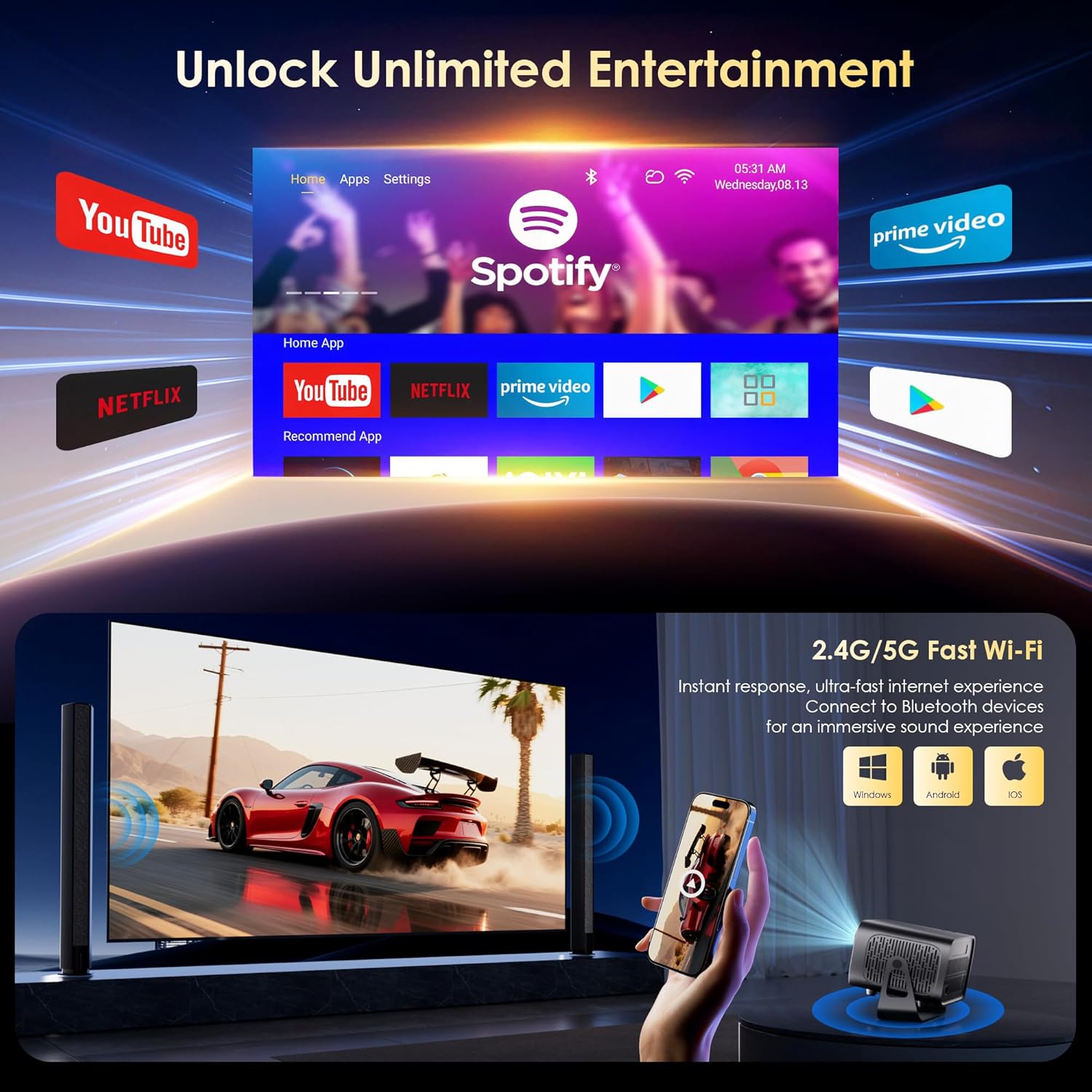
The projector runs on Android 13, providing access to a wide range of streaming applications.
- Upon startup, the home screen will display pre-installed applications like Netflix, Prime Video, and YouTube.
- Navigate using the remote control's directional pad and 'OK' button.
- Access the built-in app store (e.g., Google Play Store) to download additional applications.
- Use the voice assistant feature on the remote control for quick app launching or content search.

5.2 WiFi туташуусу
The projector supports dual-band 5G/2.4G WiFi 6 for stable internet access and screen mirroring.
- Go to 'Settings' on the home screen.
- "Тармак жана Интернет" бөлүмүн тандаңыз.
- Wi-Fi күйгүзүңүз жана тизмеден каалаган тармакты тандаңыз.
- Суралган болсо, сырсөздү киргизип, туташыңыз.
Note: WiFi is required for the first setup or online apps. If you prefer not to connect to WiFi, you can use the projector offline by connecting external devices via the included HDMI cable or the USB port.

5.3 Bluetooth байланышы
The projector features Bluetooth 5.1 for audio streaming.
- Go to 'Settings' on the home screen.
- "Туташкан түзмөктөр" же "Bluetooth" тандаңыз.
- Bluetooth'ду күйгүзүп, жеткиликтүү түзмөктөрдү издеңиз.
- Select your Bluetooth speaker, headphones, or soundbar from the list to pair.
Note: Bluetooth supports audio output only, not video transmission.
5.4 Тышкы түзмөктөрдү туташтыруу
The projector supports various external devices via its HDMI and USB ports.
- HDMI: Connect your laptop, gaming console, or TV stick using an HDMI cable. The projector will automatically detect the input or you may need to select the HDMI source from the input menu.
- USB: Медиа ойнотуу үчүн USB дискти салыңыз files directly. The projector's media player will typically launch automatically or can be accessed from the home screen.
5.5 Проекция режимдери
The projector can be used in various orientations:
- Desktop Projection: Place the projector on a flat surface in front of the screen.
- Шыпка проекциясы: Mount the projector upside down on the ceiling. Adjust the projection settings in the menu to flip the image.
- Tripod орнотуу: Use the 1/4'' screw hole at the bottom to mount the projector on a tripod for flexible positioning.

6. Техникалык тейлөө
6.1 Тазалоо
- Объектив: Оптикалык линзалар үчүн атайын жасалган жумшак, түксүз кездемени колдонуңуз. Абразивдүү тазалагычтарды же чүпүрөктөрдү колдонбоңуз.
- Сырткы: Проектордун сыртын жумшак, кургак чүпүрөк менен сүртүңүз. Өтө кир болсо, бир аз сүртүңүз.amp кездеме, андан кийин кургак аарчый колдонсо болот.
- Вентиляция тешиктери: Periodically check and gently clean the ventilation openings to ensure they are free from dust and debris. Use a soft brush or compressed air.
6.2 Муздатуу системасы
The projector features an advanced dual-fan cooling system designed for low noise and efficient heat dissipation. To ensure its longevity and stable performance:
- Always ensure the projector has adequate space around its ventilation openings.
- Avoid placing the projector on soft surfaces (e.g., blankets, carpets) that might block airflow.
- Operating the projector in extremely hot or humid environments may affect its performance and lifespan.
7. Кыйынчылыктарды
Проекторуңузда көйгөйлөргө туш болсоңуз, төмөнкү жалпы көйгөйлөрдү жана чечимдерди караңыз:
| Көйгөй | Мүмкүн себеп | Чечим |
|---|---|---|
| No power/Projector won't turn on | Электр кабели туташкан эмес; розетка туура эмес | Электр кабелинин туташуусун текшериңиз; Башка розетканы колдонуп көрүңүз |
| No image/Blank screen | Туура эмес киргизүү булагы; Түзмөк туура туташкан эмес | Select correct input source (HDMI, USB); Reconnect external device |
| Image blurry/Out of focus | Фокус туураланган жок | Use the 'F+' and 'F-' buttons on the remote for electric focus adjustment |
| Image distorted/Trapezoid shape | Keystone not corrected | The projector has auto vertical keystone correction. Ensure it's on or manually adjust if needed. |
| Пульт иштебей жатат | Not paired via Bluetooth; Low battery | Pair the remote control via Bluetooth (Section 4.2); Replace remote batteries |
| Үн жок | Үн өтө төмөн; Туура эмес аудио чыгаруу; Bluetooth туташкан жок | Increase volume; Check audio output settings; Ensure Bluetooth speaker is paired |
| WiFi байланышындагы көйгөйлөр | Incorrect password; Router issues; Out of range | Verify WiFi password; Restart router; Move projector closer to router |
8. Техникалык шарттар
Detailed technical specifications for the ZENTALITY Mini Projector A10 PLUS:
- Бренд: ZENTALITY
- Модель номери: A10 PLUS
- Элемент Салмагы: 3.1 фунт
- Продукциянын өлчөмдөрү: 7.4 x 6.22 x 4.8 дюйм
- Операция системасы: Android 13
- Дисплейдин чечилиши: 1920 x 1080 (Native 1080P Full HD)
- 4K колдоо: Ооба
- Жарыктык: 350 ANSI челинин
- Контраст катышы: 10,000:1
- Байланыш технологиясы: 3.5mm Jack, Bluetooth 5.1, HDMI, USB (x2), Wi-Fi 6 (2.4G/5G)
- Өзгөчөлүктөр: Built-In Media Player, Built-In Speaker, Electric Focus, Portable, Wi-Fi Ready, Auto Vertical Keystone Correction
- Сунушталган колдонуулар: Бизнес, Билим берүү, Оюн-зоок, Үй кинотеатры
- Lamp Өмүрүнүн узактыгы: 100,000 саатка чейин

9. Кепилдик жана колдоо
ZENTALITY is committed to providing quality products and customer satisfaction.
- Сапат кепилдик: 360 күндүк сапат кепилдиги.
- Кайтаруулар: 180 күндүк акысыз кайтаруулар.
- Техникалык колдоо: Өмүр бою техникалык колдоо.
- Кардарларды тейлөө: 24/7 Fast Customer Service.
For support inquiries, please refer to the contact information provided on the ZENTALITY official webсайт же сатып алуу платформаңыз.


