1. Киришүү
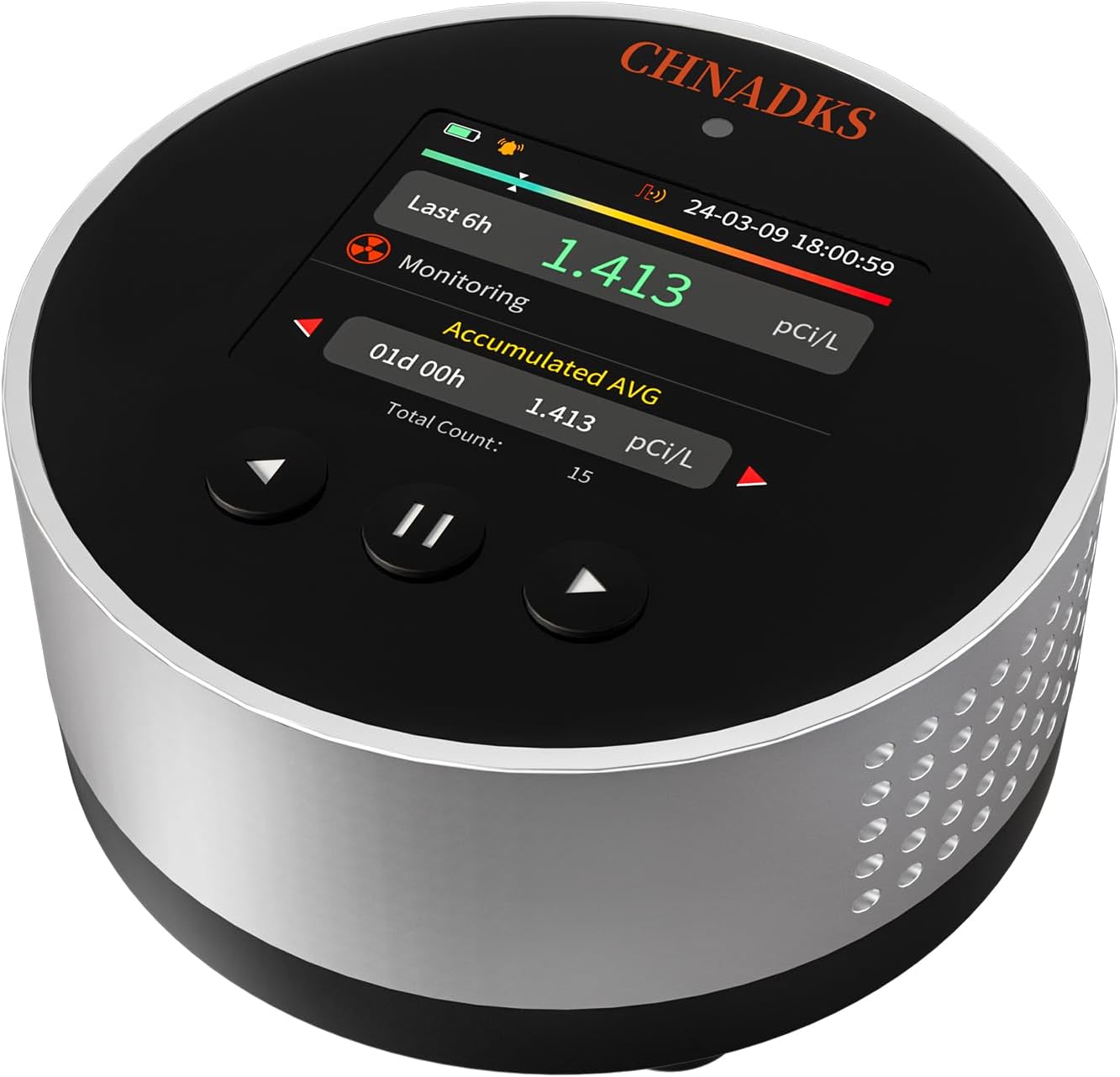
The CHNADKS RM-65 Radon Detector is an advanced device designed for continuous monitoring of radon gas concentration in your home or other indoor environments. Radon is a naturally occurring, colorless, and odorless radioactive gas that can accumulate indoors, posing significant health risks. This detector provides accurate readings, features audible and visual alarms, and offers long-term data logging to help you maintain a safe living space.
2. Продукциянын өзгөчөлүктөрү
- Үн жана визуалдык сигнализация: Customizable alert levels with dual warning lights and alarm sounds for immediate notification.
- High-Accuracy Semiconductor Sensor: Utilizes a semiconductor radon sensor with three-sided high diffusion effect ventilation holes for faster and more accurate test results. Initial data displayed after 6 hours, updated every 60 minutes thereafter.
- Long-Term Monitoring: Capable of recording up to 504 days of historical data, with one data point saved every 6 hours, and up to 10 sets of detection records.
- Колдонууга оңой интерфейс: Features a vivid 2.0-inch color TFT screen for simple navigation and clear display of readings.
- Узартылган батареянын иштөө мөөнөтү: Offers up to 45 days of battery life in ECO mode, with fast Type-C charging (approximately 3.5 hours).
3. Баштоо
3.1 Пакеттин мазмуну
Улантуудан мурун, бардык буюмдардын бар экенине ынаныңыз:
- 1 x CHNADKS RM-65 Radon Detector
- 1 x User Manual
- 1 x Type-C Charging Data Cable
3.2 Алгачкы заряддоо
It is recommended to fully charge the device before first use. Connect the provided Type-C charging cable to the detector and a compatible USB power adapter (not included). The charging indicator on the screen will show the charging status. A full charge takes approximately 3.5 hours.

3.3 Аппаратты жайгаштыруу
For optimal radon detection, place the RM-65 detector in a central location within the lowest lived-in area of your home (e.g., basement, living room, bedroom). Avoid placing it near windows, doors, heating/cooling vents, or in direct sunlight, as these can affect readings. Ensure adequate air circulation around the device.

4. Иштөө нускамалары
4.1 Күйгүзүү/өчүрүү
To power on the device, press and hold the power button (usually the center button) until the screen illuminates. To power off, press and hold the power button again until the screen turns off.
4.2 Initial Measurement
Upon powering on, the device will automatically begin monitoring. The first radon concentration data will be displayed approximately 6 hours after activation. Subsequent data updates occur every 60 minutes.

4.3 Дисплейде навигация
Use the navigation buttons (left and right arrows) to scroll through different display modes and settings. The central button typically acts as a selection or pause/play button.
- Өлчөм: Displays current and accumulated average radon levels.
- Маалыматтар: Access historical records of radon concentration.
- Орнотуулар: Adjust alarm levels, units (pCi/L or Bq/m³), and other device preferences.
- Ойготкуч: Review alarm settings and status.
- Жөнүндө: View device information and firmware version.
5. Monitoring and Data Management
5.1 Long-Term Monitoring
Radon levels can fluctuate daily, making long-term monitoring essential for an accurate assessment of your home's radon exposure. The RM-65 continuously monitors and records data to provide a comprehensive overview.

5.2 Viewing Historical Records
Navigate to the 'Data' section on the device's screen to view historical radon concentration records. The device saves one data point every 6 hours, allowing you to review trends over time. You can access up to 10 sets of detection records, with a single record capable of displaying data overview for up to 504 days.
6. Alarm Functionality
The RM-65 Radon Detector is equipped with both audible and visual alarms to alert you when radon levels exceed your set thresholds.
6.1 Setting Alarm Levels
Access the 'Settings' menu on the device to customize your desired radon alert levels. You can set specific thresholds for both pCi/L and Bq/m³ units. When the measured radon concentration surpasses these levels, the alarm will activate.

6.2 Сигнал индикаторлору
When an alarm condition is met, the device will:
- Emit an audible sound.
- Display a visual warning on the screen, often with a change in color or a flashing indicator.
You can typically silence the audible alarm by pressing any button, but the visual indicator will remain until the radon level drops below the alarm threshold.
7. Understanding Radon and Health Risks
Radon is a radioactive gas that comes from the natural decay of uranium in soil, rock, and water and gets into the air you breathe. It can enter homes through cracks in foundations, floor-wall joints, drains, and other openings. It is the leading cause of lung cancer among non-smokers.

7.1 Radon Levels and Recommended Actions
The following table provides general guidelines for radon concentration levels and recommended actions, based on common health organization recommendations:
| Концентрация | Статус | Сунушталган аракеттер |
|---|---|---|
| >4 pCi/L (148 Bq/m³) | коркунучтуу | Action strongly recommended. Reduce levels within 6 months through enhanced ventilation, sealing entry routes, or using air purifiers. |
| 2-4 pCi/L (100-148 Bq/m³) | Абайлаңыз | Action should be taken. Improve natural ventilation and seal cracks in floors and walls. It is advised to implement radon reduction measures within 12 months. |
| <2 pCi/L (100 Bq/m³) | Коопсуз | No action needed. Maintain normal ventilation. |

8. Кыйынчылыктарды
8.1 Түзмөк күйбөй жатат
- Ensure the device is fully charged. Connect it to the Type-C charging cable and allow it to charge for at least 30 minutes before attempting to power on again.
- Кубат баскычын 3-5 секунд басып, бекем кармап туруңуз.
8.2 Так эмес же өзгөрмөлүү көрсөткүчтөр
- Ensure the device is placed in an appropriate location, away from drafts, direct sunlight, or extreme temperatures.
- Radon levels naturally fluctuate. Long-term monitoring provides a more accurate average. Allow the device to run for at least 24-48 hours for stable readings.
- Avoid moving the device frequently during monitoring periods.
8.3 Ойготкуч угулбайт
- Check the alarm settings in the device menu to ensure the alarm threshold is set correctly and the audible alarm is enabled.
- Verify that the radon concentration has indeed exceeded the set alarm level.
9. Техникалык шарттар
| Өзгөчөлүк | Спецификация |
|---|---|
| Модель номери | RM-65 |
| Өлчөмдөр | 3.15 x 3.15 x 1.49 дюйм |
| Элемент Салмагы | 6.7 унция |
| Power Source | Батарея менен иштейт (1 литий-иондук батарейка, камтылган) |
| Батареянын иштөө мөөнөтү (ЭКО режими) | 45 күнгө чейин |
| Заряддоо убактысы | Болжол менен 3.5 саат (С түрү) |
| Дисплей | 2.0 дюймдук түстүү TFT экран |
| Ойготкуч түрү | Угуу жана визуалдык |
| Маалыматтарды сактоо | Up to 504 days (single record), 10 sets of detection records |
10. Кепилдик жана колдоо
Your CHNADKS RM-65 Radon Detector comes with a standard manufacturer's warranty. Please refer to the warranty card included in your product packaging for specific terms and conditions. For technical support, troubleshooting assistance, or any inquiries regarding your device, please contact CHNADKS customer service through the contact information provided on the official CHNADKS webсайт же сатып алуу платформаңыз.


