1. Киришүү
The Dreame D20 Robot Vacuum Cleaner is an advanced 2-in-1 cleaning device designed to simplify your home maintenance. It features powerful suction, efficient navigation, and smart controls to keep your floors clean. This manual provides essential information for setting up, operating, and maintaining your device.

Image 1.1: Dreame D20 Robot Vacuum Cleaner and its companion mobile application.
2. Кутуда эмне бар
Бардык компоненттерди кылдаттык менен таңгактан чыгарып, төмөндөгү тизме менен салыштырып көрүңүз. Эгерде кандайдыр бир буюмдар жок болсо же бузулуп калса, кардарларды колдоо кызматына кайрылыңыз.
- Робот чаң соргуч x1
- Заряддоо станциясы x1
- Main Brush and Brush Guard (pre-installed) x1
- Каптал щетка (алдын ала орнотулган) x1
- Dustbin (pre-installed) x1
- Water Tank (pre-installed) x1
- Швабра (алдын ала орнотулган) x1
- Швабра төшөгүч кармагыч x1
- Колдонуучунун колдонмосу x1
- X1

Image 2.1: All components included in the Dreame D20 package.
3. Орнотуу
3.1 Заряддоо станциясын жайгаштыруу
Place the charging station against a wall on a hard, level surface. Ensure there is at least 0.5 meters (1.6 feet) of clear space on both sides and 1.5 meters (4.9 feet) in front of the station. Connect the power adapter to the charging station and plug it into a power outlet.
3.2 Баштапкы төлөм
Place the robot vacuum onto the charging station. Ensure the charging contacts on the robot align with those on the station. The robot will automatically power on and begin charging. For first-time use, fully charge the robot before operation.
3.3 Колдонмону жүктөп алуу жана туташуу
- Scan the QR code in the Quick Start Guide or search for the 'Dreamehome' app in your device's app store.
- Колдонмону жүктөп алып, орнотуңуз.
- Follow the in-app instructions to add your Dreame D20 robot vacuum. This typically involves connecting to the robot's Wi-Fi network and then to your home Wi-Fi.
4. Иштөө нускамалары
4.1 Тазалоону баштоо жана токтотуу
- Тазалоону баштоо: Press the power button on the robot or use the 'Start' function in the Dreamehome app.
- Тазалоону тындыруу: Press the power button during operation or use the 'Pause' function in the app.
- Заряддоо станциясына кайтуу: Press the home button on the robot or use the 'Recharge' function in the app.
4.2 Тазалоо режимдери жана ыңгайлаштыруу
The Dreame D20 offers various cleaning modes and customization options via the Dreamehome app:
- Вакуум режими: For dry debris removal. The D20 features a Vormax suction power of 13,000 Pa for effective cleaning.
- Mop режими: For wet cleaning. The 350 ml water tank allows for 32 levels of humidity adjustment.
- Чаң соргуч жана швабра режими: Бир убакта чаң соргуч жана сүртүү.
- Custom Room Cleaning: Тазалоо үчүн белгилүү бир бөлмөлөрдү же аймактарды тандаңыз.

Image 4.1: The Dreame D20's powerful 13,000 Pa Vormax suction.

Image 4.2: The D20's integrated 2-in-1 vacuum and mop system with a 700ml dustbin and 350ml water tank.
4.3 Навигация жана картага түшүрүү
The D20 utilizes Smart Pathfinder technology for precise navigation and mapping. It creates intuitive, editable maps of your home for comprehensive coverage.
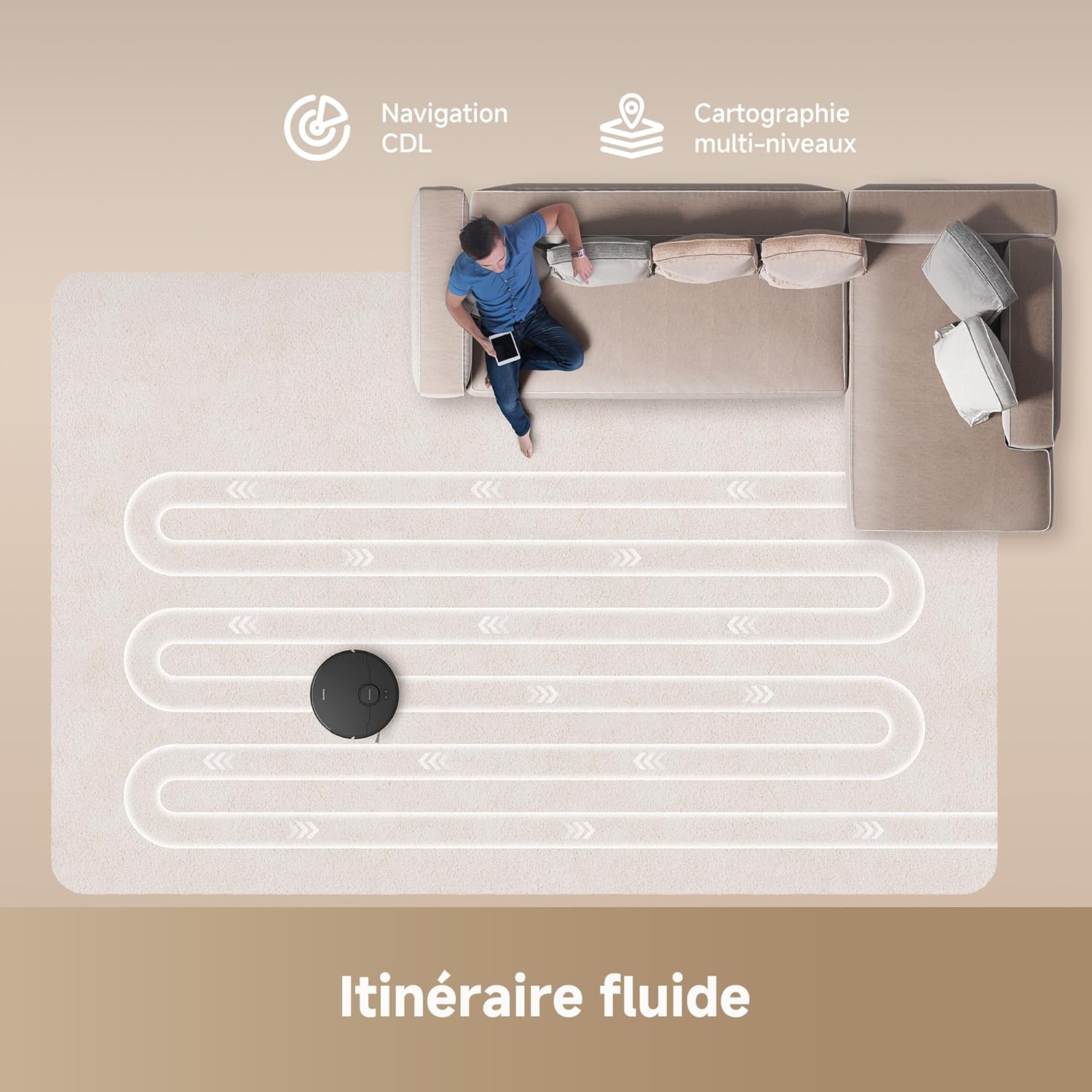
Image 4.3: The D20's Smart Pathfinder navigation creating an efficient cleaning path.
4.4 Колдонмону башкаруу
The Dreamehome app allows you to:
- View and edit cleaning maps.
- Set virtual walls and no-go zones.
- Соруу күчүн жана суунун агымынын деңгээлин тууралаңыз.
- Schedule cleaning tasks.
- Тазалоо процессине жана батареянын абалына көз салыңыз.
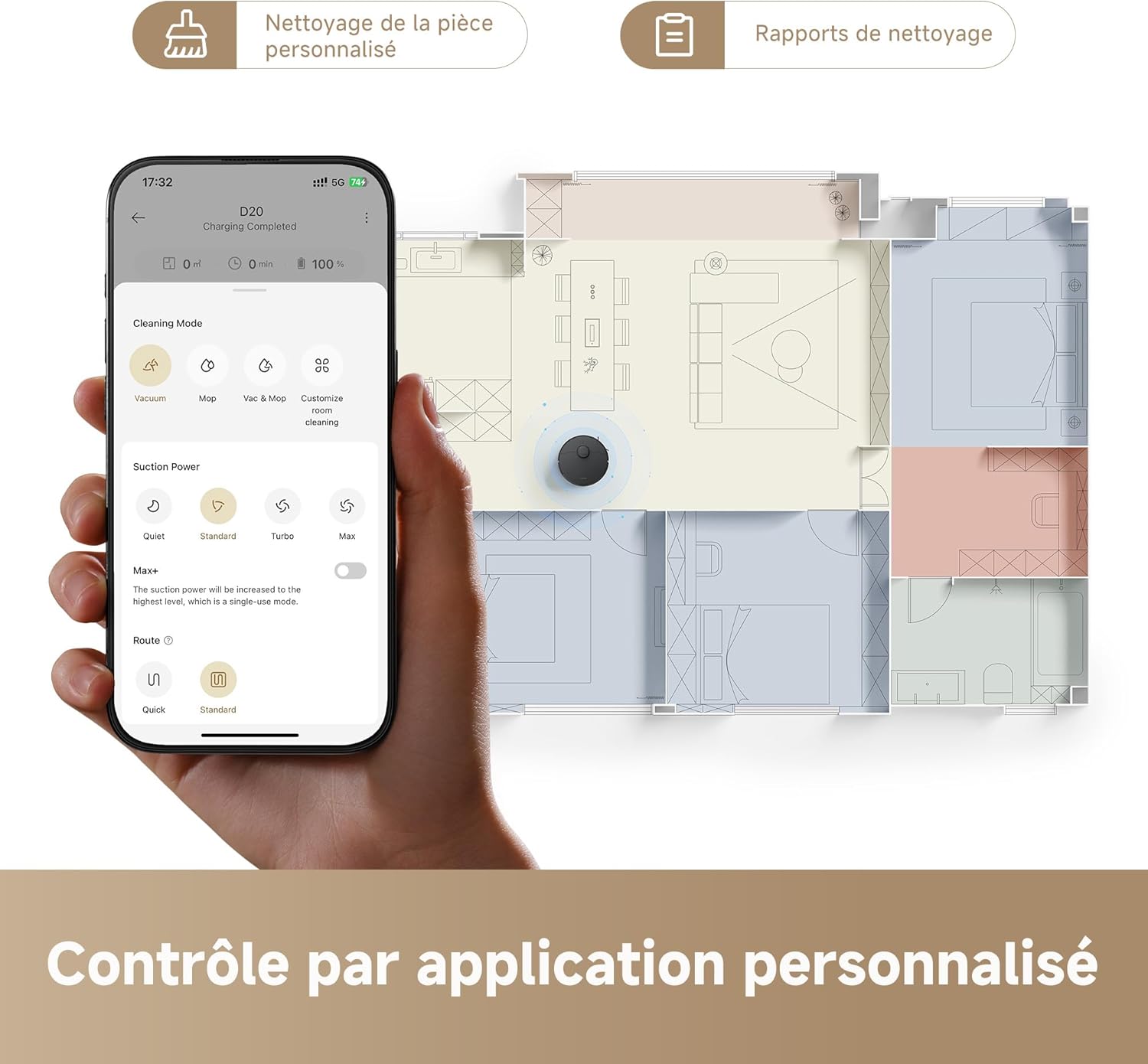
Image 4.4: The Dreamehome app provides personalized cleaning control.
4.5 Үн менен башкаруу
The Dreame D20 is compatible with popular voice assistants, including Alexa, Apple Siri, and Google Home. Connect your robot to your preferred voice assistant through the Dreamehome app to issue commands such as starting or stopping cleaning.

Image 4.5: Voice control compatibility with Alexa, Google Home, and Siri.
5. Техникалык тейлөө
Regular maintenance ensures optimal performance and extends the lifespan of your Dreame D20.
5.1 Таштанды челекти бошотуу
Empty the 700 ml dustbin after each cleaning cycle or when prompted by the app. Open the robot's top cover, remove the dustbin, and dispose of the contents.
5.2 Water Tank Refilling
Refill the 350 ml water tank with clean water before mopping. Do not use cleaning solutions not approved by Dreame, as they may clog the system.
5.3 Щетканы тазалоо
- Негизги щетка: Негизги щетканын капкагын алып, щетканы көтөрүп алыңыз. Чаташкан чачтарды жана таштандыларды кетирүү үчүн тазалоочу куралды колдонуңуз.
- Каптал щетка: Periodically check the side brush for tangled hair or debris and clean as needed.

Image 5.1: The HyperStream duo brush effectively reduces hair tangling.
5.4 Фильтрди тазалоо
Tap the HEPA filter to remove dust. Rinse the filter with water if necessary, but ensure it is completely dry before re-installing.
5.5 Сенсорду тазалоо
Wipe all sensors (cliff sensors, wall sensors, charging contacts) with a soft, dry cloth to ensure proper operation.
6. Кыйынчылыктарды
If you encounter issues with your Dreame D20, refer to the following common problems and solutions:
| Көйгөй | Мүмкүн себеп | Чечим |
|---|---|---|
| Робот заряддалбай жатат | Кубаттоочу контакттар кир же туура эмес жайгашкан. Кубат адаптери туташтырылган эмес. | Clean charging contacts. Ensure charging station is powered and robot is properly docked. |
| Робот тыгылып калган же жоголгон | Obstacles in the path. Sensors are dirty. | Clear obstacles. Clean all sensors. Restart the robot. |
| Начар соргуч аткаруу | Dustbin full. Filter clogged. Main brush tangled. | Таштанды челекти бошотуңуз. Чыпканы тазалаңыз же алмаштырыңыз. Негизги щетканы тазалаңыз. |
| Тазалоо эффективдүү эмес | Water tank empty. Mop pad dirty. Water outlet clogged. | Refill water tank. Clean or replace mop pad. Clean water outlet. |
| Колдонмого туташуу маселелери | Incorrect Wi-Fi password. Router too far. Robot not in pairing mode. | Verify Wi-Fi credentials. Move robot closer to router. Reset Wi-Fi on robot and re-pair. |
7. Техникалык шарттар
- Модель номери: RLD35GA-BK
- Өлчөмдөрү (L x W x Y): 35 x 41 x 98.5 см
- Салмагы: 5.9 кг
- Соруу күчү: 13,000 Pa (Vormax)
- Батарея сыйымдуулугу: 5200 мАч
- Аткаруу убактысы: Up to 285 minutes (4 hours and 45 minutes)
- Таштанды урнасынын сыйымдуулугу: 700 мл
- Суу резервуарынын сыйымдуулугу: 350 мл
- Чыпка түрү: HEPA
- Навигация: Smart Pathfinder (Laser Distance Sensor)
- Контролдоо: Dreamehome App, Voice Control (Alexa, Google Home, Siri)
- Тtage: 14.4 вольт

Image 7.1: The D20's extended battery life of up to 285 minutes with a 5200 mAh battery.
8. Кепилдик жана колдоо
The Dreame D20 Robot Vacuum Cleaner comes with a standard manufacturer's warranty. For detailed warranty information, please refer to the warranty card included in your product packaging or visit the official Dreame website. For technical support, troubleshooting assistance, or to inquire about replacement parts, please contact Dreame customer service through their official channels or the Dreamehome app.
Запастык бөлүктөрдүн бар экендиги жөнүндө маалымат продукттун мүнөздөмөлөрүндө берилбегенин эске алыңыз.


