1. Киришүү
This manual provides detailed instructions for setting up, operating, and maintaining your Zyxel WiFi 7 BE5100 NebulaFlex Access Point (model NWA50BE). This device is designed to deliver high-speed WiFi 7 connectivity for small business environments, featuring dual-radio 4-stream capabilities and a 2.5GbE uplink.

Image: The Zyxel WiFi 7 BE5100 Access Point shown in an office environment, emphasizing its capability to deliver speeds up to 5.1 Gbps.
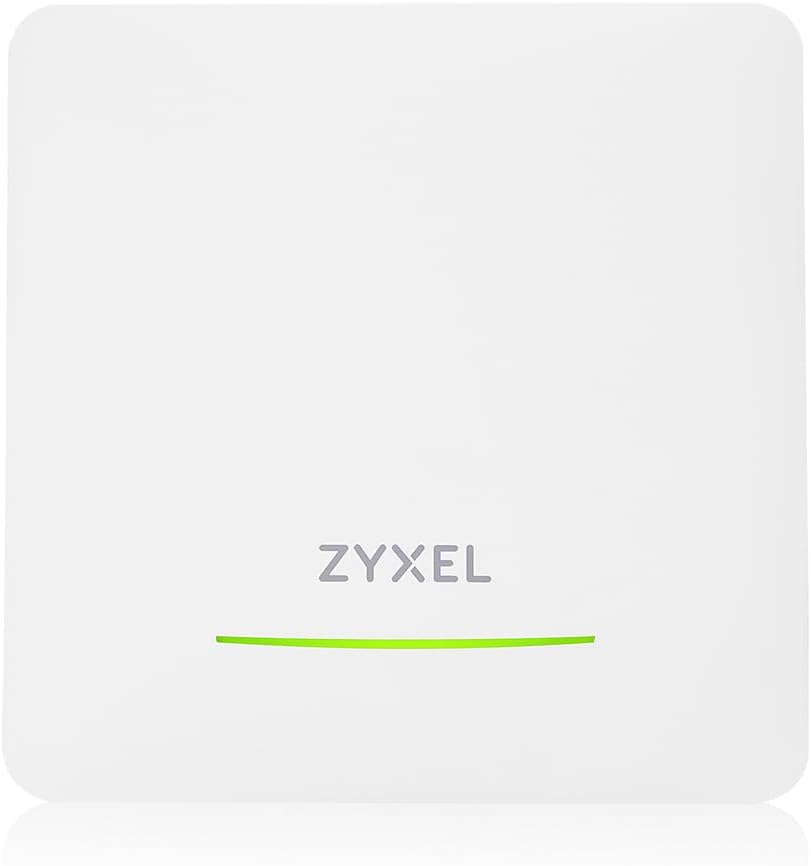
Сүрөт: алдыңкы view of the Zyxel WiFi 7 BE5100 NebulaFlex Access Point, showing the Zyxel logo and an LED indicator.
2. Пакеттин мазмуну
Пакетиңизде төмөнкү заттар бар экенин текшериңиз:
- Zyxel WiFi 7 BE5100 NebulaFlex Access Point (NWA50BE)
- Кубат адаптери (DC 12V)
- Монтаждоо плитасы
- Монтаждоо бурамалар жана дубал сайгычтар
- Ыкчам баштоо колдонмосу (бул санариптик колдонмодо камтылган эмес)
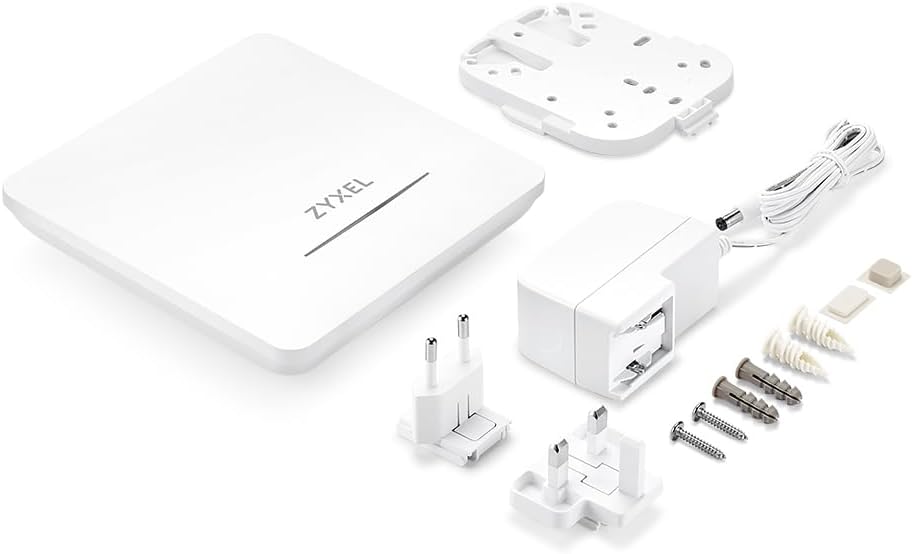
Image: The Zyxel NWA50BE Access Point, power adapter with various international plugs, mounting plate, screws, and wall plugs.
3. Физикалык бүтүрүүview
3.1 алдыңкы панели
The front panel features an LED indicator that displays the device's status.
- Жашыл (катуу): Түзмөк күйгүзүлгөн жана кадимкидей иштеп жатат.
- Жашыл (Жалтылдап): Device is booting up or performing a firmware upgrade.
- Өчүк: Device is powered off or experiencing an issue.
3.2 Арткы панель
The rear panel provides connectivity ports and a reset button.

Сүрөт: Арткы view of the Zyxel NWA50BE Access Point, highlighting the Console port, Uplink (2.5GbE) port, DC 12V power input, and Reset button.
- КОНСОЛ порту: For local management via serial connection.
- UPLINK (2.5GbE) Port: Connects to your network switch or router. Supports Power over Ethernet (PoE+).
- DC 12V: Камтылган кубат адаптери үчүн кубат киргизүү.
- RESET баскычы: Заводдун демейки жөндөөлөрүн калыбына келтирүү үчүн 5 секунд басып туруңуз.
4. Орнотуу
4.1 Powering the Access Point
The NWA50BE can be powered using either the included power adapter or Power over Ethernet (PoE+).
- Кубат адаптерин колдонуу: Connect the included DC 12V power adapter to the "DC 12V" port on the rear panel and plug it into a power outlet.
- Using PoE+: Connect an Ethernet cable from a PoE+ capable switch or PoE injector (sold separately) to the "UPLINK (2.5GbE)" port.

Image: Illustration demonstrating the two powering options: via PoE (PoE+) or using the included power adapter. A note indicates that a PoE injector is sold separately.
4.2 Кирүү чекитин орнотуу
The access point can be mounted on a wall or ceiling using the provided mounting plate and hardware.
- Attach the mounting plate to the desired location using the screws and wall plugs.
- Align the access point with the mounting plate and slide it into place until it clicks securely.
4.3 Баштапкы туташуу
After powering on, connect the UPLINK port to your network. The device will automatically obtain an IP address via DHCP. For initial configuration, you can use the Zyxel Nebula app or access the device's web интерфейс.
5. Иштөө нускамалары
5.1 Тумандуулукту башкаруу
The Zyxel NWA50BE is designed for seamless management through the Zyxel Nebula cloud platform. This allows for centralized control and monitoring of your network devices from anywhere.
- Download the Zyxel Nebula app from your mobile app store or visit the Nebula webсайт.
- Create a Nebula account or log in to an existing one.
- Add your NWA50BE access point to your Nebula organization by scanning its QR code or entering its MAC address.
- Configure your wireless networks (SSIDs), security settings, and other parameters through the Nebula dashboard.

Image: Screenshots of the Zyxel Nebula dashboard displayed on a tablet, laptop, and smartphone, illustrating easy setup and management without requiring IT expertise.
5.2 Өз алдынча режим
Alternatively, the NWA50BE can operate in standalone mode without Nebula cloud management. Access the device's web interface by connecting a computer directly to the access point or to the same network segment. Refer to the Quick Start Guide for default IP address information or use a network scanner to discover the assigned IP.
5.3 Акылдуу тор MLO
The NWA50BE supports Smart Mesh MLO (Multi-Link Operation) for extended wireless coverage and improved performance. This technology allows the access point to establish wireless backhaul connections with other compatible Zyxel access points, creating a seamless mesh network.

Image: A diagram showing two Zyxel access points creating a Smart Mesh MLO network, boosting bandwidth and reducing interference for high-performance WiFi coverage across multiple rooms.
5.4 VLAN Tagгин
The device supports VLAN tagging for network segmentation and enhanced security. This allows you to create multiple virtual networks on a single physical network, isolating traffic for different user groups or applications. Configuration of VLANs is performed through the Nebula cloud interface or the standalone web интерфейс.
6. Техникалык тейлөө
6.1 Микропрограмма жаңыртуулары
Regular firmware updates are crucial for security, performance, and new features. When managed via Nebula, firmware updates are typically handled automatically or can be scheduled from the cloud dashboard. For standalone mode, download the latest firmware from the Zyxel support website and apply it through the device's web интерфейс.
6.2 Тазалоо
Keep the access point clean and free from dust to ensure optimal performance and airflow. Use a soft, dry cloth for cleaning. Do not use liquid or aerosol cleaners.
7. Кыйынчылыктарды
Бул бөлүм сиз кабылышы мүмкүн болгон жалпы көйгөйлөрдү карайт.
- Кубат/LED өчүк эмес:
- Кубат адаптери аспапка да, иштеген электр розеткасына да бекем туташып турганын текшериңиз.
- If using PoE, verify that the Ethernet cable is connected to a PoE+ capable port on your switch or injector.
- Интернет байланышы жок:
- Check the Ethernet cable connection from the UPLINK port to your router/switch.
- Verify that your upstream network devices (router, modem) are functioning correctly and have internet access.
- Ensure the access point has obtained a valid IP address.
- Кирүү мүмкүн эмес Web Interface/Nebula:
- Confirm your computer is on the same network segment as the access point.
- If in standalone mode, try resetting the device to factory defaults and reconfiguring.
- For Nebula management, ensure the device is online and registered to your Nebula account.
- Poor WiFi Performance:
- Check for physical obstructions or sources of interference (e.g., microwaves, cordless phones).
- Ensure the access point is centrally located and mounted appropriately.
- Consider using Smart Mesh MLO to extend coverage if needed.
- Verify that your client devices support WiFi 7 for optimal performance.
If issues persist, consult the Zyxel support webсайтка же техникалык колдоо менен байланышыңыз.
8. Техникалык шарттар
| Өзгөчөлүк | Description |
|---|---|
| Модель аты | NWA50BE |
| Зымсыз стандарт | 802.11be (WiFi 7) |
| Жыштык тилкесинин классы | Кош тилкелүү (2.4 ГГц, 5 ГГц) |
| Максималдуу WiFi ылдамдыгы | Up to 5.1 Gbps (BE5100) |
| Ethernet порту | 1x 2.5GbE (UPLINK), supports PoE+ |
| Коопсуздук протоколу | WPA3 |
| Башкаруу | Nebula Cloud or Standalone Web Интерфейс |
| Өзгөчө өзгөчөлүк | Smart Mesh MLO, VLAN Tagгин |
| Power Input | DC 12V or PoE+ (802.3at) |
| Өлчөмдөрү (L x W x Y) | 9.45 x 6.69 x 2.44 дюйм |
| Салмагы | 1.76 фунт |
| Операция системасы | ZyNOS |
9. Коопсуздук маалыматы
- Аппаратты сууга же нымга тийгизбеңиз.
- Do not open or attempt to repair the device. Refer all servicing to qualified personnel.
- Use only the provided power adapter or a compatible PoE+ source.
- Install the device in a well-ventilated area, away from direct sunlight and heat sources.
- Ensure proper grounding if required by local electrical codes.
10. Кепилдик жана колдоо
Кепилдик жөнүндө маалымат алуу үчүн, өнүмүңүз менен кошо берилген кепилдик картасын караңыз же Zyxel компаниясынын расмий дүкөнүнө баш багыңыз. website. Technical support and additional resources, including FAQs and firmware downloads, are available on the Zyxel support portal.
Zyxel колдоо кызматы Webсайт: www.zyxel.com/support


