1. Киришүү
Thank you for choosing the Minifire MF22X3AH 21.5-inch 120Hz Full HD Monitor. This manual provides essential information for setting up, operating, and maintaining your new monitor. Please read it thoroughly before use and keep it for future reference.

The Minifire MF22X3AH monitor, showcasing its 21.5-inch display, 120Hz refresh rate, 4000:1 contrast, HDR support, Adaptive Sync, and eye protection features.
2. Продукциянын өзгөчөлүктөрү
- Жогорку чечим дисплей: 21.5-inch VA panel with 1920x1080 Full HD resolution for sharp and natural images.
- Жылмакай визуалдык көрүнүштөр: 120Hz high refresh rate ensures incredibly smooth and immersive viewing for fast-moving games and videos.
- Жандуу түстөр: 100% sRGB and 79% DCI-P3 color gamut coverage, 4000:1 contrast ratio for deeper blacks and brighter whites, and 16.7 million colors (8-bit).
- Көздү коргоо: Anti-glare non-glossy panel, blue light reduction, and flicker-free technology to minimize eye strain during prolonged use.
- Жөнгө салынуучу Viewing: Tilt adjustment from -5° to 15° and a 178° wide viewыңгайлуу үчүн бурч viewар кандай кызматтардан.
- Ар тараптуу байланыш: Equipped with two HDMI 1.4 ports for connecting multiple devices.
- Мейкиндикти үнөмдөөчү дизайн: Features a compact round stand and VESA mount compatibility (M4 x 8 mm screws) for flexible placement options, including wall mounting or monitor arm use.
- Энергияны үнөмдүү: Power consumption of less than 24W.

An overview of the monitor's core specifications and user-friendly features, such as its 120Hz refresh rate, Full HD resolution, and VESA mounting support.
3. Пакеттин мазмуну
Сураныч, төмөнкү нерселер үчүн кутучаны белгилеңиз:
- Minifire MF22X3AH Monitor Unit
- Монитор стенд (негизги жана моюн)
- HDMI кабели
- Кубаттуу адаптер
- Installation Guide (Japanese)
- Колдонуучунун колдонмосу (жапонча)
- Кепилдик картасы
4. Орнотуу нускамалары
4.1 Стендди чогултуу
The monitor stand is designed for tool-free assembly. Follow these steps:
- Align the bracket with the base.
- Insert the bracket into the base and rotate clockwise until it locks securely.
- Align the assembled stand with the card slot on the back of the monitor.
- Push the stand forward into the slot until it clicks into place.

Step-by-step visual guide for assembling the monitor stand without the need for additional tools.
4.2 Video: Stand Assembly and Disassembly
This video provides a visual guide on how to securely attach the monitor stand to the display and how to detach it if needed.
4.3 Түзмөктөргө туташуу
Connect your PC or other devices to the monitor using the provided HDMI cable. Ensure the power adapter is connected to the monitor and a power outlet.

The rear panel of the monitor, detailing its dual HDMI 1.4 inputs, DC power port, control buttons, and the flexible tilt adjustment range. It also highlights the VESA mounting compatibility.
5. Иштөө нускамалары
5.1 Күйгүзүү/өчүрүү
Press the power button located on the rear of the monitor to turn it on or off. The power indicator light will show the monitor's status.
5.2 Меню Навигациясы
Use the control buttons on the rear of the monitor to navigate the On-Screen Display (OSD) menu. The buttons typically include options for menu access, up/down navigation, and selection.
6. Дисплей орнотуулары
Adjust various display settings through the OSD menu to optimize your viewтажрыйбасы:
- Жарыктык/Контраст: Adjust for desired luminance and distinction between light and dark areas.
- Түс жөндөөлөрү: Түс температурасын, өңүн жана каныккандыгын так жөндөө.
- Сүрөт режимдери: Select from preset modes (e.g., Standard, Movie, Office, RTS) optimized for different content types.
- Адаптивдүү синхрондоштуруу: Enable Adaptive Sync for tear-free and stutter-free gaming by synchronizing the monitor's refresh rate with your graphics card's frame rate.
- HDR: High Dynamic Range support enhances contrast and color accuracy for compatible content.

This image illustrates the enhanced smoothness of the 120Hz refresh rate on the MF22X3AH compared to a standard 100Hz monitor, ideal for fast-paced content.

Detailed color specifications of the monitor, including brightness, color gamut coverage, and HDR support for vibrant and accurate visuals.

An illustration of the monitor's versatility across different applications, from PC and gaming consoles to digital and security cameras.
7. Көзгө кам көрүүнүн өзгөчөлүктөрү
The Minifire MF22X3AH monitor incorporates several features to protect your eyes during extended use:
- Жарыкка каршы панел: Reduces reflections and glare from ambient light.
- Көк жарыкты азайтуу: Filters harmful blue light emissions to prevent eye fatigue.
- Flicker-Free технологиясы: Eliminates screen flickering, which can cause eye strain and headaches.

This visual highlights the monitor's eye care features, including blue light reduction and flicker-free technology, designed to minimize eye strain during extended use.
8. VESA орнотуу
The monitor supports VESA mounting standard 75x75mm, allowing you to mount it on a wall or a compatible monitor arm. The required screw size is M4 x 8 mm.

This image illustrates the monitor's tilt adjustment capabilities and its compatibility with VESA 75x75mm mounting standards.
9. Техникалык шарттар
| Өзгөчөлүк | Спецификация |
|---|---|
| Бренд | Мини-от |
| Модель номери | MF22X3AH |
| Screen Size | 21.5 дюйм |
| Резолюция | 1920 x 1080 (Full HD) |
| Жаңыртуу ылдамдыгы | 120Hz |
| Аспект катышы | 16:9 |
| Панел түрү | VA |
| Screen Surface | Жарыксыз |
| Жарыктык | 250 кд/м² |
| Түс тереңдиги | 16.7 миллион түс (8 бит) |
| Контраст катышы | 4000:1 |
| Viewбурч | 178° (горизонталдуу/вертикалдуу) |
| Байланыш | 2 x HDMI 1.4 |
| Power Input | 110 вольт |
| Энергияны керектөө | <24 Вт |
| Продукт өлчөмдөрү (WxHxD) | 492мм x 316мм x 191мм |
| Продукт Салмагы | 2.2 кг |
| VESA тоосу | 75mm x 75mm (M4 x 8 mm screws) |
| Түс | Gunmetal Gray |

A technical diagram providing the exact width, height, and depth measurements of the monitor for planning desk space or mounting solutions.
10. Техникалык тейлөө
Мониторуңуздун узак иштөөсүн жана оптималдуу иштешин камсыз кылуу үчүн төмөнкү тейлөө көрсөтмөлөрүн аткарыңыз:
- Экранды тазалоо: Экранды жумшак, түксүз чүпүрөк менен акырын сүртүңүз. өжөр белгилери үчүн, жеңил гampкездемени суу же атайын экран тазалагыч менен сүртүңүз. Катуу химиялык заттарды же абразивдүү материалдарды колдонуудан алыс болуңуз.
- Тазалоо Casing: Мониторду тазалоо үчүн жумшак, кургак чүпүрөктү колдонуңуз casing.
- Суюктуктардан алыс болуңуз: Do not spray liquids directly onto the monitor.
- Вентиляция: Ашыкча ысып кетүүнүн алдын алуу үчүн монитордун желдетүү тешиктери жабылбагандыгын текшериңиз.
- Сактагыч: Узак мөөнөткө пайдаланылбаганда, мониторду салкын, кургак жерде, тике күн нурунан жана экстремалдык температурадан алыс сактаңыз.
11. Кыйынчылыктарды
Мониторуңузда көйгөйлөргө туш болсоңуз, төмөнкү жалпы көйгөйлөрдү жана чечимдерди караңыз:
- Кубат жок:
- Кубат кабели мониторго да, иштеген электр розеткасына да бекем туташтырылганын текшериңиз.
- Кубат адаптери туура иштеп жатканын текшериңиз.
- Сигнал жок:
- Verify that the HDMI cable is properly connected to both the monitor and your device.
- Ensure the correct input source is selected on the monitor (e.g., HDMI 1, HDMI 2).
- Check your device's display settings to ensure it is outputting a signal.
- Image Issues (Blurry, Distorted, Incorrect Colors):
- Adjust the resolution and refresh rate settings on your connected device.
- Reset the monitor's display settings to factory defaults via the OSD menu.
- Ensure the display cable is not damaged.
- Жаркылдаган экран:
- Ensure Flicker-Free technology is enabled in the OSD menu.
- Башка электрондук аппараттардын тышкы тоскоолдуктарды текшериңиз.
Бул кадамдарды жасагандан кийин көйгөй чечилбесе, кардарларды колдоо менен байланышыңыз.
12. Кепилдик жана колдоо
Minifire is committed to providing high-quality products and excellent customer service:
- 5-Year Free Repair Warranty: Enjoy a comprehensive 5-year warranty covering free repairs for manufacturing defects.
- 1-Month Free Exchange: If any issues arise within one month of purchase, the product will be exchanged free of charge.
- Өмүр бою техникалык колдоо: We provide lifetime technical support for all our products.
- 1-Year Dead Pixel Warranty: A 1-year warranty against dead pixels on the screen.
For any product-related questions or concerns, please do not hesitate to contact us. Our business hours are Monday-Friday, 9:00 AM - 5:00 PM (local time). Weekends and public holidays are closed.
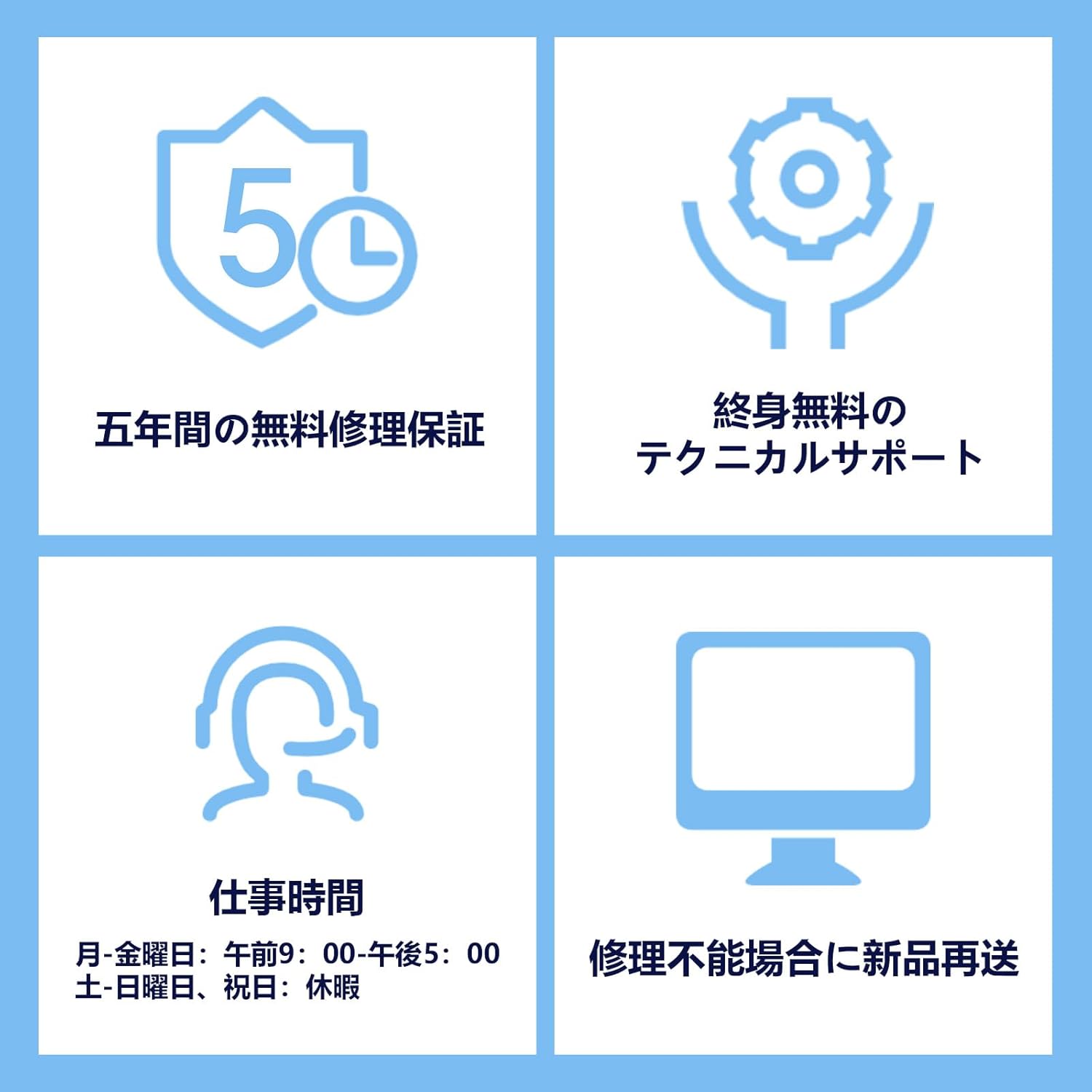
An overview of the comprehensive support and warranty services provided, including a 5-year repair warranty and lifetime technical support.


