1. Киришүү
Сатып алганыңыз үчүн рахматasing the WOLFANG Portable Projector WP05. This device is designed to provide a versatile and immersive viewing experience with its Android 11 operating system, high-definition resolution, and portable design. This manual provides essential information for setting up, operating, and maintaining your projector. Please read it thoroughly before use to ensure optimal performance and safety.
2. Коопсуздук маалыматы
Please observe the following safety precautions to prevent damage to the projector and ensure user safety:
- l болгондо проектордун объективине тике карабаamp күйүк.
- Ашыкча ысып кетүүнүн алдын алуу үчүн проектордун айланасында туура желдетүүнү камсыз кылыңыз.
- Проектор менен келген кубат адаптерин гана колдонуңуз.
- Проекторду суудан, нымдуулуктан жана тез күйүүчү материалдардан алыс кармаңыз.
- Do not attempt to disassemble or repair the projector yourself. Contact qualified service personnel for assistance.
- Балдар жетпеген жерде сактаңыз.
3. Пакеттин мазмуну
Пакетиңизде бардык буюмдар бар экенин текшериңиз:
- WOLFANG Portable Projector WP05
- Remote Control (with Air Mouse function)
- Кубаттуу адаптер
- User Manual

Сүрөт: алдыңкы view of the WOLFANG Portable Projector WP05 retail box, showing the product name and a graphic of the projector.
4. Продукт бүтүп калдыview
Familiarize yourself with the components of your WOLFANG Portable Projector WP05.
Image: The WOLFANG Portable Projector WP05 shown from the front, highlighting its compact cylindrical design and lens.
Негизги өзгөчөлүктөрү:
- HD 1080P Resolution: Supports 1920 x 1080P resolution for clear visuals.
- Android 11 OS: Built-in operating system with access to over 5,000 applications.
- Автоматтык негизги ташты оңдоо: ±45° auto vertical keystone correction for image alignment.
- 180° айлануучу стенд: Flexible projection angle for walls, ceilings, or floors.
- Dual-band Wi-Fi 6: Supports 2.4G and 5G networks for stable and fast streaming.
- Bluetooth 5.2: Тышкы аудио түзүлүштөрдү туташтыруу үчүн.
- Камтылган Hi-Fi спикери: Integrated 3W speaker for audio output.
- Компакт жана көчмө: Weighs approximately 0.6KG for easy transport.

Image: The WOLFANG Portable Projector WP05 being placed into a backpack, illustrating its compact and portable design with dimensions of 6.14 inches in length and 3.74 inches in width.
5. Орнотуу
5.1 Орнотуу
Position the projector on a stable, flat surface. The 180° rotatable stand allows for flexible projection angles, including walls, ceilings, or floors.

Image: The WOLFANG Portable Projector WP05 projecting onto a ceiling, demonstrating its 180-degree rotatable stand for versatile viewпозициялар.
5.2 Кубат туташтыруу
- Кубат адаптерин проектордун кубат киргизүү портуна туташтырыңыз.
- Кубат адаптерин розеткага сайыңыз.
- Аны күйгүзүү үчүн проектордун же пульттун кубат баскычын басыңыз.
5.3 Фокустоо жана Keystone коррекциясы
The projector features automatic vertical keystone correction and manual focus adjustment.
- Авто вертикалдуу ачкыч ташы: The projector automatically adjusts vertical image distortion.
- Кол менен Фокус: Rotate the focus ring on the projector to achieve a clear image.
- Manual 4-Corner Correction: For more precise adjustments, navigate to the settings menu to manually adjust each corner of the projection.
- Чоңойтуу функциясы: Adjust the projection size from 50% to 100% via the settings.

Image: A diagram illustrating the auto vertical keystone correction, manual 4-corner correction, and 50-100% zoom features of the WOLFANG Portable Projector WP05, along with a close-up of the manual focus ring.
6. Иштөө нускамалары
6.1 Remote Control with Air Mouse
The included remote control features an Air Mouse function for easy navigation.
- Turn on the remote control's Air Mouse mode (refer to remote control instructions for specific button).
- Shake the remote control to activate the on-screen cursor.
- Use the directional buttons and OK button for menu navigation and selection.

Image: A hand holding the WOLFANG Portable Projector WP05 remote control, with an inset showing how to activate the Air Mouse function and use the OK and arrow buttons for navigation on a projected Netflix screen.
6.2 Android 11 OS and Built-in Apps
The projector runs on Android 11, providing access to a wide range of applications.
- Upon startup, you will see the Android home screen.
- Pre-installed apps include Netflix, YouTube, Prime Video, and access to the Google Play Store for additional downloads.
- Customize your desktop wallpaper and organize your apps as desired.

Image: The WOLFANG Portable Projector WP05 projecting a screen displaying various streaming service logos like Netflix, YouTube, Prime Video, HBO Max, and the Google Play Store icon, indicating built-in Android app functionality.
Image: A projected screen from the WOLFANG Portable Projector WP05 showing a customizable Android interface with icons for Netflix, YouTube, ScreenCast, File Manager, HDMI, Settings, App Store, Music, and Play Store, emphasizing its 'Customized Personal Cinema' capabilities.
6.3 Экранды чагылдыруу
The projector supports fast screen mirroring via Wi-Fi 6 for iOS, Android, and Windows devices.
- Miracast: For Android and Windows devices.
- Эфир ойнотуу: iOS түзмөктөрү үчүн.
- Түзмөгүңүз менен проектор бир Wi-Fi тармагына туташып турганын текшериңиз.
- Select the appropriate screen mirroring option from the projector's menu.
- Initiate screen mirroring from your mobile device or computer.

Image: The WOLFANG Portable Projector WP05 projecting a dynamic image, with icons for Miracast and Airplay, and a smartphone displaying content being mirrored to the projector, highlighting its WiFi 6 fast screen mirroring capability.
7. Байланыш
7.1 Wi-Fi туташуусу
The projector supports dual-band Wi-Fi 6 (2.4G and 5G) for stable internet access and screen mirroring.
- барыңыз Орнотуулар on the projector's home screen.
- Тандоо Тармак жана Интернет.
- Wi-Fi күйгүзүңүз жана тизмеден каалаган тармакты тандаңыз.
- Суралган болсо, сырсөздү киргизип, туташыңыз.
7.2 Bluetooth байланышы
Жакшыртылган аудио үчүн тышкы Bluetooth динамиктерин же гарнитураны туташтырыңыз.
- барыңыз Орнотуулар on the projector's home screen.
- Тандоо Туташкан түзмөктөр or Bluetooth.
- Bluetooth күйгүзүү.
- Bluetooth түзмөгүңүздү жупташтыруу режимине коюңуз.
- Түзмөгүңүздү жупташтыруу үчүн жеткиликтүү түзмөктөрдүн тизмесинен тандаңыз.
7.3 HDMI and USB Connections
The projector includes HDMI and USB ports for connecting various external devices.
- HDMI: Connect devices such as laptops, gaming consoles, TV sticks, or Blu-ray players. Select the HDMI input source from the projector's menu.
- USB: Connect USB drives to play media files directly. Select the USB input source from the projector's menu.
8. Техникалык тейлөө
Regular maintenance helps prolong the life of your projector.
- Линзаны тазалоо: Проектордун линзасын акырын сүртүү үчүн атайын оптикалык линзалар үчүн жасалган жумшак, түксүз кездемени колдонуңуз. Абразивдүү тазалагычтарды колдонбоңуз.
- Чаңды тазалоо: Use a soft brush or compressed air to clean dust from the ventilation openings.
- Сактагыч: Колдонулбаганда, проекторду салкын, кургак жерде, тике күн нурунан жана экстремалдык температурадан алыс сактаңыз.
9. Кыйынчылыктарды
Эгер көйгөйлөргө туш болсоңуз, төмөнкү жалпы көйгөйлөрдү жана чечимдерди караңыз:
| Көйгөй | Мүмкүн чечим |
|---|---|
| Күч жок | Ensure the power adapter is securely connected to the projector and a working power outlet. |
| Сүрөт жок | Check if the projector is powered on. Verify the input source (HDMI, USB, etc.) is correctly selected. |
| бүдөмүк сүрөт | Adjust the manual focus ring on the projector. Ensure the projection surface is flat. |
| Image distorted | The projector has auto vertical keystone correction. For further adjustment, use manual 4-corner correction in settings. |
| Үн жок | Check the volume settings on the projector and the connected source device. Ensure external Bluetooth speakers are properly paired. |
| Пульт иштебей жатат | Check the remote control batteries. Ensure there are no obstructions between the remote and the projector. |
10. Техникалык шарттар
Technical specifications for the WOLFANG Portable Projector WP05:
| Өзгөчөлүк | Деталь |
|---|---|
| Бренд | WOLFANG |
| Модел | WP05 |
| Display Resolution | 1920 x 1080 (Full HD) |
| Аспект катышы | 16:9, 4:3 |
| Операция системасы | Android 11 |
| Байланыш технологиясы | Wi-Fi 6 (2.4G/5G), Bluetooth 5.2 |
| Аппараттык интерфейс | HDMI, USB |
| Өзгөчөлүктөр | Built-in Smart System, Auto Keystone Correction, 180° Rotation |
| Сүрөттүн максималдуу өлчөмү | 300 дюйм |
| Элемент Салмагы | 635 грамм |
| Пакеттин өлчөмдөрү | 17.8 x 16.4 x 11.3 см |
11. Кепилдик жана колдоо
11.1 Кепилдик маалыматы
The WOLFANG Portable Projector WP05 comes with a 24 айлык кепилдик from the date of purchase. Please retain your proof of purchase for warranty claims. The warranty covers manufacturing defects and malfunctions under normal use. It does not cover damage caused by misuse, accidents, unauthorized repairs, or natural disasters.
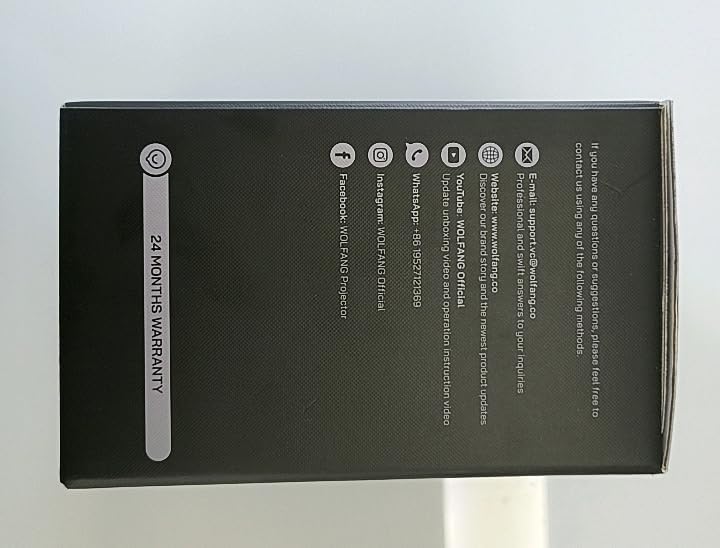
Сүрөт: каптал view of the WOLFANG Portable Projector WP05 box, clearly displaying a '24 MONTHS WARRANTY' badge and contact information.
11.2 Кардарларды колдоо
For any questions, suggestions, or support needs, please contact WOLFANG customer service using the following methods:
- E-mail: support.tvc@wolfang.co
- Webсайт: www.wolfang.co
- YouTube: WOLFANG Official (for instruction videos and product updates)
- WhatsApp: +86 19527121353
- InstagRAM: WOLFANG расмий
- Facebook: WOLFANG Projector


