1. Киришүү
This manual provides detailed instructions for the setup, operation, and maintenance of your Facmogu M10 Home Audio Amplifier. Please read thoroughly to ensure optimal performance and longevity of your device.
2. Продукт бүтүп калдыview
The Facmogu M10 is a compact and powerful 2.0 channel stereo amplifier designed for home audio systems. It features Bluetooth 5.4 connectivity and a TI TPA3255 Class D audio chip, delivering 300W+300W output (4~8 Ohm).
Негизги өзгөчөлүктөрү
- 300W+300W dual channel stereo output with upgraded TI TPA3255 Class D audio chip.
- Superior Signal-to-Noise Ratio (SNR) >110 dB for clear audio without audible noise.
- Minimalist design with volume, play/pause, bass, and treble controls on the front panel.
- Two input options: Bluetooth 5.4 and AUX.
- Includes a DC 36V 5A power supply.
- Super compatibility with various devices (tablet PC, TV, smartphone, laptop with Bluetooth).
Front and Rear Panel Diagram
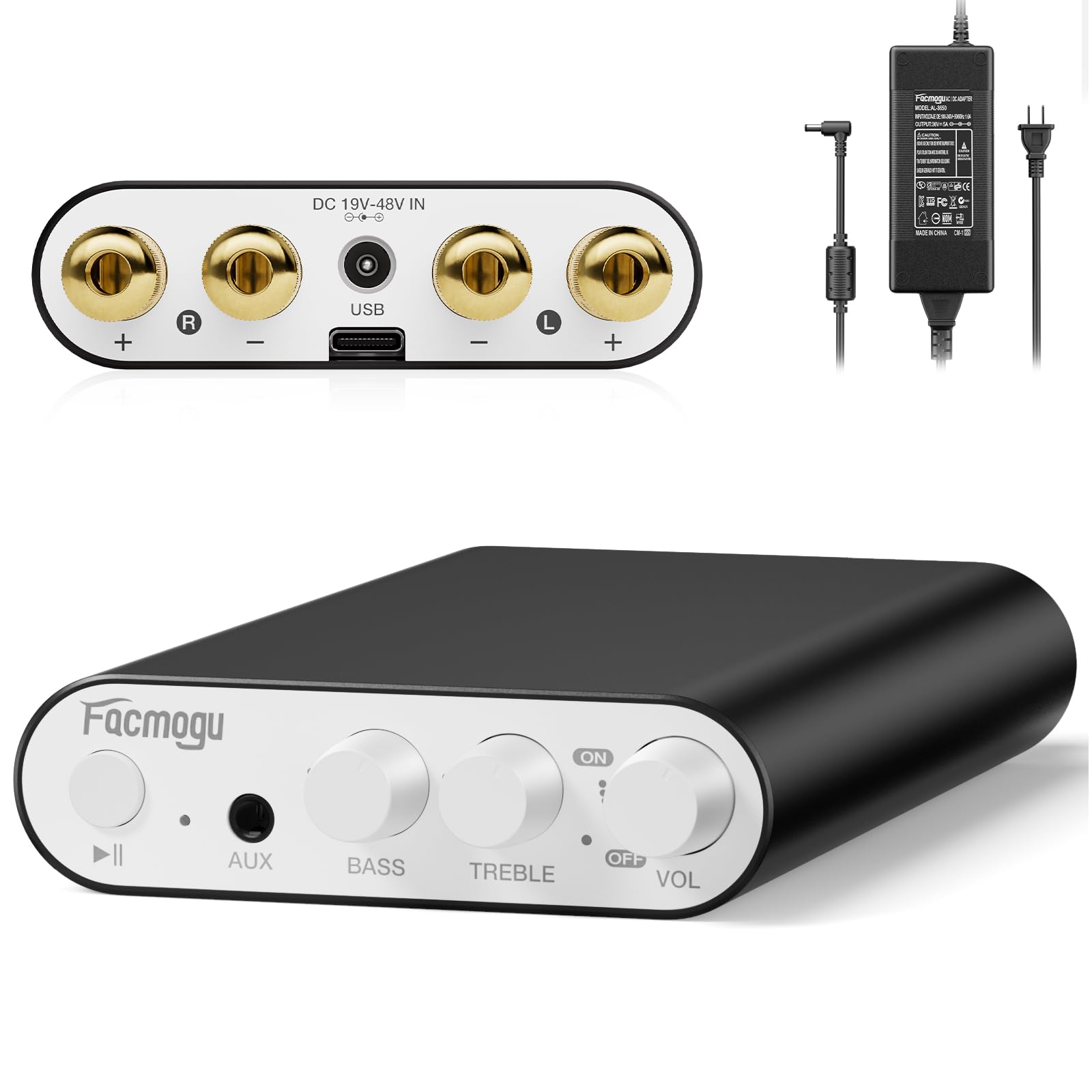
This image displays the front and rear panels of the Facmogu M10 amplifier, highlighting all input/output ports and control knobs for easy identification.
3. Орнотуу
Кутуда эмне бар
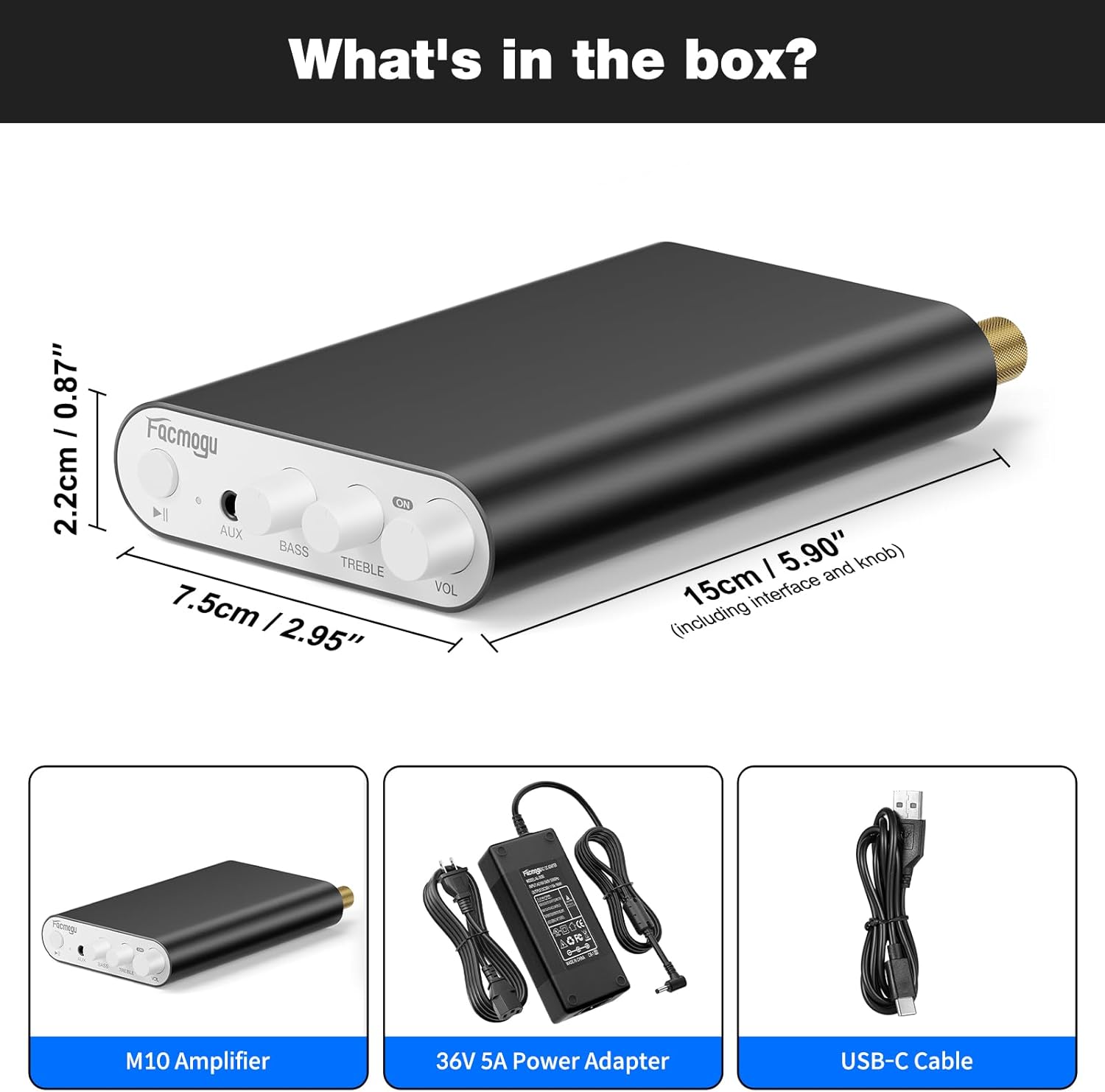
The package includes the M10 Amplifier unit, a DC 36V 5A power adapter, and a USB-C cable.
Динамиктерди туташтыруу
The Facmogu M10 amplifier supports passive speakers with 4-8 Ohm impedance.
- Connect your speakers to the "OUTPUT" terminals on the rear panel. Ensure correct polarity (+ to + and - to -) for each channel (Left and Right).
- Байлоочу мамыларды бекем бекемдеңиз.
Power Connection
- Connect the included DC 36V 5A power adapter to the "DC 19V-48V IN" port on the rear panel.
- Кубат адаптерин ылайыктуу розеткага сайыңыз.
Аудио киргизүү параметрлери
Bluetooth 5.4 туташуу
- күйгүзүңүз amplifier by rotating the VOL knob. The indicator light will illuminate.
- On your source device (smartphone, tablet, laptop), enable Bluetooth and search for "Facmogu M10".
- Select "Facmogu M10" to pair. The indicator light will change to solid blue once connected.
- To clear all Bluetooth pairing history, press and hold the "Play/Pause" button for 6 seconds.
- Note: Maintain a distance of 16.4ft/5m for general devices and 6.5ft/2m for PC devices without obstructions for optimal Bluetooth performance.
AUX киргизүү туташуу
- Connect your audio source (PC, media player, TV) to the "AUX" input port on the front panel using a 3.5mm audio cable.
- The amplifier will automatically switch to AUX input when a cable is detected.
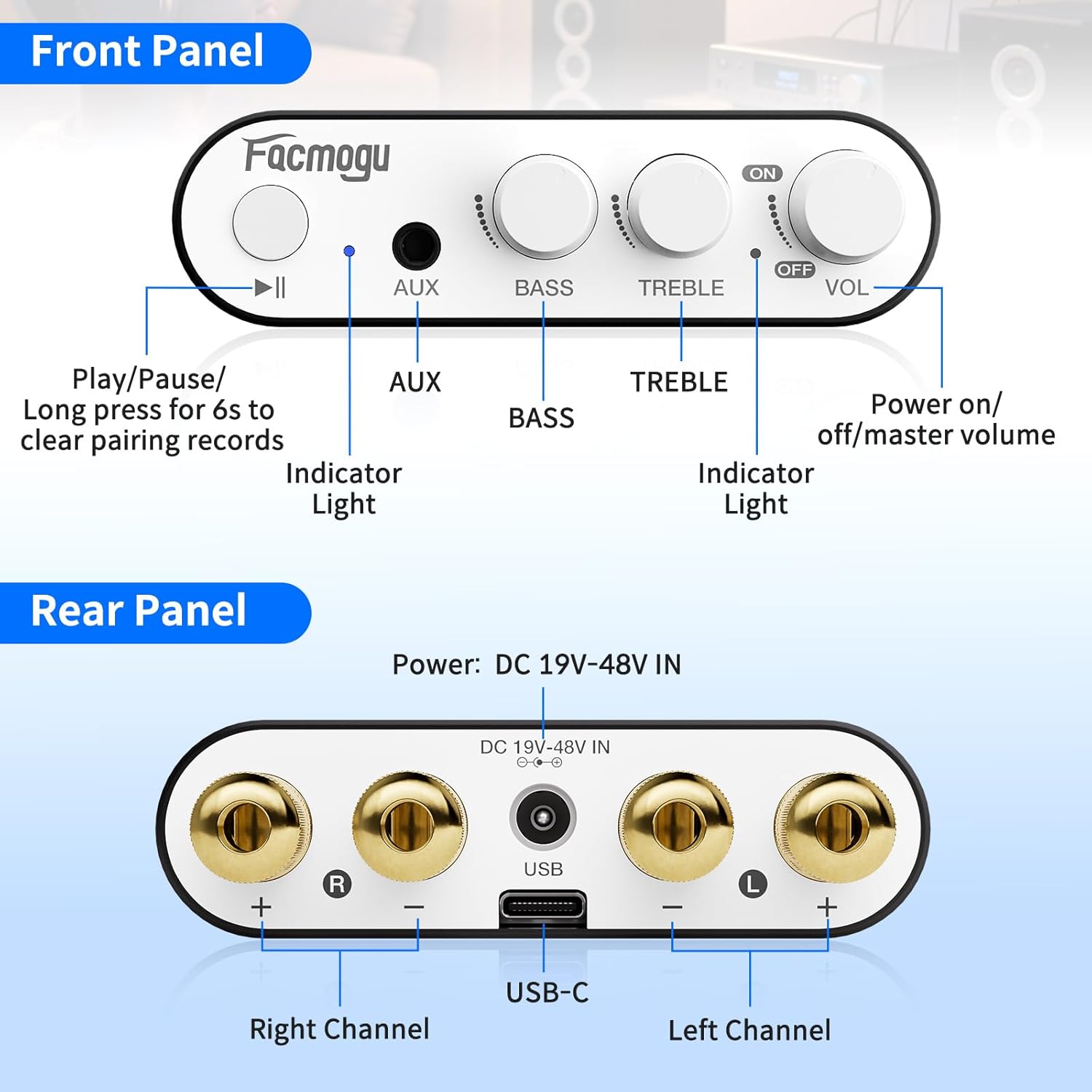
This diagram illustrates the various connection points on the front and rear panels, including speaker outputs, power input, and audio inputs.
4. Иштөө нускамалары
Controls
- ҮН (Үн) баскычы: Rotate clockwise to increase volume, counter-clockwise to decrease. Also acts as the power ON/OFF switch.
- BASS баскычы: Төмөн жыштык чыгарууну тууралайт.
- TREBLE баскычы: Жогорку жыштык чыгарууну тууралайт.
- Ойнотуу/тындыруу баскычы: Controls media playback. Long press for 6 seconds to clear Bluetooth pairing records.
- AUX киргизүү: Зымдуу аудио булактары үчүн 3.5 мм уяча.
- Индикатор жарыгы: Кубат жана Bluetooth абалын көрсөтөт.
Негизги операция
- Ensure all connections (speakers, power, audio source) are secure.
- күйгүзүңүз amplifier by rotating the VOL knob clockwise.
- Select your desired input source (Bluetooth or AUX).
- Adjust the volume, bass, and treble to your preference.
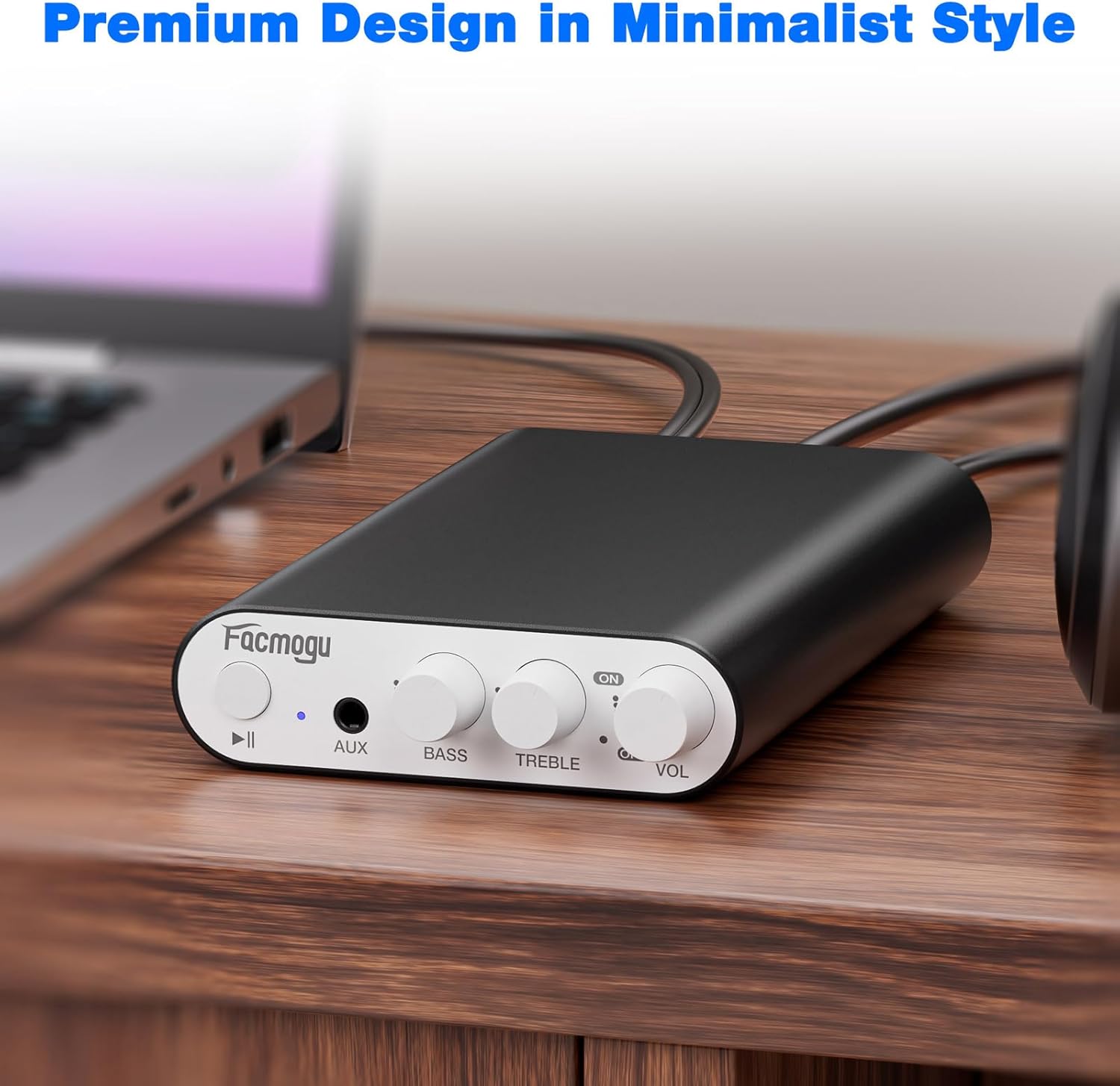
The image shows the Facmogu M10 amplifier connected to speakers and a laptop, demonstrating a typical usage scenario.
5. Техникалык тейлөө
To ensure the longevity and optimal performance of your Facmogu M10 ampкөтөргүчтү тейлөө үчүн, төмөнкү жөнөкөй көрсөтмөлөрдү аткарыңыз:
- Түзмөктү кургак, жакшы желдетилген жерде, күндүн түз нурунан, жылуулук булактарынан жана нымдуулуктан алыс кармаңыз.
- Сыртын жумшак, кургак чүпүрөк менен тазалаңыз. Катуу химиялык заттарды же абразивдүү тазалоочу каражаттарды колдонбоңуз.
- Ашыкча ысып кетүүнүн алдын алуу үчүн, түзмөктүн айланасында абанын жакшы айлануусун камсыз кылыңыз.
- Эгерде шайманды тазалоодон мурун же узак убакыт бою колдонулбай турган болсо, аны электр кубатынан ажыратыңыз.
6. Кыйынчылыктарды
Жалпы маселелер жана чечимдер
| Көйгөй | Мүмкүн себеп | Чечим |
|---|---|---|
| Үн чыгышы жок | Incorrect speaker connections; Volume too low; Incorrect input selected; Source device not playing. | Check speaker wire polarity and secure connections. Increase volume. Ensure correct input (Bluetooth/AUX) is selected. Verify audio playback on source device. |
| Poor Bluetooth Connection/Range | Obstructions between device and amplifier; Device too far from ampкөтөргүч; Интерференция. | Reduce distance between devices. Remove obstructions. Avoid placing near other wireless devices. Clear Bluetooth pairing history by long-pressing Play/Pause button. |
| Distorted Sound | Volume too high; Speaker impedance mismatch; Faulty cables. | Reduce volume. Ensure speakers are 4-8 Ohm. Try different audio cables. |
| Түзмөк күйбөй жатат | Power adapter not connected; Faulty power adapter/outlet. | Check power adapter connection to unit and wall outlet. Try a different power outlet. |
Кошумча колдоо
If you encounter issues not listed here, please refer to the official Facmogu support channels or webкошумча жардам үчүн сайт.
7. Техникалык шарттар
| Өзгөчөлүк | Деталь |
|---|---|
| Модел | M10 |
| Бренд | Facmogu |
| Чыгуу күчү | 300W + 300W (4~8 Ohm) |
| Аудио чип | TI TPA3255 Class D |
| Сигнал-ызы-чуу катышы (SNR) | >110 дБ |
| Bluetooth версиясы | 5.4 |
| Киргизүү параметрлери | Bluetooth 5.4, AUX (3.5mm) |
| Электр камсыздоо | DC 36V 5A (included) |
| Өлчөмдөр | Approx. 15cm x 7.5cm x 2.2cm (5.90" x 2.95" x 0.87") |
| Элемент Салмагы | 3.2 унция |
| Өндүрүүчү | Facmogu |
8. Кепилдик жана колдоо
For warranty information and customer support, please visit the official Facmogu webсайтка же түздөн-түз кардарларды тейлөөгө кайрылыңыз. Кепилдик дооматтар үчүн сатып алуу дүмүрчөгүңүздү сактаңыз.
9. Расмий продукт Videos
Facmogu M10 Ampкөтөргүч Overview
Бул видеодо кыскача маалымат берилетview of the Facmogu M10 amplifier, demonstrating its compact size and basic functionality. It highlights the ease of connecting the device to speakers and a power source.
Facmogu M10 Amplifier Setup and Sound Test
This video demonstrates the simple setup process of the Facmogu M10 amplifier, including connecting speakers and an audio source. It also showcases the sound output quality.


