1. Киришүү
The Slate Digital ML-1A is a large-diaphragm condenser microphone designed for professional studio recording. It features advanced modeling technology, offering access to 18 meticulously crafted microphone emulations, including the Radio France Signature collection. This microphone is suitable for capturing vocals, acoustic instruments, and drum kits, providing versatility for various recording applications. Its design prioritizes low self-noise and high sound pressure level (SPL) handling, ensuring clear and detailed audio capture.
This manual provides essential information for setting up, operating, maintaining, and troubleshooting your ML-1A microphone system. Please read it thoroughly to ensure optimal performance and longevity of your device.
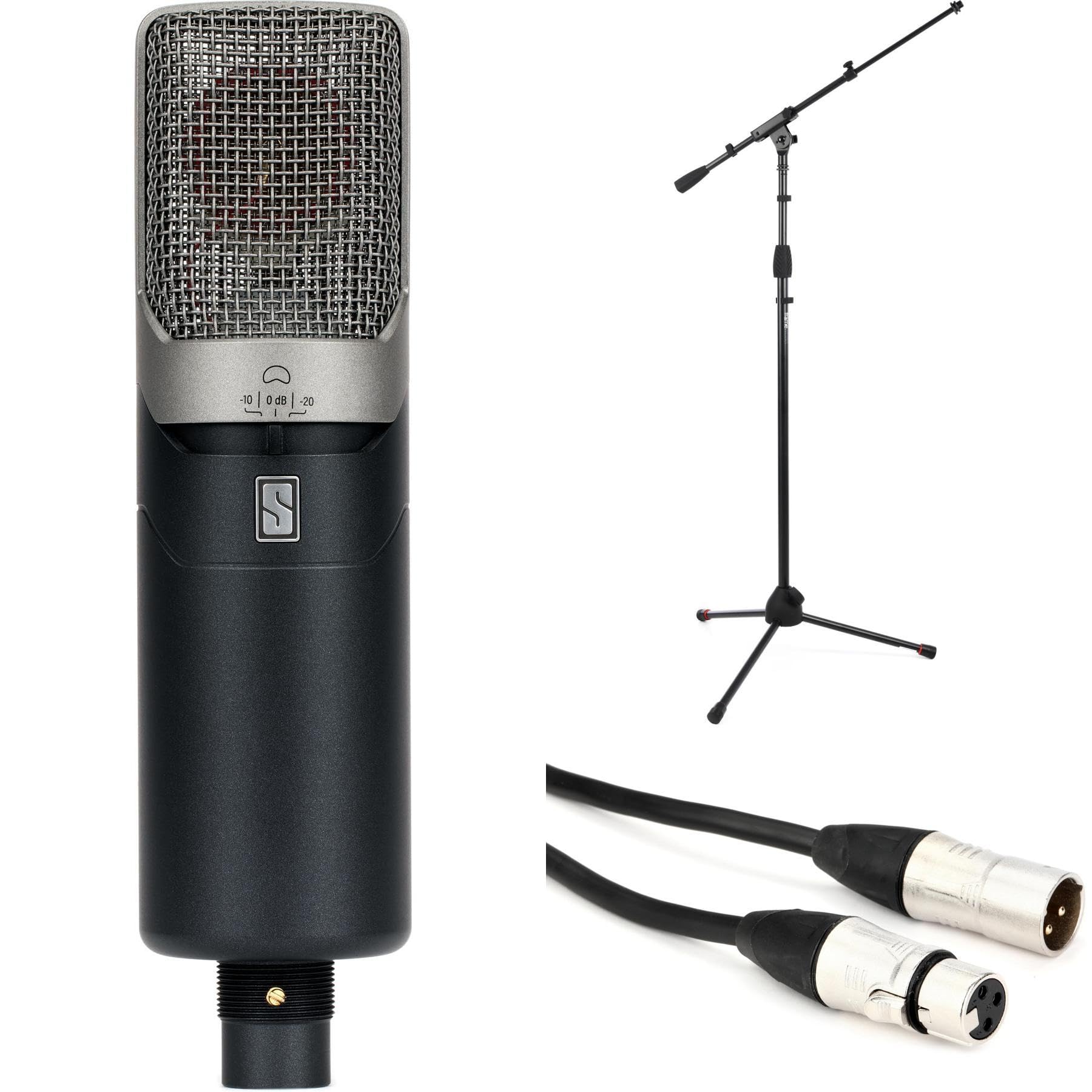
Figure 1: Slate Digital ML-1A Large-Diaphragm Condenser Modeling Microphone.
2. Пакеттин мазмуну
Verify that all items listed below are present in your ML-1A package:
- Slate Digital ML-1A Large-Diaphragm Condenser Modeling Microphone
- Tripod Microphone Stand
- XLR кабели
- Documentation (this instruction manual)
- Software Activation Card (for Virtual Microphone System - VMS software)
3. Орнотуу
Follow these steps to set up your Slate Digital ML-1A microphone system:
- Компоненттерди таңгактан чыгаруу: Carefully remove the ML-1A microphone, tripod stand, and XLR cable from their packaging.
- Assemble Microphone Stand: Extend the legs of the tripod microphone stand and secure them. Attach the microphone clip or shock mount (if included separately) to the stand.
- Микрофонду орнотуу: Gently place the ML-1A microphone into the microphone clip or shock mount on the stand. Ensure it is securely fastened.
- XLR кабелин туташтыруу: Connect one end of the provided XLR cable to the XLR output on the bottom of the ML-1A microphone. Connect the other end of the XLR cable to an available microphone input on your audio interface or preamplifier. Ensure your audio interface provides 48V phantom power, as the ML-1A requires it for operation.
- Компьютерге туташуу: Connect your audio interface to your computer via USB, Thunderbolt, or Firewire, as per your interface's specifications.
- Install VMS Software: Use the provided software activation card to download and install the latest version of the Slate Digital Virtual Microphone System (VMS) software and any necessary drivers from the official Slate Digital website. Follow the on-screen instructions for installation and activation.
- Аудио жөндөөлөрүн конфигурациялоо: Open your Digital Audio Workstation (DAW) and select your audio interface as the input and output device. Ensure the input channel connected to the ML-1A is armed for recording and monitoring.
2-сүрөт: Мисample setup of the ML-1A microphone connected to an audio interface.
4. Operating the ML-1A
The ML-1A is designed to be used in conjunction with the Slate Digital VMS software for its full functionality. Here are key operational aspects:
4.1. Phantom Power
The ML-1A is a condenser microphone and requires 48V элес күчү to operate. Ensure that phantom power is enabled on your audio interface or preamplifier's input channel to which the ML-1A is connected.
4.2. Pad Switch
The ML-1A features a 3-position Pad switch located on the microphone body. This switch allows you to attenuate the input signal before it reaches the microphone's internal circuitry, preventing distortion when recording loud sound sources.
- 0дБ: No attenuation. Use for most vocal and instrument recordings.
- -10дБ: Reduces the signal by 10 decibels. Useful for moderately loud sources.
- -20дБ: Reduces the signal by 20 decibels. Recommended for very loud sources, such as close-miked drums or guitar amplifiers, capable of handling up to 145dB SPL.
4.3. Virtual Microphone System (VMS) Software
The VMS software is crucial for accessing the ML-1A's microphone emulations and advanced sound-shaping tools. After recording a clean signal with the ML-1A, apply the VMS plugin in your DAW to:
- Select Microphone Models: Choose from 18 classic microphone emulations to instantly change the tonal characteristics of your recording.
- Microphone Model Morphing: Blend between different microphone models for unique hybrid sounds.
- Proximity Slider: Adjust the perceived proximity effect, allowing fine-tuning of low-frequency response.
- Rumble Filter Slider: Eliminate unwanted low-frequency noise and rumble from your recordings.
- Mono-to-Stereo Width Control: Expand the stereo image of mono sources.
- Virtual Preamps: Access virtual preamplifier emulations for added saturation and depth.
Refer to the VMS software's dedicated user manual for detailed instructions on plugin operation and advanced features.
Figure 3: ML-1A microphone showing the pad switch location.
5. Техникалык тейлөө
Proper care and maintenance will ensure the longevity and optimal performance of your ML-1A microphone:
- Тазалоо: Use a soft, dry, lint-free cloth to clean the exterior of the microphone. Avoid using liquid cleaners, solvents, or abrasive materials, as these can damage the finish or internal components.
- Сактагыч: When not in use, store the microphone in a clean, dry environment, preferably in its original packaging or a dedicated microphone case, to protect it from dust, moisture, and physical damage.
- Нымдуулук жана Температура: Avoid exposing the microphone to extreme temperatures or high humidity, which can negatively affect its performance and lifespan.
- Колдонуу: Always handle the microphone with care. Avoid dropping it or subjecting it to strong impacts.
6. Кыйынчылыктарды
If you encounter issues with your ML-1A microphone, refer to the following common problems and solutions:
- Үн жок/Начар чыгаруу:
- Ensure 48V phantom power is enabled on your audio interface.
- Check all XLR cable connections for proper seating. Try a different XLR cable.
- Verify that the input gain on your audio interface is set appropriately.
- Confirm that the correct input is selected and armed in your DAW.
- Check the ML-1A's pad switch setting; if set to -10dB or -20dB, switch to 0dB for higher output.
- Бурмаланган үн:
- Аудио интерфейсиңиздеги киргизүү күчөтүүсүн азайтыңыз.
- Engage the -10dB or -20dB pad switch on the ML-1A if recording very loud sources.
- Ensure your audio interface's input is not clipping.
- Software Issues (VMS Plugin):
- Ensure the VMS software is correctly installed and activated.
- Check for the latest software updates and drivers on the Slate Digital webсайт.
- Restart your DAW and computer.
- Consult the VMS software manual or Slate Digital support for specific plugin issues.
- Ызы-чуу же ызы-чуу:
- Бардык кабелдер туура корголгондугун жана туташтырылганын текшериңиз.
- Try using a different power outlet for your audio interface or computer.
- Жерге туташтыргычтарды текшериңиз.
- Keep the microphone and cables away from power supplies, monitors, and other electronic devices that can cause interference.
If the problem persists after trying these solutions, please contact Slate Digital customer support.
7. Техникалык шарттар
Key technical specifications for the Slate Digital ML-1A microphone:
- Микрофон түрү: Large-Diaphragm Condenser
- Полярдык үлгү: Cardioid (when used with VMS software, patterns are variable)
- Өзүнөн-өзү ызы-чуу: 8дБ (A-салмактуу)
- Макс SPL: Up to 145dB (with -20dB pad engaged)
- Pad Switch: 0дБ, -10дБ, -20дБ
- Чыгуу туташтыргычы: 3-пин XLR
- Кубаттуулугу: 48V Phantom Power
- Камтылган аксессуарлар: Tripod Microphone Stand, XLR Cable
- Программалык камсыздоо: Virtual Microphone System (VMS) plugin required for full functionality
8. Кепилдик жана колдоо
For detailed information regarding the warranty coverage for your Slate Digital ML-1A microphone, please refer to the warranty documentation included with your product or visit the official Slate Digital webсайт. Кепилдиктин шарттары жана шарттары аймакка жараша өзгөрүшү мүмкүн.
For technical support, software updates, or additional assistance, please visit the Slate Digital support page on their official website. You can typically find FAQs, knowledge bases, and contact information for their support team there.
Өндүрүүчү: Slate Digital


