Introduction
Thank you for choosing the AQUBT 42-inch Ceiling Fan with Lights. This manual provides detailed instructions for the safe installation, operation, and maintenance of your new ceiling fan. Please read this manual thoroughly before installation and keep it for future reference.
Коопсуздук маалыматы
ЭСКЕРТҮҮ: Өрт, электр шок же жеке жаракат алуу коркунучун азайтуу үчүн ар дайым төмөнкү негизги сактык чараларын аткарыңыз:
- Вентиляторду орнотуудан мурун бардык көрсөтмөлөрдү окуп чыгыңыз.
- Орнотуудан же тейлөөдөн мурун автоматтык өчүргүчтө электр энергиясы өчүрүлгөнүн текшериңиз.
- Бардык зымдар улуттук жана жергиликтүү электр эрежелерине ылайык болушу керек.
- The fan must be mounted to a ceiling joist or support structure capable of supporting at least 35 lbs (15.9 kg).
- Желдеткичти зымдары бузулган же кулап түшкөн же бузулган болсо иштетпеңиз.
- Keep hands, clothing, and other objects away from fan blades when the fan is operating.
- Do not use the fan in areas with high humidity or where it may be exposed to water.
Пакеттин мазмуну
Орнотууну баштоодон мурун бардык компоненттер бар экендигин текшериңиз:
- Шыпка желдеткич бирдиги
- Алыстан башкаруу
- Монтаждоочу жабдык
- Instruction Manual
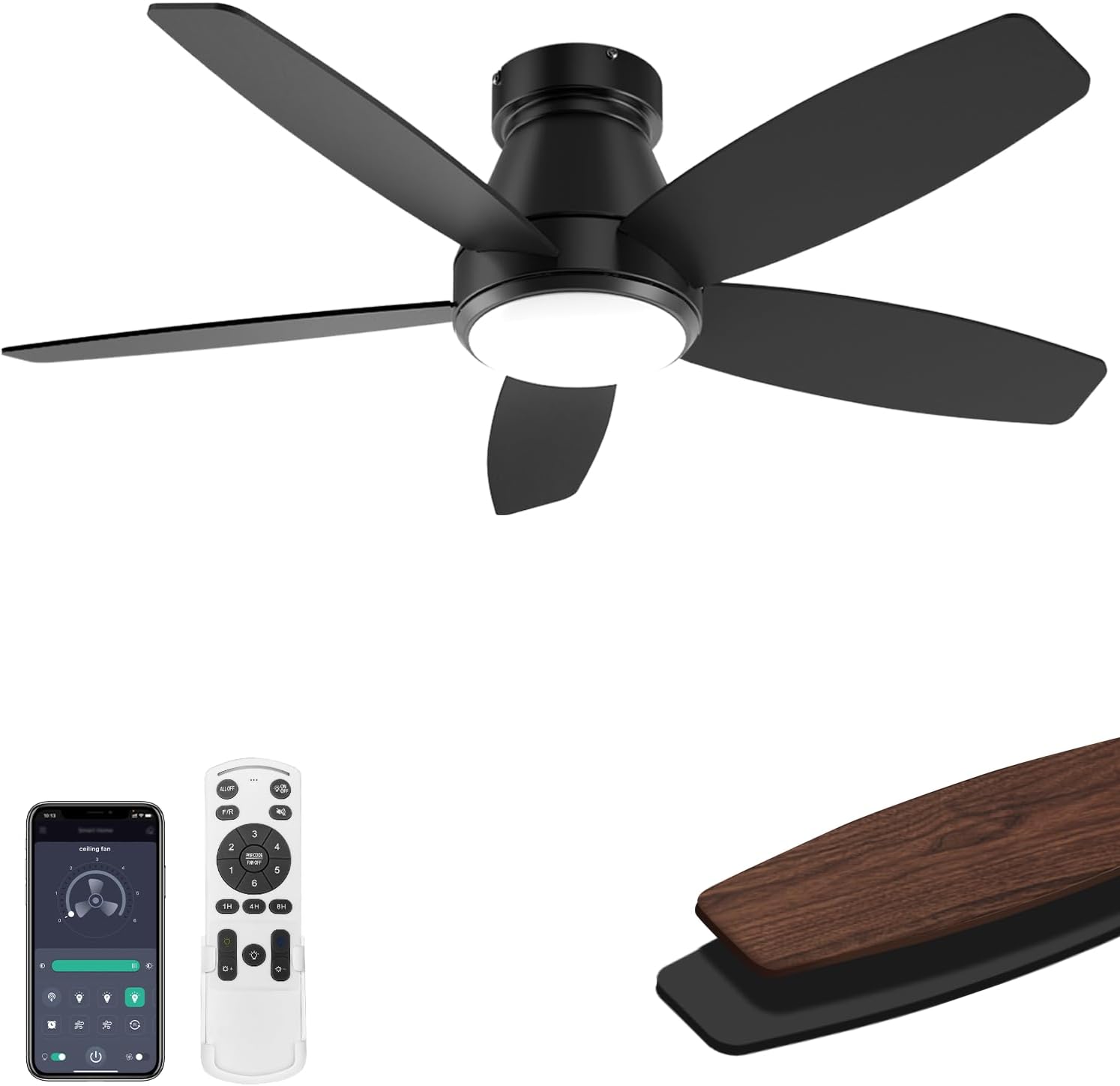
Image: The AQUBT 42-inch Ceiling Fan, showcasing the main unit, remote control, and smartphone app interface.
Техникалык шарттар
| Бренд | AQUBT |
| Модель аты | 1368-Кара |
| Продукциянын өлчөмдөрү | 5.9"D x 42"W x 10.2"H |
| Электр желдеткич дизайн | Шып күйөрманы |
| Power Source | DC |
| Ватtage | Motor 35W + LED 18W |
| Тtage | 110 вольт |
| Blades саны | 5 |
| Blade Length | 17 дюйм |
| Ылдамдык (RPM) | 220-240 |
| Ызы-чуу деңгээли | 45 децибел |
| Башкаруу ыкмасы | Remote, App (Bluetooth) |
| Өзгөчөлүктөр | LED Light, Remote Controlled, Timer, Stepless Dimming, 3 Color Temperatures, Reversible DC Motor, Memory Function |
| Ички/тышкы колдонуу | Ички, сырткы |
| Сунушталган бөлмө өлчөмү | 30 м² чейин |
| Монтаж түрү | Flush тоосу |
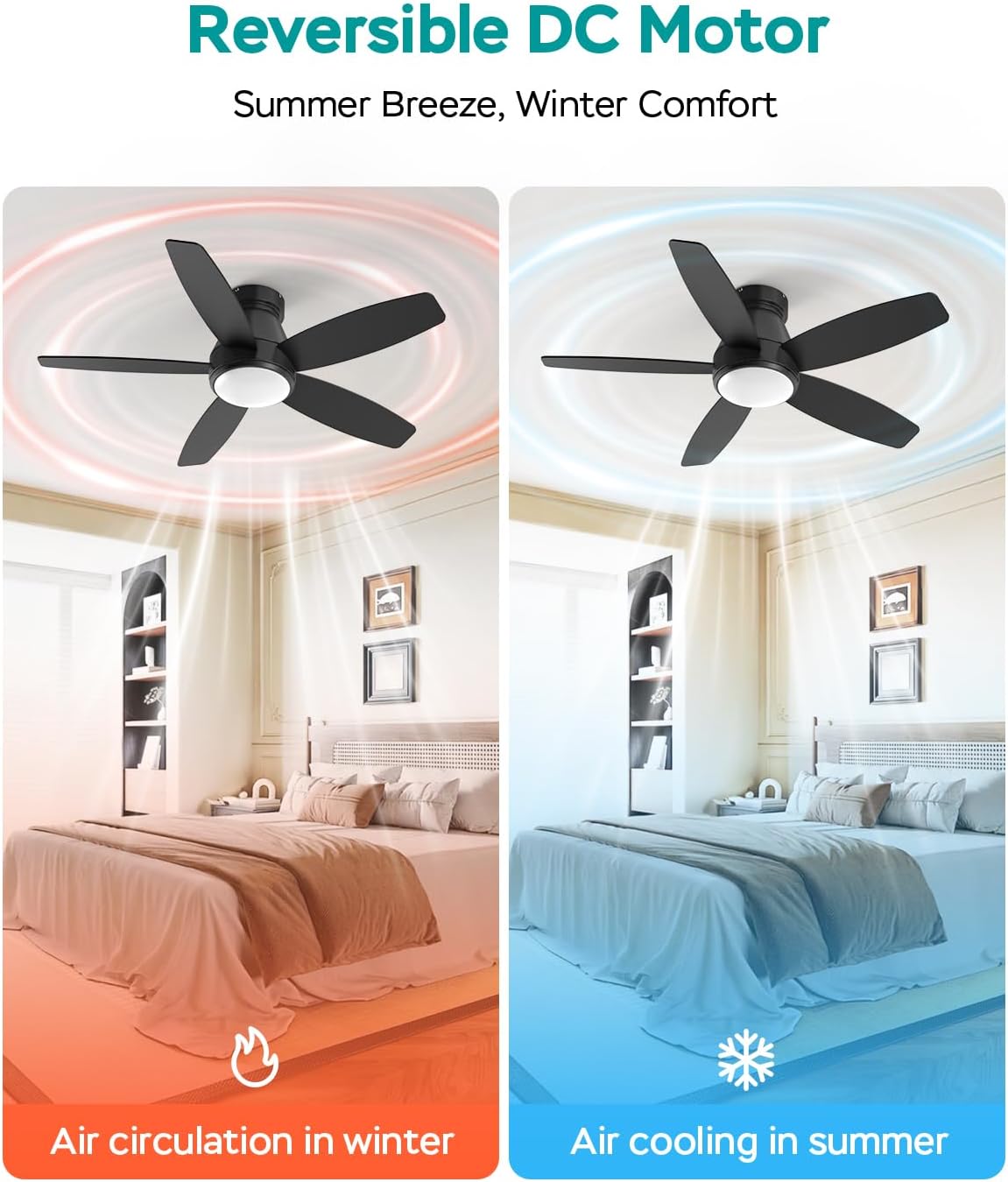
Image: Diagram illustrating the dimensions (5.9"D x 42"W x 10.2"H) and key specifications of the AQUBT 42-inch Ceiling Fan, including output, RPM, recommended room size, and flush mount type.
Орнотуу жана орнотуу
The AQUBT ceiling fan is designed for easy installation. Follow these steps carefully:
- Кубатты өчүрүү: Before starting, ensure the power supply to the installation area is completely turned off at the circuit breaker.
- Монтаждоо ордун даярдоо: The fan must be mounted to a junction box or support structure capable of safely supporting the fan's weight.
- Монтаждык кронштейнди орнотуу: Берилген жабдыктарды колдонуп, бекитүүчү кронштейнди шыптын туташтыруучу кутусуна бекитиңиз.
- Желдетүүчү бычактарды чогултуу: Attach the fan blades to the motor housing. Note that the blades are reversible with a black side (Side A) and a walnut brown side (Side B). Choose your preferred finish.
- Желдеткичке зым салуу: Connect the fan's electrical wires to the household wiring according to the wiring diagram in the full instruction manual. Ensure all connections are secure. Маанилүү: Do not connect to a dimmer switch or variable speed switch. Only connect to a standard ON/OFF switch.
- Желдеткичти орнотуу: Carefully lift the fan assembly and attach it to the mounting bracket. Secure it with the provided screws.
- Light Kit орнотуу: Connect the light kit wiring and secure the light cover to the fan.
- Күчтү калыбына келтирүү: Орнотуу аяктагандан кийин автоматтык өчүргүчтөгү кубатту калыбына келтириңиз.

Image: A person installing the AQUBT 42-inch Ceiling Fan, demonstrating the ease of setup.

Сүрөт: Жакын план view of the reversible fan blades, showing both the black (Side A) and walnut brown (Side B) finish options.

Image: Visual warning indicating that the fan should only be connected to a standard ON/OFF switch, not a dimmer or variable speed switch.
Иштөө нускамалары
Алыстан башкаруу функциялары
The included remote control allows for convenient operation of your AQUBT ceiling fan. Ensure batteries are installed correctly.

Image: Detailed diagram of the remote control, labeling buttons for fan speed (1-6), light ON/OFF, dimming, color temperature (Warm, Natural, Cold), forward/reverse rotation, mute, and timer (1H, 4H, 8H).
- Жарык КҮЙГҮЗҮҮ/ӨЧҮРҮҮ: Жарыкты күйгүзүү же өчүрүү үчүн лампочканын сөлөкөтүн басыңыз.
- Кадамсыз күңүрттөө: Жарыктын жарыктыгын 10% дан 100% га чейин тууралоо үчүн '+' жана '-' баскычтарын колдонуңуз.
- Түс температурасын жөндөө: Select between Warm Light (3000K), Natural Light (4500K), and Cold Light (6500K) using the dedicated buttons.
- желдеткич ылдамдыгы: Choose from 6 wind speeds (Level 1-2 for low, 3-4 for medium, 5-6 for high) using the numbered buttons.
- Reversible DC мотор: Press the "F/R" button to switch between downdraft (summer) and updraft (winter) modes.
- Таймер функциясы: Желдеткичти 1, 4 же 8 сааттан кийин автоматтык түрдө өчүп калгыдай кылып коюңуз.
- Эстутум функциясы: The fan retains your last used light brightness, color temperature, and fan speed settings.
App Control (Optional)
For additional control, download the companion app. The app supports both iOS and Android devices and requires Bluetooth connectivity.
- Колдонмону жүктөп алуу: Scan the QR code provided in the remote control diagram or visit https://www.jasonghost.com/fanlamppro/ колдонмону жүктөп алуу үчүн.
- Түзмөктү жупташтыруу: Open the app, click the menu in the upper left corner to switch languages if needed. Click the '+' button to set the name of your fan light. Click the pair button 1-2 times within 5 seconds after the fan is powered on to connect.
- Контролдоо: Use the app interface to control light settings, fan speeds, and other features.
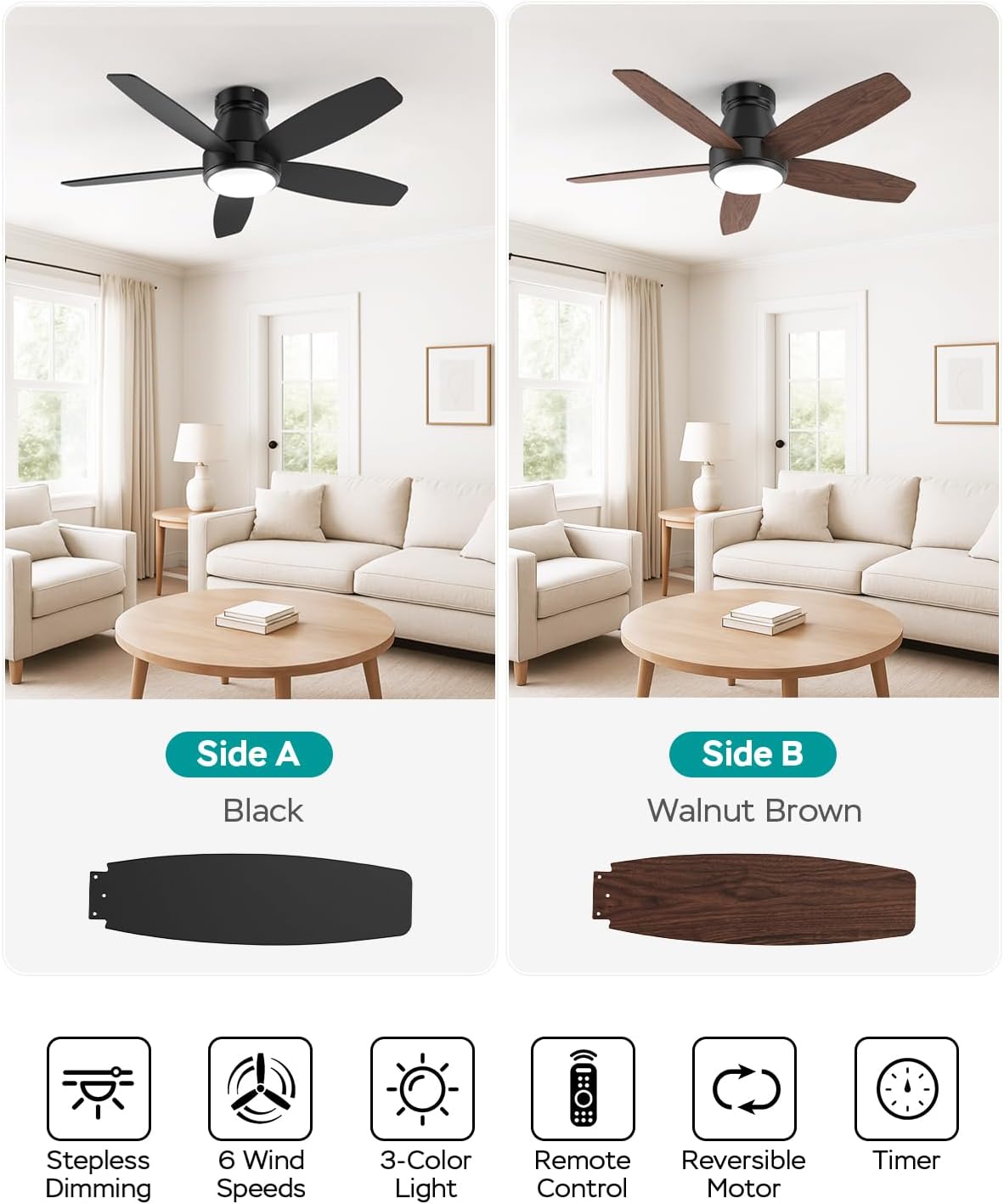
Image: The AQUBT 42-inch Ceiling Fan shown with its remote control and a smartphone displaying the control app interface.

Image: Step-by-step guide for pairing the AQUBT Ceiling Fan with the mobile application, showing language selection, device naming, and connection process.
Техникалык тейлөө
Үзгүлтүксүз тейлөө сиздин шыптын желдеткичиңиздин оптималдуу иштешин жана узак иштөөсүн камсыз кылат.
- Тазалоо: Мезгил-мезгили менен вентилятордун жана мотор корпусун жумшак, гamp кездеме. Абразивдүү тазалагычтарды же эриткичтерди колдонбоңуз.
- Blade балансы: Check fan blades for any wobbling. If wobbling occurs, ensure all blade screws are tightened.
- Light Cover: Clean the light cover with a soft, dry cloth.
- Майлоонун кереги жок: Мотор туруктуу майланган жана майлоону талап кылбайт.
- Өчүрүү: Always turn off the power at the circuit breaker before cleaning or performing any maintenance.
Проблемаларды чечүү
Эгер күйөрманыңыз менен көйгөйлөргө туш болсоңуз, төмөнкү жалпы көйгөйлөрдү жана чечимдерди караңыз:
| Көйгөй | Мүмкүн себеп | Чечим |
|---|---|---|
| Күйөрман иштебейт | желдеткичке кубат жок; Бошоң зым байланыштары; Алыстан башкаруунун батареясы аз. | Check circuit breaker and wall switch; Ensure all wire connections are secure (power off first); Replace remote control batteries. |
| Жарык иштебейт | Loose wire connection; LED driver issue. | Check light kit wiring (power off first); Contact customer support if LED driver is suspected. |
| Күйөрман солкулдайт | бош бурамалар; салмактуу эмес бычактар; Бош монтаждык кронштейн. | Tighten all blade screws; Ensure blades are installed correctly; Verify mounting bracket is securely fastened. |
| Пульт иштебей жатат | Батарея аз; Туура эмес жупташтырылган. | Replace remote control batteries; Re-pair the remote control with the fan (refer to operating instructions). |
| Желдетүүчү ызы-чуу чыгарат | бош бурамалар; мотор ызы-чуу; Бычактар тоскоолдукка тийип жатат. | Check and tighten all screws; Ensure no obstructions are near the blades; A slight motor hum is normal for some DC motors. |
Кепилдик жана колдоо
Your AQUBT ceiling fan comes with a 2-year quality guarantee service сатып алынган күндөн тартып.
For any questions, technical assistance, or warranty claims, please contact our customer support. We provide 24-hour online professional support сага жардам берүү үчүн.
Please refer to your purchase documentation for specific contact details or visit the AQUBT brand store on Amazon: AQUBT Store.

Image: Information graphic detailing AQUBT's 24-hour online professional support and 2-year quality guarantee service.


