1. Киришүү
Thank you for choosing the Redragon H610 Wireless Gaming Headset. This headset is designed to provide an immersive audio experience for gaming and multimedia, featuring Bluetooth 5.3 connectivity, Active Noise Cancellation (ANC), and a built-in microphone. This manual provides detailed instructions for setup, operation, and maintenance to ensure optimal performance.
The H610 is compatible with various platforms including PS5, PS4, PC, Mac, and Nintendo Switch, offering versatile connectivity options through both Bluetooth and a 3.5mm AUX cable.
2. Пакеттин мазмуну
Пакетиңизде бардык буюмдар бар экенин текшериңиз:
- Redragon H610 зымсыз оюн гарнитурасы
- USB-C заряддоо кабели
- 3.5 мм AUX аудио кабели
- Колдонуучунун Колдонмосу (бул документ)

Image: The Redragon H610 headset shown with its USB-C charging cable and 3.5mm AUX audio cable.
3. Продукт бүтүп калдыview
The Redragon H610 headset features intuitive controls and a comfortable design for extended use. Familiarize yourself with the main components:
- Жөнгө салынуучу баш боосу: For a personalized and secure fit.
- Over-Ear Earcups: Padded with soft PU leather for comfort and passive noise isolation.
- 40 мм динамикалык драйверлер: Так жана күчтүү аудиону жеткириңиз.
- Камтылган микрофон: Integrated into the earcup for clear voice communication.
- Башкаруу баскычтары: Located on the earcups for power, volume, ANC, and mode selection.
- USB-C порту: Гарнитураны заряддоо үчүн.
- 3.5 мм AUX порту: Зымдуу аудио туташуу үчүн.
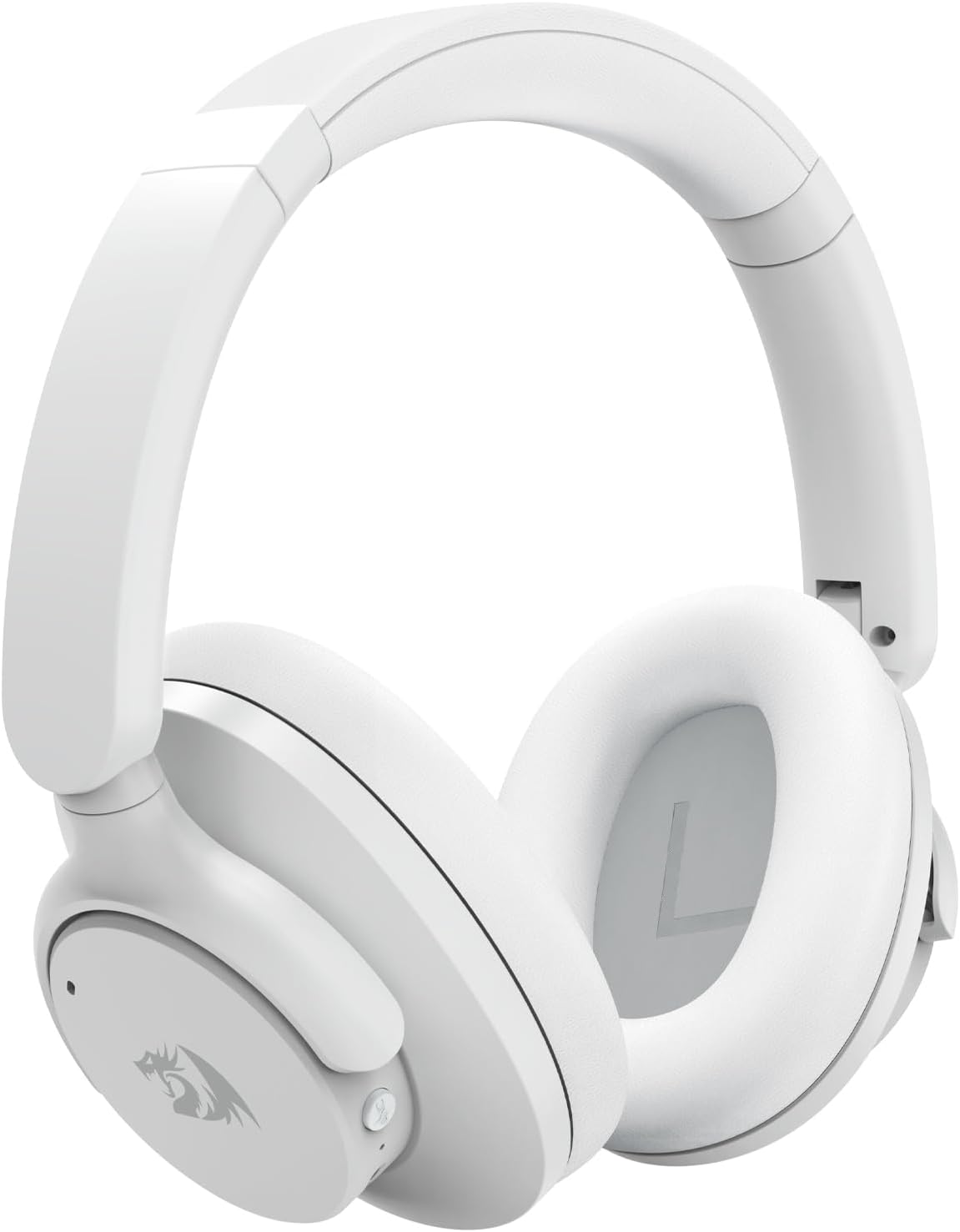
Сүрөт: деталдуу фронт view of the Redragon H610 Wireless Gaming Headset, highlighting its sleek white design and over-ear cups.

Сүрөт: жарылган view diagram illustrating the 40mm large moving coil diaphragm, responsible for the headset's sound quality.
4. Орнотуу
4.1 Гарнитураны заряддоо
- Connect the supplied USB-C charging cable to the headset's USB-C port.
- Кабелдин экинчи учун USB кубат булагына туташтырыңыз (мисалы, компьютердин USB порту, дубал адаптери).
- The LED indicator on the headset will show charging status. A full charge provides up to 43 hours of battery life (40 hours Bluetooth playback, 36 hours with ANC on).
4.2 Bluetooth жупташтыруу
- Гарнитура өчүрүлгөнүн текшериңиз.
- LED индикатору жупташтыруу режимин көрсөткөн көк жана кызыл күйгүчө Күч баскычын басып, кармап туруңуз.
- On your device (PC, Mac, PS4/PS5 with compatible adapter, Nintendo Switch with compatible adapter, smartphone), enable Bluetooth and search for new devices.
- Select "Redragon H610" from the list of available devices.
- Туташкандан кийин LED индикатору көк түскө айланат.
4.3 Wired Connection (3.5mm AUX)
- Connect one end of the 3.5mm AUX audio cable to the headset's 3.5mm port.
- Connect the other end to the 3.5mm audio jack on your device (e.g., PC, PS4 controller, smartphone).
- The headset will operate in passive mode, and battery power is not required for basic audio. ANC functionality may be limited or unavailable in wired mode.
5. Иштөө нускамалары
5.1 Күйгүзүү/өчүрүү
- Күйгүзүү: Кубат баскычын болжол менен 3 секунд басып туруңуз.
- Өчүрүү: Кубат баскычын болжол менен 5 секунд басып туруңуз.
5.2 Үндү башкаруу
- Көлөмү: '+' баскычын басыңыз.
- Үнүн азайтуу: '-' баскычын басыңыз.
5.3 Активдүү ызы-чууну жокко чыгаруу (ANC)
The H610 features advanced ANC technology to reduce ambient noise by -35 to -40 dB.
- ANCти иштетүү/өчүрүү: Press the dedicated ANC button (usually marked with an 'ANC' icon). The LED indicator will change to confirm activation.
5.4 Аудио режимдери
Switch between different audio modes to optimize your listening experience:
- Которуу режимдери: Press the 'M' (Mode) button to cycle through Noise Reduction, Game, and Music modes.
- Ызы-чууну азайтуу режими: Enhances ANC performance.
- Оюн режими: Optimizes audio for gaming, emphasizing directional sound cues.
- Музыка режими: салмактуу аудио про менен камсыз кылатfile for music listening.

Image: A user wearing the Redragon H610 headset, demonstrating its use during a gaming session with a computer.
6. Техникалык тейлөө
6.1 Тазалоо
- Use a soft, dry cloth to clean the headset.
- Катуу химиялык заттарды, тазалоочу эриткичтерди же күчтүү жуучу каражаттарды колдонбоңуз.
- Ар кандай тешиктерге ным кирүүдөн сактаңыз.
6.2 Сактоо
- Гарнитураны күн нурунан жана экстремалдык температурадан алыс салкын, кургак жерде сактаңыз.
- The headset features a foldable design for easy storage and transport. Gently fold the earcups inward as shown in the diagram.

Image: An illustration demonstrating how the Redragon H610 headset can be folded for compact storage and portability.
7. Кыйынчылыктарды
If you encounter issues with your Redragon H610 headset, please refer to the following common solutions:
| Көйгөй | Мүмкүн чечим |
|---|---|
| Гарнитурадан үн жок |
|
| Микрофон иштебей жатат |
|
| Bluetooth connection unstable or failing |
|
| Активдүү ызы-чууну жокко чыгаруу (ANC) эффективдүү эмес |
|
| Headset not compatible with PS5 |
|
8. Техникалык шарттар
| Өзгөчөлүк | Деталь |
|---|---|
| Модел | H610 (VIBECORE) |
| Байланыш | Bluetooth 5.3, 3.5mm AUX (Wired) |
| Айдоочунун өлчөмү | 40мм динамикалык айдоочулар |
| Frequency Response | 20 Гц - 20 кГц |
| Noise Control | Активдүү Шумду Жоюу (ANC) |
| ANC Capability | -35 -40 дБ |
| Микрофон | Камтылган |
| Батареянын иштөө мөөнөтү | Up to 43 hours (Bluetooth playback), 36 hours (with ANC on) |
| Заряддоо порту | USB-C |
| Материал | Polyurethane (PU) leather, ABS plastic |
| Салмагы | 0.62 кг (1.36 фунт) |
| Кулак жайгаштыруу | Ашыкча кулак |
| Шайкеш түзмөктөр | Gaming Consoles, Laptops, Desktops, Tablets, Smartphones |
9. Кепилдик жана колдоо
For warranty information and customer support, please refer to the documentation included with your purchase or visit the official Redragon webсайт. Кепилдиктин шарттары аймакка жана сатуучуга жараша өзгөрүшү мүмкүн.
If you require further assistance or have questions not covered in this manual, please contact Redragon customer service through their official channels.


