1. Киришүү
The TOOQ TQR-3012B is a versatile smart card reader designed for secure access to various digital services. It supports a wide range of card types, including electronic ID cards (DNI 4.0, Cartão de Cidadão), SIM cards, SD cards, and TF cards. Its compact design and USB-A interface make it a convenient tool for both personal and professional use, ensuring secure transactions and data access.
2. Продукт бүтүп калдыview
The TOOQ TQR-3012B is a compact, black-colored device featuring a USB-A connector for easy connection to your computer. It integrates multiple slots to accommodate various card formats, along with an indicator light to show operational status.

1-сүрөт: The TOOQ TQR-3012B Smart Card Reader, measuring approximately 83mm in length and 32mm in width, is shown connected to a laptop via its USB-A port. This image highlights the device's compact and portable design.
3. Негизги өзгөчөлүктөрү
- Жалпы шайкештик: Supports ISO7816 Class A, B, and C (5V/3V/1.8V) smart cards, including DNI 4.0 and Cartão de Cidadão (Portuguese identity document).
- Multi-Card Support: Reads SIM, SD, and TF (MicroSD) cards.
- USB-A интерфейси: Standard USB 2.0 connection for broad compatibility.
- Plug & Play: No driver installation required for most compatible operating systems.
- Broad OS Support: Compatible with Windows XP/Vista/7/8/10/11 (32 and 64-bit) and Mac OS X.
- Сертификатталган ишенимдүүлүк: Meets CE, FCC, VCCI, CCID, EMV2 2000 Level 1, and Microsoft WHQL standards.
- Портативдик дизайн: Compact size with a key ring hole for easy carrying.
4. Орнотуу нускамалары
The TOOQ TQR-3012B is designed for ease of use with its plug-and-play functionality. No manual driver installation is typically required for supported operating systems.
- Окурманды туташтырыңыз: Insert the USB-A connector of the card reader into an available USB port on your computer.
- Автоматтык аныктоо: Your operating system will automatically detect the device and install any necessary generic drivers. This process usually takes a few moments.
- Колдонууга даяр: Once the device is successfully detected and configured by your system, it is ready for operation.
5. Иштөө нускамалары
Follow these steps to correctly insert and use various card types with your TOOQ TQR-3012B Smart Card Reader.
5.1. Inserting Smart Cards (DNI, Cartão de Cidadão)
- Locate the dedicated smart card slot on the reader.
- Insert your smart card with the metallic chip facing upwards and towards the reader, ensuring it slides smoothly into the slot.
- Push the card until it is fully seated and secure within the reader.
- Access the card's data through your relevant application or system software.

2-сүрөт: The TOOQ TQR-3012B Smart Card Reader is shown with a Spanish electronic ID card (DNI 4.0) fully inserted into its smart card slot. A purple indicator light is visible, signifying active operation or data transfer.
5.2. SIM карталарды салуу
- Identify the SIM card slot on the device.
- Carefully insert the SIM card into the slot until it is fully engaged.
5.3. Inserting SD/TF (MicroSD) Cards
- Locate the appropriate slot for SD or TF (MicroSD) cards.
- Insert the memory card into the designated slot until it is fully seated.
- The card will appear as a removable drive on your computer, allowing you to access its contents.
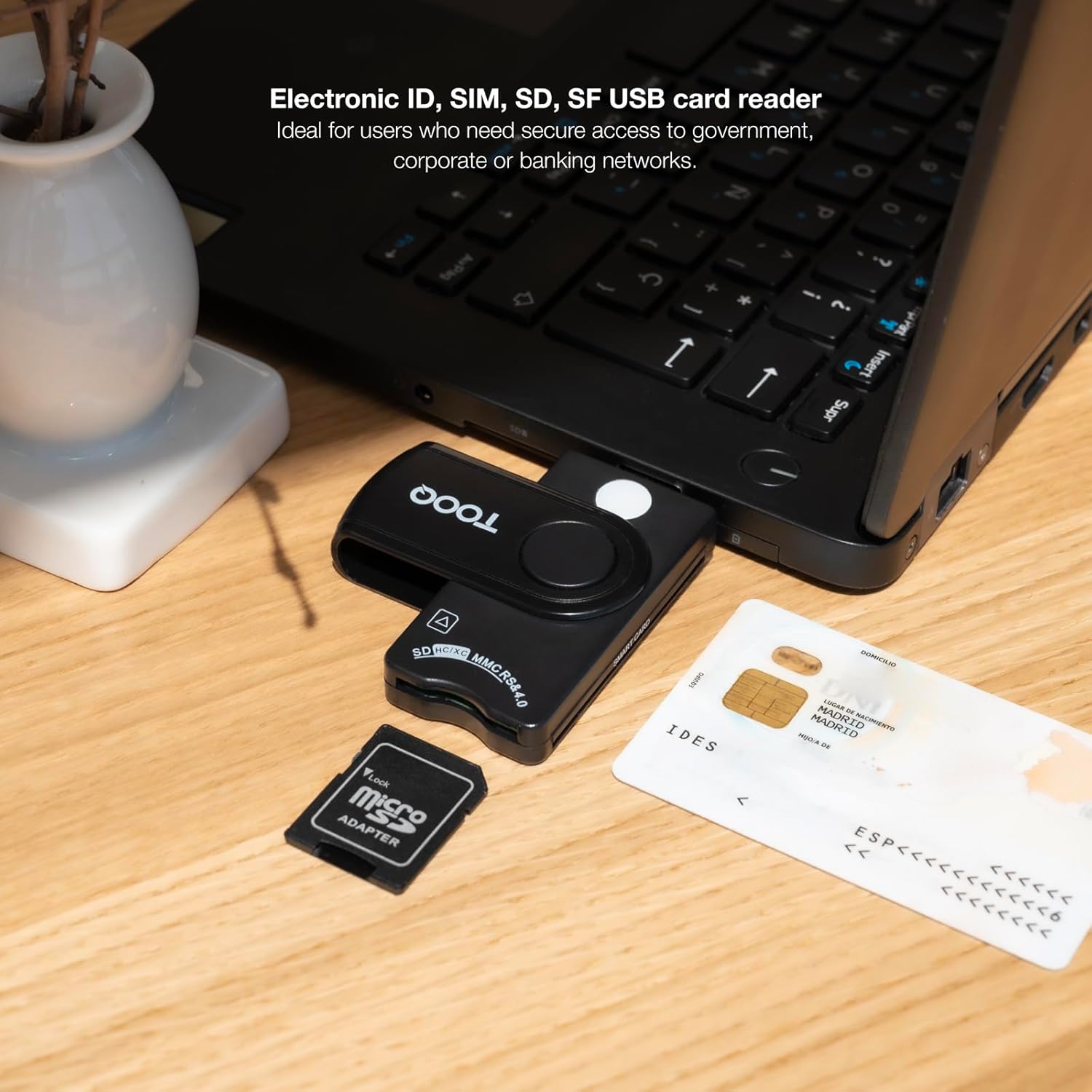
3-сүрөт: This image illustrates the TOOQ TQR-3012B Smart Card Reader connected to a laptop. An electronic ID card is positioned near the smart card slot, and a microSD card with an adapter is shown, indicating compatibility with various card types.

4-сүрөт: This image displays the TOOQ TQR-3012B Smart Card Reader connected to a laptop, with an SD card and a microSD card adapter placed nearby, demonstrating its capability to read various memory card formats.
6. Шайкештик
The TOOQ TQR-3012B Smart Card Reader offers extensive compatibility:
- Колдоого алынган карталардын түрлөрү: ISO7816 Class A, B, C (5V/3V/1.8V) smart cards, SIM cards, SD cards, and TF (MicroSD) cards.
- Операциялык системанын шайкештиги: Windows XP, Windows Vista, Windows 7, Windows 8, Windows 10, Windows 11 (all 32-bit and 64-bit versions), and Mac OS X.
- Өнөр жай стандарттары: Compliant with ISO-7816, EMV2 2000 Level 1, CE, FCC, VCCI, CCID, and Microsoft WHQL.
7. Техникалык тейлөө
To ensure the longevity and optimal performance of your TOOQ TQR-3012B Smart Card Reader, follow these simple maintenance guidelines:
- Тазалоо: Keep the exterior of the card reader clean and free from dust. Use a soft, dry, lint-free cloth to gently wipe the surface. Avoid using liquid cleaners, solvents, or abrasive materials, as these can damage the device.
- Карта уячалары: Periodically check the card slots for any debris, dust, or foreign objects that could obstruct card insertion or damage card contacts. Do not use sharp objects to clean the slots.
- Сактагыч: When not in use, store the card reader in a clean, dry environment away from extreme temperatures and direct sunlight. The compact design with a key ring hole allows for convenient and safe storage.
8. Кыйынчылыктарды
If you encounter issues with your TOOQ TQR-3012B Smart Card Reader, refer to the following troubleshooting tips:
8.1. Түзмөк таанылган жок
- USB туташуу: Ensure the USB-A connector is fully and securely inserted into a working USB port on your computer.
- Башка портту колдонуп көрүңүз: Connect the reader to a different USB port on your computer. If possible, try a USB port directly on the motherboard (for desktops) or a different computer to rule out port-specific issues.
- Операция системасы: Verify that your operating system is compatible with the reader (Windows XP/Vista/7/8/10/11, Mac OS X).
- Компьютерди кайра иштетүү: Sometimes, a simple computer restart can resolve detection issues.
8.2. Card Not Reading
- Туура киргизүү: Ensure the card is inserted correctly and fully seated in the appropriate slot. For smart cards, the chip should face upwards.
- Картанын абалы: Check if the card is damaged, bent, or dirty. Clean the card's metallic contacts with a soft, dry cloth if necessary.
- Карта түрү: Confirm that the card type is supported by the reader (ISO7816 smart cards, SIM, SD, TF).
- Колдонмо программалык камсыздоо: For smart cards, ensure you are using the correct application software (e.g., DNIe software for Spanish ID cards) and that it is properly configured.
8.3. Жай аткаруу
- USB өткөрүү жөндөмдүүлүгү: If other high-bandwidth USB devices are connected to the same USB hub or port, they might affect the reader's performance. Try disconnecting other devices.
- Системалык ресурстар: Check for any background processes or applications that might be consuming significant system resources, which could impact the reader's speed.
9. Техникалык шарттар
| Интерфейс | USB 2.0 (USB-A connector) |
| Өлчөмдөрү (L x W x Y) | 85 x 33 x 15 мм |
| Таза Салмак | 0.01 кг |
| Түс | Кара |
| Карта шайкештиги | ISO7816 Class A, B, C (5V/3V/1.8V) Smart Cards, SIM, SD, TF (MicroSD) |
| Операциялык системаны колдоо | Windows XP/Vista/7/8/10/11 (32/64-bit), Mac OS X |
| Сертификаттар | CE, FCC, VCCI, CCID, EMV2 2000 Level 1, Microsoft WHQL |


