1. Орнотуу
This section guides you through the initial setup of your Retekess TD186 Restaurant Pager System.
1.1 Пакеттин мазмуну
Пакетте бардык компоненттер бар экенин текшериңиз:
- 1 x Өткөргүч баскычтоп
- 1 x заряддоо базасы
- 30 x пейджер
- 2 x Anti-tip Brackets
- 1 x 1A Adapter
- 1 x 2A Adapter
- 1 x Type-C кабели
- 1 x User Manual
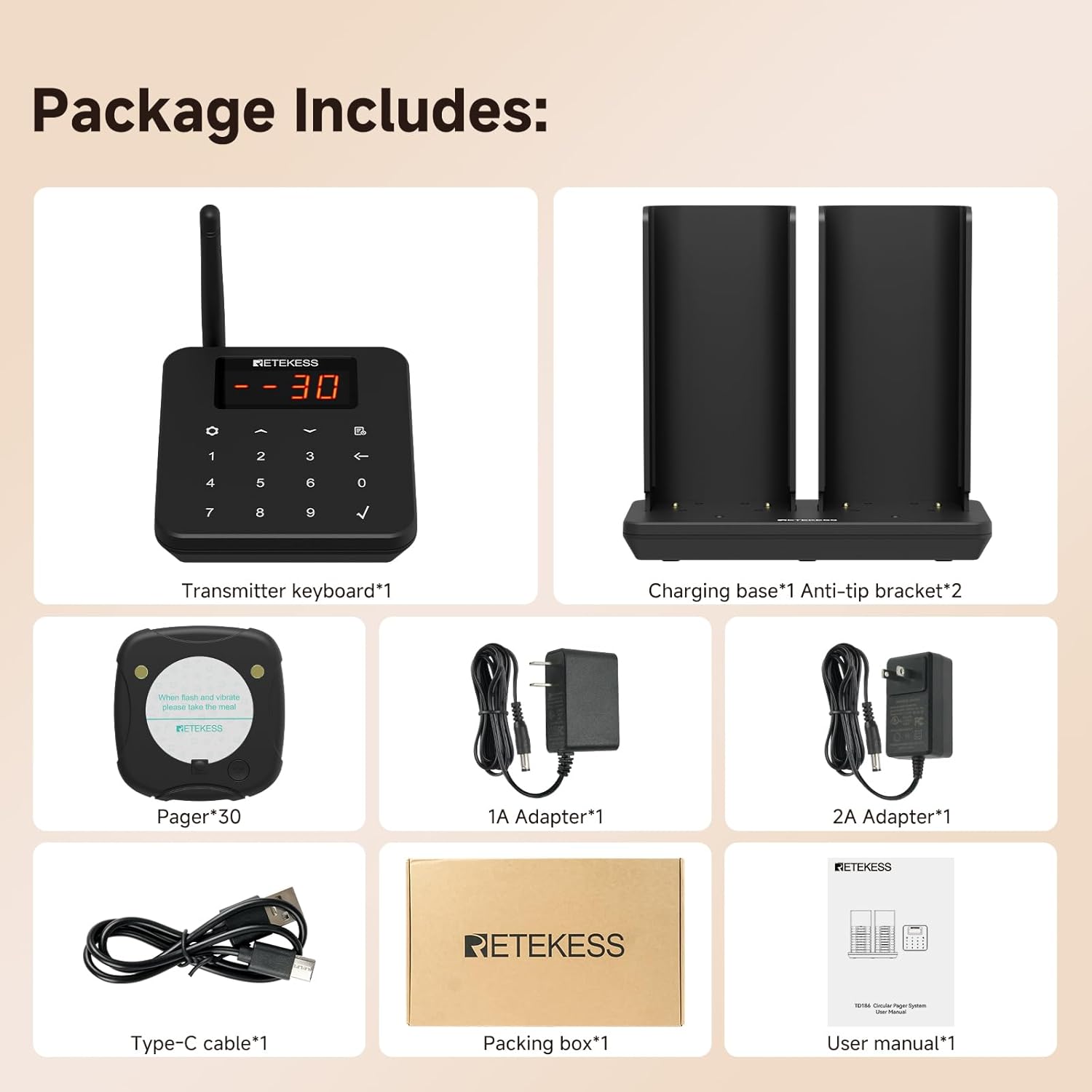
Image: All components included in the Retekess TD186 package.
1.2 Пейжерлерди заряддоо
Place the pagers into the charging base. The indicator lights on the pagers will flash during charging and remain solid when fully charged. The anti-tipping design ensures stable placement and charging.

Image: Pagers correctly placed in the charging base, highlighting the anti-tipping feature.
1.3 Pairing Settings
To pair pagers or modify the host ID, follow these steps:
- Click the setting button on the transmitter keypad to enter the setting mode.
- Select "F2" and press the checkmark (✓) button. The prompt tone will beep.
- Place a pager on the charging base or press its button to pair it.
Video: Demonstrates how to pair pagers and modify the host ID for the Retekess TD186 system.
2. Операция
Understand the various functions and operational modes of your pager system.
2.1 Basic Pager Usage
The system streamlines customer flow:
- Customers place an order and receive a pager.
- Customers wait at their preferred location.
- When the order is ready, the pager alerts the customer.
- Customers return the pager and collect their order.
2.2 Long-Range Operation
The system offers an extended working range of up to 600 meters (1966 feet) in open areas, allowing customers to move freely while waiting.
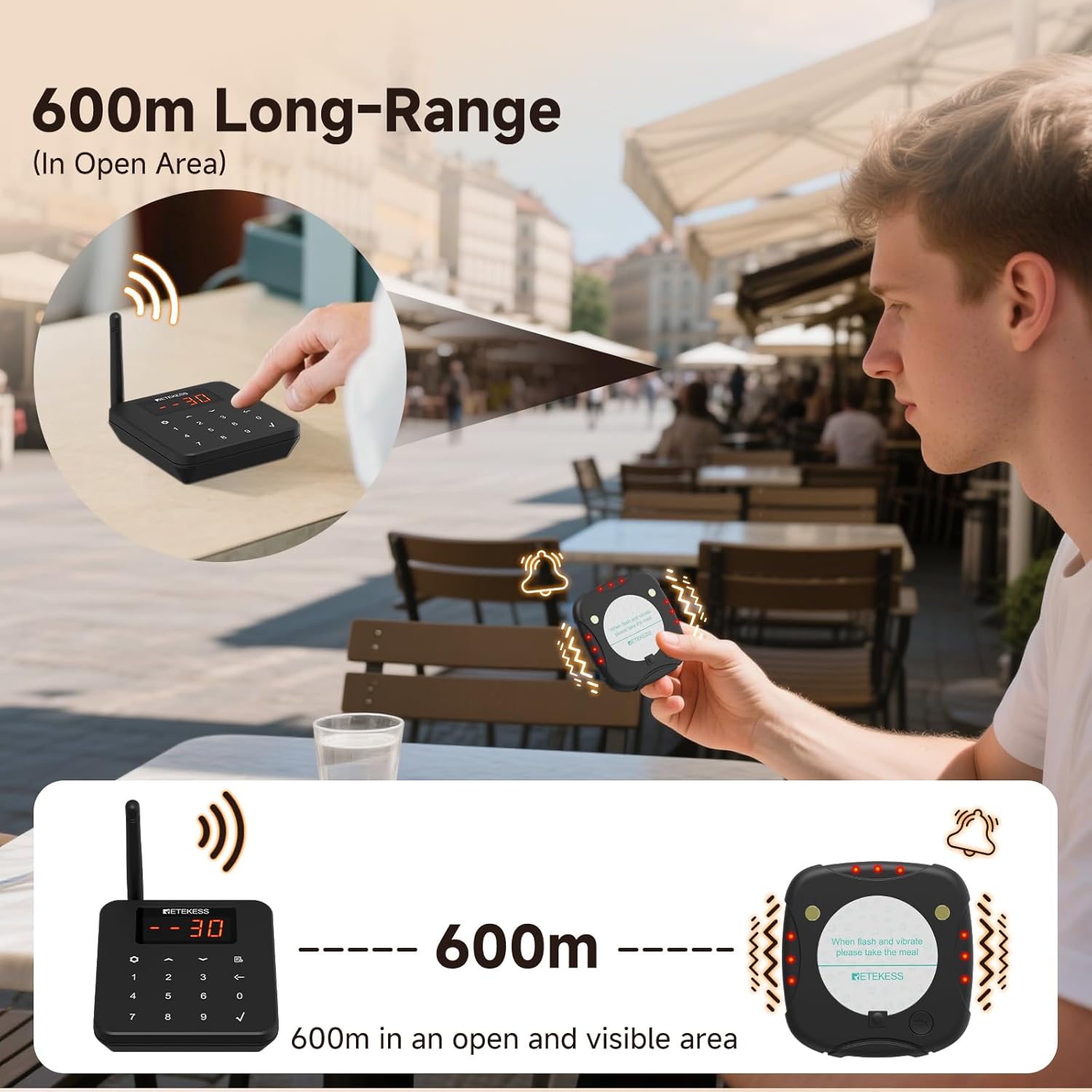
Image: Illustration of the 600-meter long-range capability of the pager system.
2.3 Бир баскычтуу үнсүз режим
When a pager alerts, customers can press a button to mute the notification, preventing prolonged noise.
2.4 Customizable Alert Modes
The system supports 64 combination alert modes, allowing adjustment of bell sound, vibration, and flashing light intensity (Large, Medium, Small, or Off).
Video: Demonstrates how to adjust the beep mode, vibration, and light settings for the pagers.
2.5 Countdown Reminder Setting
You can set a countdown timer for the pagers. To set the reminder duration:
- Enter the setting mode by pressing the setting button.
- Select "F4" and press the checkmark (✓) button.
- Enter the desired reminder duration (1-99 seconds).
Video: Instructions on setting the countdown reminder and out-of-bounds reminder.
2.6 Out-of-Bounds Alert
If a pager is taken beyond the 600m range, it will automatically alert the customer, helping to prevent loss. This alarm cannot be muted when exceeding the range.

Image: Visual representation of the smart distance alarm feature.
2.7 Чакыруу журналы View
The transmitter keypad allows you to view a history of up to 10 call logs. Refer to the video for detailed steps on accessing and navigating the call log.
Video: Includes instructions on how to view the call log on the transmitter keypad.
3. Техникалык тейлөө
Proper maintenance ensures the longevity and optimal performance of your pager system.
3.1 Тазалоо
Regularly clean the pagers and transmitter keypad with a soft, damp кездеме. Беттерге зыян келтириши мүмкүн болгон катуу химиялык заттарды же абразивдүү материалдарды колдонуудан алыс болуңуз.
3.2 Батареяга кам көрүү
The pagers are equipped with 300mAh batteries, offering approximately 24 hours of standby time and requiring 4-5 hours for a full charge. Ensure pagers are returned to the charging base when not in use to maintain battery health.
Video: Shows how the pager can be removed from the bottom of the stack, which is relevant for proper charging and maintenance.
4. Кыйынчылыктарды
This section addresses common issues you might encounter with the Retekess TD186 system.
4.1 Pager Not Responding
- Күчтү текшерүү: Ensure the pager is fully charged. Place it on the charging base to confirm.
- Диапазон: Verify the pager is within the 600m operating range of the transmitter.
- Жупташтыруу: Re-check pairing settings as described in Section 1.3.
4.2 Pager Not Charging
- Байланыш: Ensure the charging base is properly connected to power.
- Жайгашкан жери: Confirm the pager is correctly seated in the charging slot. The anti-tipping design helps, but ensure full contact.
- Адаптер: Use the provided 1A or 2A adapter.
4.3 Incorrect Alert Mode
If the pager's alert (sound, vibration, light) is not as expected, adjust the settings:
- Refer to Section 2.4 for instructions on customizing alert modes.
- Use the transmitter keypad to navigate to the appropriate setting (F3 for ringtone, F5 for vibration, F6 for light) and adjust the level.
5. Техникалык шарттар
| Өзгөчөлүк | Деталь |
|---|---|
| Модель номери | TD175S |
| Бренд | Retekess |
| Продукциянын өлчөмдөрү (өткөргүч) | 3.62 x 3.54 x 0.47 inches (approx. 104x99x25mm) |
| Продукциянын өлчөмдөрү (пейджер) | Болжол менен. 92x90x12mm |
| Элемент Салмагы | 9.24 фунт (жалпы система) |
| Батареянын сүрөттөлүшү | Alkaline (for pagers) |
| Пейджерлердин саны | 30 |
| Power Source | Батарея менен иштейт |
| Түс | Кара |
| Иштөө диапазону | Ачык жерлерде 600 метрге (1966 фут) чейин |
| Эскертүү режимдери | 64 combinations (bell, vibration, flashing light) |
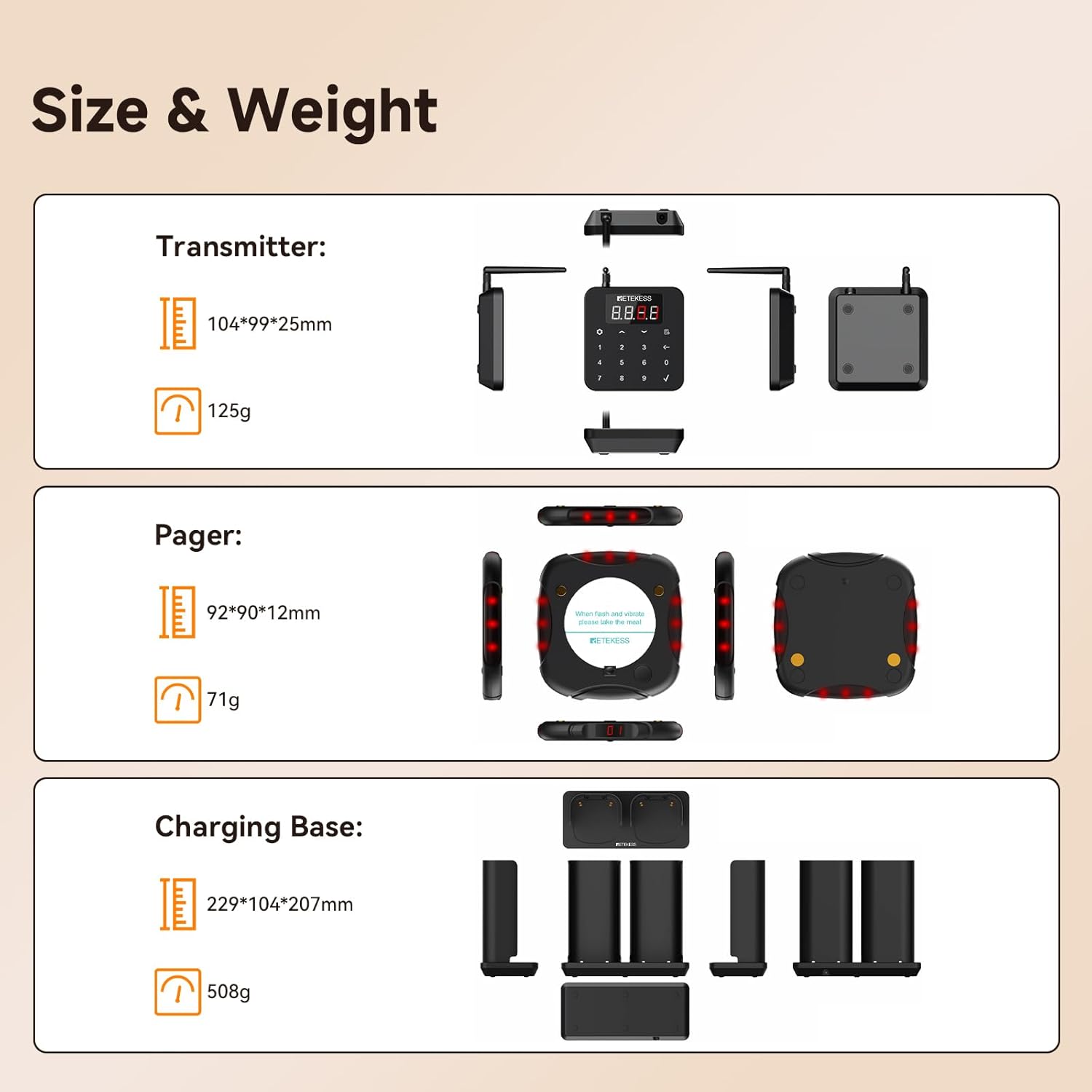
Image: Detailed dimensions and weight of the system components.
6. Кепилдик жана колдоо
6.1 Кепилдик маалыматы
Retekess provides a 2-year warranty for this product and a 30-day no-reason return policy. For issues beyond the warranty period, maintenance services are available, with corresponding costs to be afforded by the buyer.
6.2 Кардарларды колдоо
For any questions or support needs, please contact Retekess customer service on Amazon. Responses are typically provided within 12 hours.


