1. Киришүү
Thank you for choosing WOLFBOX Dash Cams. This manual provides detailed instructions for the WOLFBOX X5 3-Channel 4K HDR Dash Cam and the WOLFBOX X3 2.5K 60FPS Dash Cam. These advanced vehicle recording systems are designed to enhance your driving safety and provide reliable evidence in case of incidents. Please read this manual thoroughly before installation and operation to ensure proper use and optimal performance.
2. Коопсуздук маалыматы
Сураныч, төмөнкү коопсуздук эрежелерин сактаңыз:
- Do not operate the dash cam or adjust settings while driving. Always pull over safely before making any adjustments.
- Видеобайкоо камерасынын бекем орнотулганын жана унааңызды тоскоол кылбаганын текшериңиз view жолго же коопсуздук жаздыктарынын ачылышына тоскоол болот.
- Аппаратты экстремалдык температурага, тике күн нуруна же ашыкча нымдуулукка узак убакытка калтырбаңыз.
- Use only original WOLFBOX accessories and power cables to prevent damage and ensure proper functionality.
- Regularly check the memory card for errors and format it periodically to maintain optimal recording performance.
3. Пакеттин мазмуну
Пакетиңизде бардык буюмдар бар экенин текшериңиз:
- WOLFBOX X5 Dash Cam Unit (Front Camera)
- WOLFBOX X3 Dash Cam Unit (Front Camera)
- Rear Camera (for X5 and X3)
- Interior Camera (for X5 only)
- GPS модулу
- Унаа заряддагыч
- Арткы камера кабели
- Mounting Bracket with Adhesive Pad
- Wiring Clips
- User Manual
- Memory Card (128GB for X5, 64GB for X3 - may vary by package)
4. Продукт бүтүп калдыview
4.1 WOLFBOX X5 Dash Cam
The WOLFBOX X5 is a 3-channel dash cam system featuring a 4K front camera, 2.5K rear camera, and 1080P interior camera. It utilizes the STARVIS 2 IMX678 image sensor for superior low-light performance and includes smart voice control and a touch screen for intuitive operation.

Figure 4.1: WOLFBOX X5 Dash Cam Main Unit

Figure 4.2: WOLFBOX X5 Dash Cam with included accessories and mobile app view.
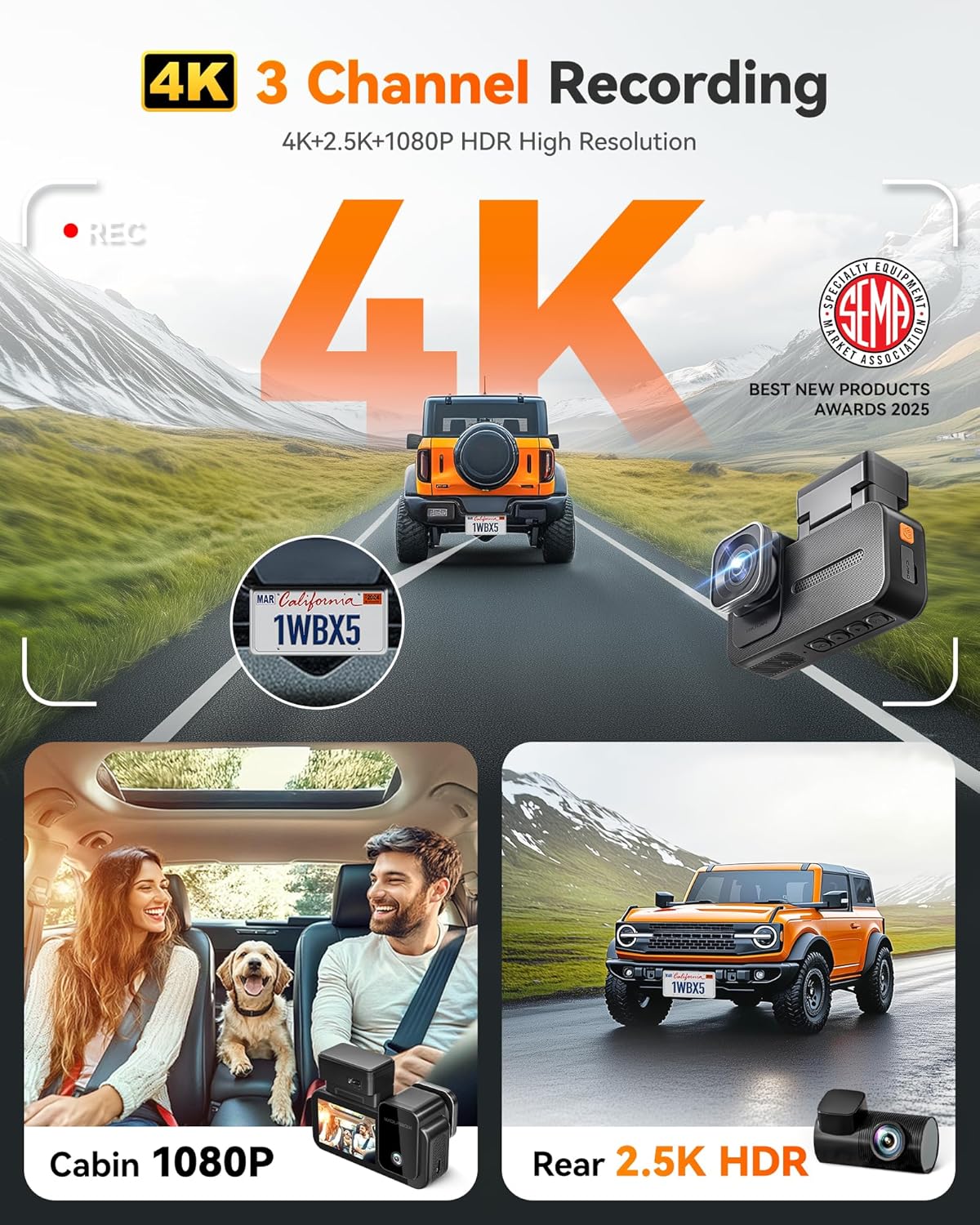
Figure 4.3: Illustration of WOLFBOX X5's 4K 3-Channel Recording capability.
4.2 WOLFBOX X3 Dash Cam
The WOLFBOX X3 is a dual dash cam system offering a 2.5K 60fps front camera and a 1080P 30fps rear camera. It features the STARVIS 2 IMX675 sensor for clear footage in low light and includes 5.8GHz Wi-Fi and GPS for fast data transfer and accurate location tracking.
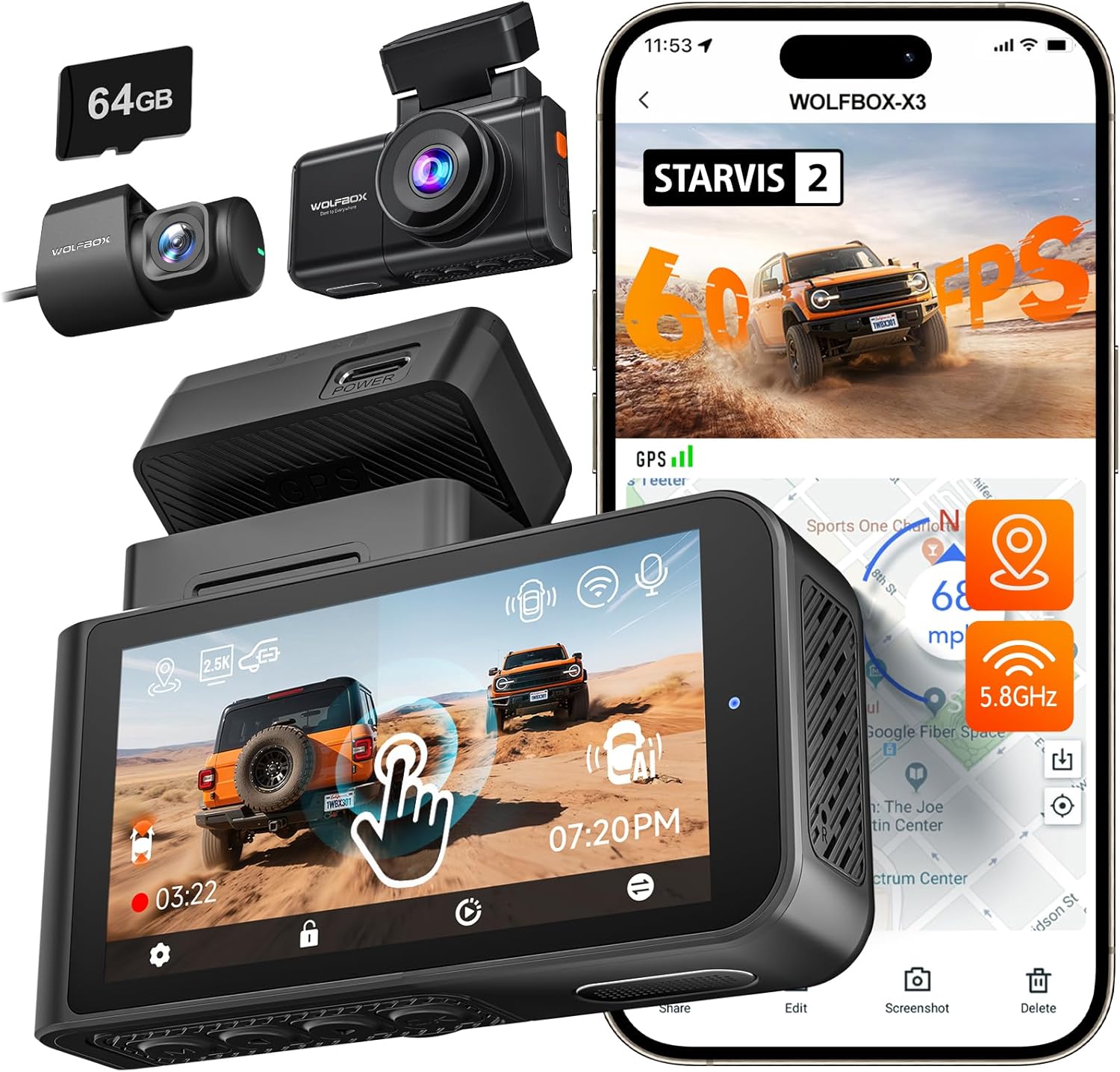
Figure 4.4: WOLFBOX X3 Dash Cam with included accessories and mobile app view.

Figure 4.5: Illustration of WOLFBOX X3's 60FPS Ultra Smooth Video recording.
5. Орнотуу жана орнотуу
Follow these steps for proper installation of your WOLFBOX Dash Cam:
- Эстутум картасын даярдаңыз: Insert the provided (or a compatible Class 10 U3 or higher) microSD card into the dash cam's card slot. Ensure it is inserted correctly until it clicks into place.
- Алдыңкы камераны орнотуу: Айнегиңизге тоскоолдук кылбаган жерди тандаңыз view, адатта арткы артындаview mirror. Clean the area thoroughly. Attach the adhesive mount to the windshield and then slide the dash cam onto the mount.
- Арткы камераны орнотуу: Арткы камераны арткы маңдайкы айнекке орнотуп, тазалыгын камсыз кылыңыз view. Route the rear camera cable neatly along the vehicle's headliner and A-pillar to the front dash cam unit.
- Install the Interior Camera (X5 only): Connect the interior camera to the main X5 unit. Position it to capture the vehicle's interior.
- Connect the GPS Module: Attach the GPS module to the designated port on the dash cam unit. Position it with a clear view оптималдуу сигнал кабыл алуу үчүн асман.
- Кубат туташуу: Connect the car charger to the dash cam's power input port and plug the other end into your vehicle's cigarette lighter socket. Route the power cable neatly to avoid interference with driving.
- Initial Power On and Formatting: Once connected, the dash cam will power on automatically when the vehicle starts. Follow the on-screen prompts to set the date/time and format the memory card. Formatting is crucial for stable recording.
6. Иштөө нускамалары
6.1 Негизги операция
- Күйгүзүү/өчүрүү: The dash cam powers on automatically when connected to power and the vehicle starts. It powers off shortly after the vehicle is turned off.
- Жаздыруу: Recording begins automatically upon power-on. A flashing indicator (usually red) confirms recording is active.
- Экрандагы дисплей: The touch screen displays live views from the connected cameras. Tap the screen to access menu options or switch views.
6.2 Smart Voice Control (WOLFBOX X5)
The WOLFBOX X5 supports hands-free voice commands. Speak clearly and directly to the device. Available commands include:
- "Сүрөткө тартуу"
- "Turn on Wi-Fi"
- "Turn off Wi-Fi"
- "Видеону кулпулоо"
- "Show Front Camera"
- "Show Rear Camera"
- "Show Interior Camera"
- "Turn on Audio"
- "Turn off Audio"
6.3 Wi-Fi Connectivity & WOLFBOX App
Both X5 and X3 models feature 5.8GHz Wi-Fi for fast and stable connection to the WOLFBOX mobile app. Download the WOLFBOX app from your device's app store.

Figure 6.1: Illustration of WOLFBOX X3's 5.8GHz Wi-Fi and GPS features.
- Wi-Fi иштетүү: On the dash cam, enable Wi-Fi through the settings menu or by voice command (X5).
- Колдонмо аркылуу туташуу: Open the WOLFBOX app on your smartphone. Connect to the dash cam's Wi-Fi network (SSID and password usually displayed on the dash cam screen).
- Колдонмо функциялары: Колдонмону колдонуу үчүн:
- View жаша фооtage.
- Жаздырылган видеолорду жана сүрөттөрдү телефонуңузга жүктөп алыңыз.
- Видеорегистратордун жөндөөлөрүн тууралаңыз.
- Микропрограмманы жаңыртуу.
6.4 GPS функциясы
The integrated GPS module accurately records your vehicle's speed and location data. This information is embedded directly into the video files, providing crucial evidence for accident reconstruction or trip logging.
6.5 Recording Modes & Features
- Цикл жаздыруу: Videos are recorded in continuous loops (e.g., 1, 3, or 5 minutes). When the memory card is full, the oldest unlocked fileлар үстүнөн жазылган.
- G-сенсор (шашылыш жазуу): The built-in G-sensor detects sudden impacts or collisions. When triggered, it automatically locks the current video segment to prevent it from being overwritten.
- Унаа токтотуучу жай: With a hardwire kit (sold separately), the dash cam can monitor your vehicle while parked. It will automatically start recording if it detects a collision or motion (depending on settings).
- Түнкү көрүнүш: Both X5 (STARVIS 2 IMX678) and X3 (STARVIS 2 IMX675) feature enhanced night vision technology for clear recordings in low-light conditions. The X5 also benefits from advanced digital signal transmission for improved clarity.
7. Техникалык тейлөө
- Тазалоо: Use a soft, dry cloth to clean the dash cam's lenses and screen. Do not use abrasive cleaners or solvents.
- Эстутум картасына кам көрүү: Format the microSD card once a month to prevent data corruption and ensure smooth recording. Replace the memory card every 6-12 months, especially if used frequently, as memory cards have a limited lifespan.
- Программалык камсыздоонун жаңыртуулары: Periodically check the WOLFBOX official website or the WOLFBOX app for firmware updates. Keeping your dash cam's firmware up-to-date ensures optimal performance and access to new features.
8. Кыйынчылыктарды
| Көйгөй | Мүмкүн себеп | Чечим |
|---|---|---|
| Dash камерасы күйбөйт. | No power, faulty cable, loose connection. | Унаа кубаттагычынын туташуусун текшериңиз. Унаанын тамеки күйгүзгүч розеткасы иштеп жатканын текшериңиз. Мүмкүн болсо, башка кубат булагын колдонуп көрүңүз. |
| Жаздыруу токтойт же катып калат. | Memory card error, incompatible card, full card. | Format the memory card. Use a high-speed (Class 10 U3 or higher) reputable brand microSD card. Replace the card if issues persist. |
| Poor video quality / blurry images. | Dirty lens, protective film, incorrect settings. | Clean the camera lens. Remove any protective film. Check video resolution settings. |
| GPS not working / inaccurate. | GPS module not connected, poor signal. | Ensure GPS module is securely connected and has a clear view of the sky (not blocked by tinted windows or metal). |
| Wi-Fi туташуу маселелери. | Incorrect password, app issues, interference. | Verify Wi-Fi password. Restart both dash cam and phone. Ensure the WOLFBOX app is updated. |
| Voice control (X5) not responding. | Microphone blocked, speaking too softly/unclearly. | Ensure nothing is blocking the microphone. Speak clearly and at a normal volume. |
9. Техникалык шарттар
9.1 WOLFBOX X5 Dash Cam
| Өзгөчөлүк | Деталь |
|---|---|
| Сүрөт сенсору | STARVIS 2 IMX678 |
| Алдыңкы камеранын чечилиши | 4K (3840x2160P) |
| Арткы камеранын чечилиши | 2.5K (2560x1440P) |
| Ички камеранын чечилиши | 1080P (1920x1080P) |
| Дисплей | Сенсордук экран |
| Үн менен башкаруу | Yes (12 commands) |
| Wi-Fi | 5.8 ГГц |
| GPS | Камтылган |
| Түнкү көрүнүш | Enhanced (3D DNR, HDR & WDR, Aperture f/1.7) |
9.2 WOLFBOX X3 Dash Cam
| Өзгөчөлүк | Деталь |
|---|---|
| Сүрөт сенсору | STARVIS 2 IMX675 |
| Алдыңкы камеранын чечилиши | 2.5K (2560x1440P) @ 60fps |
| Арткы камеранын чечилиши | 1080P (1920x1080P) @ 30fps |
| Дисплей | Сенсордук экран |
| Үн менен башкаруу | Жок |
| Wi-Fi | 5.8 ГГц |
| GPS | Камтылган |
| Түнкү көрүнүш | Enhanced (IMX675, HDR, 3D DNR, Aperture f/1.5) |
10. Кепилдик жана колдоо
WOLFBOX products come with a standard manufacturer's warranty. For specific warranty terms and conditions, please refer to the warranty card included in your package or visit the official WOLFBOX website. If you encounter any issues or have questions regarding your dash cam, please contact WOLFBOX customer support:
- Электрондук почта: [Продукциянын таңгагына же расмий маалыматына кайрылыңыз] webсайт]
- Webсайт: www.wolfbox.com
Please have your model number and purchase information ready when contacting support.


