1. Киришүү
This manual provides essential instructions for the proper use, setup, and maintenance of your HUAWEI FreeBuds 7i wireless Bluetooth earphones. Please read this manual thoroughly before using the product to ensure optimal performance and longevity.

Image 1.1: HUAWEI FreeBuds 7i charging case open with both earbuds inside, showing the green indicator light.
2. Пакеттин мазмуну
Продукцияңыздын таңгагында бардык элементтер бар экенин текшериңиз:
- HUAWEI FreeBuds 7i гарнитуралары (Сол жана Оң)
- Зымсыз кубаттоо кутусу
- Ear tips (4 pairs: L, M, S, and XS sizes; M size ear tips are pre-installed on the earbuds)
- Тез баштоо боюнча колдонмо жана коопсуздук маалыматы
- Кепилдик картасы
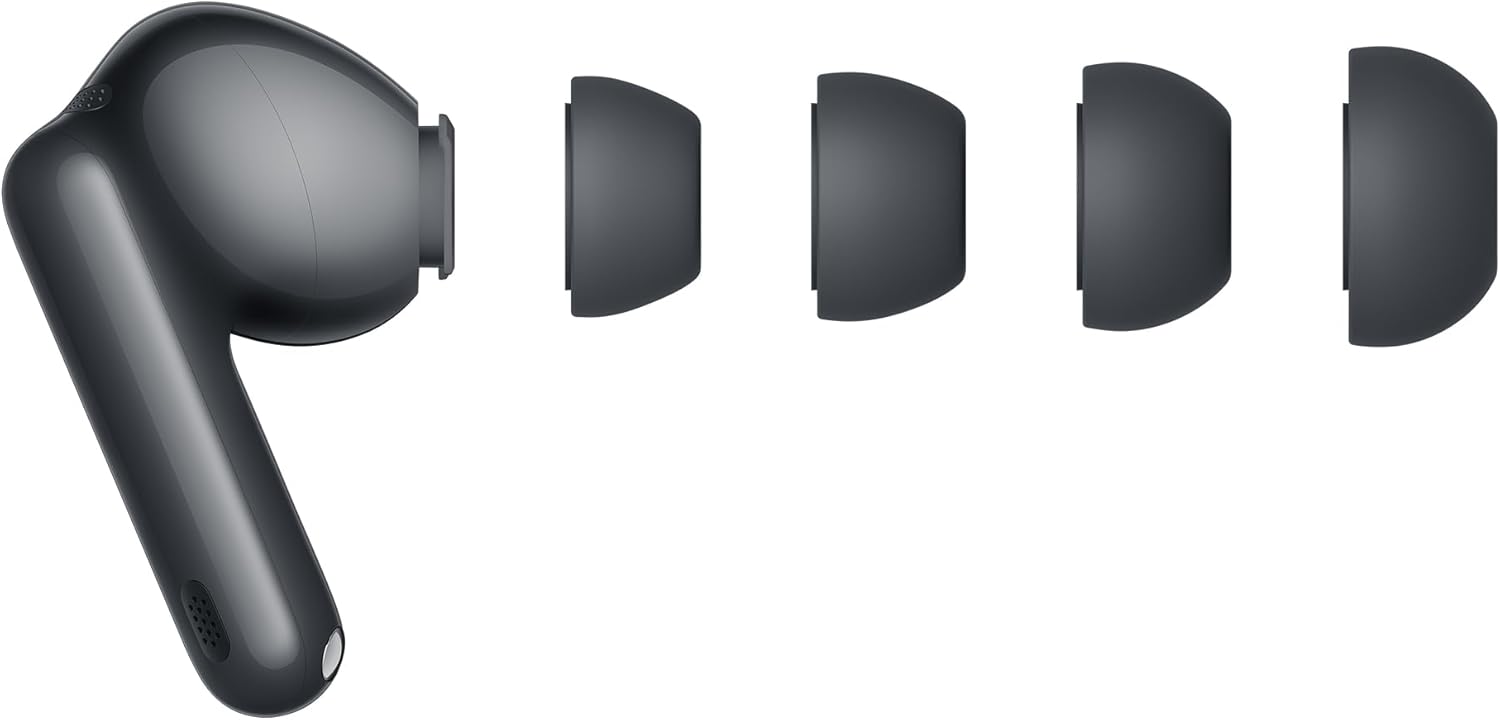
Image 2.1: HUAWEI FreeBuds 7i earbud with various ear tip sizes.
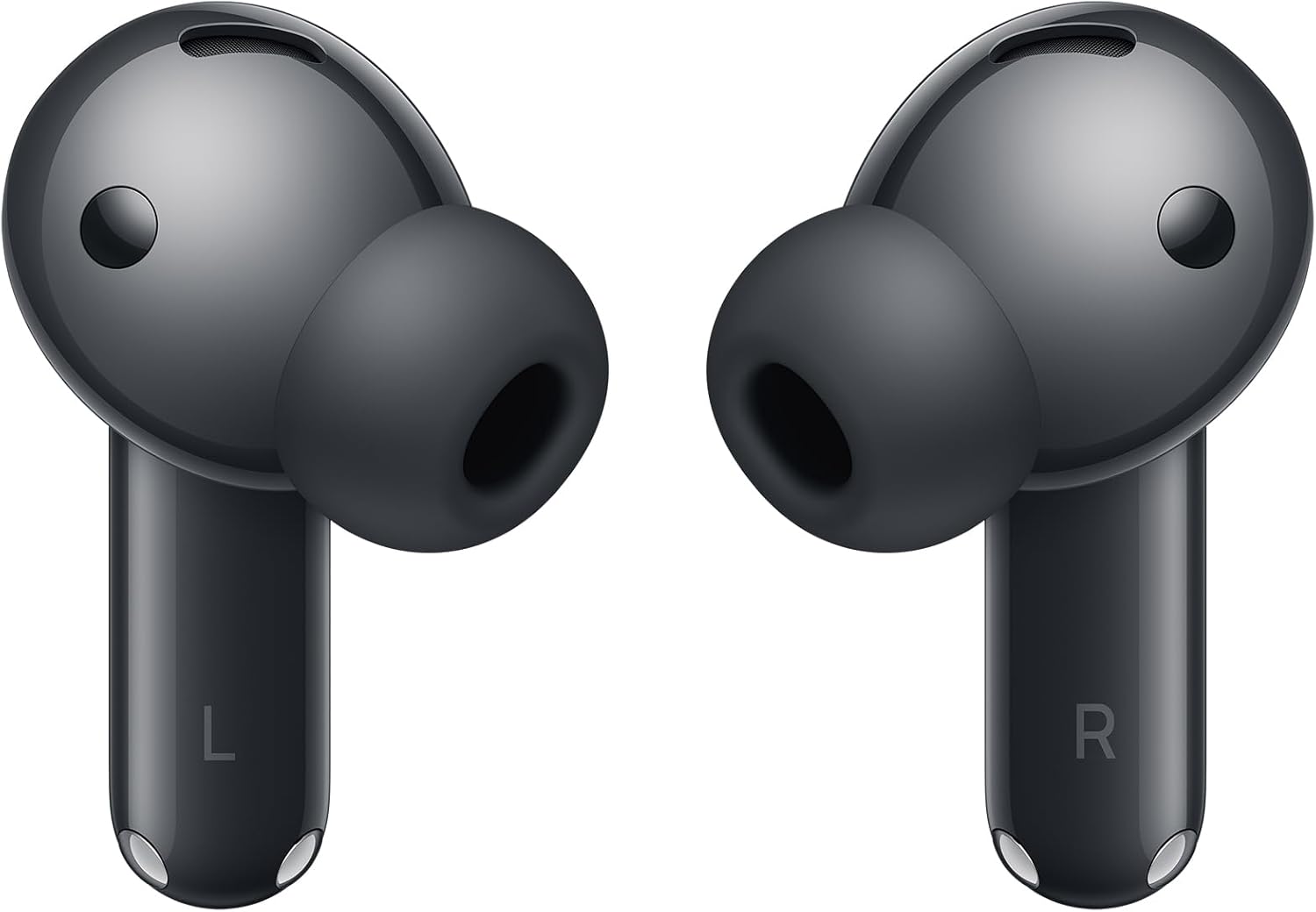
Сүрөт 2.2: Алдыңкы view of the HUAWEI FreeBuds 7i earbuds.
3. Орнотуу
3.1. Кулакчындарды жана кутуну кубаттоо
Before first use, fully charge the HUAWEI FreeBuds 7i and their charging case. Place the earbuds into the charging case and close the lid. Connect the charging case to a power source using a USB-C cable (not included). The indicator light on the case will show charging status.
- Жашыл жарык: Fully charged or high battery level.
- Сары жарык: Батареянын деңгээли орто.
- Кызыл жарык: Low battery level, requires charging.
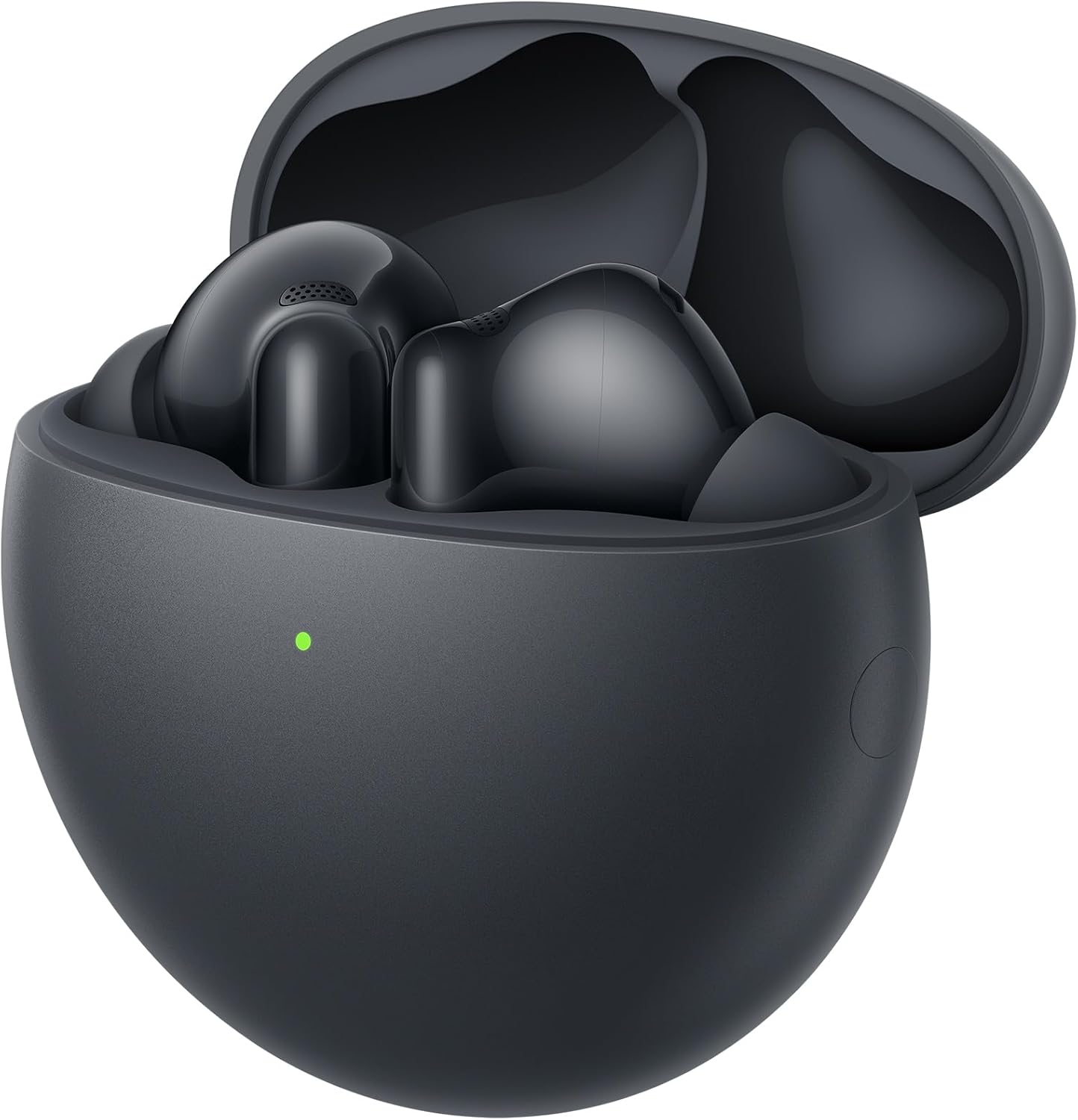
Image 3.1: Earbuds inside the charging case.
3.2. Түзмөк менен жупташтыруу
- Кулакчындардын заряддоо кутучасында жана капкагы ачык экенин текшериңиз.
- Заряддоо кутучасындагы Функция баскычын индикатор ак күйгүчө 2 секунд басып туруңуз. Бул кулакчындардын жупташтыруу режиминде экенин көрсөтүп турат.
- Bluetooth иштетилген түзмөгүңүздө (смартфон, планшет ж.б.) Bluetooth жөндөөлөрүнө өтүңүз.
- Select "HUAWEI FreeBuds 7i" from the list of available devices.
- Once connected, the indicator light on the charging case will turn off.
For Huawei EMUI devices, a pop-up window will appear for easy pairing when the case is opened near the device.

Image 3.2: Earbuds in charging case, ready for pairing.
3.3. Кулактын учтарын тандоо
Choose the ear tips that provide the best seal and comfort for your ears. A good seal is crucial for optimal sound quality and Active Noise Cancellation performance. Experiment with the included L, M, S, and XS sizes.
4. Иштөө нускамалары
4.1. Башкаруу элементтерине тийүү
The HUAWEI FreeBuds 7i feature intuitive touch controls on the earbud stems:
| Жаңсоо | Функция |
|---|---|
| Эки жолу таптаңыз | Музыканы ойнотуу/тындыруу, Чалууга жооп берүү/Аяктоо |
| Узак басуу | Switch Noise Control modes (Active Noise Cancellation, Awareness, Off) |
| Өйдө/төмөн сүрүңүз | Үндү тууралоо |

Сүрөт 4.1: Арткы view of earbuds showing touch-sensitive areas.
4.2. Активдүү ызы-чууну жокко чыгаруу (ANC)
The FreeBuds 7i feature Adaptive Active Noise Cancellation (ANC 4.0) to reduce ambient noise. You can switch between modes by long-pressing an earbud:
- Активдүү ызы-чууну жокко чыгаруу: Имерсивдүү аудио тажрыйбасы үчүн тышкы ызы-чууну азайтат.
- Маалымдоо режими: Allows you to hear your surroundings and conversations without removing the earbuds.
- Өчүк: Ызы-чууну көзөмөлдөө функцияларын өчүрөт.
4.3. Чалууларды жасоо
The earbuds utilize AI Clear Call Technology to ensure clear voice transmission during calls, even in noisy environments. Double-tap an earbud to answer or end a call.
5. Техникалык тейлөө
5.1. Тазалоо
- Кулакчындарды жана заряддоо кутусун жумшак, кургак, түксүз чүпүрөк менен дайыма тазалап туруңуз.
- Кулак учтарын алып, керек болсо суу жана жумшак самын менен тазалаңыз. Кайра жабыштыруудан мурун алар толугу менен кургатылганын текшериңиз.
- Gently clean the charging contacts on both the earbuds and inside the case with a dry cotton swab to ensure proper charging.
- Абразивдүү материалдарды, эриткичтерди же катуу химиялык заттарды колдонуудан алыс болуңуз.
5.2. Сактоо
- Колдонулбаганда, кулакчындарды коргоо жана кубаттоо үчүн кубаттоочу кутучага сактаңыз.
- Продукцияны салкын, кургак жерде, экстремалдык температурадан жана түз күндүн нурунан алыс сактаңыз.
6. Кыйынчылыктарды
If you encounter issues with your HUAWEI FreeBuds 7i, refer to the following common solutions:
| Көйгөй | Мүмкүн чечим |
|---|---|
| Кулакчындар жупташкан жок | Ensure earbuds are charged. Place them in the case, open the lid, and long-press the Function button until the indicator flashes white. Re-attempt pairing from your device's Bluetooth settings. |
| Үн жок же үнү төмөн | Check device volume. Ensure earbuds are properly seated in your ears and ear tips provide a good seal. Clean earbud mesh if obstructed. |
| Заряддоо маселелери | Ensure charging cable is securely connected. Clean charging contacts on earbuds and case. Try a different USB-C cable and power adapter. |
| ANC эффективдүү эмес | Ensure ear tips provide a tight seal. Switch between ANC modes to confirm it's active. |
| үзгүлтүктүү байланыш | Move closer to your connected device. Avoid environments with strong electromagnetic interference. Disconnect and reconnect Bluetooth. |
7. Техникалык шарттар
| Өзгөчөлүк | Деталь |
|---|---|
| Модель аты | Conch-T010 |
| Бренд | HUAWEI |
| Байланыш технологиясы | Bluetooth, зымсыз |
| Зымсыз байланыш технологиясы | Bluetooth |
| Noise Control | Активдүү ызы-чууну жокко чыгаруу |
| Наушник форма фактору | Кулакта |
| Наушниктерди кулакка жайгаштыруу | Кулакта |
| Продукциянын өлчөмдөрү | 2.78 x 5.78 x 5.78 см; 41 г |
| Батареялар | 1 12V батарейка талап кылынат (кошулган) |
| Өндүрүүчү | HUAWEI |
| Келип чыккан өлкө | Кытай |
8. Кепилдик жана колдоо
8.1. Кепилдик маалыматы
Your HUAWEI FreeBuds 7i are covered by a limited warranty. Please refer to the included Warranty Card for detailed terms and conditions, including warranty period and coverage. Keep your proof of purchase for warranty claims.
8.2. Кардарларды колдоо кызматы
Техникалык жардам, бул колдонмодон тышкары бузулууларды оңдоо же кепилдик кызматы үчүн HUAWEI кардарларды колдоо кызматына расмий аркылуу кайрылыңыз. webсайт же Кепилдик картаңызда көрсөтүлгөн байланыш маалыматы.


