1. Баштоо
1.1 Таңгактан чыгаруу жана баштапкы орнотуу
Carefully unpack your new HP 17 Laptop. Ensure all components are present before proceeding with the setup.

Image 1.1: The HP 17 Laptop shown with various accessories including a mouse, webcam cover, and dust plugs.
1.1.1 Кутуда эмне бар
- 1*HP 17.3" FHD Laptop
- 1 * Кубат адаптери
- 1 * Нускама Manual
1.1.2 Биринчи күйгүзүү
- Кубат адаптерин ноутбуктун AC акылдуу пин портуна, андан кийин розеткага туташтырыңыз.
- Ноутбуктун капкагын ачыңыз. Ноутбук автоматтык түрдө күйүшү мүмкүн же сиз кубат баскычын басышыңыз керек болушу мүмкүн.
- Windows 11 Pro орнотуусун аяктоо үчүн экрандагы көрсөтмөлөрдү, анын ичинде тилди тандоону, тармакка туташууну жана колдонуучу аккаунтун түзүүнү аткарыңыз.
2. HP 17 Ноутбугуңузду иштетүү
2.1 Электр энергиясын башкаруу
Your HP 17 Laptop is equipped with a 3-cell, 41 Wh Li-ion battery and supports HP Fast Charge technology.
- Күйгүзүү/өчүрүү: Press the power button to turn the laptop on. To turn off, click the Start button, then Power > Shut down.
- Уйку режими: Close the lid or select Sleep from the Power menu to enter sleep mode.
- HP тез кубаттоо: This feature allows you to charge your battery up to 50% in approximately 45 minutes when the laptop is off.

Image 2.1: Illustration of HP Fast Charge, indicating a 0 to 50% charge in approximately 45 minutes, alongside the Microsoft Copilot logo.
2.2 Баскычтопту жана сенсордук тактаны колдонуу
The laptop features a full-size, soft grey keyboard with a dedicated numeric keypad for enhanced productivity. It also includes a Copilot AI Key.
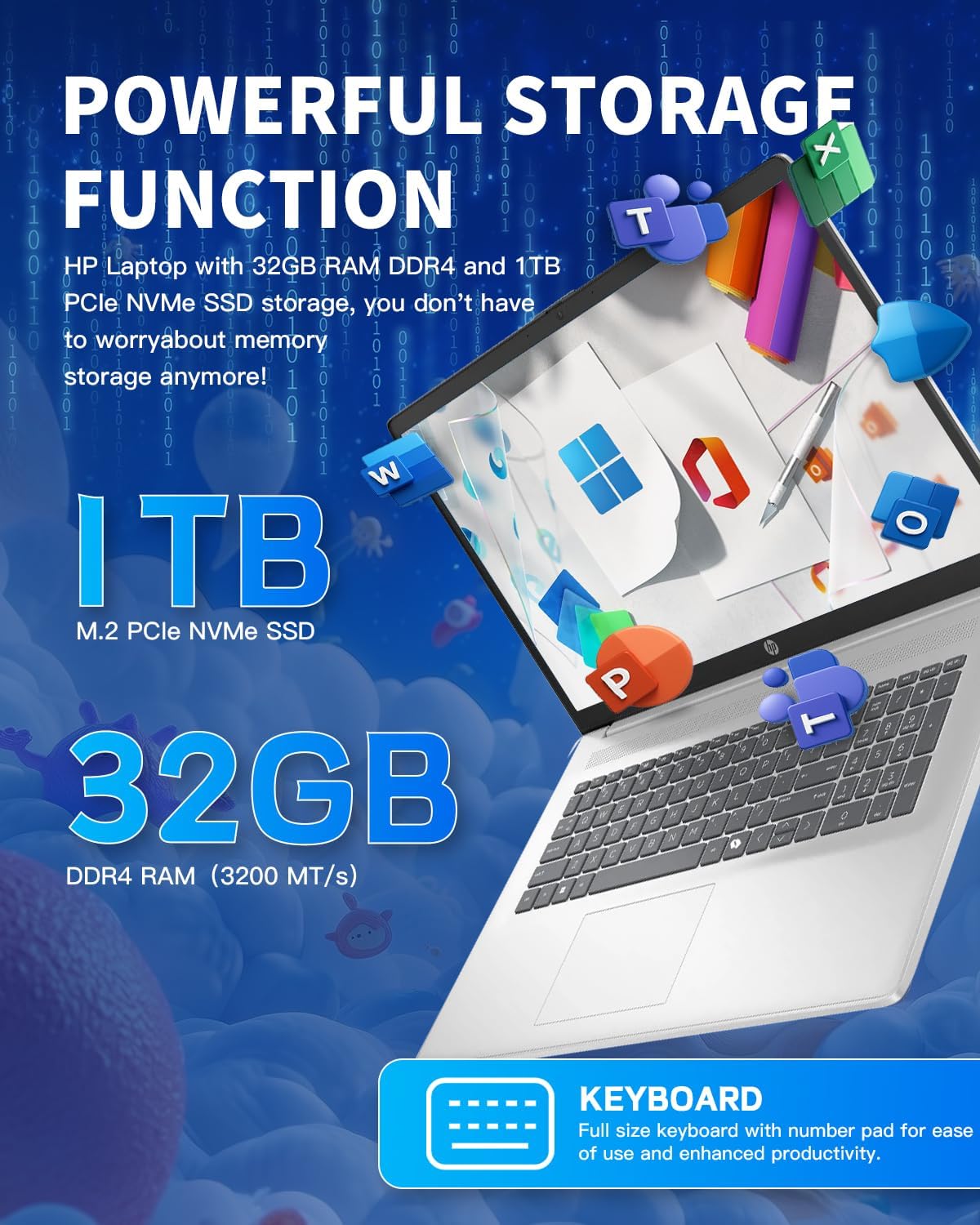
Сүрөт 2.2: Жакын пландан view of the HP 17 Laptop's full-size keyboard, showcasing the numeric keypad and the Microsoft Copilot key.
2.3 Дисплейдин өзгөчөлүктөрү
The 17.3-inch HD+ (1600 x 900) anti-glare display provides clear visuals with 250 nits brightness and 60% NTSC color gamut. The anti-glare coating helps reduce reflections for comfortable viewing.

Image 2.3: The 17.3-inch HD+ display of the HP laptop, emphasizing its anti-glare properties and 1600x900 resolution.
2.4 Байланыш
Your laptop supports modern wireless standards for fast and reliable connections.
- Wi-Fi 6 (2x2): Provides faster wireless speeds and improved performance in dense environments.
- Bluetooth 5.3: Чычкандар, клавиатуралар жана гарнитуралар сыяктуу зымсыз перифериялык түзүлүштөрдү туташтыруу үчүн.

Image 2.4: The HP 17 Laptop highlighting Wi-Fi 6 and Bluetooth 5.3 capabilities, along with a camera shutter for privacy during video calls.
2.5 Порттор жана туташуулар
The HP 17 Laptop offers a variety of ports for connecting external devices.
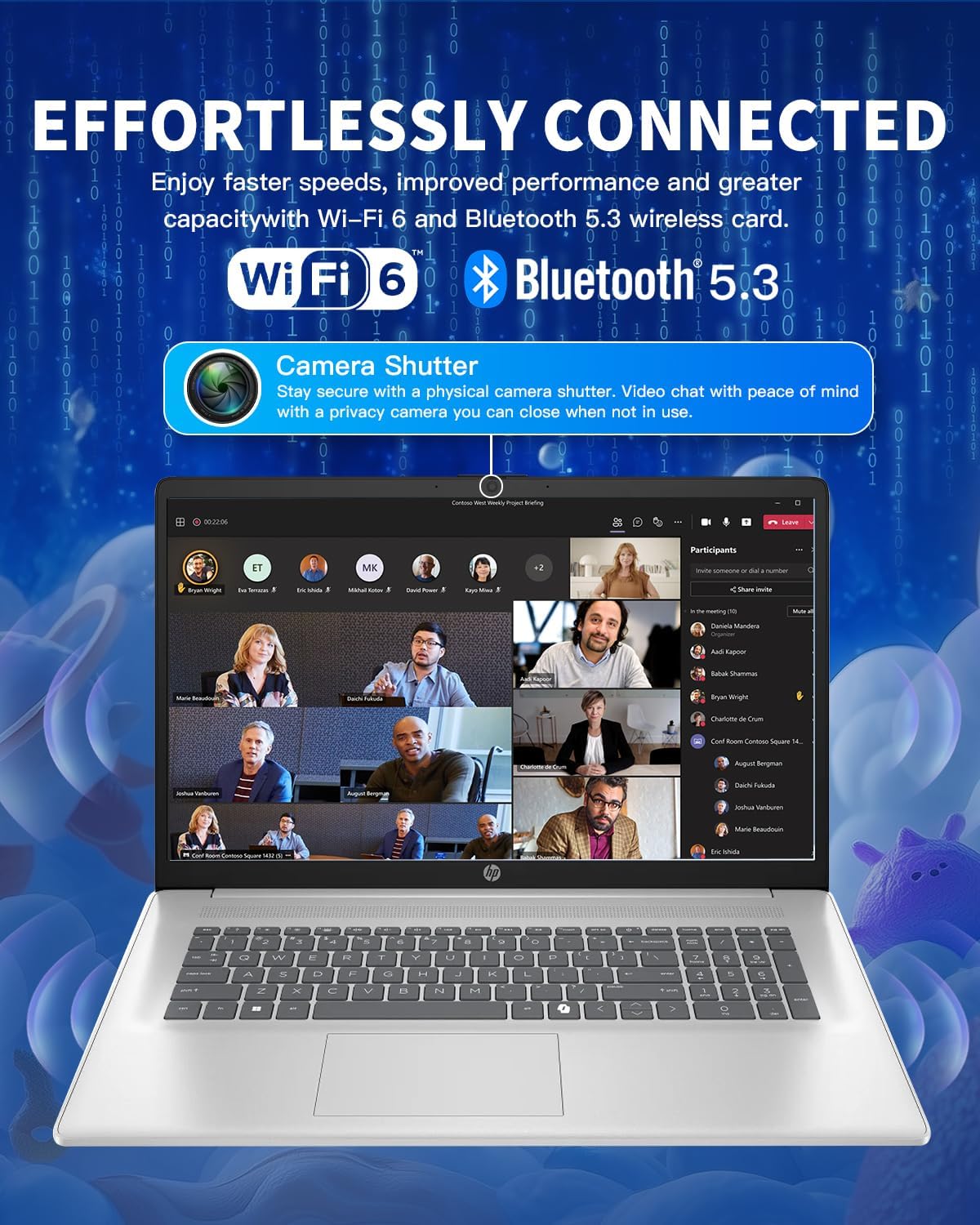
Image 2.5: Diagram illustrating the various ports on the HP 17 Laptop, including USB Type-C, USB Type-A, HDMI 1.4b, AC smart pin, and a headphone/microphone combo jack.
- 1 USB Type-C 5Gbps signaling rate: Берилиштерди өткөрүүнү гана колдойт. Заряддоону же тышкы мониторлорду колдобойт.
- 2 USB Type-A 5Gbps signaling rate: Стандарттык USB түзмөктөрүн туташтыруу үчүн.
- 1 Headphone/microphone combo: Аудио киргизүү жана чыгаруу үчүн.
- 1 AC smart pin: Кубат адаптерин туташтыруу үчүн.
- 1 HDMI 1.4b: Тышкы дисплейлерге туташуу үчүн.
2.6 Using Microsoft Copilot
The dedicated Copilot AI Key provides instant access to your built-in AI assistant, streamlining tasks and enhancing productivity.
Видео 2.1: Бүттүview of the HP 17 Laptop, demonstrating its features including the Microsoft Copilot AI assistant and camera shutter for privacy.
Image 2.6: A user interacting with the Microsoft Copilot AI companion on the HP laptop, illustrating its role in boosting productivity and creativity.
3. Техникалык тейлөө жана кам көрүү
3.1 Ноутбукту тазалоо
- Бир аз жумшак, түксүз кездемени колдонуңуз dampдисплейди тазалоо үчүн суу же экран тазалагыч менен иштетиңиз.
- Баскычтоп жана шасси үчүн жумшак кездеме колдонуңуз. Катуу химиялык заттардан же абразивдүү материалдардан алыс болуңуз.
- Аба агымынын жакшы болушун камсыз кылуу үчүн желдеткич тешиктерин чаңдан үзгүлтүксүз тазалап туруңуз.
3.2 Батареяга кам көрүү
- Батареяны бат-баттан толук кубаттап калуудан алыс болуңуз.
- Ноутбукту узак убакытка колдонбогондо салкын, кургак жерде сактаңыз.
- If storing for a long time, ensure the battery is charged to about 50%.
3.3 Программалык камсыздоо жаңыртуулары
Оптималдуу аткарууну жана коопсуздукту камсыз кылуу үчүн Windows операциялык тутумуңузду жана драйверлерди дайыма жаңыртып туруңуз. Windows Жаңыртууга Орнотуулар > Windows Жаңыртуу аркылуу кирүүгө болот.
4. Кыйынчылыктарды
4.1 Электр энергиясы маселелери
- Ноутбук күйбөй жатат: Кубат адаптери бекем туташтырылганын жана розетка иштеп турганын текшериңиз. Башка розетканы колдонуп көрүңүз.
- Батарея кубатталбай жатат: Verify the power adapter connection. Check for any damage to the adapter or charging port.
4.2 Дисплей көйгөйлөрү
- Дисплей жок: Connect an external monitor via HDMI to check if the issue is with the laptop's internal display.
- Жаркылдаган экран: Графикалык драйверлериңизди жаңыртыңыз. Дисплейдин жаңылануу ылдамдыгын Windows жөндөөлөрүнөн тууралаңыз.
4.3 Байланыш көйгөйлөрү
- Wi-Fi туташпай жатат: Restart your router and laptop. Check Wi-Fi settings and ensure the correct network is selected.
- Bluetooth түзмөгү жупташкан жок: Bluetooth түзмөгү жупташтыруу режиминде жана диапазондо экенин текшериңиз. Ноутбугуңуздагы Bluetooth жөндөөлөрүн текшериңиз.
4.4 Ишти аткаруу маселелери
- Жай аткаруу: Close unnecessary applications. Check Task Manager for resource-intensive processes. Ensure sufficient free space on the SSD.
- Ашыкча ысып кетүү: Ensure vents are clear of obstructions. Use the laptop on a hard, flat surface.
5. Техникалык шарттар
| Өзгөчөлүк | Деталь |
|---|---|
| Операция системасы | Windows 11 Pro |
| Процессор | Intel Core i3-N305 (8-Core), up to 3.8 GHz |
| Процессордун кэши | 6 МБ L3 кэш |
| Эстутум (RAM) | 32 GB DDR4-3200 MT/s |
| Графика | Intel UHD графикасы (интегралдык) |
| Ички сактагыч | 1 ТБ PCIe NVMe M.2 SSD |
| Дисплей | 17.3-inch diagonal, HD+ (1600 x 900), anti-glare, 250 nits, 60% NTSC |
| Зымсыз байланыш | Wi-Fi 6 (2x2) жана Bluetooth 5.3 |
| Порттар | 1 USB Type-C 5Gbps, 2 USB Type-A 5Gbps, 1 Headphone/microphone combo, 1 AC smart pin, 1 HDMI 1.4b |
| Камера | HP True Vision 720p HD camera with temporal noise reduction and integrated dual array digital microphones, privacy shutter |
| Аудио | Стерео динамиктер менен HD аудио |
| Баскычтоп | Толук өлчөмдөгү, жумшак боз клавиатура, сандык баскычтоп менен |
| Батарея | 3-cell, 41 Wh Li-ion battery |
| Кубаттуу адаптер | 45 Вт AC кубат адаптери |
| Өлчөмдөрү (W x D x H) | 15.78 дюйм x 10.15 дюйм x 0.78 дюйм |
| Салмагы | 4.60 фунт |
6. Кепилдик жана колдоо
6.1 Кепилдик маалыматы
Your HP 17 Laptop comes with a standard manufacturer's warranty. Please refer to the warranty card included in your product packaging for specific terms and conditions, including coverage duration and limitations. Keep your proof of purchase for warranty claims.
6.2 Колдоо кызматы менен байланышуу
Техникалык жардам, бул колдонмодон тышкары мүчүлүштүктөрдү оңдоо же кепилдик кызматы үчүн, сураныч, расмий HP колдоо кызматына кайрылыңыз. website or contact HP customer service. You will typically need your product's serial number, which can be found on a label on the bottom of your laptop or in the system information within Windows.
Кошумча ресурстар үчүн, сиз иш сапары менен болот Amazonдагы HP дүкөнү.