1. Киришүү
Thank you for choosing the ZEALOT ZE01 Portable Bluetooth Speaker. This manual provides essential information for setting up, operating, and maintaining your speaker to ensure optimal performance and longevity. Please read this manual thoroughly before use and retain it for future reference.
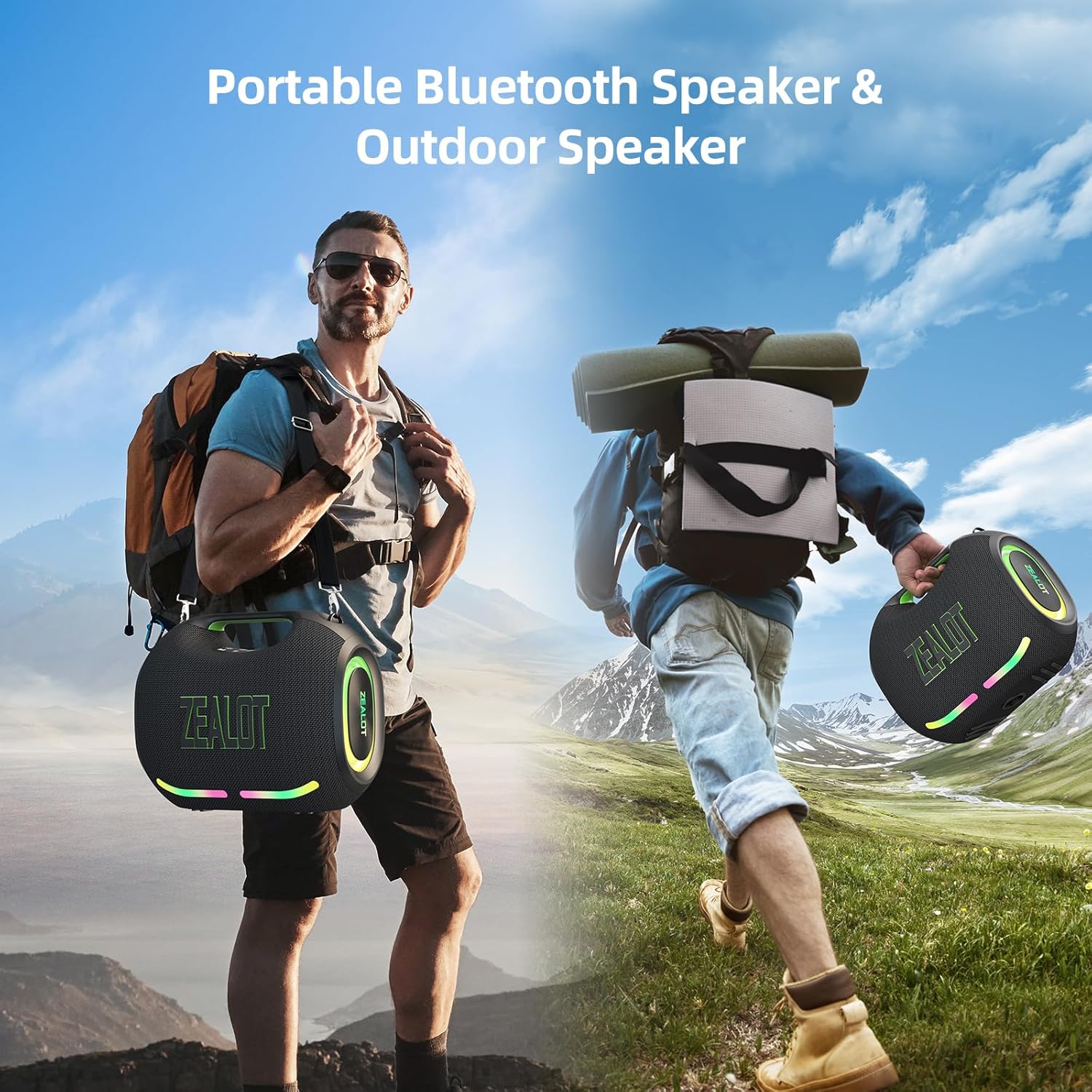
Figure 1: The ZEALOT ZE01 speaker is designed for portability, featuring a convenient shoulder strap for easy transport during outdoor activities.
2. Коопсуздук маалыматы
- Динамикти экстремалдык температурага же түз күн нуруна узак убакытка калтырбаңыз.
- Спикерди түшүрүүдөн же катуу таасирлерге дуушар кылуудан качыңыз.
- Ички компоненттерине зыян келтирбөө үчүн, IPX6 рейтингине карабастан, динамикти суудан жана суюктуктардан алыс кармаңыз.
- Динамикти өз алдынча ажыратууга, оңдоого же өзгөртүүгө аракет кылбаңыз. Жардам алуу үчүн квалификациялуу тейлөө кызматкерлерине кайрылыңыз.
- Use only the provided charging cable and a compatible power adapter (PD2.0 45W adapter recommended for optimal charging) to prevent damage.
- Балдар жетпеген жерде сактаңыз.
3. Пакеттин мазмуну
Пакетте бардык буюмдар бар экенин текшериңиз:
- 1x ZE01 Bluetooth Speaker
- 1x AUX кабели
- 1x Power Cable (Type-C)
- 1x Ыкчам Баштоо Көрсөтмөсү
- 1x Removable Shoulder Strap
- 1x Кепилдик картасы

Figure 2: Included accessories with the ZEALOT ZE01 Portable Bluetooth Speaker.
4. Продукт бүтүп калдыview
4.1 Башкаруу

Figure 3: Top panel controls for the ZEALOT ZE01 speaker.
- Кубат баскычы (күйгүзүү/өчүрүү): Күйгүзүү/өчүрүү үчүн 3 секунд басып туруңуз.
- Ойнотуу/тындыруу баскычы: Аудиону ойнотуу же тындыруу үчүн бир жолу басыңыз.
- Үнүн жогорулатуу (+): Press once to increase volume. Press and hold for 2 seconds for next track.
- Үнүн төмөндөтүү (-): Press once to decrease volume. Press and hold for 2 seconds for previous track.
- Режим (M) баскычы: Press to switch between Wireless (Bluetooth), TF Card, AUX, and USB modes.
- EQ баскычы: Press to cycle through EQ modes (Bass, Vocal, Normal).
- Жарык баскычы: Press to turn LED lights on/off or change light modes.
- Жупташтыруу баскычы: Press to initiate Bluetooth pairing or TWS pairing.
4.2 порт

Figure 4: Input and output ports on the ZEALOT ZE01 speaker.
- TYPE-C CHARGE IN: Динамикти заряддоо үчүн.
- AUX IN: 3.5 мм аудио кабели аркылуу тышкы аудио түзмөктөрдү туташтыруу үчүн.
- USB Драйв: USB флешкасынан түз музыка ойнотуу үчүн.
- TF CARD: Түздөн-түз TF (MicroSD) картасынан музыка ойнотуу үчүн.
- OUT-5V (USB): Functions as a power bank to charge other devices.
5. Орнотуу
5.1 Динамикти заряддоо
- Connect the provided Type-C power cable to the 'TYPE-C CHARGE IN' port on the speaker.
- Connect the other end of the cable to a compatible USB power adapter (not included). A PD2.0 45W adapter is recommended for optimal charging speed.
- The battery indicator lights on the control panel will show charging status:
- Red light flashes: Charging
- Red light on: Battery below 30%
- Yellow light on: Battery 40%-70%
- Green light on: Battery 80%-100%
- A full charge typically takes 3-4 hours. The speaker offers up to 40 hours of playtime at 30% volume in standard EQ mode.

Figure 5: Battery status indicators and charging port.
5.2 Bluetooth жупташтыруу
- Power on the speaker by pressing and holding the Power button for 3 seconds. The speaker will enter Bluetooth pairing mode automatically, indicated by a flashing blue light.
- Түзмөгүңүздө (смартфон, планшет ж.б.) Bluetooth иштетиңиз жана жеткиликтүү түзмөктөрдү издеңиз.
- Select "ZEALOT-ZE01" from the list of devices.
- Once connected, the blue light will stop flashing, and you will hear an audible confirmation.
5.3 Чыныгы зымсыз стерео (TWS) жупташтыруу
To achieve a 240W Max ultra stereo sound experience, you can pair two ZEALOT ZE01 speakers:
- Ensure both ZEALOT ZE01 speakers are powered on and in Bluetooth pairing mode (not connected to any device).
- On one of the speakers, press the 'Pairing' button (often indicated by a chain link icon). This speaker will become the primary unit.
- The two speakers will automatically connect to each other. Once connected, the primary speaker's Bluetooth indicator will flash, and the secondary speaker's indicator will be solid.
- Эми 5.2 бөлүмүндө сүрөттөлгөндөй Bluetooth аркылуу түзмөгүңүздү негизги динамикке туташтырыңыз.

Figure 6: TWS pairing allows for a wider stereo soundstage.
5.4 Other Connection Methods
The ZEALOT ZE01 supports multiple playback modes:
- AUX киргизүү: Connect an external audio device using a 3.5mm AUX cable to the 'AUX IN' port. Press the 'M' button to switch to AUX mode.
- USB Drive: Insert a USB flash drive into the 'USB DRIVE' port. Press the 'M' button to switch to USB mode.
- TF картасы: Insert a TF (MicroSD) card into the 'TF CARD' slot. Press the 'M' button to switch to TF Card mode.
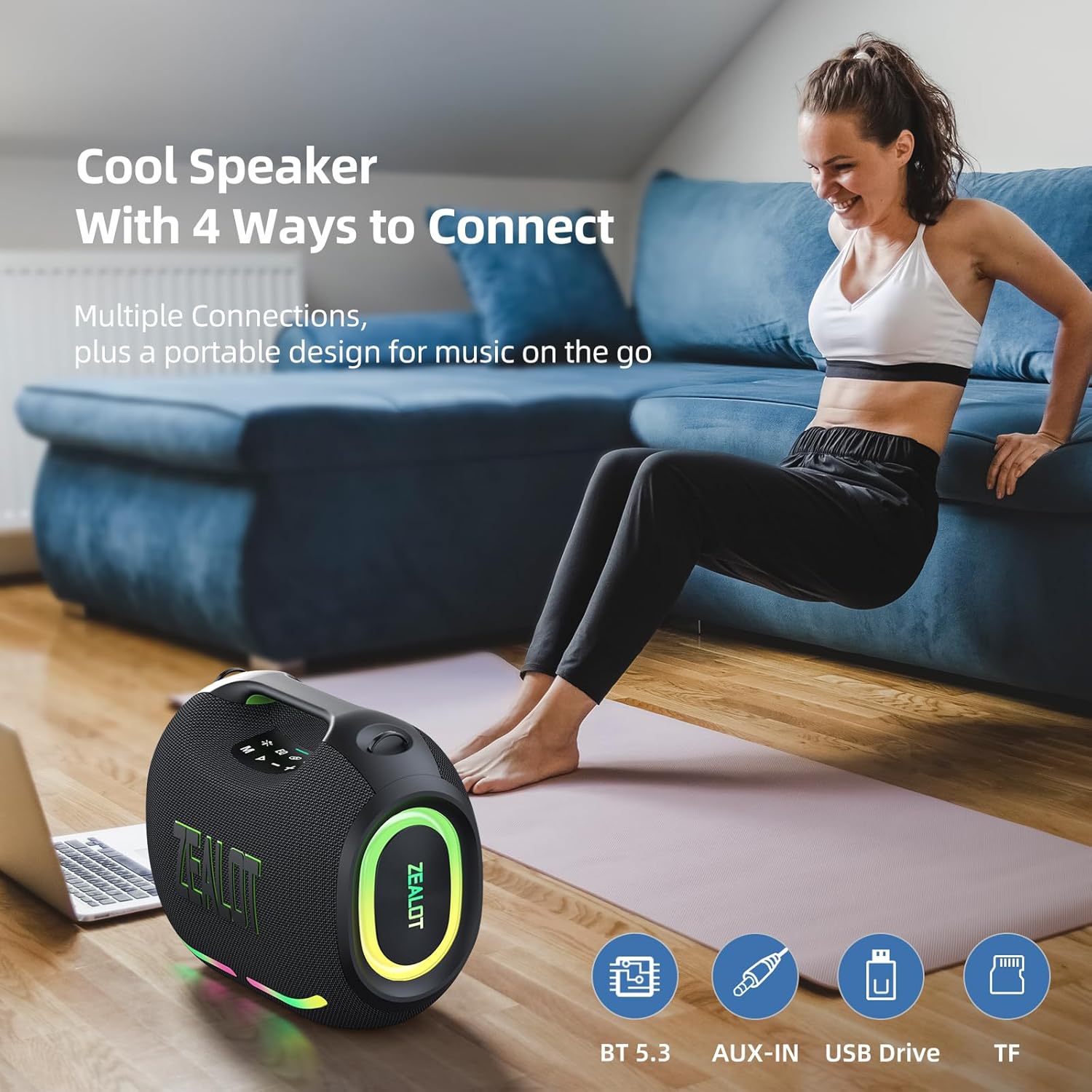
Figure 7: The speaker offers various connectivity options for versatile audio playback.
6. Иштөө нускамалары
6.1 Негизги аудио ойнотуу
- Ойнотуу/тындыруу: Play/Pause баскычын басыңыз.
- Үндү тууралоо: Press '+' to increase volume, '-' to decrease volume.
- Кийинки / Мурунку трек: Press and hold '+' for the next track, press and hold '-' for the previous track.
6.2 EQ режимдери
The ZEALOT ZE01 features three Equalizer (EQ) modes to customize your audio experience:
- Press the 'EQ' button to cycle through the modes.
- Басс режими: Green light on. Enhances low frequencies for a deeper bass sound.
- Үн режими: Orange light on. Optimizes mid-range frequencies for clearer vocals.
- Кадимки режим: White light on. Provides a balanced audio profile.

Figure 8: EQ mode indicators.
6.3 LED жарыгын башкаруу
The speaker is equipped with dynamic colorful LED lights that can be controlled:
- Press the 'Light' button (indicated by a sun/star icon) to turn the lights on/off or cycle through different light modes (e.g., Ritmo, Breathing, Rainbow).

Figure 9: Dynamic LED lights enhance the listening experience.
6.4 Power Bank функциясы
The ZEALOT ZE01 can also serve as a portable power bank:
- Connect your external device (e.g., smartphone) to the 'OUT-5V' USB port on the speaker using a compatible charging cable.
- Динамик түзмөгүңүздү кубаттай баштайт.
7. Техникалык тейлөө
- Тазалоо: Динамиктин сыртын тазалоо үчүн жумшак, кургак чүпүрөктү колдонуңуз. Абразивдүү тазалагычтарды же эриткичтерди колдонбоңуз.
- Сактагыч: Динамикти узак убакыт бою колдонбогондо, түз күн тийбеген, кургак, салкын жерде сактаңыз.
- Суу каршылык: The speaker has an IPX6 water resistance rating, meaning it can withstand powerful water jets. However, it is not designed for submersion. Ensure all port covers are securely closed before exposure to water.

Figure 10: The IPX6 rating provides protection against water splashes and dust.
8. Кыйынчылыктарды
| Көйгөй | Мүмкүн себеп | Чечим |
|---|---|---|
| Динамик күйбөйт. | Батарея аз. | Динамикти кеминде 30 мүнөткө заряддаңыз. |
| Bluetooth аркылуу жупташтыруу мүмкүн эмес. | Speaker is not in pairing mode or already connected to another device. | Ensure the speaker is in pairing mode (flashing blue light). Disconnect from other devices if necessary. Restart both speaker and device. |
| Үн жок. | Үн өтө төмөн; туура эмес киргизүү режими; түзмөк ойнобой жатат. | Increase speaker and device volume. Press 'M' to select correct input mode. Ensure audio is playing on your connected device. |
| TWS жупташтыруу ишке ашпай калды. | Speakers are too far apart or already connected to other devices. | Ensure both speakers are within close proximity and not connected to any other Bluetooth devices. Repeat TWS pairing steps. |
9. Техникалык шарттар
| Өзгөчөлүк | Деталь |
|---|---|
| Модель аты | ZEALOT ZE01 Bluetooth Speaker |
| Динамик түрү | Көчмө спикер |
| Аудио чыгаруу режими | Стерео |
| Динамиктин максималдуу чыгаруу күчү | 150 Ватт (чоку) |
| Сабвуфердин диаметри | 120 Millimeters (2x 50W) |
| Tweeter диаметри | 42 Millimeters (2x 10W) |
| Frequency Response | 20 KHz |
| Ызы-чуунун катышы | 90 дБ |
| Импеданс | 4 Ом |
| Байланыш технологиясы | Bluetooth |
| Bluetooth версиясы | 5.3 |
| Bluetooth диапазону | 10 метр (33 бут) |
| Батарея сыйымдуулугу | 24000 миллионamp Саат |
| Оюн убактысы | Up to 40 hours (at 30% volume, EQ-standard) |
| Заряддоо убактысы | 3-4 hours (with PD2.0 45W adapter) |
| Сууга туруктуулук деңгээли | IPX6 (Сууга туруктуу) |
| Продукциянын өлчөмдөрү | 8.15"D x 13.07"W x 11.18"H |
| Элемент Салмагы | 13.22 фунт |
| Материал | Металл, пластик |
| Өзгөчөлүктөр | Bass Boost, Built-In Powerbank, LED Light, Portable, Stereo Pairing |

Figure 11: The internal speaker configuration for powerful audio.
10. Расмий продукт Video
Видео 1: Продукциянын расмий көргөзмөсүasing the ZEALOT ZE01 120W Party Speaker's features and capabilities, including its sound quality and LED lights.
11. Кепилдик жана колдоо
The ZEALOT ZE01 Portable Bluetooth Speaker comes with a limited warranty. Please refer to the included Warranty Card for detailed terms and conditions. For technical support, troubleshooting assistance, or warranty claims, please contact ZEALOT customer service through the official channels provided on the warranty card or the ZEALOT webсайт.


