1. Киришүү
Thank you for choosing the Cecotec Conga M10 Robot Vacuum Cleaner. This manual provides essential information for the safe and efficient operation, maintenance, and troubleshooting of your device. Please read it thoroughly before first use and retain it for future reference.
The Conga M10 is designed to provide comprehensive floor cleaning with its gyroscopic navigation system, ensuring an organized and efficient cleaning path. It features powerful 2000Pa suction, a 120-minute battery autonomy, anti-fall sensors, and convenient app control, allowing it to sweep, vacuum, mop, and scrub simultaneously.
2. Маанилүү коопсуздук нускамалары
- Бул шайманды 8 жаштан жогорку балдар жана физикалык, сезүү же акыл-эс жөндөмү начар же тажрыйбасы жана билими жок адамдар колдонсо болот, эгерде алар көзөмөлгө алынган же шайманды коопсуз колдонуу боюнча нускама алган болсо жана келтирилген коркунучтарды түшүнсө. .
- Балдар шайман менен ойнобошу үчүн аларды көзөмөлгө алуу керек.
- Тазалоо жана колдонуучу тейлөөнү балдар көзөмөлсүз жасабашы керек.
- Өндүрүүчү тарабынан берилген түпнуска кубат адаптерин жана кубаттоочу негизди гана колдонуңуз.
- Роботту нымдуу чөйрөдө же суу булактарынын жанында иштетпеңиз.
- Колдонуудан мурун, чаташуу же бузулуудан сактануу үчүн тазалоочу аймактан бошоп калган кабелдерди, майда буюмдарды же морт буюмдарды алып салыңыз.
- Ensure the charging base is placed against a wall on a flat surface, with sufficient clear space around it.
- Do not lift or move the robot while it is operating.
- The robot is equipped with anti-fall sensors. However, always exercise caution when operating near stairs or elevated surfaces.
3. Пакеттин мазмуну
Пакетте бардык компоненттер бар экенин текшериңиз:
- 1 x Cecotec Conga M10 Robot Vacuum Cleaner
- 1 x Швабра төшөгүч
- 1 x заряддоо базасы
- 1 х кубат адаптери
- 2 x Side Brushes (pre-installed or spare)
- 1 x User Manual
4. Продукт бүтүп калдыview
Familiarize yourself with the main components of your Conga M10 robot vacuum cleaner.

Сүрөт 4.1: Жогорку view of the Conga M10 robot vacuum cleaner, highlighting the power and home buttons for easy control.

Сүрөт 4.2: Side view of the Conga M10, illustrating the transparent water tank for mopping functionality.

Сүрөт 4.3: Төмөнкү view of the Conga M10, detailing the dual side brushes, central suction inlet, removable mop pad, and three anti-fall sensors.
Негизги компоненттер:
- Жогорку панель: Power button, Home button (return to charging base).
- Каптал щеткалар: Two brushes designed to sweep dirt from edges and corners towards the suction inlet.
- Suction Inlet: Brushless design for efficient dust and hair collection, minimizing tangles.
- Суу резервуары жана сүртүүчү жай: Integrated system for simultaneous sweeping, vacuuming, and mopping.
- Anti-fall Sensors: Three sensors located on the bottom to detect drops and prevent falls.
- Заряддоо байланыштары: Located on the bottom of the robot and on the charging base.
- контейнери: Чаң сорулган таштандыларды чогултат.
5. Орнотуу
5.1 Таңгактан чыгаруу жана алгачкы даярдоо
- Роботту жана бардык аксессуарларды таңгактан этияттык менен алып чыгыңыз.
- Remove all protective films and stickers from the robot and charging base.
- Ensure the side brushes are securely installed.
5.2 Заряддоо базасын жайгаштыруу
Place the charging base against a wall in an open area, ensuring:
- At least 1 meter (3 feet) of clear space in front of the base.
- At least 0.5 meters (1.5 feet) of clear space on both sides of the base.
- No direct sunlight or obstacles blocking the signal from the base.

Сүрөт 5.1: The Conga M10 robot vacuum cleaner correctly positioned at its charging base.
5.3 Алгачкы заряддоо
- Кубат адаптерин кубаттоочу базага туташтырыңыз жана аны розеткага сайыңыз.
- Place the robot onto the charging base, ensuring the charging contacts align. The robot will emit a sound and the indicator light will show charging status.
- Роботту биринчи жолу колдонуудан мурун толук заряддаңыз (болжол менен 4-5 саат).
5.4 Колдонмону орнотуу жана жупташтыруу
The Conga M10 can be controlled via a mobile application for enhanced functionality.
- Download the official Cecotec Conga app from your smartphone's app store (iOS or Android).
- Register an account or log in.
- Follow the in-app instructions to add your Conga M10 device. This typically involves connecting the robot to your home Wi-Fi network.

Сүрөт 5.2: Using the mobile application to control the Conga M10 robot vacuum cleaner.
6. Роботту иштетүү
6.1 Тазалоону баштоо жана токтотуу
- Баштоо: Press the Power button on the robot or use the 'Start' function in the mobile app. The robot will begin cleaning in an organized path using its gyroscopic navigation.
- Тыныгуу үчүн: Press the Power button again during cleaning.
- Улантуу: Күч баскычын кайра басыңыз.
- Базага токтоо/кайтуу үчүн: Press the Home button on the robot or use the 'Return to Base' function in the app. The robot will return to its charging base.
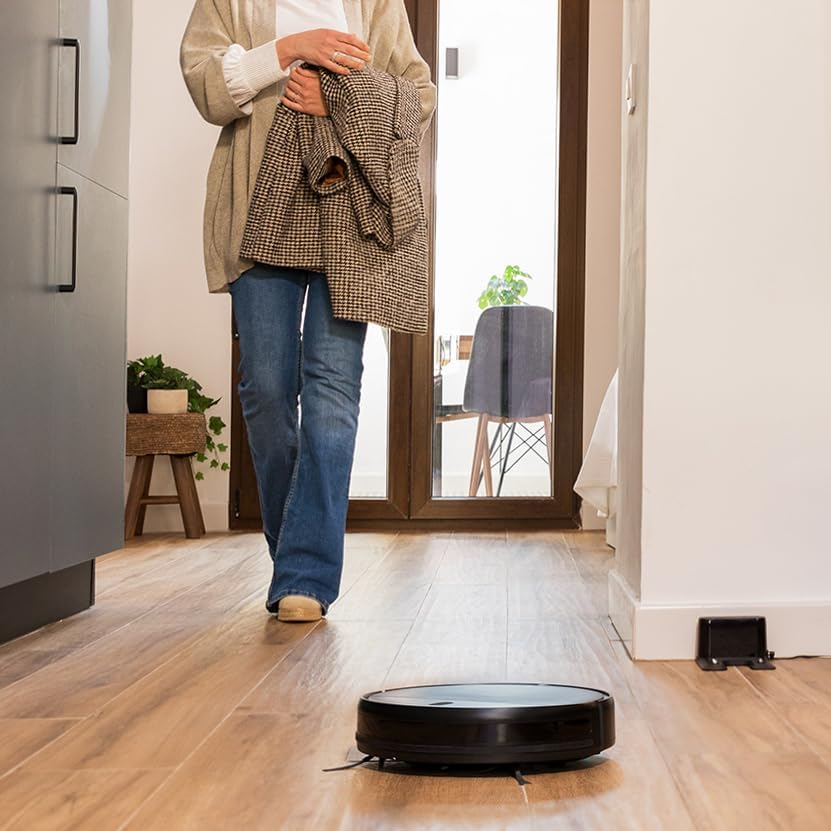
Сүрөт 6.1: The Conga M10 robot vacuum cleaner actively cleaning a floor.
6.2 Тазалоо режимдери
The Conga M10 offers multiple cleaning functionalities:
- Sweep & Vacuum: The robot uses its side brushes and powerful suction to collect dust, dirt, and pet hair.
- Mop & Scrub: With the water tank filled and mop pad attached, the robot can simultaneously mop and scrub the floor.

Сүрөт 6.2: The Conga M10 performing its mopping function on a hard floor.
6.3 Water Flow Control (Mopping)
When using the mopping function, you can adjust the water flow level via the mobile app to suit different floor types and cleaning needs. The Conga M10 offers 3 levels of water flow.

Сүрөт 6.3: The Conga M10's adjustable water flow for customized mopping, with 3 distinct levels.
6.4 Пландалган тазалоо
Use the mobile app to set up cleaning schedules. You can program the robot to clean at specific times and days, even when you are not home.
7. Техникалык тейлөө
Үзгүлтүксүз тейлөө оптималдуу иштешин камсыз кылат жана робот чаң соргучуңуздун иштөө мөөнөтүн узартат.
7.1 Таштанды кутусун бошотуу
The dustbin should be emptied after each cleaning cycle or when full. Open the top cover of the robot, remove the dustbin, and dispose of the collected debris.
7.2 Чыпкаларды тазалоо
The filters inside the dustbin should be cleaned regularly. Tap them gently to remove dust or use a small brush. Replace filters every 3-6 months, depending on usage.
7.3 Каптал щеткаларды тазалоо
Inspect the side brushes for tangled hair or debris. Carefully remove any obstructions. Replace worn or damaged side brushes to maintain effective edge cleaning.

Сүрөт 7.1: The Conga M10 features dual side brushes for thorough cleaning along edges and in corners.
7.4 Cleaning the Mop Pad and Water Tank
After mopping, remove the mop pad and wash it thoroughly. Empty any remaining water from the tank and allow it to air dry to prevent mold or odors.
7.5 Сенсорлорду жана заряддоо контакттарын тазалоо
Wipe the anti-fall sensors (located on the bottom) and the charging contacts (on the robot and base) with a clean, dry cloth to ensure proper function and charging.
8. Кыйынчылыктарды
Эгерде сиз Conga M10 менен көйгөйлөргө туш болсоңуз, төмөнкү кеңири таралган көйгөйлөрдү жана чечимдерди караңыз:
| Көйгөй | Мүмкүн себеп | Чечим |
|---|---|---|
| Робот күйбөйт | Батареянын аздыгы; Кубат баскычы туура басылган жок | Place robot on charging base; Press and hold power button for 3 seconds. |
| Робот заряддалбайт | Заряддоочу контакттар кир; Заряддоочу база кубатталбайт | Clean charging contacts on robot and base; Ensure charging base is plugged in. |
| Начар тазалоо көрсөткүчү | Таштанды челек толуп калган; Чыпкалар бүтөлүп калган; Каптал щеткалар эскирген | Empty dustbin; Clean/replace filters; Clean/replace side brushes. |
| Робот бат-баттан тыгылып калат | Obstacles in path; Robot stuck under furniture | Clear cleaning area; Use virtual walls or physical barriers for problematic areas. |
| Колдонмонун туташуу маселелери | Туура эмес Wi-Fi сырсөзү; Робот роутерден өтө алыс | Verify Wi-Fi credentials; Move robot closer to router; Re-pair device in app. |
9. Техникалык шарттар
| Өзгөчөлүк | Деталь |
|---|---|
| Бренд | Cecotec |
| Модель аты | Конга M10 |
| Модель номери | A01_EU01_114725 |
| Түс | Кара |
| Продукциянын өлчөмдөрү | 36 x 14.5 x 41.8 см |
| Продукт Салмагы | 2.76 кг |
| Тtage | 220 вольт |
| Өзгөчөлүктөр | Intelligent Mop Lifting |
| Батареянын иштөө мөөнөтү | 120 мүнөт |
| Power Source | Батарея |
| Батареялар камтылган | Ооба |
10. Кепилдик жана колдоо
10.1 Кепилдик маалыматы
For detailed warranty information, please refer to the warranty card included with your product or the purchase documentation. The warranty period and terms may vary depending on your region and point of purchase.
10.2 Кардарларды колдоо
If you have any questions, require technical assistance, or need to report a problem that cannot be resolved using the troubleshooting guide, please contact Cecotec customer support. You can typically find contact information on the official Cecotec webсайт же сатуучу аркылуу.