BIGASUO 10.1" Digital Calendar Smart Touchscreen Interactive Display User Manual
Model: 101C | Brand: BIGASUO
Introduction
This manual provides detailed instructions for setting up and operating your BIGASUO 10.1" Digital Calendar. This device is designed to be an all-in-one family hub, simplifying scheduling, task management, meal planning, and serving as a digital photo frame. Please read this manual thoroughly to ensure optimal performance and a seamless user experience.
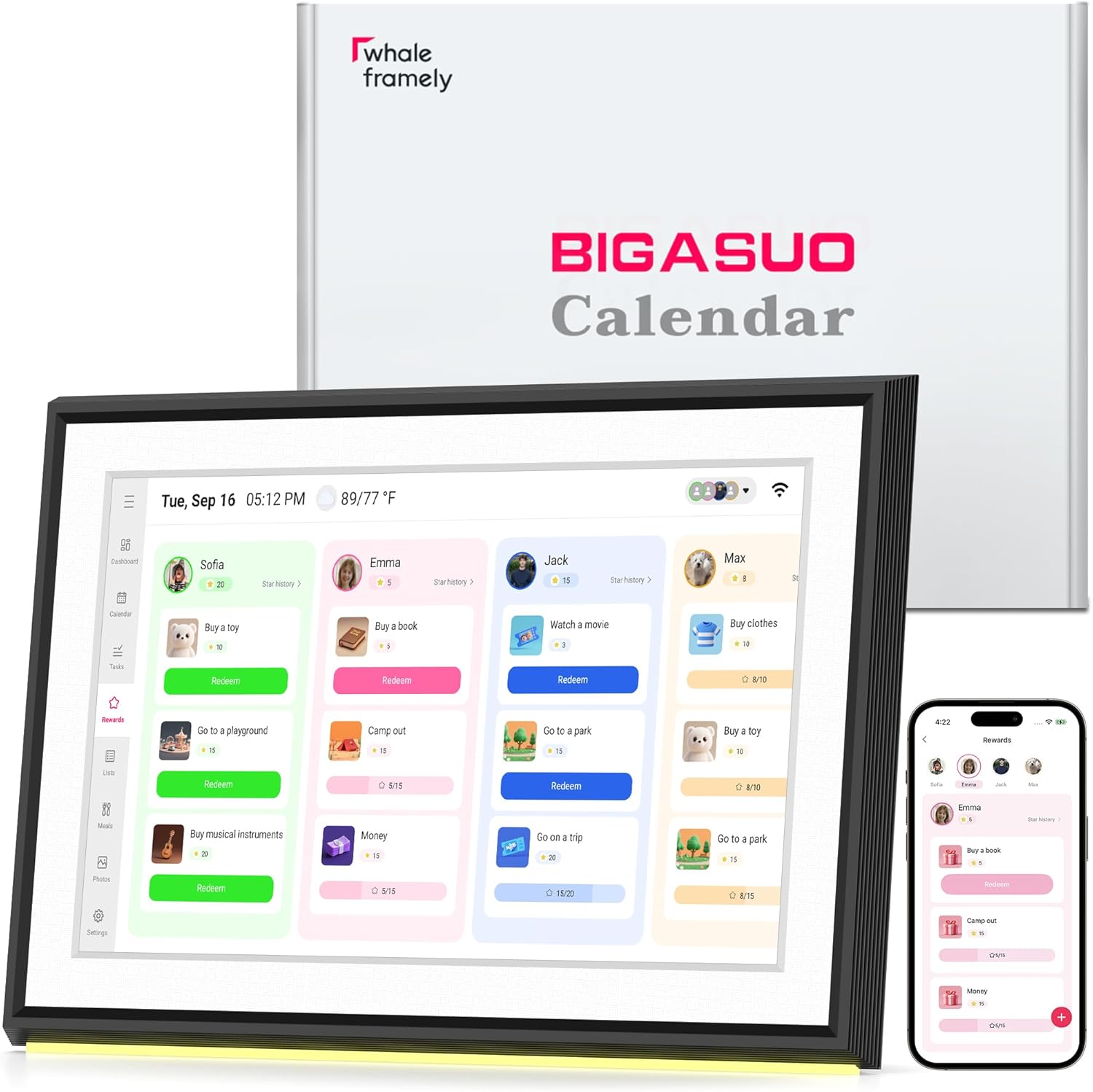
Image: The BIGASUO 10.1" Digital Calendar, showcasing its interactive display with family tasks and rewards, alongside its packaging and companion mobile application.
Орнотуу колдонмосу
Кубат туташуу: Connect the power adapter to the device and plug it into a power outlet. The device will power on automatically.
Wi-Fi туташуусу: Follow the on-screen prompts to connect your device to a stable Wi-Fi network.
Download the Whale Framely App:
Scan the QR code displayed on the device screen or visit your app store to download the "Whale Framely" application.
Image: Setup guide with QR codes for downloading the Whale Framely app on Android and iOS, and visual steps for device pairing and event creation.
Open the Whale Framely app, create an account, and follow the instructions to pair your digital calendar using the QR code or pairing code displayed on the device.
Video: Instructions on how to create a new member profile within the Whale Framely app, including setting a profile photo, name, and color, then saving the new member.
Calendar Synchronization:
From the Whale Framely app, navigate to the "Sync Calendar" section. You can sync with various third-party calendar services:
Google Calendar:
Tap "Google", enter your email address, authorize login, then choose "Two-way sync" or "One-way sync" and select the calendars and devices to sync.
Video: Step-by-step guide on syncing Google Calendar with the Whale Framely app, including login authorization and selecting sync preferences.
Outlook Calendar:
Tap "Outlook", enter your email address, authorize login, then select the calendars and devices to sync.
Video: Demonstration of syncing Outlook Calendar with the Whale Framely app, covering email entry, authorization, and calendar selection.
iCloud Calendar:
Tap "iCloud", go to your iPhone Calendar, tap "Calendars", tap the "i" icon next to your desired calendar, ensure "Public Calendar" is on, tap "Share Link" to copy, then paste the URL into the Whale Framely app and tap "Done".
Video: Guide on syncing iCloud Calendar by obtaining a shareable link from the iPhone Calendar app and pasting it into Whale Framely.
Cozi Calendar:
Tap "Cozi", open the Cozi app, go to the "Family" tab, select "Settings", tap "Shared Cozi Calendars", share all events or a specific calendar, tap "Copy Cozi URL", then paste the URL into the Whale Framely app and tap "Done".
Video: Instructions for syncing Cozi Calendar by generating a shareable URL from the Cozi app and integrating it with Whale Framely.
Yahoo Calendar:
Tap "Yahoo", on a computer, open calendar.yahoo.com, edit the calendar you want to share, toggle "Get sharable link" and copy the ICS URL, then paste the URL into the Whale Framely app and tap "Done".
Video: Tutorial on syncing Yahoo Calendar by obtaining the ICS URL from the Yahoo Calendar website and adding it to the Whale Framely app.
TeamSnap Calendar:
Tap "TeamSnap", on a computer, log in to go.teamsnap.com, go to the "Schedule" tab, select "Sync Calendar / Export" in settings, copy the Full Calendar or Games Only URL, then paste the URL into the Whale Framely app and tap "Done".
Video: Guide to syncing TeamSnap Calendar by exporting the calendar URL from the TeamSnap website and importing it into the Whale Framely app.
External Calendar by URL:
Tap "Calendar URL", get the public share link from your external calendar, then paste the URL into the Whale Framely app and tap "Done".
Video: Instructions for adding any external calendar by URL to the Whale Framely app.
Иштөө нускамалары
Куралдар тактасынын үстүнөview
The main dashboard provides a quick overview of your day, including date, time, weather, upcoming events, and lists.
Image: The digital calendar's main dashboard, showing the current date, time, weather, and navigation options for calendar, tasks, rewards, lists, meals, photos, and settings.
Managing Calendar Events
View your monthly, weekly, and daily agenda. Events synced from external calendars will appear here. You can also add new events directly on the device or via the mobile app.
Image: The digital calendar displaying a monthly view with various color-coded events, indicating seamless synchronization with the mobile application.
Managing Tasks and Chores
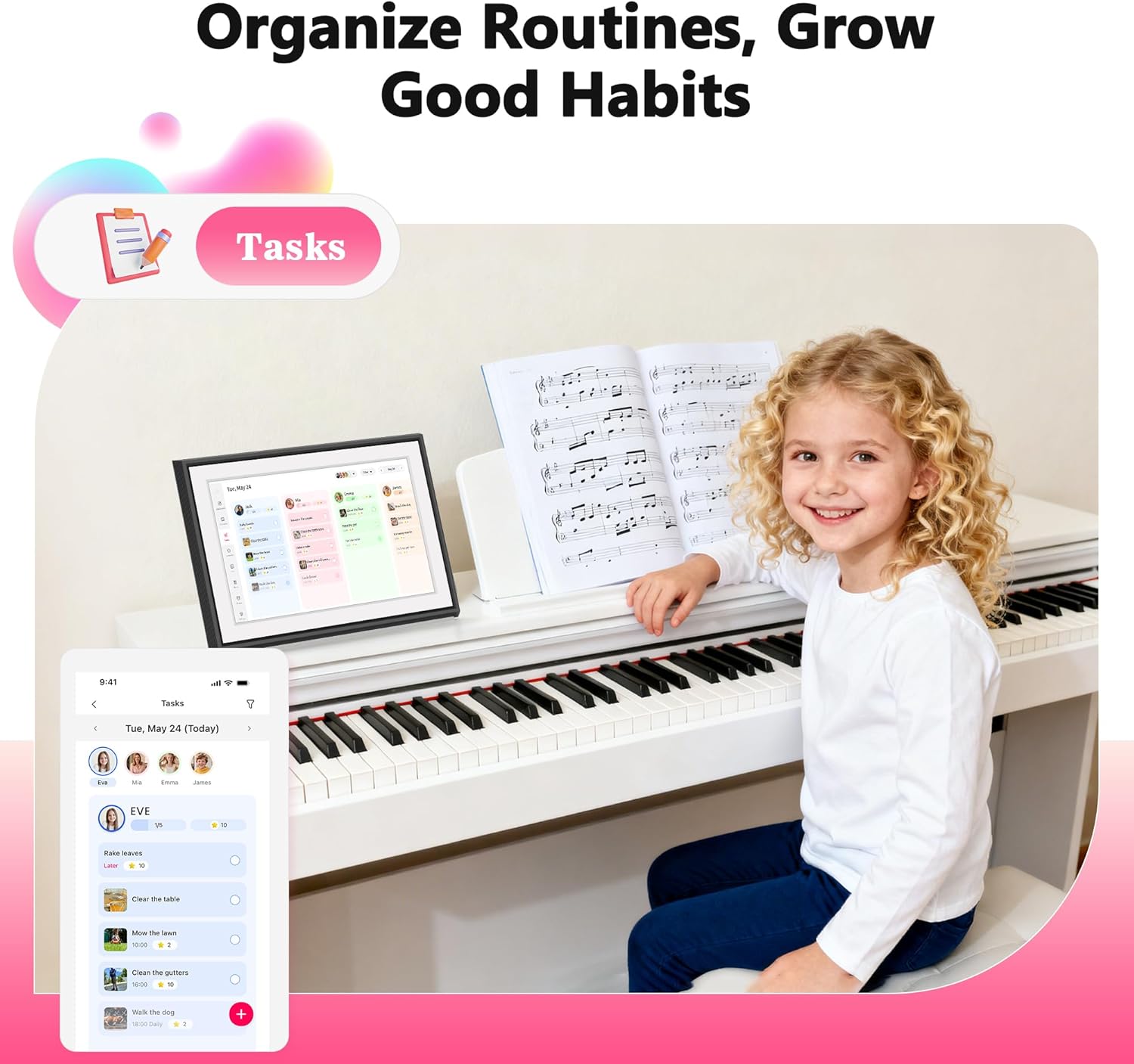
Create and assign tasks or chores to family members. Mark them as complete directly on the device. The system supports rewards for completed tasks.
Image: The digital calendar displaying a task management interface with assigned chores, emphasizing its utility for organizing household responsibilities, with a child doing dishes in the background.
Image: The digital calendar displaying a rewards screen, illustrating how completed tasks can lead to rewards, with a child receiving a gift from an adult.
Video: A short demonstration on how to create a role for kids within the Whale Framely app, likely for assigning tasks and managing rewards.
Тамактанууну пландаштыруу
Plan your weekly meals and display them on the calendar. This feature helps keep everyone informed about upcoming meals.
Image: The digital calendar displaying a meal planning interface, showing daily meal schedules, with a family cooking together in the kitchen.
Тизмелер
Create and manage various lists, such as grocery lists or to-do lists, directly on the device or through the app.
Image: The digital calendar displaying a shopping list, highlighting its utility for organizing errands, with a woman pointing to groceries.
Photo Frame Functionality
When not actively using the calendar features, the device can function as a digital photo frame, displaying your cherished memories. Share photos and videos directly from your phone using the app.
Image: The digital calendar functioning as a photo frame, displaying a family picture on a table, blending into home decor.
Орнотуулар жана Настройка
Access various settings to personalize your device:
Жалпы: Adjust calendar display name, time zone, and language.
Календар: Manage calendar-specific settings.
Сүрөттөр: Configure photo display options and screensaver settings.
Мүчөлөр: Add or manage family members and their profiles.
Wi-Fi: Manage network connections.
Дагы: Access advanced settings like brightness, touch sounds, and text size.
Image: The digital calendar displaying a detailed weather forecast for the week, showing current temperature and daily predictions.
Image: The digital calendar displaying an alarm notification for "Medicine time," demonstrating its reminder functionality.
Техникалык тейлөө
Тазалоо: Экранды жана сыртын тазалоо үчүн жумшак, кургак чүпүрөктү колдонуңуз. Абразивдүү тазалагычтардан же эриткичтерден качыңыз.
Программалык камсыздоо жаңыртуулары: Ensure your device is updated to the latest software version (R-1.5.0 or newer) for enhanced features and performance. Navigate to Settings → More → Upgrade → Check for new version.
Жайгашкан жери: Place the device on a stable, flat surface. It is not designed for wall mounting.
Проблемаларды чечүү
Түзмөк күйбөй жатат: Кубат адаптери аспапка да, иштеген электр розеткасына да бекем туташып турганын текшериңиз.
Wi-Fi туташуу маселелери: Wi-Fi тармагыңыз активдүү жана сырсөз туура экенин текшериңиз. Роутериңизди жана санарип календарыңызды өчүрүп-күйгүзүп көрүңүз.
Календарь шайкештештирилбей жатат: Check your internet connection. In the Whale Framely app, ensure the correct calendar accounts are linked and permissions are granted for two-way sync if desired.
Экран жооп бербейт: Restart the device by unplugging it and plugging it back in. If the issue persists, check for software updates.
Техникалык шарттар
Өзгөчөлүк
Деталь
Бренд
BIGASUO
Модель номери
101C-digital calendar
Screen Size
10.1 дюйм
Продукциянын өлчөмдөрү
12.1 x 12.1 x 10.1 дюйм
Элемент Салмагы
2.93 фунт
Түс
Кара
Материалдын түрү
Пластик
Байланыш
Wi-Fi иштетилген
Compatible Calendars
Google Calendar, iCloud, Outlook, Cozi, Yahoo Calendar
Кепилдик жана колдоо
For warranty information and customer service, please refer to the product packaging or contact BIGASUO customer service directly. Keep your purchase receipt for warranty claims.
Тектеш документтер - 101C
BIGASUO B-141K Wi-Fi Булут Сүрөт алкагы Колдонуучунун колдонмосу Бул колдонуучу колдонмосу BIGASUO B-141K Wi-Fi Булуттагы Сүрөт алкагын орнотуу жана колдонуу боюнча комплекстүү нускамаларды камтыйт, анын ичинде колдонмо интеграциясы, сүрөт жүктөө ыкмалары жана көп берилүүчү суроолор.
BIGASUO KA215 Pro Karaoke Machine User Manual Comprehensive user manual for the BIGASUO KA215 Pro Karaoke Machine (Model KJM-215). Provides detailed instructions on setup, operation, features, troubleshooting, and technical specifications. Includes information on speaker and microphone controls, connectivity options (Bluetooth, AUX, USB, TF card), charging, and FCC compliance.
BIGASUO KA220 портативдик караоке машинасынын колдонуучу колдонмосу BIGASUO KA220 портативдик караоке машинасынын колдонуучу нускамалары, өнүмдөрдүн мазмуну, динамик жана микрофондун сүрөттөмөлөрү, колдонуу көрсөтмөсү, продукт атрибуттары, FCC жана FCC эскертүү билдирүүсүн камтыйт.
BIGASUO KA215 Караоке машинасынын Колдонуучу колдонмосу BIGASUO KA215 Караоке машинасы үчүн комплекстүү колдонуучу колдонмосу, орнотууну, иштетүүнү, продукттун мазмунун, мүмкүнчүлүктөрдү, бузулууларды оңдоону жана спецификацияларды камтыйт.
BIGASUO KA217 Караоке машинасынын Колдонуучу колдонмосу BIGASUO KA217 Караоке машинасы үчүн колдонуучу нускама, деталдаштырылган иштетүү нускамалары, продукттун мазмуну, динамик жана микрофондун сүрөттөмөлөрү, колдонуу көрсөтмөсү, продукт атрибуттары, көп берилүүчү суроолор жана FCC шайкештиги.