1. Киришүү
Thank you for choosing the DIERYA DK68-C 60% Gaming HE Keyboard. This compact, high-performance keyboard is designed for competitive gaming, featuring magnetic switches, rapid trigger functionality, adjustable actuation, and vibrant RGB backlighting. This manual provides essential information for setup, operation, maintenance, and troubleshooting to ensure optimal performance.

Image 1.1: The DIERYA DK68-C 60% Gaming HE Keyboard, showcasing анын компакттуу жайгашуусу жана RGB жарыгы.
2. Пакеттин мазмуну
Пакетиңизде бардык буюмдар бар экенин текшериңиз:
- DIERYA DK68-C Keyboard x 1
- Өрүлгөн USB-C кабели x 1
- Баскыч капкагын тарткыч x 1
- Колдонуучунун колдонмосу x 1
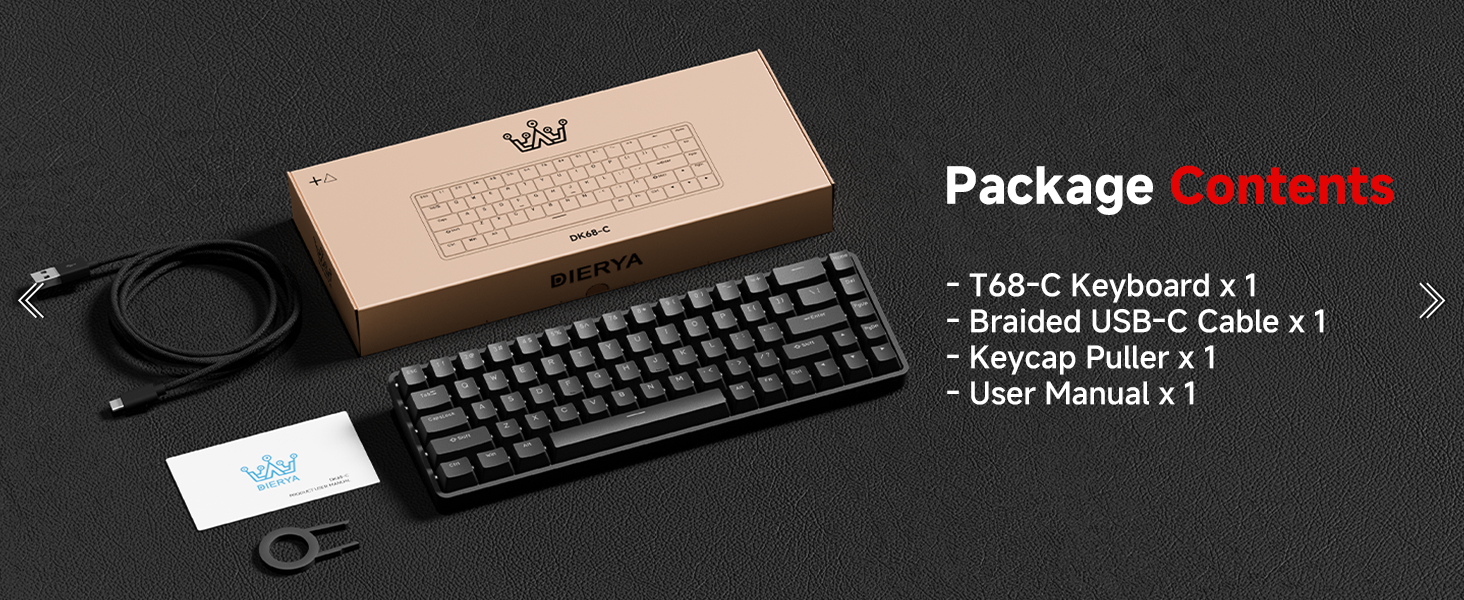
Image 2.1: Illustration of the DIERYA DK68-C keyboard and its included accessories: USB-C cable, keycap puller, and user manual.
3. Орнотуу
The DIERYA DK68-C keyboard is designed for plug-and-play functionality with Windows operating systems.
- Баскычтопту туташтыруу: Insert the USB-C end of the provided braided cable into the port on the back of the keyboard.
- Компьютерге туташуу: Plug the USB-A end of the cable into an available USB port on your Windows PC.
- Драйверди орнотуу: The keyboard will be automatically recognized by your Windows system, and necessary drivers will install without user intervention.
- Баштапкы сыноо: Текст редакторун же браузерди ачып, бардык баскычтардын туура иштеп жатканын текшерүү үчүн терүүнү сынап көрүңүз.
Эскертүү: This keyboard is optimized for Windows systems. While it may function with other operating systems, full feature compatibility is not guaranteed. Console compatibility depends on specific game support for keyboard input.
4. Иштөө нускамалары
4.1 Негизги өзгөчөлүктөрү
- Магниттик өчүргүчтөр: Equipped with magnetic switches for adjustable actuation and rapid trigger response.
- Rapid Trigger: Allows keys to register input and reset based on movement distance, enabling faster repeated presses.
- Жөнгө салынуучу кыймылдаткыч: Customize the actuation point from 0.1mm to 4.0mm for each key, tailoring sensitivity to your preference.
- 8000Гц добуш берүү ылдамдыгы: Provides ultra-low latency (under 0.3ms) for highly responsive input during intense gaming.
- RGB жарыктандыруу: Features 16.8 million color RGB lighting with various customizable effects.
- Компакт 68 ачкыч жайгашуусу: A space-saving design that retains essential keys, including arrow keys, and provides additional functions via the Fn key.
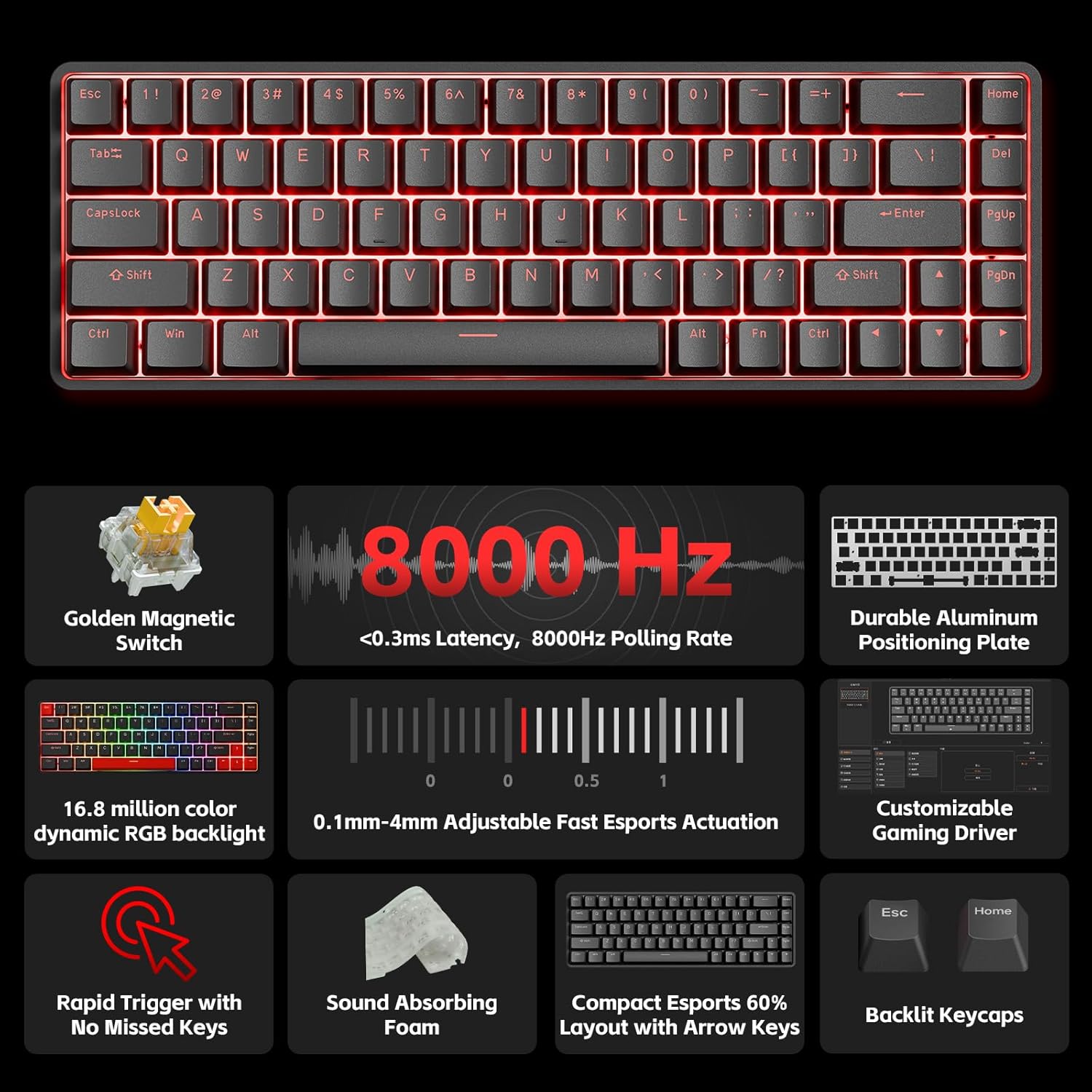
Сүрөт 4.1: An overview of the DIERYA DK68-C's key features, including magnetic switches, 8000Hz polling rate, RGB backlight, and customizable driver.
4.2 Adjustable Actuation and Rapid Trigger
The magnetic switches allow for precise control over key sensitivity.
- Иштетүү диапазону: The actuation point can be set between 0.1mm and 4.0mm. A lower value means a more sensitive key press.
- Rapid Trigger: This feature dynamically adjusts the reset point of a key, allowing for quicker successive presses. For example, a key can reset as soon as it begins to move upwards, rather than requiring a full release.
These settings are typically configured using the dedicated software or web-based customization tool provided by DIERYA.

Image 4.2: Visual representation of the 0.1mm to 4.0mm adjustable actuation range for the magnetic switches.
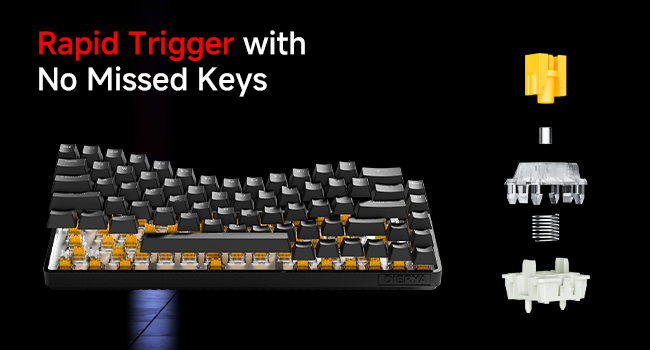
Image 4.3: Diagram illustrating the components of a magnetic switch and the concept of rapid trigger for precise input.
4.3 RGB арткы жарыктандыруу
The keyboard features dynamic RGB backlighting with 16.8 million colors. Lighting effects and colors can be customized through the web-based customization tool. This allows for personalized visual effects and macros without requiring software installation.
4.4 Function (Fn) Key Combinations
Due to its compact 68-key layout, some functions are accessed by holding the Fn key in combination with other keys. Refer to the keyboard's keycap legends or the web-based customization tool for specific combinations, which typically include:
- Мультимедиа башкаруу элементтери: Play/Pause, Volume Up/Down, Mute.
- Функция баскычтары (F1-F12): Accessed via Fn + number row keys.
- Lighting Adjustments: Changing RGB modes, brightness, speed.
- Жебе баскычтары: Dedicated arrow keys are present, but additional navigation functions might be available via Fn.
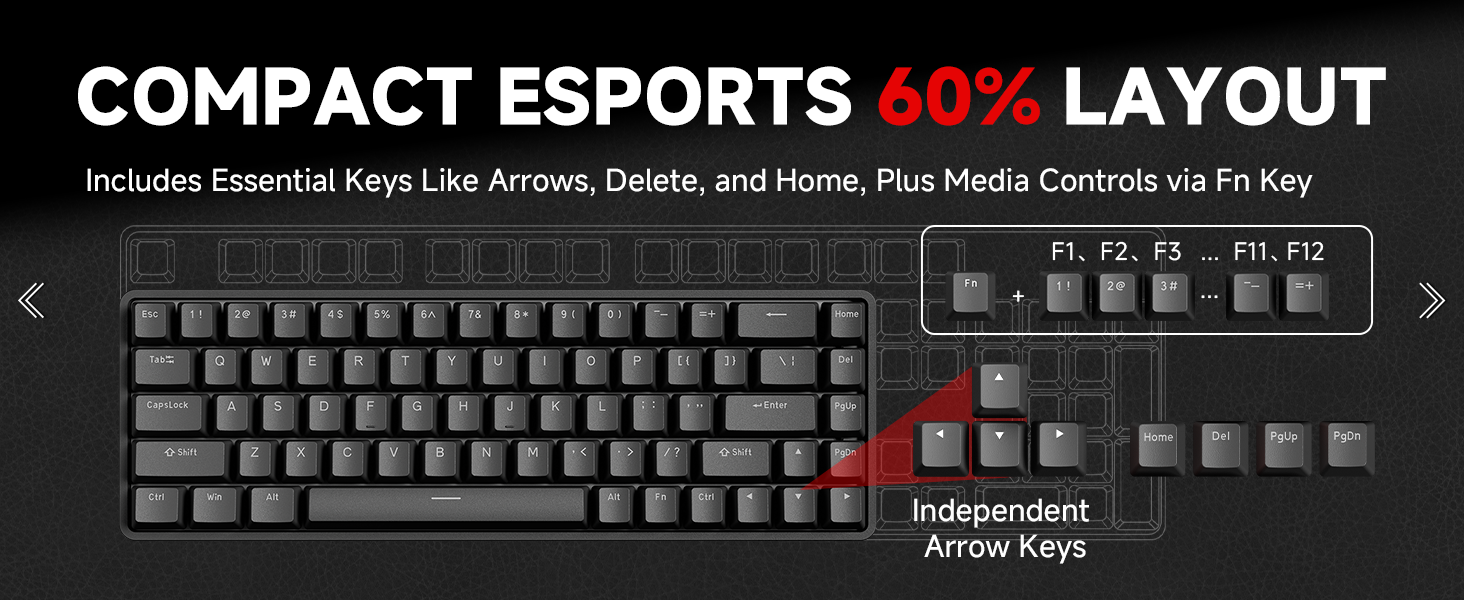
Image 4.4: Diagram illustrating the compact 60% layout and how F-keys and other functions are accessed using the Fn key.
4.5 Ыңгайлаштыруу программасы
The DIERYA DK68-C supports a web-based customization tool for advanced settings. This tool allows you to:
- Adjust actuation points for individual keys.
- Configure Rapid Trigger settings.
- Баскычтарды кайра жайгаштырыңыз жана макросторду түзүңүз.
- Personalize RGB lighting effects and colors.
Access the official DIERYA website for the link to the customization tool.
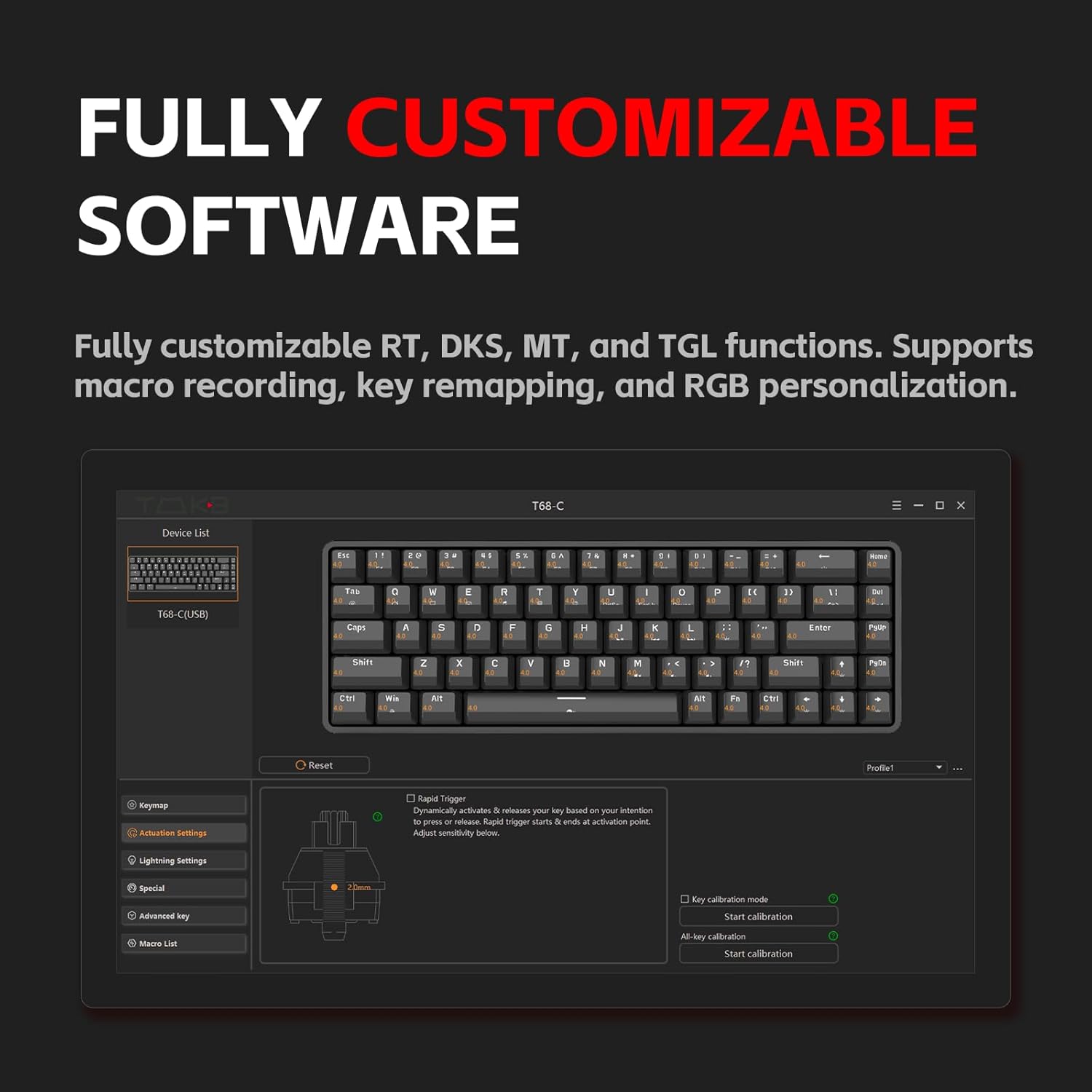
Image 4.5: Screenshot of the customization software interface, showing options for key remapping, lighting settings, and advanced key functions.
5. Техникалык тейлөө
5.1 Баскычтопту тазалоо
Үзгүлтүксүз тазалоо клавиатуранын иштешин жана көрүнүшүн сактоого жардам берет.
- Ажыратуу: Тазалоодон мурун ар дайым клавиатураны компьютериңизден ажыратыңыз.
- Чаңды тазалоо: Баскыч капкактарынын ортосундагы чаңды жана калдыктарды тазалоо үчүн кысылган абаны колдонуңуз.
- Клавиатураны тазалоо: Use the provided keycap puller to carefully remove keycaps. Clean them with a soft cloth lightly dampened with water or a mild cleaning solution. Ensure keycaps are completely dry before reattaching.
- Бетти тазалоо: Wipe the keyboard surface with a soft, lint-free cloth. Avoid harsh chemicals or abrasive materials.
5.2 Switch Care
The magnetic switches are designed for durability. Avoid spilling liquids on the keyboard, as this can damage the switches and internal components. If a switch feels inconsistent, ensure no debris is lodged within it.
6. Кыйынчылыктарды
If you encounter issues with your DIERYA DK68-C keyboard, refer to the following common solutions:
| Көйгөй | Мүмкүн чечим |
|---|---|
| Баскычтоп жооп бербей жатат |
|
| Баскычтар катталбай жатат же эки жолу терилбей жатат |
|
| RGB жарыгы иштебейт же туура эмес |
|
| Fn key combinations not working |
|
7. Техникалык шарттар
| Өзгөчөлүк | Деталь |
|---|---|
| Модел | DK68-C |
| Баскычтоптун түрү | 60% Gaming HE Keyboard |
| Которуу түрү | Магниттик өчүргүчтөр |
| Иштетүү диапазону | 0.1 мм - 4.0 мм (Жөнгө салынуучу) |
| Добуш берүү көрсөткүчү | 8000Hz |
| Кечигип калуу | <0.3 мс |
| Арткы жарыктандыруу | RGB (16.8 миллион түс) |
| Байланыш | Зымдуу USB-C |
| Шайкеш түзмөктөр | PC (Windows) |
| Өлчөмдөр | 12.99 x 5.28 x 1.97 дюйм |
| Элемент Салмагы | 1.59 фунт |
8. Кепилдик жана колдоо
DIERYA products are manufactured to high-quality standards. This product is covered by a manufacturer's warranty against defects in materials and workmanship. The specific warranty period and terms may vary by region and retailer. Please retain your proof of purchase for warranty claims.
For technical support, warranty inquiries, or further assistance, please visit the official DIERYA webсайтка же кардарларды тейлөө бөлүмүнө кайрылыңыз. Байланыш маалыматы, адатта, продуктунун таңгагынан же расмий адамдан тапса болот webсайт.
Онлайн ресурстар:
- DIERYA расмий Webсайт: Visit the DIERYA Store
- Web-based Customization Tool: Refer to the official webкирүү үчүн сайт.


