1. Киришүү
Сатып алганыңыз үчүн рахматasing the Inwa USB Computer Monitor Speaker (Model MZ-631). This instruction manual provides detailed information on how to set up, operate, and maintain your new speaker. Please read this manual thoroughly before use to ensure optimal performance and longevity of your device.
2. Пакеттин мазмуну
Сураныч, пакетте төмөнкү нерселерди текшериңиз:
- 1 x Inwa Clip-on Computer Speaker (Model MZ-631)
- 1 x USB-C to USB Adapter
- 1 х Колдонуучунун колдонмосу (бул документ)
3. Продукциянын өзгөчөлүктөрү
- Stereo Sound & Enhanced Bass: Equipped with dual 10W high-sensitive drivers and a passive radiator for rich, powerful audio output.
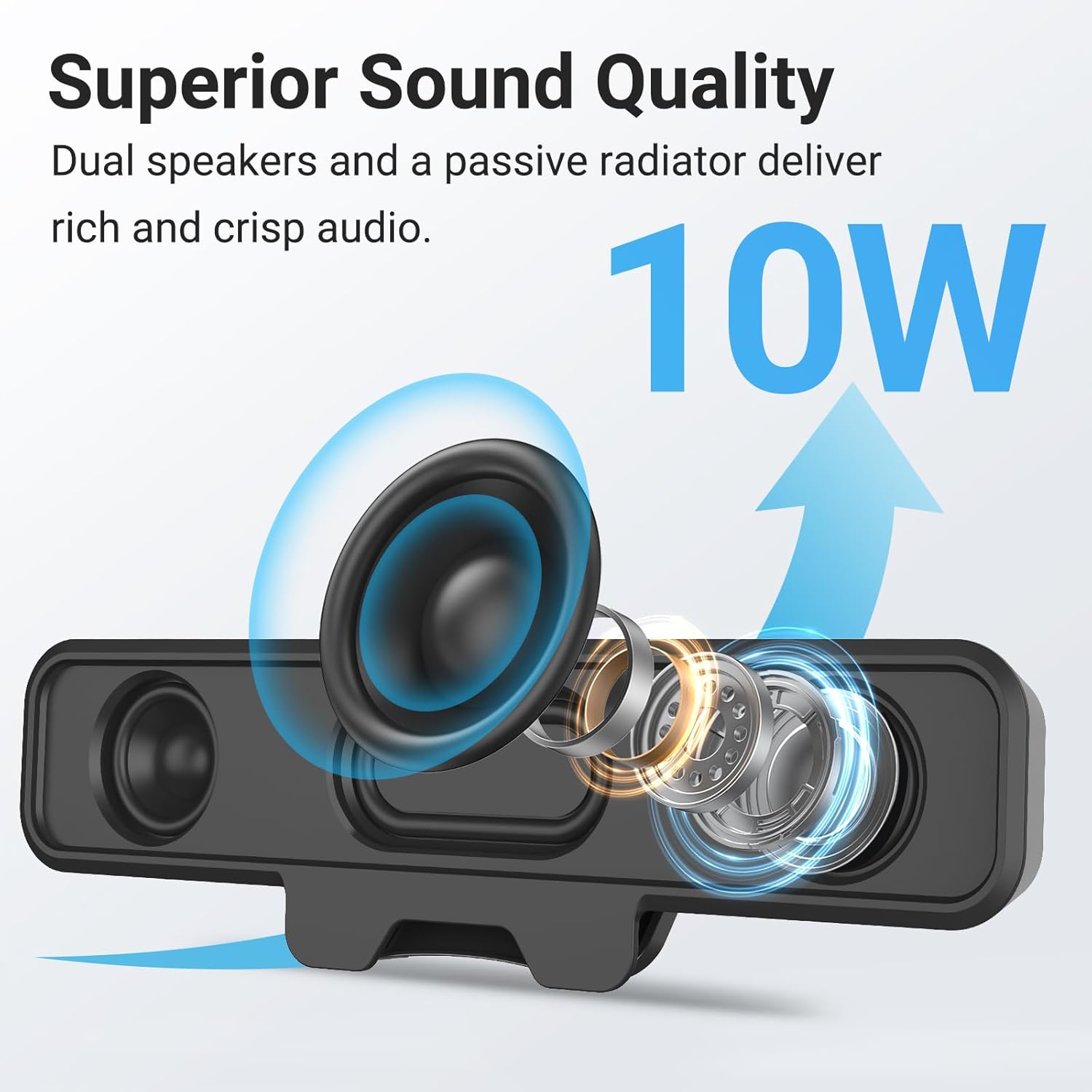
Image: Internal components of the speaker, illustrating the dual 10W drivers and passive radiator responsible for superior sound quality.
- Upgraded Monitor Clip: Features a robust spring clip designed for secure attachment to the top, sides, or bottom of monitors up to 1 inch thick. This design saves desk space and maintains a tidy workspace. The speaker can also be placed independently on a desktop. Silicone pads on the clip provide protection for your monitor.

Image: Detail of the upgraded monitor clip, demonstrating its secure grip and compatibility with monitors up to 1 inch in thickness.
- Plug and Play туташуусу: A single USB cable provides both audio and power, eliminating the need for 3.5mm AUX cables, additional software, or batteries. This simplifies setup and reduces cable clutter. A USB-C to USB adapter is included for broad compatibility.
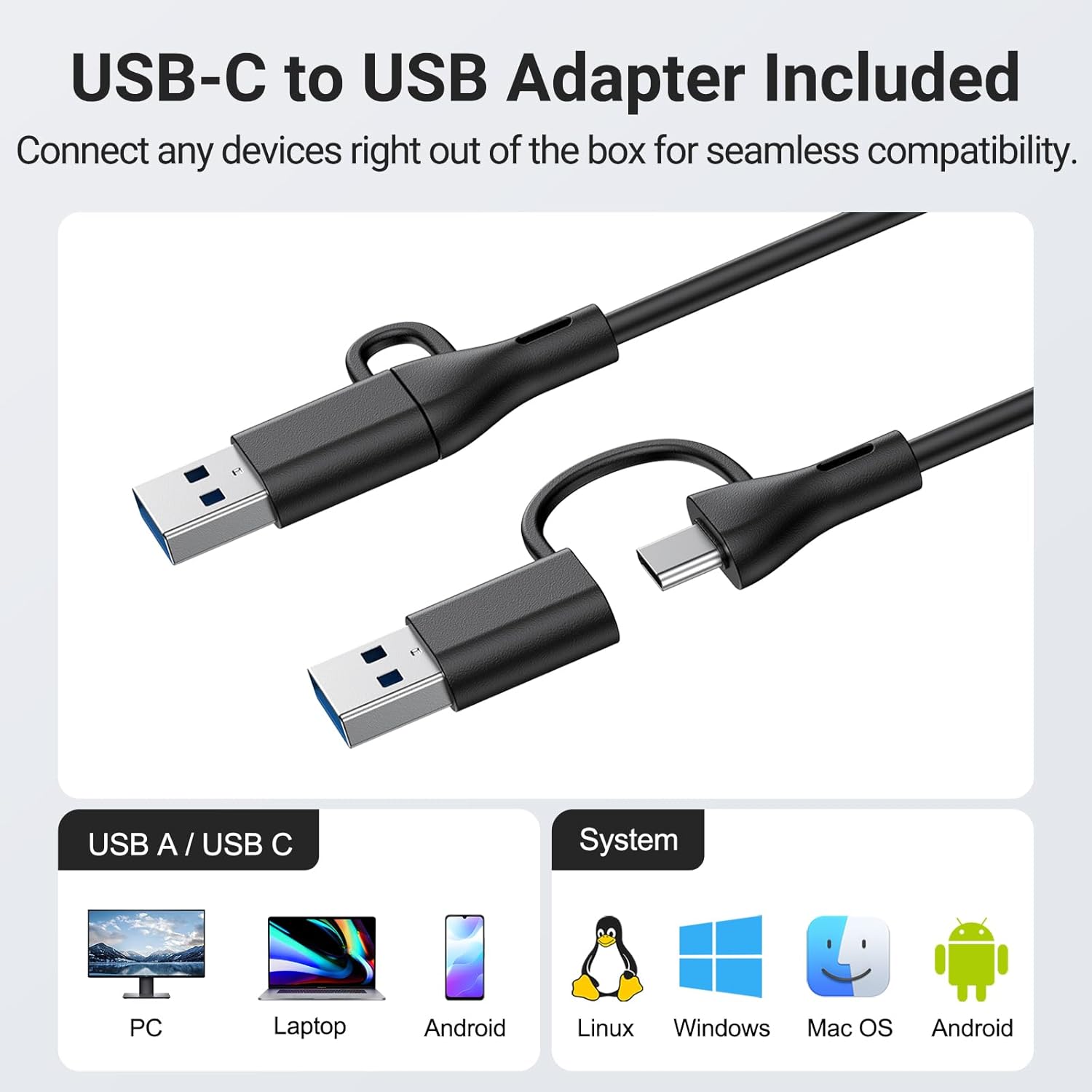
Image: The USB-C to USB adapter, ensuring compatibility with a wide range of devices including PCs, laptops, and mobile devices running Linux, Windows, or Mac OS.
- Ыңгайлуу башкаруу каражаттары: Easily adjust volume and mute audio using the three intuitive buttons located on the top of the speaker.
4. Орнотуу колдонмосу
- Жайгаштыруу тандоо: Decide whether to clip the speaker to your monitor or place it on your desktop.
- Мониторду орнотуу: Gently open the spring clip and attach the speaker to the top, side, or bottom edge of your monitor. Ensure the monitor thickness is no more than 1 inch for a secure fit. The silicone pads will protect your screen.
- Иш тактада жайгаштыруу: Place the speaker on a flat, stable surface on your desk.
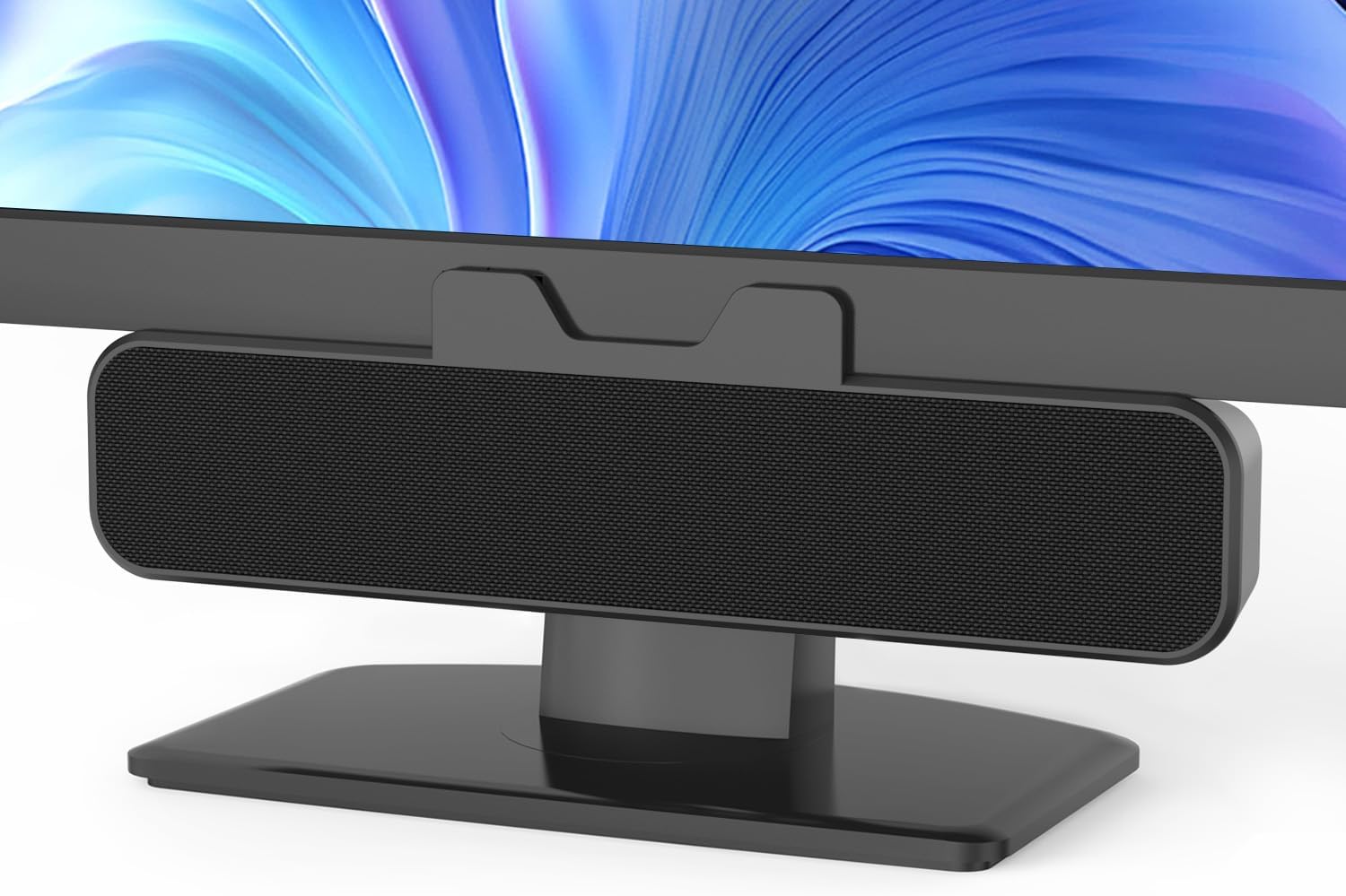
Image: The Inwa speaker mounted on top of a monitor, demonstrating its space-saving design.
- Connect to Power and Audio:
- Locate the integrated USB cable extending from the speaker.
- If your computer has a standard USB-A port, plug the USB cable directly into it.
- If your computer has a USB-C port, use the included USB-C to USB adapter. Connect the speaker's USB-A end to the adapter, then plug the adapter into your computer's USB-C port.
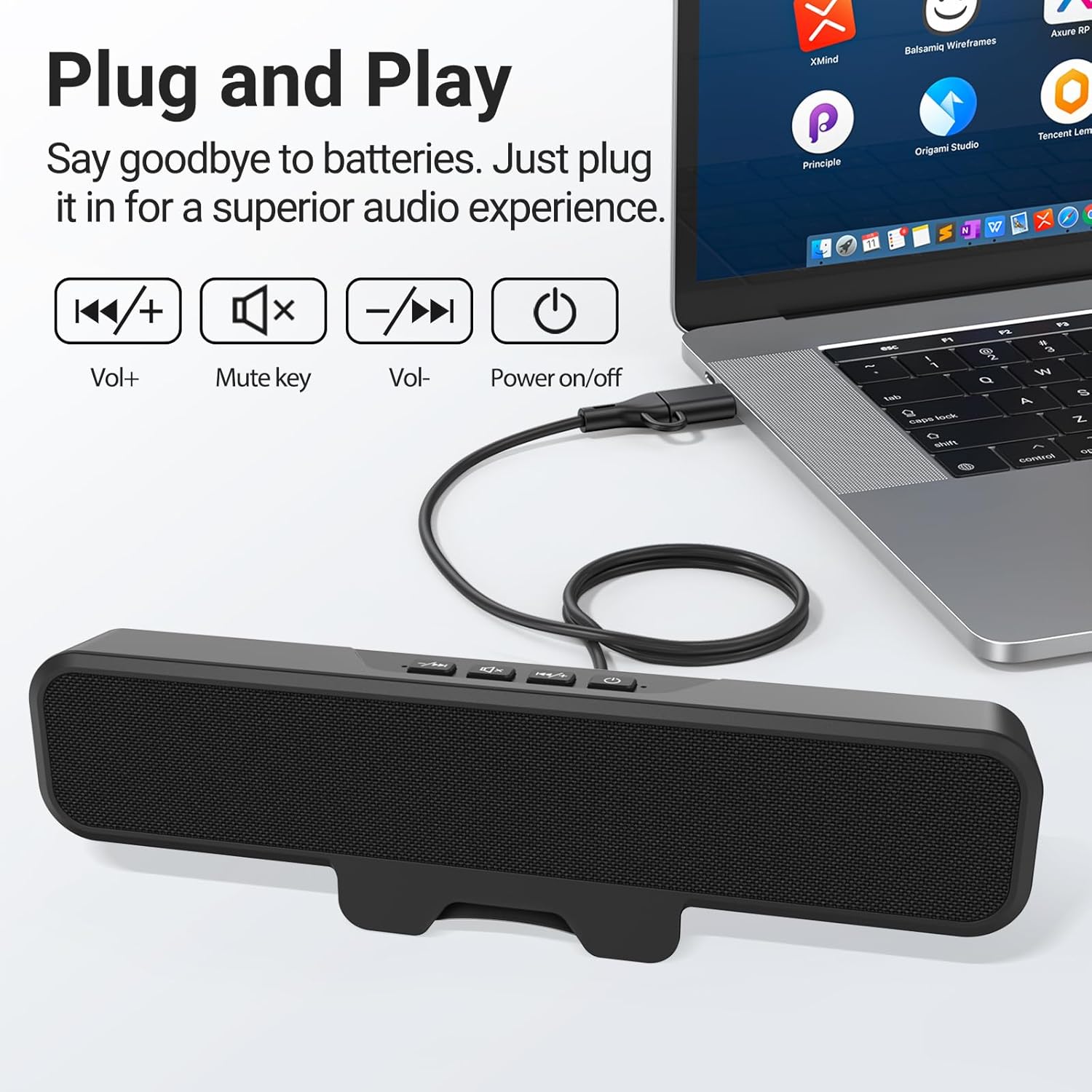
Image: The speaker connected to a laptop, illustrating the simple plug-and-play USB connection.
- Күйгүзүү: Press the power button located on the top of the speaker. A green indicator light will illuminate, confirming the speaker is active.
- Системаны таануу: Your computer should automatically recognize the speaker as an audio output device. If not, navigate to your operating system's sound settings and select the Inwa speaker as the default output device.
5. Иштөө нускамалары
The Inwa speaker features intuitive controls on its top panel:
- Кубат баскычы (⏻): Динамикти күйгүзүү же өчүрүү үчүн басыңыз.
- Үнүн жогорулатуу баскычы (+): Аудионун үнүн жогорулатуу үчүн басыңыз.
- Үндү азайтуу баскычы (-): Аудионун үнүн азайтуу үчүн басыңыз.
- Үнсүз баскычы (🔇): Аудионун үнүн чыгаруу же басуу үчүн басыңыз.
When adjusting volume or muting, an on-screen panel may appear on your computer monitor, providing visual feedback of the changes.
6. Техникалык тейлөө
- Тазалоо: Use a soft, dry cloth to wipe the speaker's surface. Avoid using liquid cleaners or abrasive materials.
- Сактагыч: Узак мөөнөткө колдонулбаганда, динамикти күн тийбеген жана өтө температурадан алыс, салкын, кургак жерде сактаңыз.
- Колдонуу: Динамикти этияттык менен кармаңыз. Аны түшүрүп албоодон же катуу соккуга дуушар кылбоодон алыс болуңуз.
7. Кыйынчылыктарды
| Көйгөй | Мүмкүн себеп | Чечим |
|---|---|---|
| Динамиктен үн жок. | Speaker is off or muted. Компьютерде туура эмес аудио чыгаруу тандалды. USB байланышы бош. | Ensure speaker is powered on and not muted. Check computer's sound settings and select "Inwa Speaker" as the output device. USB кабелин коопсуз кайра туташтырыңыз. |
| Төмөн үн. | Speaker volume is low. Computer volume is low. | Increase volume using the speaker's volume up button. Increase volume on your computer's operating system. |
| Speaker not recognized by computer. | USB порту туура эмес. Айдоочу көйгөйү (пласть жана ойнотуу үчүн сейрек). | Компьютериңиздеги башка USB портун колдонуп көрүңүз. Restart your computer. If issues persist, contact customer support. |
8. Техникалык шарттар
| Модель аты | MZ-631 |
| Бренд | Inwa |
| Динамик түрү | Монитор динамиги |
| Байланыш технологиясы | USB (USB-A, USB-C compatible with adapter) |
| Аудио чыгаруу режими | Стерео (2.0 канал) |
| Динамиктин максималдуу чыгаруу күчү | 10 Ватт |
| Башкаруу ыкмасы | Push Button |
| Монтаж түрү | Clip-on / Desktop |
| Продукциянын өлчөмдөрү | 8"D x 2"W x 3"H |
| Элемент Салмагы | 12.6 унция |
| Түс | Кара |
| Камтылган компоненттер | 1 * Clip-on Computer Speaker, Manual, USB-C to USB Adapter |
| Өзгөчөлүктөр | Bass Boost, Clip-on, Hi Res Audio, Portable |
| Шайкеш түзмөктөр | Computer, PC, Desktop, Laptop, Smartphone, Tablet |
| Ички/тышкы колдонуу | Indoor |
9. Кепилдик жана колдоо
Inwa provides өмүр бою техникалык колдоо for this product. If you encounter any issues or have questions, please contact our Customer Service team. We are committed to resolving your concerns within 24 hours.
For warranty claims or technical assistance, please refer to the contact information provided on the product packaging or visit the official Inwa webсайт.


