1. Киришүү
This manual provides detailed instructions for the safe and efficient use of your DOOGEE V Max Play 5G Rugged Smartphone. Please read this manual thoroughly before operating the device to ensure optimal performance and longevity.
2. Орнотуу
2.1 Пакеттин мазмуну
Пакетте бардык буюмдар бар экенин текшериңиз:
- 1x DOOGEE V Max Play Rugged Phone
- 1x заряддоо кабели
- 1x заряддагыч
- 1x Silk Screen Printing Protective Film (Pre-applied)
- 1x Tempered Glass Screen Protector
- 1x Колдонуучунун колдонмосу
- 1x Кепилдик картасы
- 1x таңгак кутусу
- 1x Portable Storage Box
- 1x Phone Back Clip
- 1x Magnetic Projection Stand (VIP Edition)
- 1x Magnetic Bluetooth Speaker (VIP Edition)

Figure 2.1: Contents of the DOOGEE V Max Play retail package.
2.2 Алгачкы заряддоо жана күйгүзүү
- Connect the charging cable to the phone's USB-C port and the charger.
- Plug the charger into a power outlet. The phone supports 45W fast charging.
- Allow the phone to charge until the battery is sufficiently powered, indicated by the charging icon on the screen.
- To power on, press and hold the Power button (located on the side) until the DOOGEE logo appears.

Figure 2.2: The DOOGEE V Max Play connected for 45W fast charging.
2.3 SIM картаны жана сактагычты орнотуу
The DOOGEE V Max Play supports dual 5G SIM cards and expandable storage up to 2TB.
- Аппараттын капталындагы SIM карта салгычын табыңыз.
- Салгычты ачуу үчүн берилген SIM чыгаруучу куралды колдонуңуз.
- Carefully place your Nano-SIM cards and/or microSD card into the designated slots.
- Insert the tray back into the phone until it clicks into place.
3. Иштөө нускамалары
3.1 Basic Device Functions
- Кубат баскычы: Press and hold to power on/off or restart. Short press to lock/unlock the screen.
- Үн баскычтары: Adjust media volume during playback or ringtone volume during calls.
- Сенсордук экран: Navigate the Android 15 interface using taps, swipes, and pinch gestures.
- Биометрикалык аутентификация: Utilize fingerprint or face unlock for secure access.
3.2 Projector Functionality
The DOOGEE V Max Play features a built-in 100-lumen projector with auto-focus.
- To activate the projector, locate the dedicated projector button or access it via the quick settings panel.
- Point the projector lens towards a flat surface (wall, screen).
- The projector will automatically adjust focus. Manual focus adjustment may also be available in settings.
- Adjust projection size and aspect ratio as needed.
- Оптималдуу үчүн viewing, use in a dimly lit environment.

Figure 3.1: One-Press Projection with Auto-Focus features.
Video 3.1: Demonstration of the DOOGEE V Max Play's projector in use, showing its auto-focus and projection capabilities in an outdoor setting.
3.3 Камера тутуму
Аппарат ар тараптуу камера системасы менен жабдылган:
- 200MP AI негизги камерасы: For high-resolution photos with EIS stabilization.
- 20MP Night Vision Sensor: Captures details in low-light conditions.
- 8MP Ultra-Wide-Angle & Macro Camera: For expansive shots and close-up details.
- 32MP алдыңкы камера: Optimized for selfies and video calls.
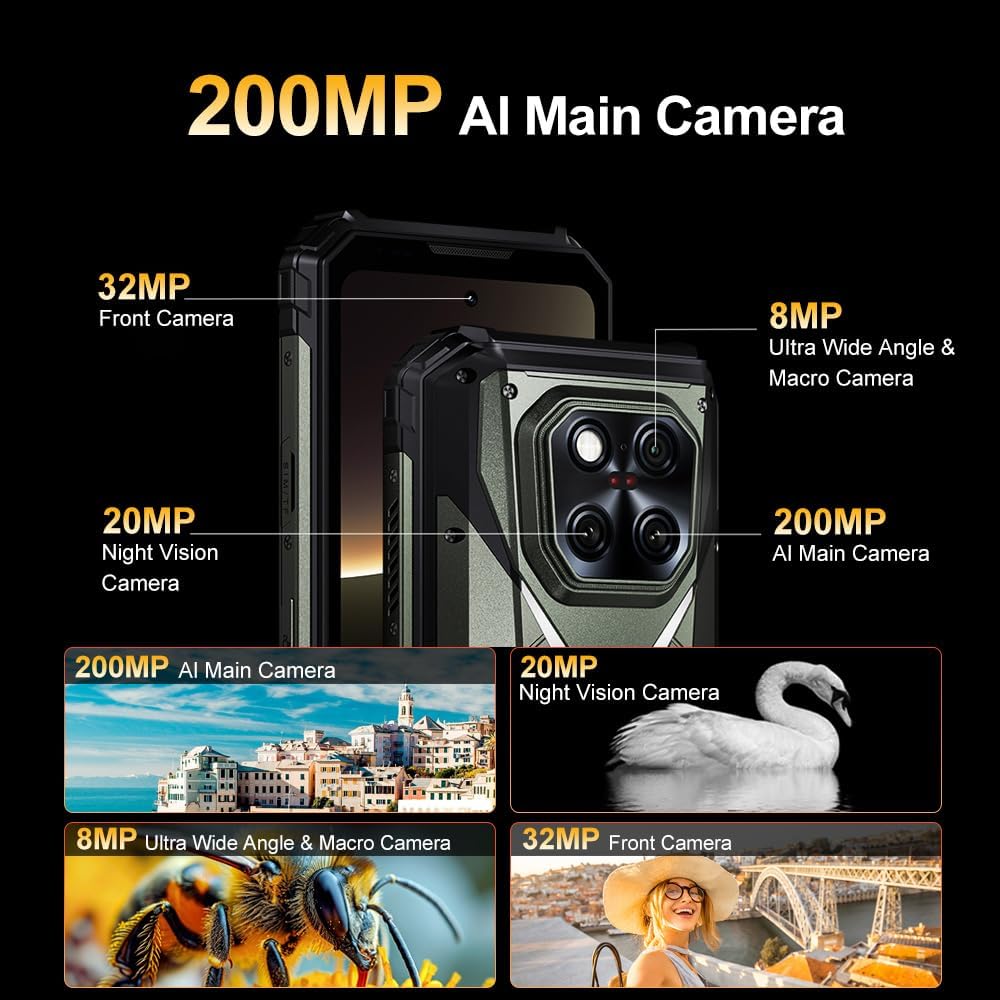
Figure 3.2: ашыкview of the DOOGEE V Max Play's multi-camera system.
3.4 Дисплейдин өзгөчөлүктөрү
The 6.78-inch FHD+ (1080×2460 pixels) display offers a smooth visual experience.
- 120Hz жаңыртуу ылдамдыгы: Ensures fluid scrolling and gaming.
- 500 Nits жарыктыгы: Provides clear visibility even in direct sunlight.
- Чечим: 1080 x 2460 пиксел.

Figure 3.3: Key features of the DOOGEE V Max Play's display.
3.5 Dual Camping Lights and Loud Speaker
- 1200LM LED Lights: The device features powerful LED lights for illumination, suitable for camping or emergency situations. These lights offer 3 modes of adjustment.
- 130dB Smart PA Loud Speaker: Provides clear and powerful audio output for media playback or hands-free communication.

Figure 3.4: The device's dual camping lights and loud speaker.
3.6 Байланыш жана навигация
- Кош 5G SIM: Supports 5G connectivity on both SIM slots.
- Wi-Fi 6: Жогорку ылдамдыктагы зымсыз интернетке кирүү үчүн.
- Bluetooth 5.2: Зымсыз аксессуарларды туташтыруу үчүн.
- NFC (Google Pay): Enables contactless payments.
- GPS/Beidou/GLONASS/Galileo: Multiple satellite systems for precise navigation.
3.7 Android 15 операциялык системасы
The DOOGEE V Max Play runs on Android 15, offering enhanced security, customization options, and performance. It also integrates AI features for an optimized user experience.
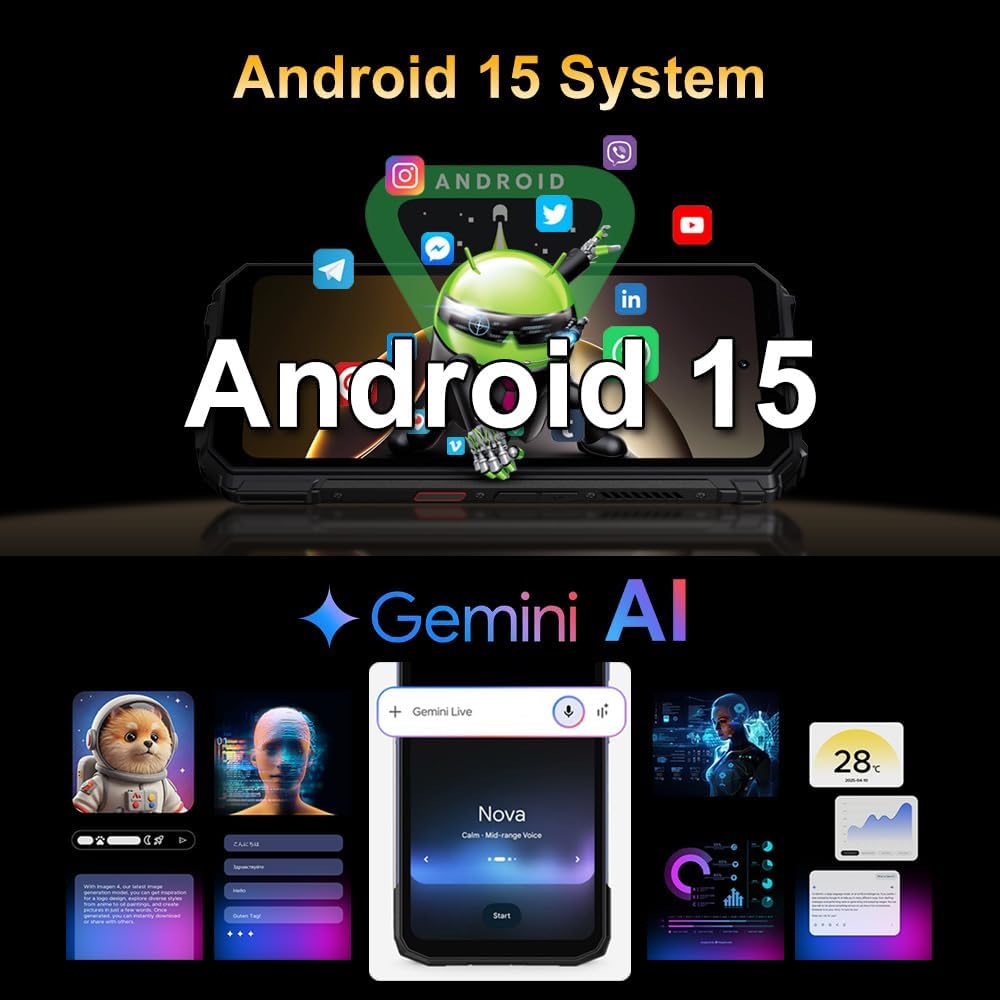
Figure 3.5: Android 15 operating system with AI integration.
4. Техникалык тейлөө
4.1 Бекемдик жана туруктуулук
The DOOGEE V Max Play is certified IP68/IP69K and MIL-STD-810H, making it resistant to water, dust, and drops. It is designed for use in harsh environments and extreme temperatures (-40°C to 70°C).
- Суу өткөрбөйт: Can withstand immersion in water up to 1.5 meters for 30 minutes. Ensure all ports are securely closed before exposure to water.
- Чаң өткөрбөйт: Чаңдын киришинен толук корголгон.
- Тамчылабай турган: Designed to endure drops from a certain height onto hard surfaces.

Figure 4.1: The DOOGEE V Max Play demonstrating its waterproof design.
Video 4.1: The DOOGEE V Max Play being dropped and submerged in water, highlighting its IP68/IP69K and MIL-STD-810H certifications.
4.2 Тазалоо
Түзмөгүңүздү тазалоо үчүн жумшак,amp cloth. Avoid harsh chemicals or abrasive materials that could damage the screen or casing.
4.3 Батареяга кам көрүү
The device features a 20,500mAh high-capacity battery. To maximize battery life:
- Ашыкча температурадан сактаныңыз.
- Оптималдуу кубаттоо үчүн баштапкы заряддагычты жана кабелди колдонуңуз.
- Батареяны бат-баттан толук зарядсыздандырбаңыз.
- The phone supports 10W reverse OTG charging, allowing it to act as a power bank for other devices.
Figure 4.2: Battery features including capacity, fast charging, and reverse charging.
5. Кыйынчылыктарды
If you encounter issues with your DOOGEE V Max Play, refer to the following common solutions:
- Түзмөк күйбөй жатат: Батарея заряддалганын текшериңиз. Заряддоо түзүлүшкө туташып, кайра күйгүзүү аракетинен мурун бир нече мүнөт күтө туруңуз.
- Projector not working: Check if the projector is enabled in settings. Ensure the lens is clean and unobstructed.
- Камера сапаты начар: Clean the camera lenses. Ensure adequate lighting. Check camera settings for resolution and mode.
- Туташуу көйгөйлөрү (Wi-Fi/Bluetooth/5G): Restart the device. Toggle the respective connectivity option off and on. Check network settings.
- Жай аткаруу: Close unnecessary background applications. Clear cache. Consider a factory reset if issues persist (back up data first).
6. Техникалык шарттар
| Өзгөчөлүк | Деталь |
|---|---|
| Модель аты | DOOGEE V Max Play |
| Операция системасы | Android 15 |
| Процессор | MediaTek Dimensity 7300 5G (4nm Octa-core, 2.5GHz) |
| RAM | 16GB Physical RAM + 20GB Virtual RAM (Total 36GB) |
| Ички сактагыч | 512GB ROM (Expandable up to 2TB) |
| Дисплей | 6.78 inches FHD+ (1080 x 2460) IPS, 120Hz Refresh Rate |
| Башкы камера | 200MP AI Main Camera with EIS |
| Түнкү көрүнүш камерасы | 20MP |
| Ultra-Wide & Macro Camera | 8MP |
| Алдыңкы камера | 32MP |
| Проектор | 100 Lumens, 60Hz Refresh Rate, 854x480 Resolution, Auto-Focus |
| Батарея сыйымдуулугу | 20,500mAh |
| Заряддоо | 45W Fast Charging, 10W Reverse OTG |
| Туруктуу | IP68/IP69K, MIL-STD-810H |
| Байланыш | Dual 5G, Wi-Fi 6, Bluetooth 5.2, NFC |
| Навигация | GPS, Бейдоу, ГЛОНАСС, Галилео |
| Өлчөмдөр | 7.22 x 3.36 x 1.2 дюйм |
| Салмагы | 1.51 фунт (683 грамм) |
7. Кепилдик жана колдоо
Your DOOGEE V Max Play smartphone comes with a 24-month warranty covering hardware or software issues. For technical assistance or warranty claims, please contact DOOGEE customer support.
Кошумча коргоо пландары сатып алуу үчүн жеткиликтүү болушу мүмкүн:
- 2 жылдык коргоо планы
- Толук коргоо: жарамдуу өткөн жана келечектеги сатып алууларды камтыган айлык план.
Refer to your warranty card for specific terms and conditions.


