1. Киришүү
Сатып алганыңыз үчүн рахматasing the InnoVibe Bluetooth Speaker Lantern. This device combines a portable LED lantern with a Bluetooth speaker, offering versatile lighting and audio for various outdoor and indoor activities. Please read this manual carefully to ensure proper use and maintenance of your product.
2. Коопсуздук нускамалары
- Аппаратты экстремалдык температурага, түз күндүн нуруна же жогорку нымдуулукка дуушар кылбаңыз.
- Аппаратты түшүрүүдөн же катуу таасирлерден сактаныңыз.
- Keep the device away from water and other liquids. This product is not water resistant.
- Do not attempt to disassemble, repair, or modify the device yourself. Contact customer support if service is required.
- Берилген USB-C кубаттоо кабелин же сертификатталган эквивалентин гана колдонуңуз.
- Балдар жетпеген жерде сактаңыз.
3. Пакеттин мазмуну
- InnoVibe Bluetooth Speaker Lantern
- USB-C заряддоо кабели
- User Manual
4. Продукт бүтүп калдыview
Familiarize yourself with the components of your InnoVibe Bluetooth Speaker Lantern.

Сүрөт 1: Фронт view of the InnoVibe Bluetooth Speaker Lantern. It features a cylindrical light diffuser on top, a sturdy handle for portability, and a speaker base with a touch control icon.

Сүрөт 2: Diagram highlighting key features: Bass Boosting Sound, Color Changing RGB Lights, Adjustable Warm White Light, Touch Switch Control Button, Rechargeable Battery, and Sound-Reactive Light Mode.
Компоненттери:
- туткасы: For easy carrying and hanging.
- Жарык чачыраткыч: Emits warm white and RGB light.
- Динамик тор: Located at the base for audio output.
- Сенсордук башкаруу баскычы: Located on the base, used for power and light mode adjustments.
- Башкаруу панели (Арткы): Contains buttons for volume, track control, and additional lighting modes.
- USB-C заряддоо порту: Ички батареяны кайра заряддоо үчүн.
5. Орнотуу
5.1. Фонарды кубаттоо
- Locate the USB-C charging port on the back of the lantern.
- Connect the provided USB-C cable to the lantern and plug the other end into a compatible USB power adapter (not included) or a computer USB port.
- The charging indicator light will illuminate to show the device is charging.
- Allow approximately 3-4 hours for a full charge. The indicator light will change or turn off once fully charged.
5.2. Күйгүзүү/өчүрүү
- Күйгүзүү үчүн: Press and hold the touch control button on the base for 2-3 seconds. The lantern will emit a sound and the light will turn on.
- Өчүрүү үчүн: Press and hold the touch control button on the base for 2-3 seconds. The lantern will emit a sound and the light will turn off.
6. Иштөө нускамалары
6.1. Bluetooth Жупташтыруу
- Ensure the lantern is powered on. It will automatically enter Bluetooth pairing mode, indicated by a flashing blue light (if applicable, refer to specific LED indicators).
- Смартфонуңузда же башка Bluetooth иштетилген түзмөгүңүздө Bluetooth жөндөөлөрүнө өтүңүз.
- Издөө available devices and select "InnoVibe Lantern" (or similar name).
- Once connected, the lantern will emit a confirmation sound, and the Bluetooth indicator light will become solid.
- You can now play audio through the lantern's speaker.

Сүрөт 3: The InnoVibe Bluetooth Speaker Lantern emitting a blue light while playing music, demonstrating its audio capabilities in an outdoor setting.
6.2. Lantern Operation
The lantern offers both warm white light and color-changing RGB modes.
- Жылуу ак жарык: Short press the touch control button on the base to cycle through 3 brightness levels (Low, Medium, High) of warm white light.
- RGB Color Mode: After cycling through the warm white brightness levels, another short press will activate the RGB color mode.
- Статикалык түстөр: In RGB mode, continue short pressing the touch control button to cycle through 7 static colors.
- Динамикалык эффекттер: After the static colors, further short presses will activate 3 dynamic lighting effects, including a sound-reactive mode.

Сүрөт 4: A hand reaching towards the InnoVibe Bluetooth Speaker Lantern, illustrating the touch control functionality. The image displays a grid of various static RGB color options available for the lantern.
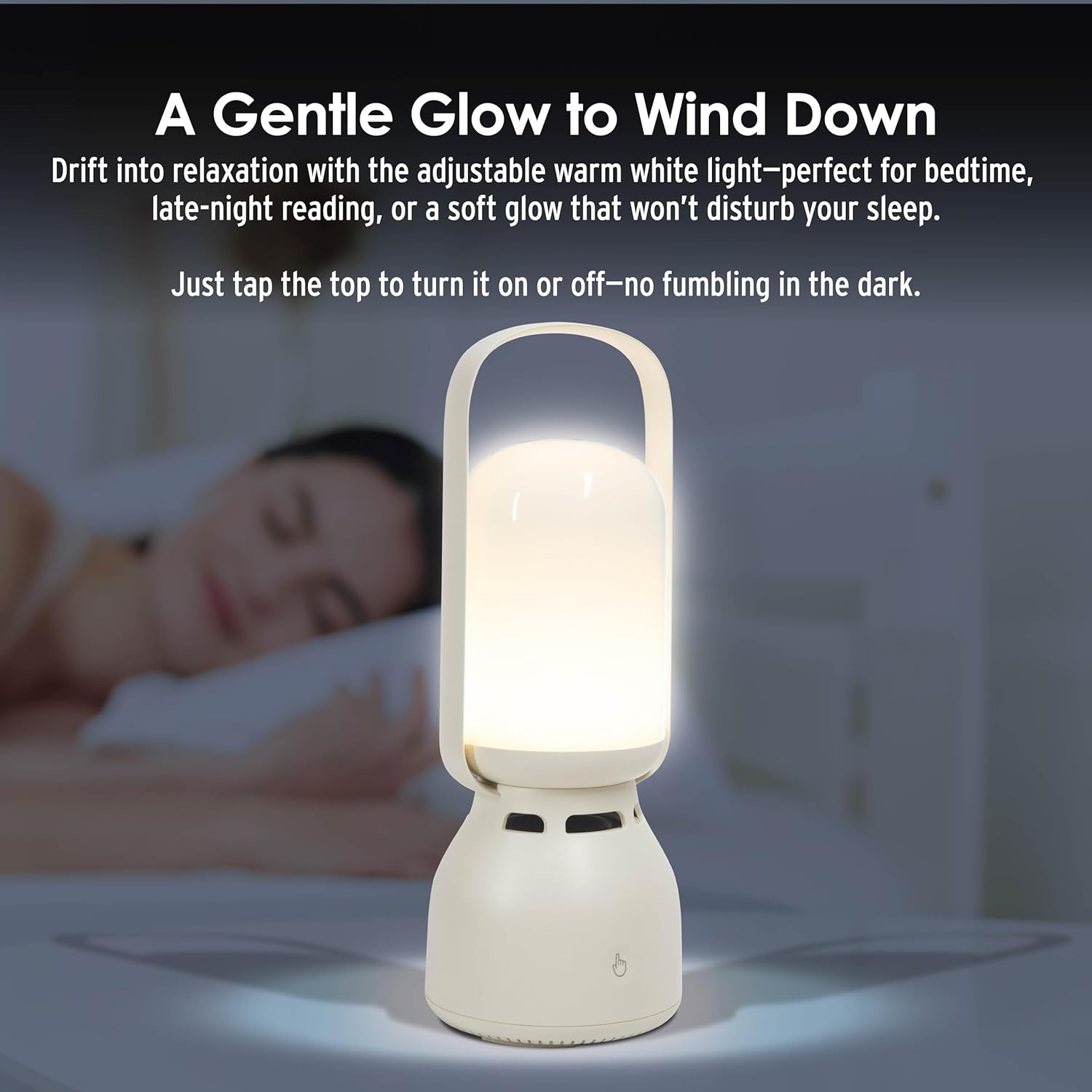
Сүрөт 5: The InnoVibe Bluetooth Speaker Lantern providing a gentle warm white glow on a bedside table, suitable for relaxation or reading.
6.3. Музыканы башкаруу
The control panel on the back of the lantern allows for direct music playback control:
- Үнүн жогорулатуу/төмөндөтүү: Атайын үн баскычтарын колдонуңуз.
- Кийинки / Мурунку трек: Use the track skip buttons.
- Ойнотуу/тындыруу: Use the play/pause button.
7. Техникалык тейлөө
- Clean the lantern with a soft, dry cloth. Do not use abrasive cleaners or solvents.
- Аппаратты колдонбогондо салкын, кургак жерде сактаңыз.
- Батареянын иштөө мөөнөтүн сактоо үчүн, көп колдонулбаса да, аны үзгүлтүксүз кубаттап туруңуз.
8. Кыйынчылыктарды
| Көйгөй | Мүмкүн чечим |
|---|---|
| Фонарь күйбөйт. | Батарея заряддалганын текшериңиз. USB-C кабели аркылуу кубат булагына туташуу. |
| Bluetooth аркылуу туташуу мүмкүн эмес. | Ensure the lantern is in pairing mode. Turn off and on your device's Bluetooth. Move the lantern closer to your device. Forget the device in your Bluetooth settings and try pairing again. |
| Динамиктен үн жок. | Check the volume level on both the lantern and your connected device. Ensure the device is properly paired. |
| Жарык режимдери өзгөрбөйт. | Ensure you are short-pressing the touch control button. If unresponsive, power cycle the device. |
9. Техникалык шарттар
| Өзгөчөлүк | Деталь |
|---|---|
| Модель номери | IVLS2050CM |
| Бренд | InnoVibe |
| Продукциянын өлчөмдөрү | 9.53"L x 3.43"W x 9.53"H |
| Элемент Салмагы | 1.86 фунт |
| Power Source | Заряддалуучу батарея |
| Батарея түрү | Nonstandard Lithium-ion Polymer |
| Тtage | 5 вольт (ток) |
| Ватtage | 5 ватт |
| Жарык булагы түрү | LED (жарык чыгаруучу диод) |
| Light Features | Color-changing, Adjustable Brightness (3 levels warm white, 7 static RGB, 3 dynamic effects) |
| Материал | Plastic, Glossy Finish |
| Монтаж түрү | Столдун үстү |
| Сууга туруктуулук деңгээли | Сууга чыдамдуу эмес |
| UPC | 810182220642 |
10. Кепилдик жана колдоо
For warranty information or technical support, please refer to the contact details provided with your purchase or visit the official InnoVibe webсайт. Ар кандай кепилдик дооматтары үчүн сатып алганыңыздын далилин сактаңыз.
