1. Киришүү
The Logitech Alto Keys K98M is a wireless mechanical keyboard designed for enhanced typing comfort and productivity. It features a unique UniCushion gasket mount for vibration absorption, hot-swappable Marble Switches, and versatile multi-device connectivity. This manual will guide you through the essential steps to set up, operate, and maintain your keyboard.
2. Пакеттин мазмуну
Пакетиңизде бардык буюмдар бар экенин текшериңиз:
- Logitech Alto Keys K98M зымсыз механикалык баскычтобу
- Logi Bolt USB Receiver
- USB-C заряддоо кабели
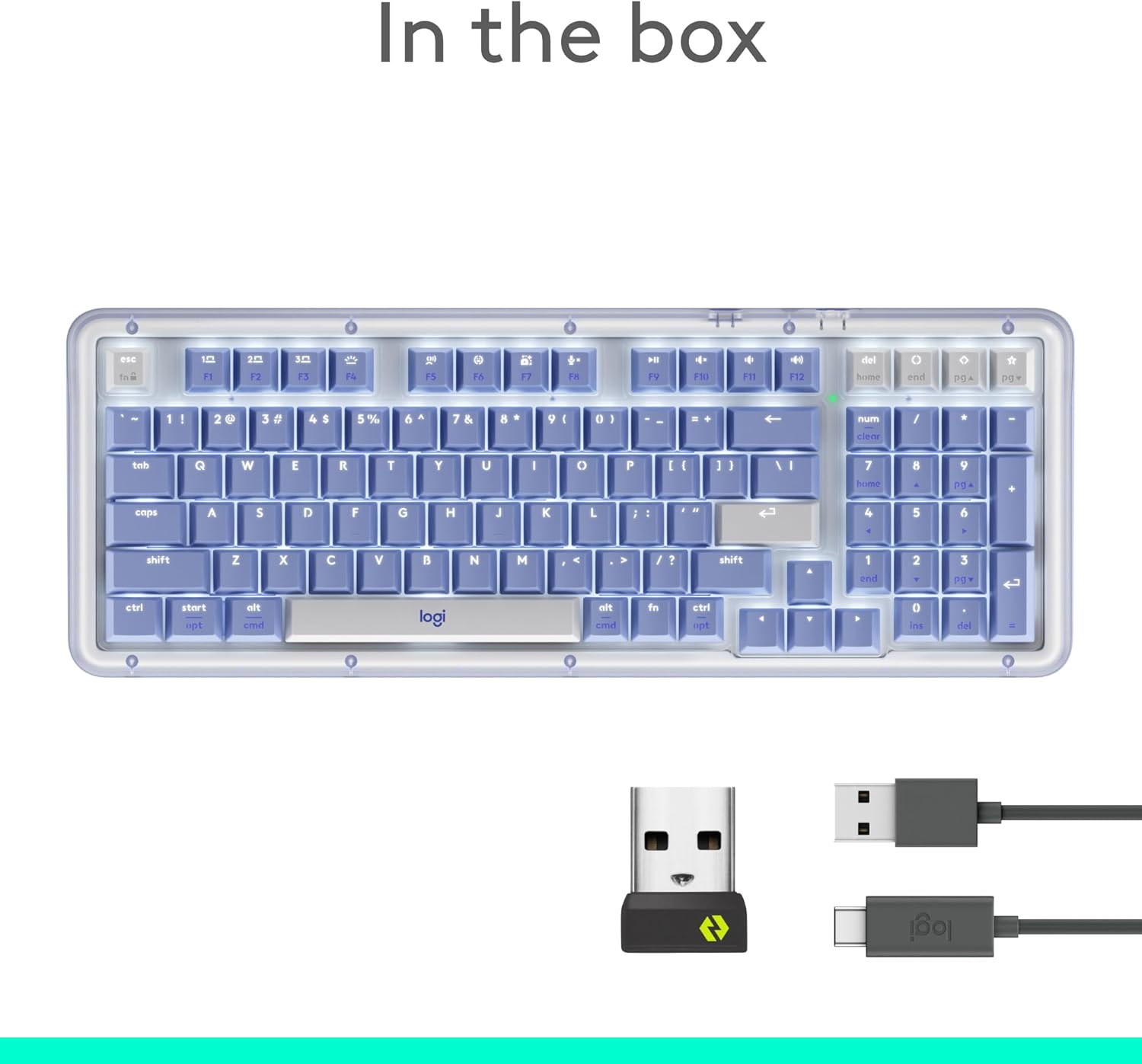
Image: Contents of the Logitech Alto Keys K98M package, including the keyboard, Logi Bolt receiver, and USB-C cable.
3. Орнотуу
3.1 Баскычтопту заряддоо
Before initial use, fully charge your keyboard using the provided USB-C cable. Connect one end to the keyboard's USB-C port and the other to a power source (e.g., computer USB port, wall adapter).
3.2 Түзмөктөргө туташуу
The Alto Keys K98M supports connection via Bluetooth Low Energy or the Logi Bolt USB Receiver. It can pair with up to three devices simultaneously.
- Bluetooth жупташууда:
- Press and hold one of the device pairing buttons (F1, F2, or F3) on the top row of the keyboard until the corresponding LED light blinks.
- On your computer, tablet, or smartphone, navigate to Bluetooth settings and select 'Logitech Alto Keys K98M' to pair.
- Logi Bolt Receiver:
- Insert the Logi Bolt USB Receiver into an available USB-A port on your computer.
- The keyboard should automatically connect. If not, use the Logi Options+ App to establish the connection.
To switch between paired devices, simply press the corresponding device pairing button (F1, F2, or F3) for a brief moment.
3.3 Software Installation (Logi Options+ App)
For full customization and advanced features, download and install the Logi Options+ App from the official Logitech website. This application allows you to remap keys, adjust backlighting, and configure smart actions.
4. Иштөө нускамалары
4.1 Ачкычтын жайгашуусу жана функциялары
The K98M features a 98-key layout, including a dedicated numeric keypad. The function row (F1-F12) includes media controls and special action keys. Keycaps are PBT and shine-through for clear visibility of legends with backlighting.

Image: The full layout of the Logitech Alto Keys K98M keyboard, showcasing its compact design with an integrated numeric keypad.
4.2 Арткы жарыктандыруу
The keyboard features white backlighting. Use the dedicated backlighting key (F4) to cycle through brightness levels or turn the backlighting on/off. The Logi Options+ App provides further control over backlighting settings.

Сүрөт: жакын план view of the backlit keys on the keyboard, illustrating their visibility in various lighting conditions.
4.3 Customization with Logi Options+ App
The Logi Options+ App allows extensive customization:
- Ачкычты кайра түзүү: Assign custom functions to most keys, including the function row and special action keys (e.g., dictation, emoji, screenshot, mic mute).
- Акылдуу аракеттер: Create macros and sequences for increased productivity.
- AI Actions: Access AI-enhanced features through programmable keys.
Note: Customizations made in the Logi Options+ App are stored on the device running the app. Keycap labels will not change to reflect custom assignments.
5. Өзгөчөлүктөрү
5.1 UniCushion Gasket Mount
The innovative UniCushion gasket mount system absorbs vibrations from each keystroke, providing a smoother and more refined typing experience with a satisfying sound.

Сүрөт: деталдуу view of the UniCushion gasket mount, highlighting its design for vibration absorption.
5.2 Hot-Swappable Marble Switches
The keyboard is equipped with Logitech's linear Marble Switches, offering smooth and responsive typing. These switches are hot-swappable, allowing for easy replacement or customization with compatible switches.
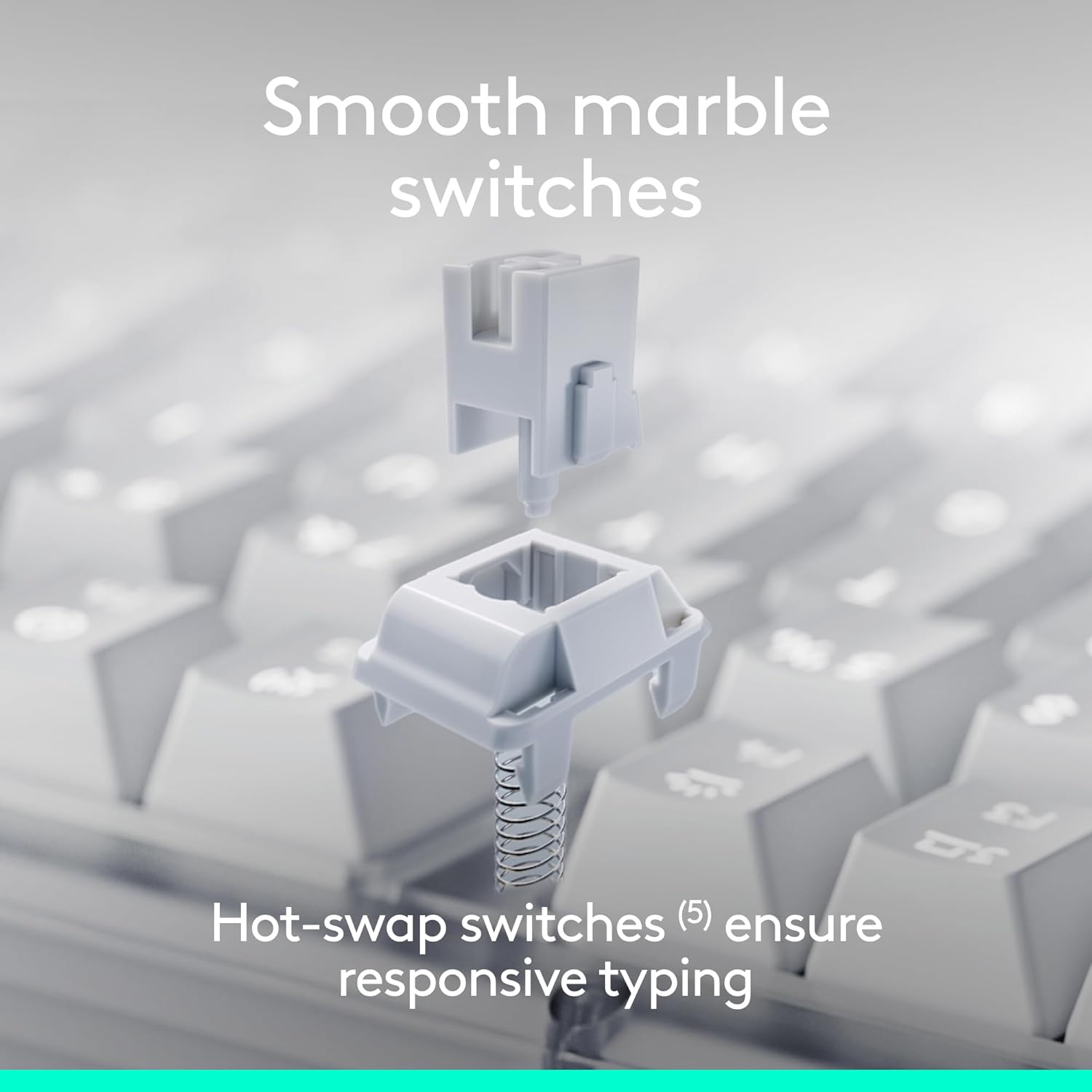
Сүрөт: жарылган view of a hot-swappable mechanical switch, demonstrating its modular design.
5.3 Көп түзмөктү туташтыруу
Connect wirelessly via Bluetooth Low Energy or the included Logi Bolt USB Receiver. The keyboard supports seamless switching between up to three paired devices, including PCs, Macs, laptops, smartphones, and tablets.
5.4 Battery Life and Recharging
Enjoy extended use with up to 12 months of battery life when the backlight is off. The keyboard recharges via USB-C, allowing you to continue typing while it charges.
5.5 Шайкештик
The Logitech Alto Keys K98M is compatible with a wide range of operating systems:
- Windows 10 жана андан кийинкиси
- macOS
- Chrome OS
- Linux
- iOS
6. Техникалык тейлөө
6.1 Тазалоо
To clean your keyboard, gently wipe the keycaps and surface with a soft, lint-free cloth. For deeper cleaning, you may carefully remove keycaps (if comfortable) and use compressed air to clear debris from beneath. Avoid using harsh chemicals or abrasive materials.
6.2 Батареяга кам көрүү
To maximize battery lifespan, avoid fully discharging the keyboard frequently. Recharge when the battery indicator suggests it. Store the keyboard in a cool, dry place when not in use for extended periods.
7. Кыйынчылыктарды
- Баскычтоп туташпай жатат:
- Баскычтоп кубатталганын текшериңиз.
- Түзмөгүңүздө Bluetooth иштетилгенин текшериңиз.
- Re-initiate pairing mode on the keyboard (hold F1/F2/F3) and re-scan on your device.
- If using Logi Bolt, ensure the receiver is securely plugged in and try a different USB port.
- Keys unresponsive:
- Батареянын деңгээлин текшериңиз.
- Ensure the keyboard is connected to the correct device channel (F1, F2, or F3).
- Аны өчүрүү жана күйгүзүү менен баскычтопту кайра иштетиңиз.
- Арткы жарык иштебейт:
- Adjust brightness using the F4 key.
- Check battery level, as low battery may disable backlighting.
8. Техникалык шарттар
| Бренд | Logitech |
| Модель номери | 920-013577 |
| Элемент Салмагы | 2.43 фунт |
| Продукциянын өлчөмдөрү | 15.79 x 5.79 x 1.56 дюйм |
| Түс | сирень |
| Power Source | Батарея менен иштейт |
| Байланыш технологиясы | Bluetooth, RF (Logi Bolt), USB-C (charging) |
| Keyboard Description | Механикалык |
| Шайкеш түзмөктөр | Ноутбук, компьютер, смартфон, планшет |
| Операция системасы | Chrome OS, Linux, Mac OS, Windows 10, iOS |
9. Кепилдик жана колдоо
Кепилдик жөнүндө маалымат, техникалык колдоо жана кошумча ресурстар үчүн расмий Logitech колдоо кызматына кайрылыңыз webсайт. Кепилдик дооматтар үчүн сатып алганыңыздын далилин сактаңыз.
10. Продукт видеосу
Көрүү үчүн расмий продукт видеосун көрүңүзview of the Logitech Alto Keys K98M keyboard's features and design.
Video: Official Logitech Alto Keys K98M Product Video, showcasing its design, features, and typing experience.


