1. Киришүү
This manual provides instructions for the operation and maintenance of your LIGE FV26-F Smartwatch. Please read this manual carefully before using the device to ensure proper function and to maximize its features. The smartwatch is designed for women, featuring a round display, silver stainless steel band with diamond accents, and a silicone strap option.
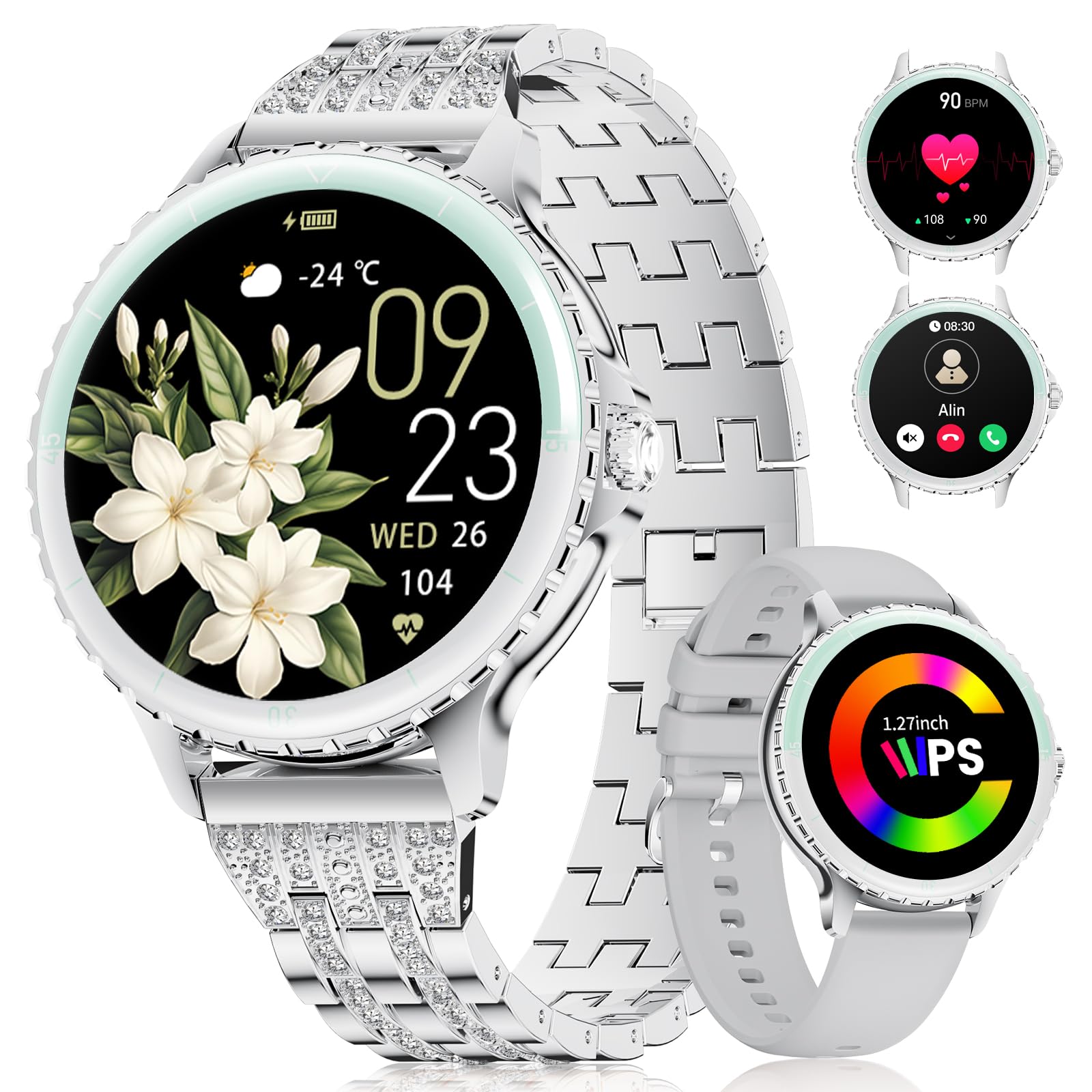
Image: LIGE FV26-F Smartwatch displaying its elegant design with both stainless steel and silicone strap options.
2. Орнотуу
2.1 Акылдуу саатты кубаттоо
- Кубаттоочу кабелди акылдуу сааттын арткы бетиндеги кубаттоо портуна туташтырыңыз.
- Кабелдин USB учун стандарттуу USB кубат адаптерине (кошулмада жок) же компьютердин USB портуна сайыңыз.
- Ensure the charging pins are properly aligned with the smartwatch's contacts.
- A charging indicator will appear on the screen. Allow approximately 2-3 hours for a full charge.
2.2 Колдонмону орнотуу жана жупташтыруу
- жүктөп алыңыз FitcloudPro application from your smartphone's app store (Google Play Store for Android, Apple App Store for iOS).
- Ensure your smartphone meets the compatibility requirements: Android 6.0 or higher, or iOS 9.0 or higher.
- Смартфонуңузда Bluetooth'ду иштетиңиз.
- Open the FitcloudPro app and follow the on-screen instructions to create an account or log in.
- In the app, navigate to the device pairing section and search for your LIGE FV26-F smartwatch.
- Select your smartwatch from the list of available devices to initiate the pairing process. Confirm any pairing requests on both your phone and the smartwatch.
Once paired, the smartwatch will synchronize data with the app, and you can customize settings.
3. Иштөө нускамалары
3.1 Негизги навигация
- Сенсордук экран: Менюлар жана функциялар аркылуу өтүү үчүн солго, оңго, өйдө же ылдый серпиңиз. Параметрди тандоо үчүн таптаңыз.
- Каптал баскычы: Typically used to return to the home screen or to power on/off the device (long press).
3.2 Bluetooth чалуулары
- After successful Bluetooth pairing, you can make and receive calls directly from your wrist.
- The smartwatch supports contact uploading from your phone and displays call history.
- Utilize the integrated AI voice assistant for hands-free control of your phone's calling functions.
3.3 Реалдуу убакыттагы эскертмелер
- Receive alerts for incoming calls, messages, WhatsApp, and other application activities.
- The smartwatch will gently vibrate to notify you.
- Note for WhatsApp: To ensure WhatsApp notifications are received, set your WhatsApp notification settings on your phone to "Show comments - Always show." If your software is connected to a computer, the watch may not send messages.
3.4 Ден соолуктун мониторинги
- Жүрөктүн кагышы: Continuous 24/7 heart rate measurement.
- SpO2: Blood oxygen saturation measurement (data for reference only).
- Аялдардын ден соолугу: Features include menstrual cycle prediction, pregnancy preparation mode, and pregnancy mode.
- Уйкунун мониторинги: Tracks and analyzes sleep patterns.
- Отурумдук эскертүү: Аракетсиз убакыттан кийин көчүп кетүүнү эскертет.
- Дем алуу көнүгүүлөрү: Эс алуу үчүн дем алуу көнүгүүлөрүн жасоо.
3.5 Спорт режимдери
- The smartwatch supports over 100 sport modes.
- Ten built-in sports include yoga, cycling, running, and badminton.
- Use the "Sport Push" function in the FitcloudPro app to transfer additional sport modes to your watch.
- During workouts, the watch provides comprehensive data such as steps, training time, distance, calories burned, and heart rate (data for reference only).
3.6 Camera Remote and Music Control
- Камераны алыстан башкаруу: Сүрөткө тартуу үчүн смартфонуңуздун камерасын алыстан башкарыңыз.
- Музыкалык башкаруу: Play, pause, skip tracks, and adjust volume for music playing on your connected smartphone.
3.7 ыңгайлаштырылган саат жүздөрү
- Personalize your smartwatch by setting photos from your phone (e.g., family, pets) as watch faces through the FitcloudPro app.
4. Техникалык тейлөө
- Тазалоо: Wipe the smartwatch and straps regularly with a soft, dry cloth. Avoid harsh chemicals.
- Батареяга кам көрүү: The 300 mAh battery provides approximately 3 to 5 days of usage depending on feature use. Charge the device before the battery is completely depleted to prolong its lifespan.
- Сактагыч: Акылдуу саатты колдонбогондо салкын, кургак жерде сактаңыз.
5. Кыйынчылыктарды
- Туташуу маселелери: If the smartwatch disconnects from your phone, ensure Bluetooth is enabled on both devices and that the FitcloudPro app is running in the background. Try restarting both the smartwatch and your phone.
- Билдирмелер алынган жок: Verify that app notifications are enabled in your phone's settings and within the FitcloudPro app. For WhatsApp, ensure the specific setting "Show comments - Always show" is active.
- Туура эмес ден соолук маалыматы: Ensure the smartwatch is worn snugly on your wrist, but not too tight. Environmental factors and movement can affect sensor readings. Health data is for reference only and not for medical diagnosis.
- Экран жооп бербейт: Try restarting the smartwatch by long-pressing the side button. If the issue persists, ensure the device is charged.
6. Техникалык шарттар
| Өзгөчөлүк | Спецификация |
|---|---|
| Бренд | LIGE |
| Модель номери | FV26-F |
| Түс | Silver |
| Операция системасы | iOS, Android |
| Screen Size | 1.27 дюйм |
| Форма | Тегерек |
| Байланыш технологиясы | Bluetooth |
| Зымсыз байланыш стандарты | Bluetooth |
| Өзгөчөлүктөр | Phone Call, Voice Control, Email, Notification, Touchscreen |
| Шайкеш түзмөктөр | Смартфон |
| Батарея сыйымдуулугу | 300 мАч |
| Батареянын курамы | Литий-полимер |
| Заряддалуучу батарея | Ооба |
| Эстутум сактоо сыйымдуулугу | 256 MB |
| GPS | GPS смартфон аркылуу |
7. Кепилдик жана колдоо
Specific warranty information for the LIGE FV26-F Smartwatch is not provided in the product data. Please refer to the manufacturer's official website or your point of purchase for detailed warranty terms and conditions.
For technical support, software updates, or further assistance, please consult the FitcloudPro application or visit the LIGE official support channels.


