1. Киришүү
Thank you for choosing the JOMAA Wireless Folding Keyboard. This compact and versatile keyboard is designed for enhanced productivity across multiple devices, featuring both Bluetooth and 2.4G connectivity, a built-in trackpad, and customizable RGB backlighting. This manual provides essential information for setup, operation, and maintenance to ensure optimal performance.
2. Пакеттин мазмуну
- JOMAA Wireless Folding Keyboard
- USB заряддоо кабели (Type-C)
- 2.4G USB Receiver (stored magnetically within the keyboard)
- User Manual
3. Продукциянын өзгөчөлүктөрү
- Көп түзмөк байланышы: Supports 2 Bluetooth channels and 1 x 2.4G USB receiver connection, allowing seamless switching between up to three devices.
- Толук өлчөмдөгү макет: Despite its foldable design, it offers a full-size keyboard layout including a numeric keypad for comprehensive input.
- Интеграцияланган сенсордук панель: A foldable trackpad provides mouse-like control, eliminating the need for an external mouse.
- Ыңгайлаштырылуучу RGB арткы жарыгы: Features vibrant RGB backlighting with multiple colors and brightness levels for use in various lighting conditions.
- Ультра портативдик дизайн: Folds compactly for easy storage and transport, ideal for travel and remote work.
- Кайра заряддалуучу батарея: Equipped with a 1200mAh high-capacity battery, offering up to 150 hours of uninterrupted work (without backlight).
- Магниттик жабуу: Ensures the keyboard remains securely folded when not in use.
- Кайчы которуштуруу баскычтары: Provides a comfortable and responsive typing experience.
4. Орнотуу
4.1. Баскычтопту заряддоо
Before first use, fully charge the keyboard using the provided USB Type-C cable. The charging port is located on the side of the keyboard. A full charge typically takes 2-3 hours.
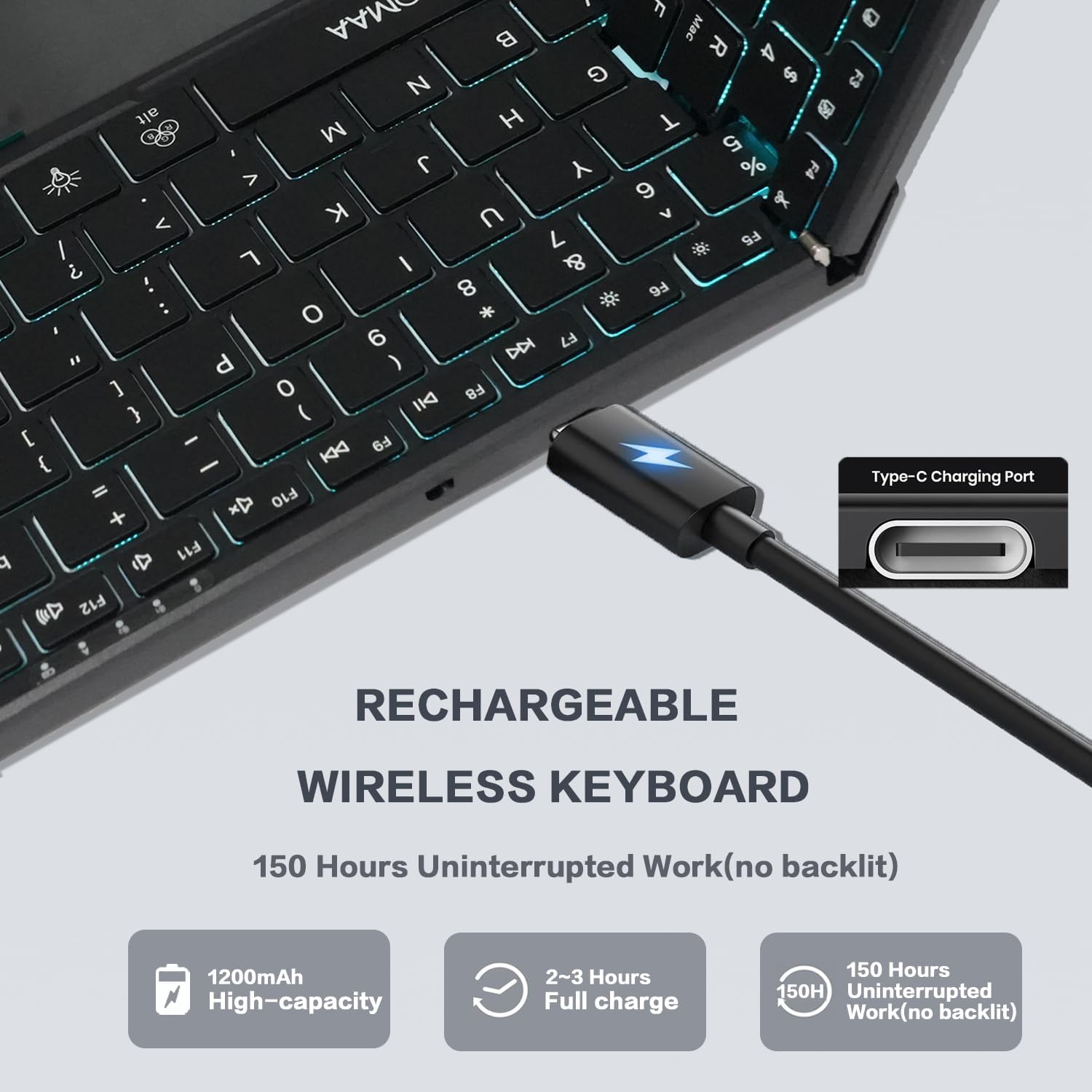
Image: The JOMAA Wireless Folding Keyboard showing its Type-C charging port and battery life indicators.
4.2. Unfolding the Keyboard
Gently unfold the keyboard until it lies flat. The magnetic closure will release, and the keyboard will automatically power on. The trackpad will also extend from its storage position.
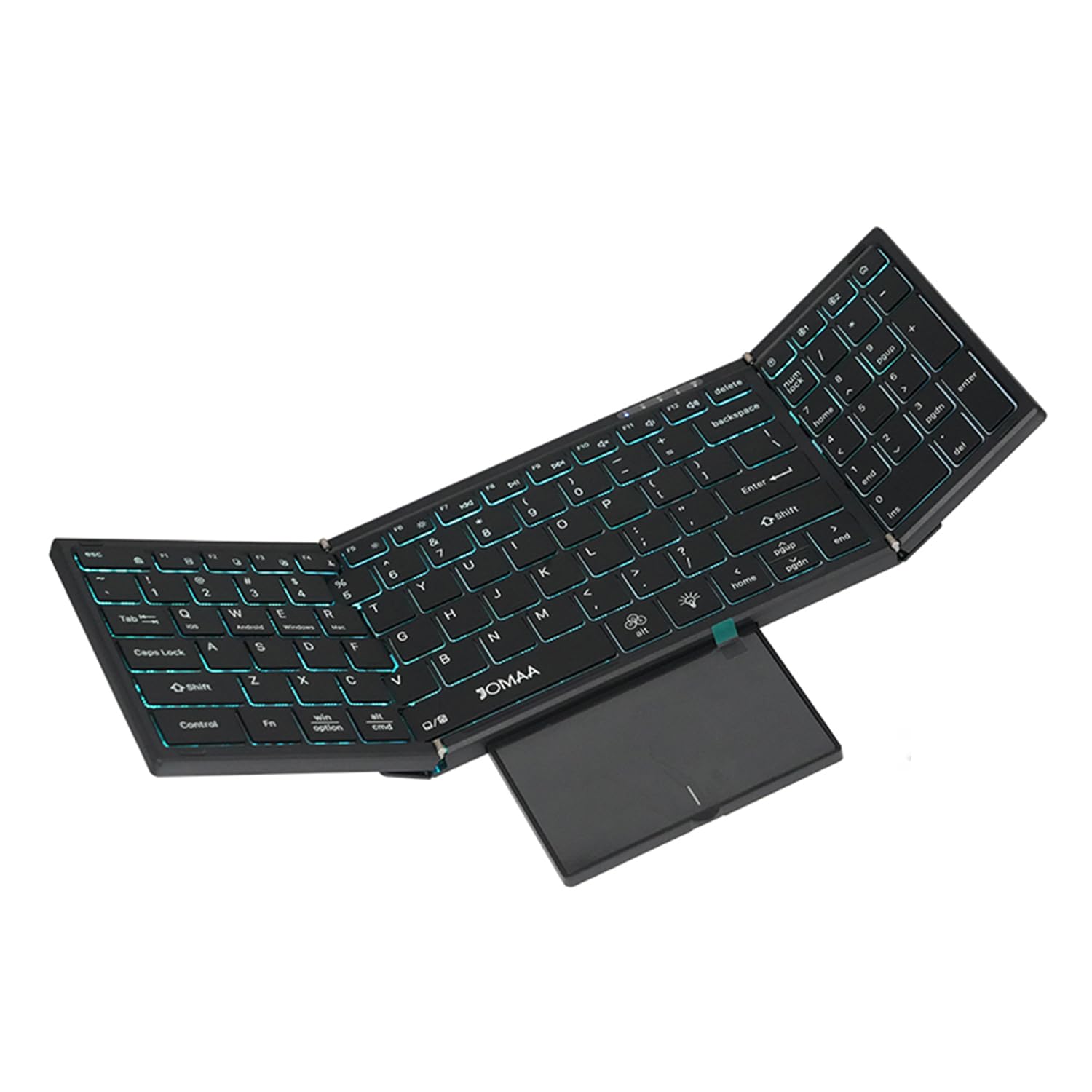
Image: The JOMAA Wireless Folding Keyboard fully unfolded, showcasing its full-size layout, RGB backlighting, and extended trackpad.
4.3. Түзмөктөргө туташуу
The keyboard supports both 2.4G wireless and Bluetooth connectivity.
4.3.1. 2.4G зымсыз туташуу
- Locate the 2.4G USB receiver, which is magnetically stored within the keyboard's trackpad compartment.
- Plug the USB receiver into an available USB-A port on your computer or device.
- Басыңыз Fn + 2.4G (usually the key above the numeric keypad) to switch to 2.4G mode. The indicator light will confirm the connection.
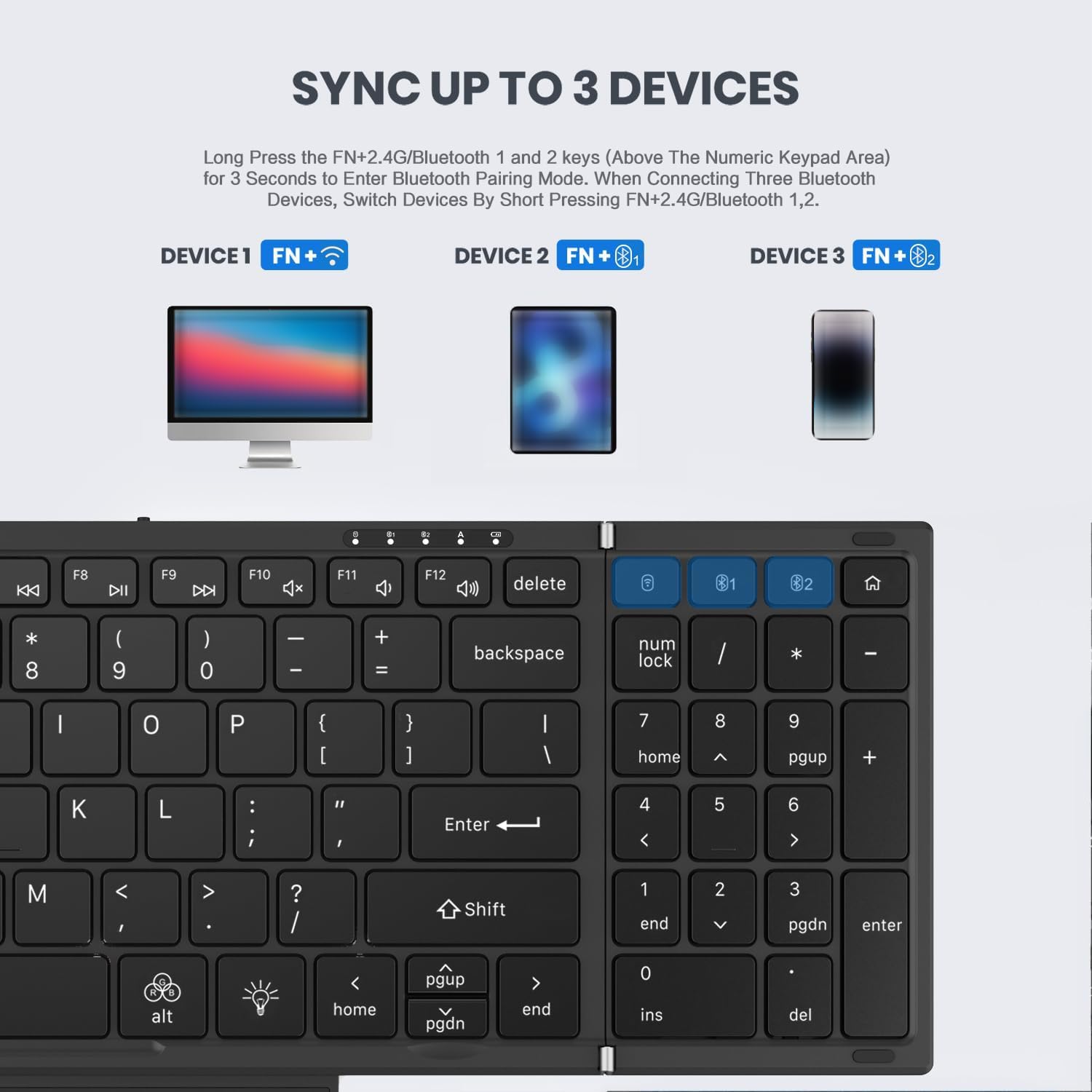
Image: Instructions for syncing the keyboard to multiple devices, highlighting the 2.4G and Bluetooth pairing keys.
4.3.2. Bluetooth байланышы (BT1 / BT2)
- Басып кармап туруңуз Fn + B1 or Fn + B2 for 3 seconds to enter Bluetooth pairing mode. The corresponding indicator light will flash rapidly.
- On your device (laptop, tablet, phone), go to Bluetooth settings and search for 'JOMAA Keyboard'.
- Select the keyboard to pair. The indicator light on the keyboard will stop flashing once connected.
- To switch between paired Bluetooth devices, short press Fn + B1 or Fn + B2.
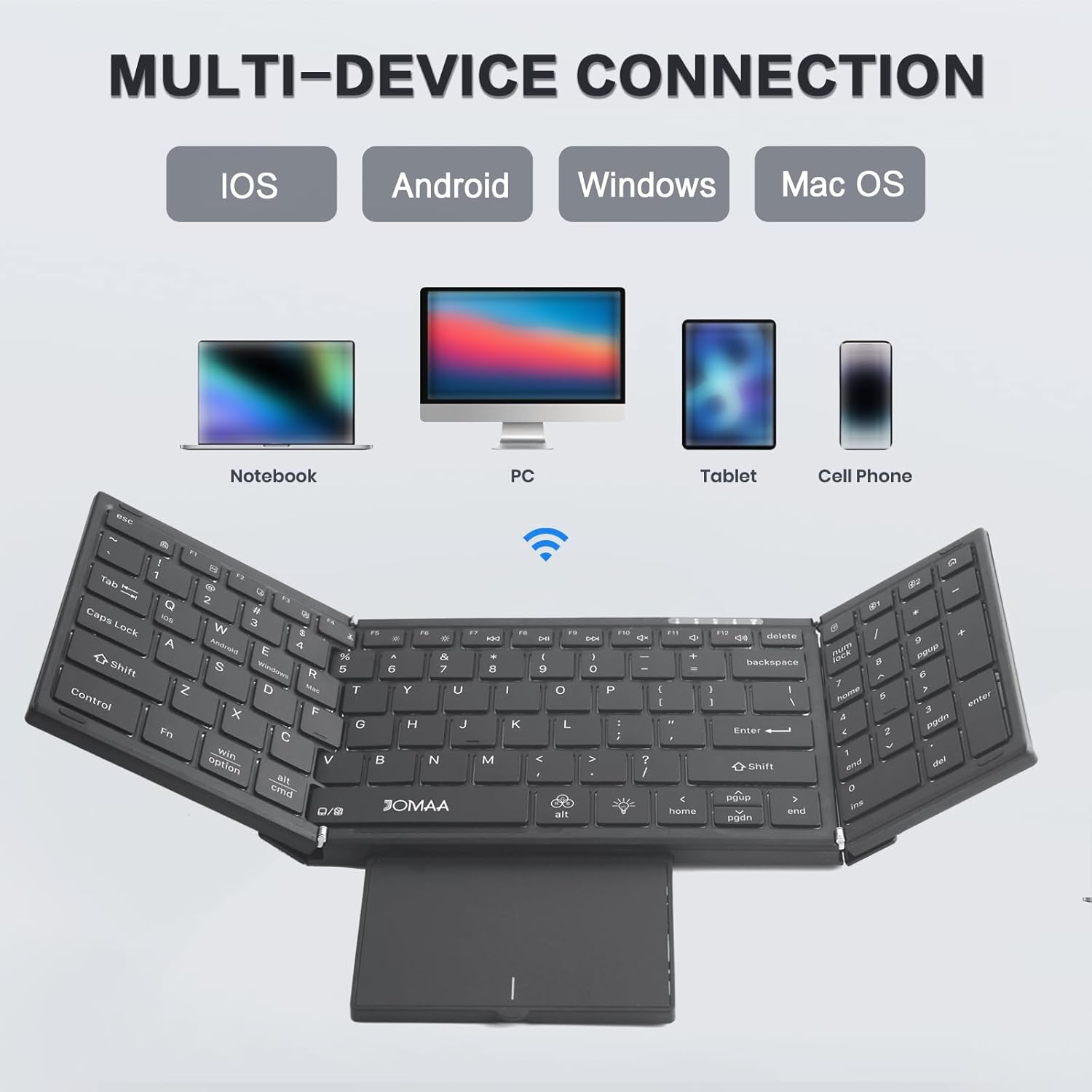
Image: The JOMAA keyboard demonstrating its multi-device connection capabilities with iOS, Android, Windows, and Mac OS devices.
5. Иштөө нускамалары
5.1. Терүү
The keyboard features a full-size QWERTY layout with scissor switch keys for a comfortable and quiet typing experience.
5.2. Using the Trackpad
The integrated trackpad supports multi-gesture controls. To activate or deactivate the trackpad, use the dedicated function key combination. The trackpad is designed to provide laptop-like control.

Image: The foldable trackpad of the JOMAA keyboard, highlighting its larger size and mouse-like functionality.
5.2.1. Trackpad Mode Switching
To optimize trackpad gestures for different operating systems, use the following key combinations:
- Fn + Q: iOS түзмөктөрү үчүн
- Fn + W: Android түзмөктөр үчүн
- Fn + E: Windows түзмөктөрү үчүн
5.3. RGB арткы жарыктандыруу
The keyboard features customizable RGB backlighting. Use the dedicated backlight control keys to adjust brightness and change colors.

Image: The JOMAA keyboard displaying its RGB backlighting, illustrating how it can be used day or night with adjustable brightness and multiple colors.
5.3.1. Арткы жарыкты башкаруу
- Басыңыз fn+alt (light bulb icon) to cycle through 7 available backlight colors.
- Басыңыз Fn + Light Brightness Icon to adjust between 4 levels of backlight brightness (High-Medium-Low-Off).
5.4. Энергияны үнөмдөө режими
The keyboard is designed to enter an auto-sleep mode after 10 minutes of inactivity to conserve battery life. Press any key to reactivate it.
6. Техникалык тейлөө
- Тергичти жумшак, кургак чүпүрөк менен сүртүп, аны таза кармаңыз.
- Avoid exposing the keyboard to extreme temperatures, moisture, or direct sunlight.
- Кепилдикти жокко чыгарышы мүмкүн болгондуктан, клавиатураны бөлүп алууга аракет кылбаңыз.
7. Кыйынчылыктарды
7.1. Клавиатура туташпай жатат
- Баскычтоп кубатталып, күйгүзүлгөнүн текшериңиз.
- Verify the correct connection mode (2.4G or Bluetooth) is selected using the Fn key combinations.
- For Bluetooth, ensure your device's Bluetooth is enabled and the keyboard is in pairing mode.
- 2.4G үчүн, USB кабыл алгыч бекем сайылганын текшериңиз.
- Баскычтопту да, түзмөгүңүздү да өчүрүп-күйгүзүп көрүңүз.
7.2. Trackpad Issues
- Ensure the trackpad is extended and not covered.
- Verify the trackpad mode is correctly set for your operating system (Fn + Q/W/R).
- If the cursor jumps erratically, ensure your palm is not accidentally touching the trackpad while typing. Consider temporarily disabling the trackpad if not needed.
7.3. Арткы жарык иштебейт
- Баскычтоптун батарейканын заряды жетиштүү экенине ынаныңыз.
- Басыңыз Fn + Light Brightness Icon to cycle through brightness levels, ensuring it's not set to 'Off'.
8. Техникалык шарттар
| Бренд | ЖОМАА |
| Модел | DF006T |
| Байланыш технологиясы | Bluetooth, 2.4G зымсыз |
| Шайкеш түзмөктөр | Windows, Mac, iOS, Android devices (Laptop, PC, Tablet, Cell Phone) |
| Өзгөчө өзгөчөлүк | Foldable, RGB Backlight, Built-in Trackpad, Rechargeable |
| Ачкычтардын саны | 64 |
| Батарея сыйымдуулугу | 1200mAh |
| Батареянын иштөө мөөнөтү (арткы жарык жок) | 150 саатка чейин |
| Заряддоо убактысы | 2-3 саат |
| Материал | Пластик |
9. Кепилдик жана колдоо
This product comes with a three-month manufacturer's warranty. For technical support, troubleshooting assistance, or warranty claims, please contact JOMAA customer service through the retailer where the product was purchased.
10. Продукт бүтүп калдыview Video
Video: A brief demonstration of the JOMAA Wireless Folding Keyboard, showcasing its foldable design, RGB backlighting, and multi-functional trackpad.


