1. Киришүү
This manual provides essential instructions for setting up, operating, and maintaining your BLU Bold N4 5G smartphone. The BLU Bold N4 5G is an unlocked device designed for seamless communication and entertainment, featuring a large 6.78-inch curved main display, a secondary 1.74-inch rear display, a powerful 50MP camera system, and running on Android 15.

Сүрөт 1.1: Алдыңкы жана арткы view of the BLU Bold N4 5G smartphone, showcasing its dual display design and camera module.
2. Кутуда эмне бар
Продукцияңыздын таңгагында бардык элементтер бар экенин текшериңиз:
- BLU Bold N4 5G Smartphone
- Clear Rugged Case
- Quick колдонмо
- Наушник
- USB-C Cable
- Charger (66W Ultra Charger)
- SIM Key
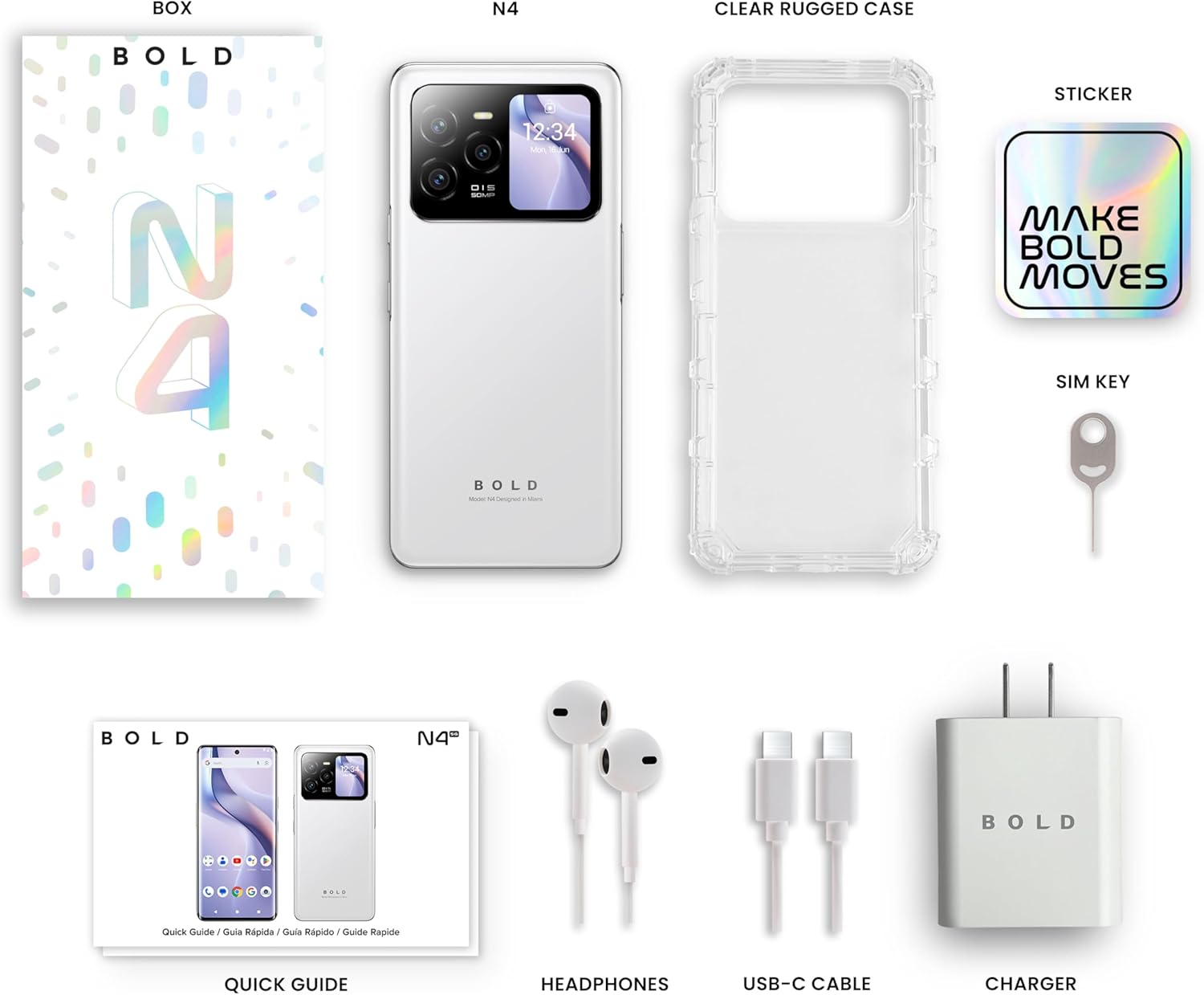
Image 2.1: All included accessories and the BLU Bold N4 5G phone as found in the retail packaging.
3. Орнотуу
3.1. SIM картаны орнотуу
- Түзмөгүңүздүн капталындагы SIM салгычты табыңыз.
- Insert the provided SIM key into the small hole on the SIM tray to eject it.
- Nano-SIM картаңызды(ларыңызды) алтын түстөгү контакттары ылдый каратып салгычка салыңыз.
- SIM лотокту кылдаттык менен телефонго кайра салыңыз.
Эскертүү: This device is GSM Unlocked and compatible with carriers such as T-Mobile and Metro PCS. It is not compatible with AT&T/Cricket or CDMA networks like Verizon and Sprint. Please consult your service provider for network availability.
3.2. Баштапкы күйгүзүү жана орнотуу
- Press and hold the Power button (located on the right side) until the BLU logo appears.
- Тилиңизди тандоо, Wi-Fi тармагына туташуу жана Google аккаунтуңузду орнотуу үчүн экрандагы көрсөтмөлөрдү аткарыңыз.
3.3. Аппаратты заряддоо
Before first use, it is recommended to fully charge your device. Use the provided 66W Ultra Charger and USB-C cable for optimal charging speed.
- USB-C кабелин телефондун ылдый жагындагы заряддоо портуна туташтырыңыз.
- Connect the other end of the cable to the 66W charger, then plug the charger into a power outlet.
- The device supports 66W quick charge technology, allowing it to charge from 0% to 100% in approximately 20 minutes.
4. Аппаратыңызды иштетүү
4.1. Main Display (6.78" Curved Display)
The 6.78-inch FHD+ 3D AMOLED Infinity Curved Display offers a 120Hz refresh rate and 1200 x 2652 resolution for a fluid visual experience. Navigate by tapping, swiping, and pinching on the screen.

Image 4.1: The main 6.78-inch curved display of the BLU Bold N4 5G, displaying the home screen with various application icons.
4.2. Rear Display (1.74" Secondary OLED Display)
The 1.74-inch secondary OLED display on the back of the phone provides quick access to functions without needing to open the main screen. It can be used for:
- Селфилер: Frame your selfies using the main camera.
- Эскертмелер: View кирүүчү билдирүүлөр жана эскертүүлөр.
- Музыкалык башкаруу элементтери: Manage media playback.
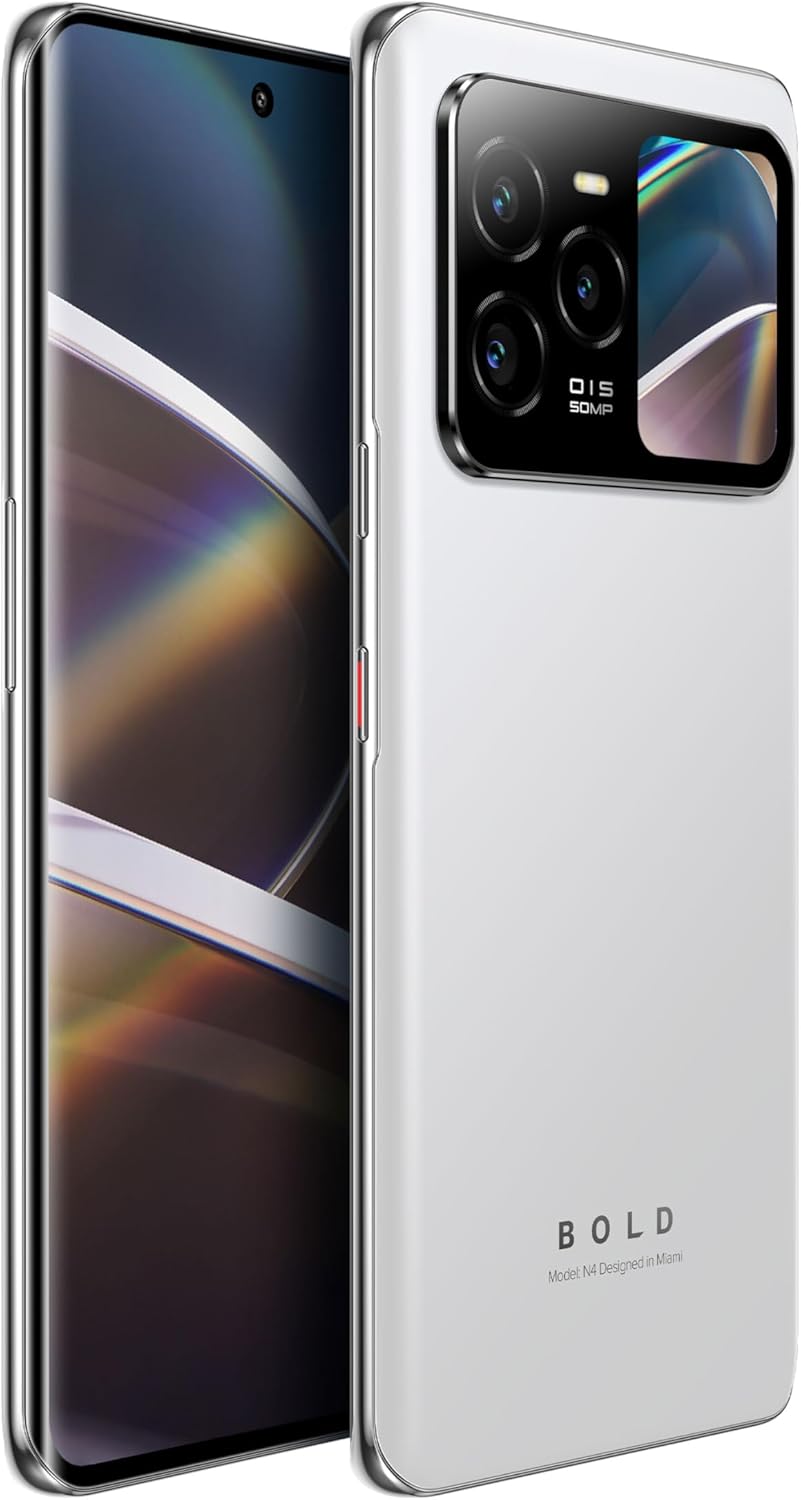
Image 4.2: The BLU Bold N4 5G's rear display actively showing a selfie preview, demonstrating its utility for photography.
4.3. Камераны колдонуу
The BLU Bold N4 5G features a versatile camera system:
- Үч эселенген арткы камера: 50MP AI Super HDR main sensor, 8MP Wide Angle, and 8MP Telephoto lens.
- Алдыңкы камера: 16 мегапиксельдүү селфи камерасы.
- 4K видео жазууну колдойт.
To take a photo or record a video, open the Camera app and select your desired mode. Use the rear display for high-quality selfies with the main camera.
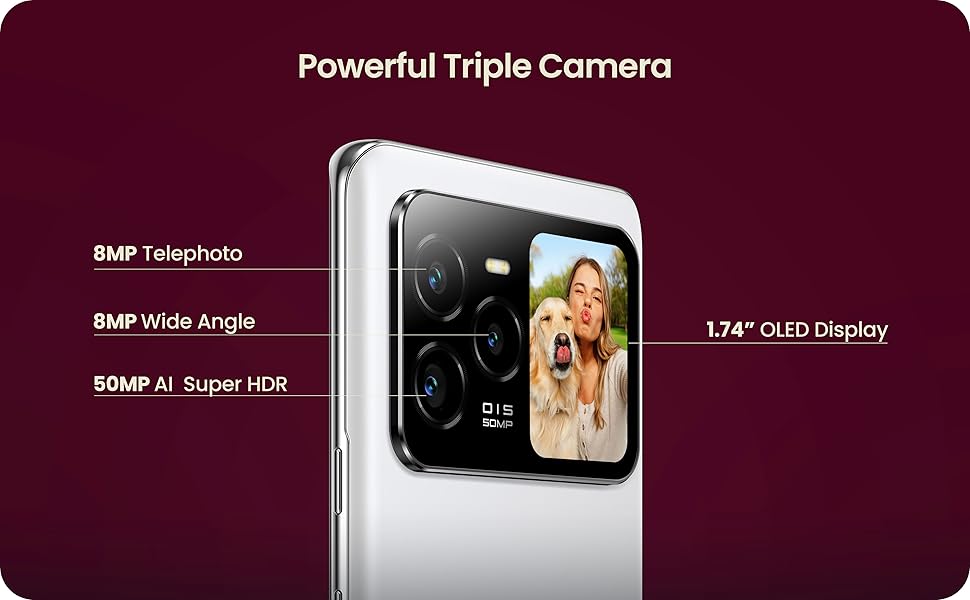
Image 4.3: Close-up of the BLU Bold N4 5G's triple camera module, highlighting the 50MP AI Super HDR, 8MP Wide Angle, and 8MP Telephoto lenses, along with the 1.74" OLED display.
4.4. Коопсуздук өзгөчөлүктөрү
Түзмөгүңүздүн кулпусун коопсуз жана ыңгайлуу ачыңыз:
- In-Display Fingerprint Sensor: Register your fingerprint(s) in the Security settings for quick and secure unlocking.
- Жүзүнөн ачуу: Set up face recognition for an alternative biometric unlock method.
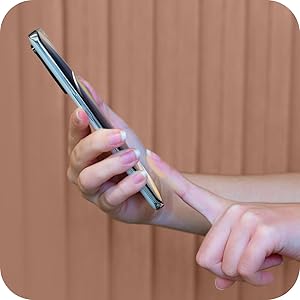
Image 4.4: A hand interacting with the in-display fingerprint sensor on the BLU Bold N4 5G for secure authentication.
4.5. NFC (Near Field Communication)
The BLU Bold N4 5G is NFC enabled, allowing for tap-to-pay functionality and quick pairing with other NFC-compatible devices.
- To use tap-to-pay, ensure NFC is enabled in your phone's settings and set up your preferred payment app.
- Hold the back of your phone near a compatible payment terminal to complete transactions.
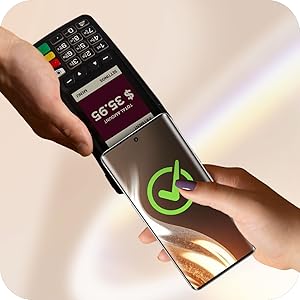
Image 4.5: The BLU Bold N4 5G being used for a contactless payment via NFC at a point-of-sale terminal.
4.6. Android 15 операциялык системасы
Your device runs on Android 15, offering the latest features, security updates, and a user-friendly interface. Explore the Google Play Store for a wide range of applications.

Image 4.6: The official logo for the Android 15 operating system.
5. Техникалык тейлөө
5.1. Батареяга кам көрүү
Түзмөк 5,000 мАч батарея менен жабдылган. Батареянын иштөө мөөнөтүн максималдуу түрдө көбөйтүү үчүн:
- Ашыкча температурадан сактаныңыз.
- Use the original BLU charger and cable.
- Avoid frequently draining the battery completely or charging it to 100% for extended periods.
5.2. Программалык камсыздоону жаңыртуу
Түзмөгүңүздө эң акыркы функциялар, коопсуздук жаңыртуулары жана иштеши жакшыртылганын текшерүү үчүн программалык камсыздоо жаңыртууларын дайыма текшерип, орнотуп алыңыз. Адатта бул параметрди таба аласыз Орнотуулар > Система > Системаны жаңыртуу.
5.3. Аппаратыңызды тазалоо
Телефонуңуздун экранын жана корпусун тазалоо үчүн жумшак, түксүз чүпүрөктү колдонуңуз. Катуу химиялык заттарды же абразивдүү материалдарды колдонуудан алыс болуңуз.
5.4. Сактагычты башкаруу
Your device comes with 512GB of internal storage. Regularly manage your files, photos, and videos to ensure optimal performance. You can offload data to cloud storage or a computer if needed.
6. Кыйынчылыктарды
6.1. Түзмөк күйбөй жатат
- Батарея заряддалганын текшериңиз. Заряддагычты туташтырыңыз жана күйгүзүүгө аракет кылуудан мурун бир нече мүнөт күтүңүз.
- Мажбурлап өчүрүп күйгүзүү үчүн Кубат баскычын жок дегенде 10-15 секунд басып туруңуз.
6.2. Тармакка туташуу маселелери
- SIM картаңыз туура салынганын текшериңиз.
- Check your carrier's network coverage in your area.
- Ensure your device is compatible with your carrier (GSM Unlocked, T-Mobile, Metro PCS compatible; not AT&T/Cricket or CDMA networks).
- Түзмөгүңүздү өчүрүп күйгүзүңүз.
6.3. Заряддоо көйгөйлөрү
- Ensure the charger and USB-C cable are securely connected to both the phone and the power outlet.
- Башка электр розеткасын колдонуп көрүңүз.
- Inspect the charging port for any debris.
7. Техникалык шарттар
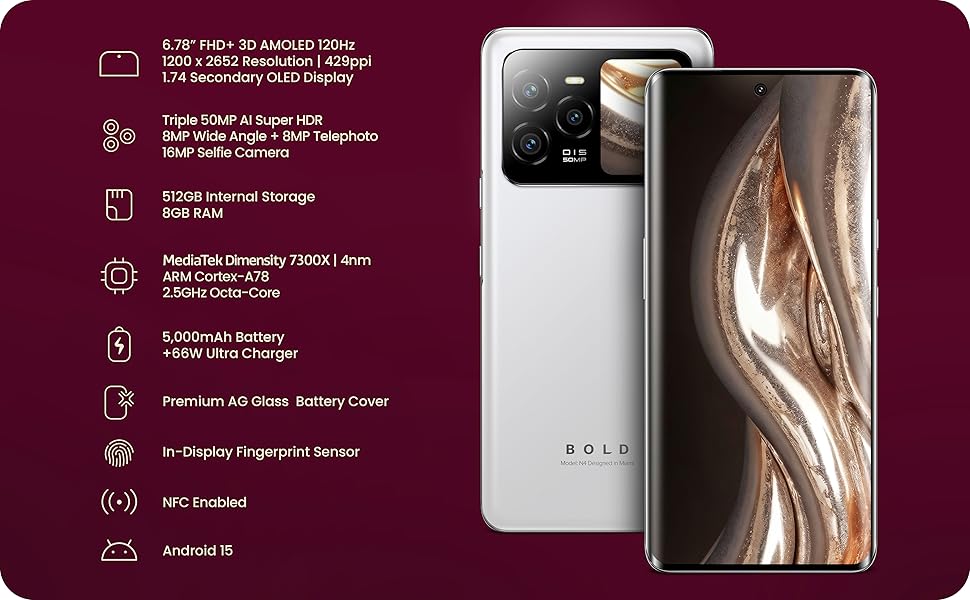
Image 7.1: A visual summary of the BLU Bold N4 5G's key technical specifications.
| Өзгөчөлүк | Спецификация |
|---|---|
| Модель номери | N0090WW |
| Операция системасы | Android 15 |
| Негизги дисплей | 6.78" FHD+ 3D AMOLED, 120Hz, 1200 x 2652 Resolution, 429ppi |
| Арткы дисплей | 1.74" Secondary OLED Display |
| Процессор | MediaTek Dimensity 7300X | 4nm ARM Cortex-A78 2.5GHz Octa-Core |
| Ички сактагыч | 512 ГБ |
| RAM | 8 ГБ |
| Арткы камера | Triple 50MP AI Super HDR + 8MP Wide Angle + 8MP Telephoto |
| Селфи камерасы | 16MP |
| Батарея | 5000 Вт тез кубаттоо менен 66 мАч |
| Байланыш | 5G Cellular Technology, NFC Enabled, USB Type C |
| Коопсуздук | In-Display Fingerprint Sensor, Face Unlock |
| Өлчөмдөр | 7.32 x 3.94 x 2.05 дюйм (Пакет) |
| Элемент Салмагы | 1.23 фунт |
8. Кепилдик жана колдоо
Your BLU Bold N4 5G comes with a US Warranty. For specific warranty terms and conditions, please refer to the warranty card included in your product packaging or visit the official BLU webсайт.
For technical support, troubleshooting assistance, or any other inquiries, please contact BLU customer service. You can find contact information on the official BLU website or through the BLU Store on Amazon: Visit the BLU Store.


