1. Киришүү
This manual provides detailed instructions for the setup, operation, and maintenance of your POLONO PM220S Label Maker Machine. Please read this manual thoroughly before using the device to ensure proper function and longevity.
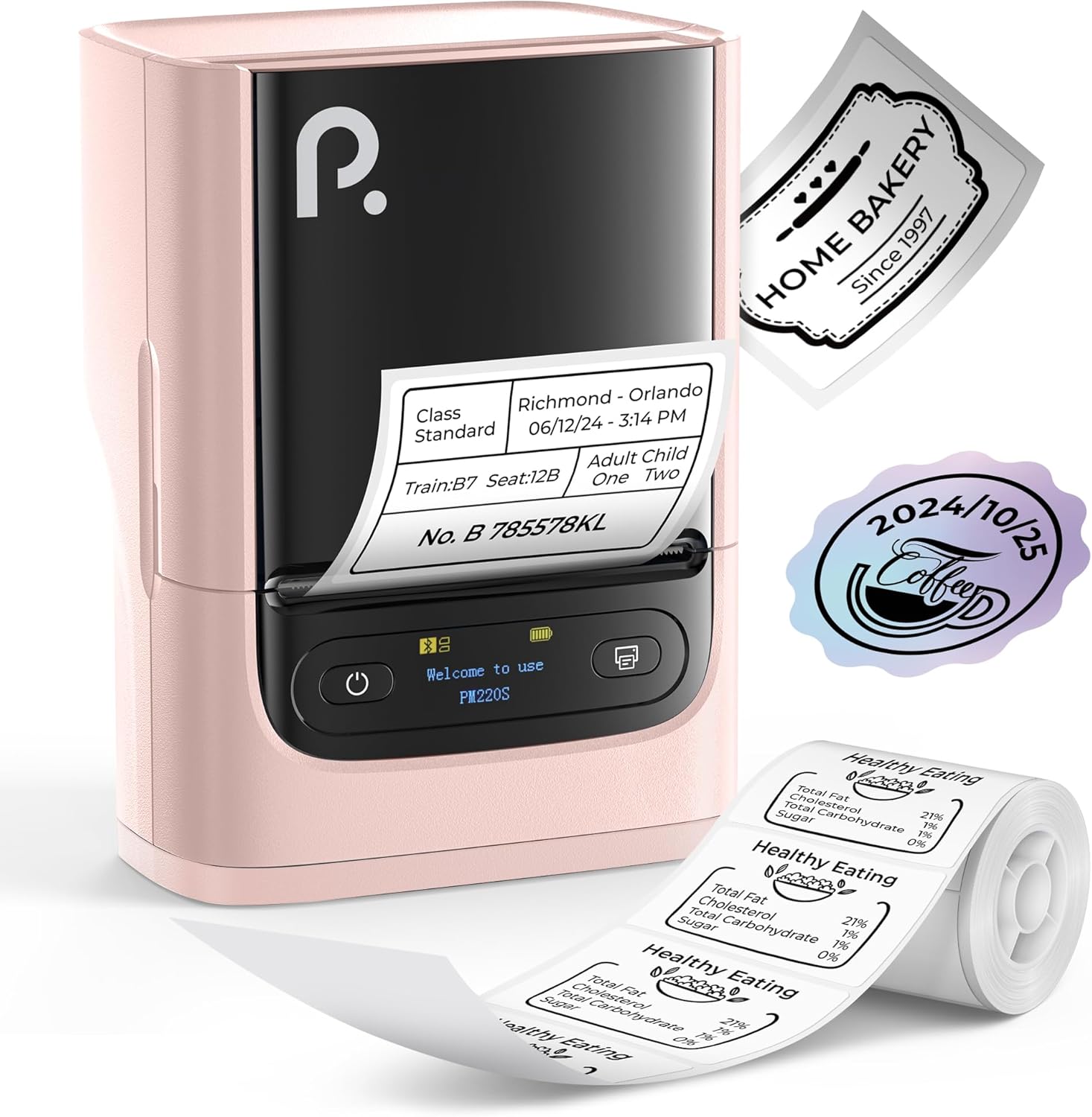
Figure 1: POLONO PM220S Label Maker Machine with sample этикеткалар.
2. Продукт бүтүп калдыview
2.1 Камтылган компоненттер
- POLONO PM220S Label Maker Machine
- Label Tape (50x30mm, pre-installed or included)
- USB заряддоо кабели
- Колдонуучунун Колдонмосу (бул документ)
2.2 Негизги өзгөчөлүктөрү
- Bluetooth байланышы: Seamless connection with iOS, Android, and PC devices.
- Intuitive LED Screen: Displays battery level, Bluetooth connection status, and alerts for paper shortages or timed shutdowns.
- Feature-Rich "Labelnize" App: Offers label templates, supports QR codes, barcodes, tables, text, icons, 90+ fonts, 14+ languages, and 450+ material presets.
- Premium Thermal Printing: BPA-Free Direct Thermal Technology with 203 DPI for high-definition, inkless printing.
- Кең энбелгилердин шайкештиги: Supports label widths from 23-54mm (0.91"-2.12").
- Портативдик дизайн: Compact and lightweight for easy transport and use in various environments.
3. Орнотуу нускамалары
3.1 Аппаратты заряддоо
Before first use, fully charge the label maker using the provided USB cable. The LED screen will indicate charging status.
3.2 App Installation and Driver Download
For mobile devices (iOS/Android), download the "Labelnize" app from your respective app store. For PC users, visit polono.com to download the necessary driver and application.

Figure 2: Universal compatibility with smartphones and laptops for app and driver installation.
3.3 Bluetooth аркылуу туташуу
- Ensure the PM220S is powered on.
- On your mobile device, open the "Labelnize" app.
- Within the app, search for and connect to the PM220S via Bluetooth. Do not connect directly via your device's Bluetooth settings for mobile devices.
- For PC, ensure the driver is installed, then connect through the downloaded application.
3.4 Этикетка лентасын жүктөө
- Этикетка бөлүмүнүн капкагын ачыңыз.
- Insert the label roll with the printing surface facing upwards.
- Adjust the paper slot guides to secure the tape according to its width (23-54mm) for precise alignment.
- Капкакты жабыңыз.

Figure 3: Proper loading of label tape into the PM220S.
4. Иштөө нускамалары
4.1 Using the "Labelnize" App
- Open the "Labelnize" app on your connected device.
- Select from various pre-designed templates or create your own custom labels.
- The app allows you to add text, barcodes, QR codes, tables, icons, and more.
- Customize labels using a selection of over 90 fonts and 14 languages.
- Utilize the 450+ material presets for different label applications.
- Маанилүү: For optimal results, use specialized POLONO labels. Avoid tearing the green back sticker to prevent printing issues.
4.2 Understanding the LED Screen Display
The integrated LED screen provides real-time feedback on the printer's status:
- Батарея деңгээли: Indicates the current charge of the device.
- Bluetooth байланыш: Shows if the device is successfully connected via Bluetooth.
- Paper Shortage эскертүү: Notifies when the label roll is low or empty.
- Убактылуу өчүрүү: Displays countdown for automatic power-off to conserve battery.

Figure 4: LED screen display functions for real-time status monitoring.
4.3 этикетканы басып чыгаруу
- Design your label within the "Labelnize" app.
- Review этикеткага чейинкиview тактыгын камсыз кылуу үчүн.
- Колдонмодогу "Басып чыгаруу" баскычын таптаңыз.
- The label maker will print the label using thermal technology.
- Carefully tear off the printed label.
5. Техникалык тейлөө
5.1 Жалпы кам көрүү
- Аппаратты чаңдан жана таштандылардан таза жана таза кармаңыз.
- Аппаратты экстремалдык температурага же тике күн нуруна кабылуудан сактаңыз.
- Аппаратты колдонбогондо кургак жерде сактаңыз.
5.2 Басып чыгаруу башын тазалоо
If print quality degrades, the thermal print head may need cleaning:
- Этикетка жасоочуну өчүрүп, аны каалаган кубат булагынан ажыратыңыз.
- Энбелгилер бөлүмүн ачыңыз.
- Термикалык басып чыгаруу башын кебез таякча менен акырын сүртүңүзampизопропил спирти менен жасалган.
- Allow the print head to dry completely before closing the cover and resuming use.
6. Кыйынчылыктарды
| Көйгөй | Мүмкүн себеп | Чечим |
|---|---|---|
| Түзмөк күйбөйт | Батареянын же кубаттуулуктун аздыгына байланыштуу көйгөй жаралууда. | Charge the device fully. Ensure the power button is pressed correctly. |
| Bluetooth аркылуу туташуу мүмкүн эмес | Incorrect connection method or app issue. | Ensure you are connecting through the "Labelnize" app, not directly via phone settings. Restart both the device and the app. For PC, verify driver installation. |
| Poor print quality / Faint printing | Dirty print head, incorrect label type, or low battery. | Clean the print head (see Section 5.2). Ensure you are using thermal labels. Charge the device. |
| Labels are misaligned or jammed | Improper label loading or paper slot adjustment. | Open the cover, remove any jammed labels, and reload the tape ensuring the paper slot guides are adjusted correctly for the label width. Avoid tearing the green back sticker. |
| "Paper Shortage" alert | Label roll is empty or incorrectly loaded. | Replace the label roll or re-seat it correctly. |
7. Техникалык шарттар
| Бренд | ПОЛОНО |
| Модель аты | PM220S |
| Байланыш технологиясы | Bluetooth |
| Басма технологиясы | Термикалык |
| Max Print Resolution | 203 DPI |
| Макс басып чыгаруу ылдамдыгы (монохромдуу) | 45.0 мм/с |
| Колдоого алынган медиа өлчөмдөрү | 23-54mm (0.91"-2.12") width, 50x30mm included |
| Продукциянын өлчөмдөрү | 3.3"D x 4.4"W x 2.5"H (8.4 x 11.2 x 6.4 см) |
| Элемент Салмагы | 13.4 унция (380 г) |
| Өзгөчө өзгөчөлүк | Portable, Inkless Printing, LED Display |
8. Кепилдик жана колдоо
For warranty information, technical support, or to purchase accessories and replacement labels, please visit the official POLONO webсайтында polono.com or contact POLONO customer service directly.
Кепилдик дооматтары үчүн сатып алганыңыздын далилин сактап коюңуз.


