Introduction
This manual provides instructions for the setup, operation, and maintenance of your Smiling Shark G-WKL-US Wake Up Light. This device integrates an alarm clock, ambient lighting, a Bluetooth speaker, and a 15W wireless charger into a single unit. Please read these instructions carefully before use and retain them for future reference.
Пакеттин мазмуну
Пакетте бардык буюмдар бар экенин текшериңиз:
- 1 x Smiling Shark G-WKL-US Wake Up Light
- 1 x Type-C заряддоо кабели
- 1 х Колдонуучунун колдонмосу (бул документ)
- 1 х кубат адаптери
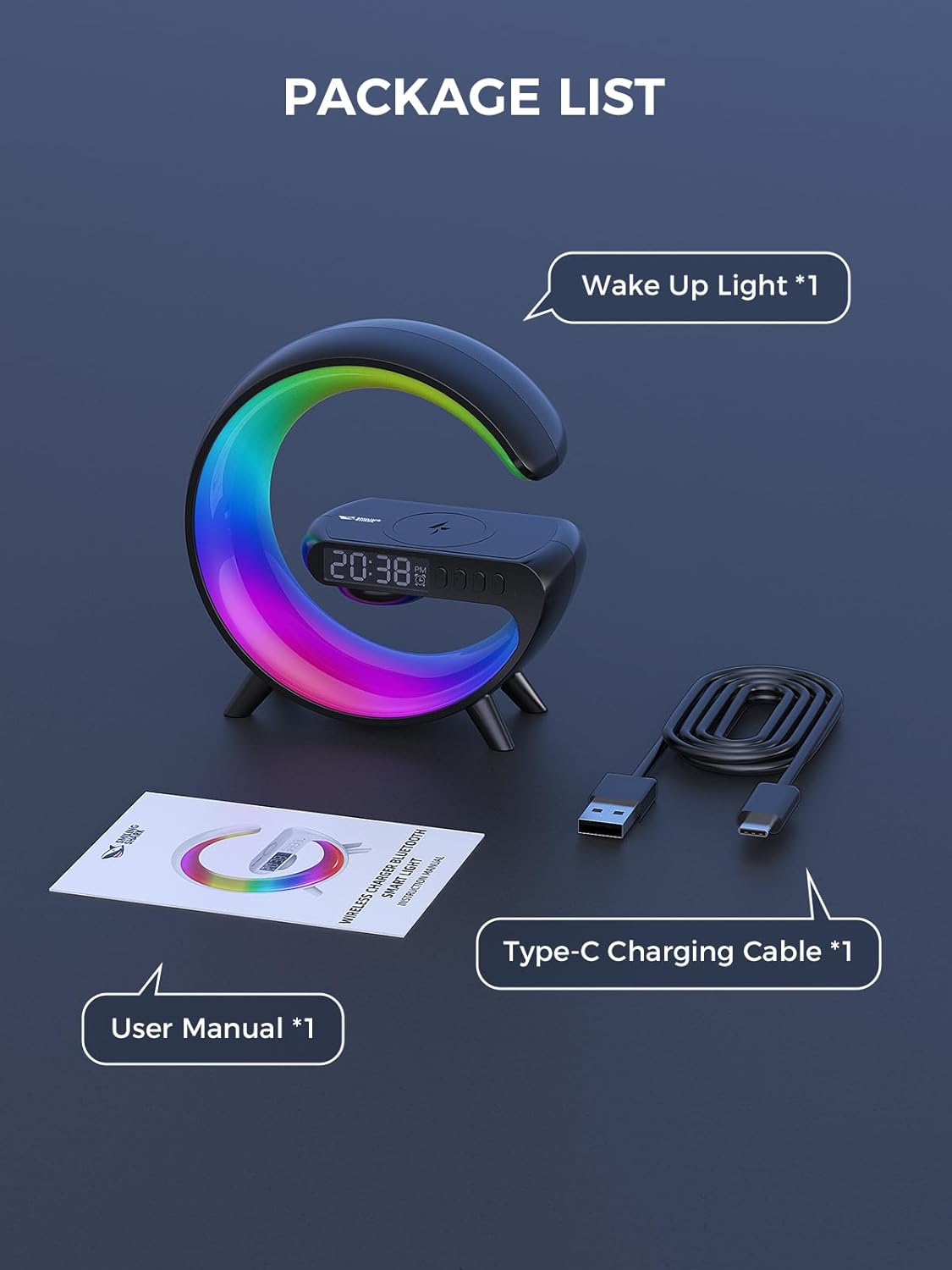
1-сүрөт: Пакеттин мазмуну
Продукт бүттүview
The Smiling Shark G-WKL-US is a versatile device designed to enhance your bedroom or living space. Key features include:
- Wake Up Light Alarm Clock: Features sunrise simulation and customizable alarm settings for a gentle awakening.
- Уйкуга жардам берүүчү функция: Offers night light effects and soothing sounds to promote restful sleep.
- Айланадагы жарыктандыруу: Provides 10 distinct light effects and adjustable brightness to create various atmospheres.
- Bluetooth динамиги: Connects wirelessly to your devices for audio playback. Includes a sound-reactive light feature.
- 15 Вт зымсыз кубаттагыч: Conveniently charges Qi-compatible smartphones and headphone cases.
- AUX киргизүү: Allows connection to external audio sources via a 3.5mm audio cable.

Figure 2: G-Series Smart Light Features
Жайгашуу
- Кубат туташуу: Connect the provided Type-C charging cable to the device's DC IN port and plug the adapter into a standard wall outlet. The device will power on automatically.
- Баштапкы убакыт жөндөөсү: Upon first power-on, the clock display may flash. Use the control buttons (refer to the Иштөө нускамалары section for button layout) to set the current time. Press the 'Time Set' button to enter time setting mode, then use the '+' and '-' buttons to adjust hours and minutes. Press 'Time Set' again to confirm.
Иштөө нускамалары
Баскыч функциялары
The device features several buttons for control. Specific button labels and functions are typically indicated on the device itself or in a detailed diagram within the printed manual. Common functions include:
- Кубат баскычы: Аппаратты күйгүзөт/өчүрөт.
- Жарык режим баскычы: Cycles through different light effects.
- Жарыктыкты жөндөө: Increases or decreases light intensity.
- Ойготкуч орнотуу баскычы: Сигнал орнотуу режимине кирет.
- Үндү көзөмөлдөө: Динамиктин үнүн жөндөйт.
- Ойнотуу/тындыруу баскычы: Controls media playback via Bluetooth.
Setting Alarm & Sleep Timer
- Ойготкуч орнотуу: Press the 'Alarm Set' button. Use '+' and '-' to set the desired alarm time. Press 'Alarm Set' again to confirm. You may also select an alarm sound or sunrise simulation duration if available.
- Уйку таймери: To activate the sleep aid function, select a night light effect and choose soothing music or white noise. The light can mimic a sunset to help you fall asleep. Refer to the device's specific controls for activating and setting the duration of the sleep timer.

Figure 3: Wake-up and Sleep Aid Functions
Adjusting Light Modes & Brightness
- Жарык режимдерин өзгөртүү: Press the 'Light Mode' button to cycle through the 10 available light effects. These include various solid colors and dynamic color-changing patterns.
- Жарыктыкты жөндөө: Use the dedicated brightness control buttons (often '+' and '-') to increase or decrease the light intensity for any selected mode.

Figure 4: 10 Light Effects Atmosphere Light
Bluetooth Speaker Pairing
- Bluetooth иштетүү: Ensure the device is powered on. The Bluetooth indicator light will typically flash, indicating it is in pairing mode.
- Түзмөк менен жупташтыруу: On your smartphone or other Bluetooth-enabled device, go to Bluetooth settings and search for available devices. Select 'G-WKL-US' (or similar name) from the list to pair.
- Аудио ойнотуу: Once paired, you can play audio through the integrated speaker. The light can also synchronize with the sound, changing colors in response to music.
Wireless Charging Usage
- Жайгашкан жери: Place your Qi-compatible smartphone or headphone case on the designated wireless charging pad located on top of the device.
- Заряддоо көрсөткүчү: The device will typically show an indicator (e.g., a light or icon on the display) when charging is active.
- Маанилүү эскертүү: For optimal charging performance, remove any thick phone cases before placing your device on the charging pad.

Figure 5: 15W Fast Wireless Charging
AUX Input Usage
- Кабелди туташтыруу: Insert a 3.5mm audio cable into the AUX port on the back of the device.
- Тышкы түзмөктү туташтыруу: Connect the other end of the audio cable to the headphone jack or audio output of your external device (e.g., TV, computer, MP3 player).
- Аудио ойнотуу: The device will now function as an external speaker for the connected audio source.

Figure 6: Bluetooth Speaker and AUX Input
Техникалык тейлөө
- Тазалоо: Use a soft, dry cloth to wipe the surface of the device. Do not use abrasive cleaners or solvents.
- Сактагыч: Узак мөөнөткө колдонулбаганда, аспапты күн тийбеген, салкын, кургак жерде сактаңыз.
- Суудан качуу: Бул аппарат суу өткөрбөйт. Аны суудан жана жогорку нымдуулуктан алыс кармаңыз.
Проблемаларды чечүү
| Көйгөй | Мүмкүн себеп | Чечим |
|---|---|---|
| Түзмөк күйбөйт. | Power cable not connected properly or power outlet issue. | Ensure the Type-C cable is securely connected to the device and the adapter is plugged into a working power outlet. |
| Зымсыз кубаттоо иштебей жатат. | Phone case is too thick; device not Qi-compatible; incorrect placement. | Remove phone case. Ensure your device supports Qi wireless charging. Reposition the device on the charging pad to align with the charging coil. |
| Bluetooth cannot connect or audio is distorted. | Device not in pairing mode; too far from source; interference. | Ensure the device is in Bluetooth pairing mode. Move your audio source closer to the Wake Up Light. Disconnect other Bluetooth devices to reduce interference. |
| Сигнализация чырылдабайт же күйбөйт. | Alarm not set correctly; volume too low. | Verify alarm time and settings. Increase alarm volume. |
Техникалык шарттар
| Өзгөчөлүк | Деталь |
|---|---|
| Бренд | Smiling Shark |
| Модель аты | G-WKL-US |
| Элемент Салмагы | 7.8 унция (0.49 фунт) |
| Power Source | Электр зымдары |
| Зымсыз кубаттоо чыгышы | 15 Ватт |
| Жарык булагы түрү | LED |
| Number of Light Modes | 10 |
| Байланыш | Bluetooth, AUX Input |
| Материал | Acrylonitrile Butadiene Styrene, Plastic, Acrylic (Shade) |
| Камтылган компоненттер | Adapter, Type-C Charging Cable |
Коопсуздук маалыматы
- Аппаратты өзүңүз ажыратпаңыз же оңдоого аракет кылбаңыз.
- Аппаратты экстремалдык температурадан, түз күндүн нурунан жана ачык оттон алыс кармаңыз.
- Берилген кубат адаптерин жана кабелин гана колдонуңуз.
- Балдар жетпеген жерде сактаңыз.
Кепилдик жана колдоо
Specific warranty details and customer support contact information are not provided in this manual. Please refer to the product packaging or the retailer's website for warranty claims and support inquiries.


