1. Киришүү
This user manual provides comprehensive instructions for the installation, operation, and maintenance of your Jansite MT58B Motorcycle Display. This device integrates an 8.1-inch high-brightness touchscreen with wireless CarPlay and Android Auto functionalities, a 4K dual dash camera system, GPS navigation support, and IPX7 waterproofing. Please read this manual thoroughly before use to ensure proper functionality and safety.
2. Негизги өзгөчөлүктөрү
- 8.1-inch High-Brightness Touchscreen: Features a 1600x600 resolution display for clear visibility in various lighting conditions.
- Зымсыз CarPlay & Android Auto: Seamlessly connect your smartphone for navigation, calls, music, and more.
- 4K + 1080P Dual Dash Camera: Synchronous recording with a 4K front camera and 1080P AHD rear camera, offering a 150-degree wide-angle view. Includes a 64GB TF card.
- Intelligent Recording Functions: Supports smartphone app control for video download, loop recording, and a built-in G-sensor for emergency recording.
- Hands-Free операциясы: Voice control (Siri/Google Assistant) and a wired remote control allow for safe operation while riding.
- Эки Bluetooth байланышы: Connects to both your smartphone and a Bluetooth headset/helmet simultaneously.
- IPX7 суу өткөрбөйт дизайн: Ensures reliable performance in various weather conditions, including rain and snow.
3. Пакеттин мазмуну
Төмөндө тизмеленген нерселердин баары пакетиңизге камтылганын текшериңиз. Эгерде кандайдыр бир нерселер жок болсо же бузулса, кардарларды колдоо менен байланышыңыз.
- Jansite MT58B 8.1-inch Motorcycle Display
- Front Camera (4K)
- Rear Camera (1080P AHD)
- Зымдуу алыстан башкаруу
- Power Cables (Waterproof)
- Connection Cables (Waterproof)
- U-shaped Mounting Bracket
- Дат баспас болоттон жасалган бурамалар
- 64 ГБ TF картасы
- User Manual

3.1-сүрөт: Пакеттин мазмуну
4. Орнотуу жана орнотуу
Proper installation is crucial for the performance and safety of the device. It is recommended to have this installed by a qualified technician if you are unsure.
4.1 Дисплейди орнотуу
- Attach the U-shaped mounting bracket to a suitable location on your motorcycle's handlebars or dashboard, ensuring it does not obstruct your view же башкаруу.
- Secure the display unit to the bracket using the provided stainless steel screws. Adjust the viewоптималдуу көрүү үчүн бурч.
4.2 Камераны орнотуу
- Mount the 4K front camera securely at the front of your motorcycle, ensuring a clear, unobstructed view алдыдагы жолдун.
- Mount the 1080P AHD rear camera at the rear of your motorcycle, ensuring a clear view артындагы жолдун.
- Route the camera cables carefully, avoiding moving parts and heat sources. Use the waterproof connection cables.
4.3 Электр өткөргүч схемасы
Follow the wiring diagram below for correct power and component connections. Ensure all connections are secure and waterproof.

4.1-сүрөт: Электр өткөргүч схемасы
- Connect the main power cable to the motorcycle battery (red to positive, yellow to ACC power, black to negative).
- Connect the front and rear camera cables to their respective ports on the display unit.
- Connect the wired remote control cable to the display unit.
5. Иштөө нускамалары
5.1 Күйгүзүү/өчүрүү
The device will power on automatically when the motorcycle ignition is turned on. To power off, turn off the ignition.
5.2 Wireless CarPlay / Android Auto
This device supports wireless connection to Apple CarPlay and Android Auto, allowing you to access smartphone features safely while riding.

5.1-сүрөт: Wireless CarPlay жана Android Auto Interface
- Смартфонуңуздун Bluetooth жана Wi-Fi иштетилгенин текшериңиз.
- On the MT58B display, select either "CarPlay" or "Android Auto".
- On your smartphone, search for and connect to the MT58B's Bluetooth signal.
- Follow the on-screen prompts on both the display and your smartphone to establish the wireless connection.
- Once connected, you can use navigation, make calls, send messages, and play music directly from the display.
Эскертүү: Compatible with iOS 6 and later, Android 11 and later. Please verify your smartphone's compatibility before use.
5.3 Dual Dash Camera Operation
The integrated dual dash camera system records continuously while the device is powered on.

Figure 5.2: Dual Camera Display
- Цикл жаздыруу: The system automatically overwrites the oldest files when the 64GB TF card is full, ensuring continuous recording.
- G-сенсор: In the event of a sudden impact or collision, the built-in G-sensor automatically locks the current video file анын үстүнөн жазылышына жол бербөө үчүн.
- Viewing Footage: Жазылган видеолор болушу мүмкүн viewed directly on the display or accessed via the smartphone app (see Section 5.4).
5.4 Смартфондун колдонмосун башкаруу
Connect the MT58B to your smartphone via Wi-Fi to manage recordings and device settings.
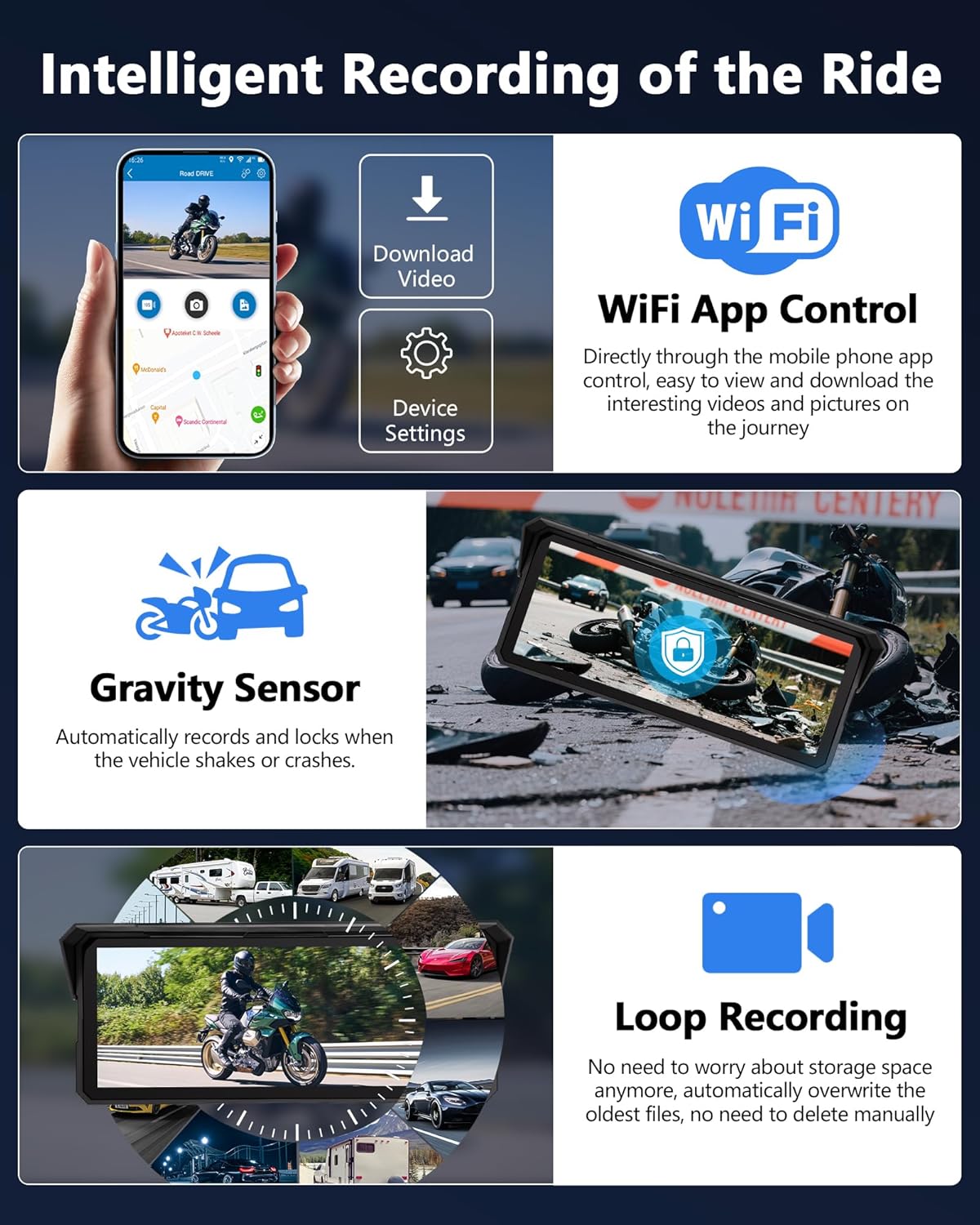
Figure 5.3: Smartphone App Interface
- Download the dedicated smartphone app (refer to the product packaging or included quick start guide for app name/QR code).
- Connect your smartphone to the MT58B's Wi-Fi network.
- колдонмону ачуу view live camera feeds, browse recorded videos, download files to your phone, and adjust device settings.
5.5 Voice Control and Wired Remote
Utilize voice commands and the wired remote control for hands-free operation.

Figure 5.4: Wired Remote Control and Voice Assistant
- Үн жардамчысы: Activate Siri or Google Assistant (via connected smartphone) by saying "Hey Siri" or "Hey Google" to make calls, navigate, or play music.
- Зымдуу алыстан башкаруу: Use the remote to perform actions such as taking photos, switching screen views, answering/rejecting calls, and accessing GPS location functions without touching the main display.
5.6 Кош Bluetooth байланышы
The device supports simultaneous Bluetooth connections for your smartphone and a Bluetooth headset or helmet.

Figure 5.5: Dual Bluetooth Connection
- Connect your smartphone to the MT58B via Bluetooth for CarPlay/Android Auto (as described in Section 5.2).
- Connect your Bluetooth headset or helmet to the MT58B via Bluetooth.
- Audio from navigation, music, and calls will be routed to your connected headset/helmet.
6. Техникалык тейлөө
6.1 Дисплейди тазалоо
- Экранды акырын сүртүү үчүн жумшак, түксүз чүпүрөктү колдонуңуз.
- өжөр белгилери үчүн, бир аз гampчүпүрөктү суу же экранга коопсуз тазалоо эритмеси менен жабыңыз. Суюктукту экранга түз чачпаңыз.
- Avoid using abrasive cleaners, solvents, or alcohol-based solutions, as these can damage the screen coating.
6.2 Гидроизоляция
The device features an IPX7 waterproof rating, designed to withstand rain and splashes. Ensure all cable connections are properly sealed to maintain waterproofing.

Figure 6.1: IPX7 Waterproof Performance
6.3 TF картасын башкаруу
- The included 64GB TF card is pre-installed.
- Periodically check the TF card for proper function. If recording issues occur, formatting the card via the device settings may resolve them.
- Replace the TF card if it becomes corrupted or shows signs of wear to ensure reliable recording.
7. Кыйынчылыктарды
| Көйгөй | Мүмкүн себеп | Чечим |
|---|---|---|
| Түзмөк күйбөйт. | Incorrect wiring; loose power connection; motorcycle battery issue. | Check all power cable connections. Ensure the motorcycle battery has sufficient charge. Verify ACC power connection. |
| CarPlay/Android Auto туташпай жатат. | Smartphone Bluetooth/Wi-Fi off; incompatible smartphone OS; incorrect pairing process. | Ensure smartphone Bluetooth and Wi-Fi are on. Check smartphone OS version (iOS 6+, Android 11+). Re-attempt pairing process. |
| No camera recording or footage. | Loose camera connection; faulty TF card; TF card full (loop recording should prevent this). | Check camera cable connections. Ensure TF card is properly inserted. Format the TF card via settings if issues persist. |
| Дисплей күңүрт же көрүү кыйын. | Brightness setting too low; direct sunlight glare. | Adjust screen brightness in the device settings. The high-brightness screen is designed for outdoor use, but extreme direct sunlight can still affect visibility. |
| Үн жардамчысы жооп бербей жатат. | Smartphone not connected; microphone obstructed; voice assistant not enabled on phone. | Ensure smartphone is properly connected via CarPlay/Android Auto. Check microphone for obstructions. Verify Siri/Google Assistant is enabled on your phone. |
8. Техникалык шарттар
| Бренд | Jansite |
| Модель номери | MT58B |
| Screen Size | 8.1 дюйм |
| Screen Resolution | 1600 x 600 |
| Алдыңкы камеранын чечилиши | 4K Ultra HD |
| Арткы камеранын чечилиши | 1080P AHD |
| Байланыш технологиясы | Bluetooth, WiFi |
| Өзгөчөлүктөр | SD Card Input, 4K Upscaling, GPS Navigation, Touchscreen, Loop Recording, G-Sensor, Voice Control |
| Суу өткөрбөйт рейтинги | IPX7 |
| Камтылган сактагыч | 64 ГБ TF картасы |
| Power Source | 12V батарея (камтылган) |
| Башкаруу ыкмасы | Application, Touchscreen, Wired Remote, Voice |
| Өлчөмдөрү (пакет) | 22.48 x 15.5 x 11 см |
| Салмагы (пакет) | 1.2 килограмм |
9. Кепилдик жана колдоо
Jansite offers a 12-month warranty and technical support for this product. If you encounter any issues or have questions, please contact our customer support team.
- Кепилдик мөөнөтү: Сатып алган күндөн тартып 12 ай.
- Техникалык колдоо: Solutions to problems are typically provided within 24 hours.
- Байланыш маалыматы: Refer to your product packaging or the official Jansite webакыркы кардарларды колдоо байланыш маалыматы үчүн сайт.
Маанилүү эскертүү: This device is compatible with iOS 6 and later, and Android 11 and later. Please ensure your smartphone meets these requirements before purchasing or seeking support for connectivity issues.


