1. Киришүү
This manual provides essential information for setting up, operating, maintaining, and troubleshooting your Dell OptiPlex 3280 All-in-One (AIO) PC. The OptiPlex 3280 is a compact and integrated desktop solution designed for efficiency and ease of use, featuring a 21.5-inch Full HD display and running Windows 11 Pro.
Негизги өзгөчөлүктөрү:
- Efficient Intel Core i3 Performance: Equipped with an Intel Core i3-10105T processor for daily tasks and applications.
- Crisp, Full HD Display: A 21.5-inch, 1920 x 1080, 60 Hz, IPS, anti-glare screen for clear visuals.
- Space-Efficient All-in-One Design: Integrates the computer and monitor into a single unit.
- Plug and Play Ыңгайлуулугу: Pre-installed with Windows 11 Pro and includes a wired keyboard and mouse.
- Robust Connectivity Options: Features built-in Wi-Fi, Bluetooth, multiple USB ports, and DisplayPort.
2. Орнотуу колдонмосу
2.1 Пакеттен чыгаруу жана жайгаштыруу
- Carefully remove the Dell OptiPlex 3280 AIO PC, keyboard, mouse, and power adapter from the packaging.
- Place the AIO PC on a stable, flat surface with adequate ventilation around the unit.
2.2 Перифериялык түзүлүштөрдү туташтыруу
Connect the included keyboard and mouse to the available USB ports on the back or side of the AIO PC.
Сүрөт: Арткы view of the Dell OptiPlex 3280 All-in-One PC, highlighting the various input/output ports for connecting peripherals and power.
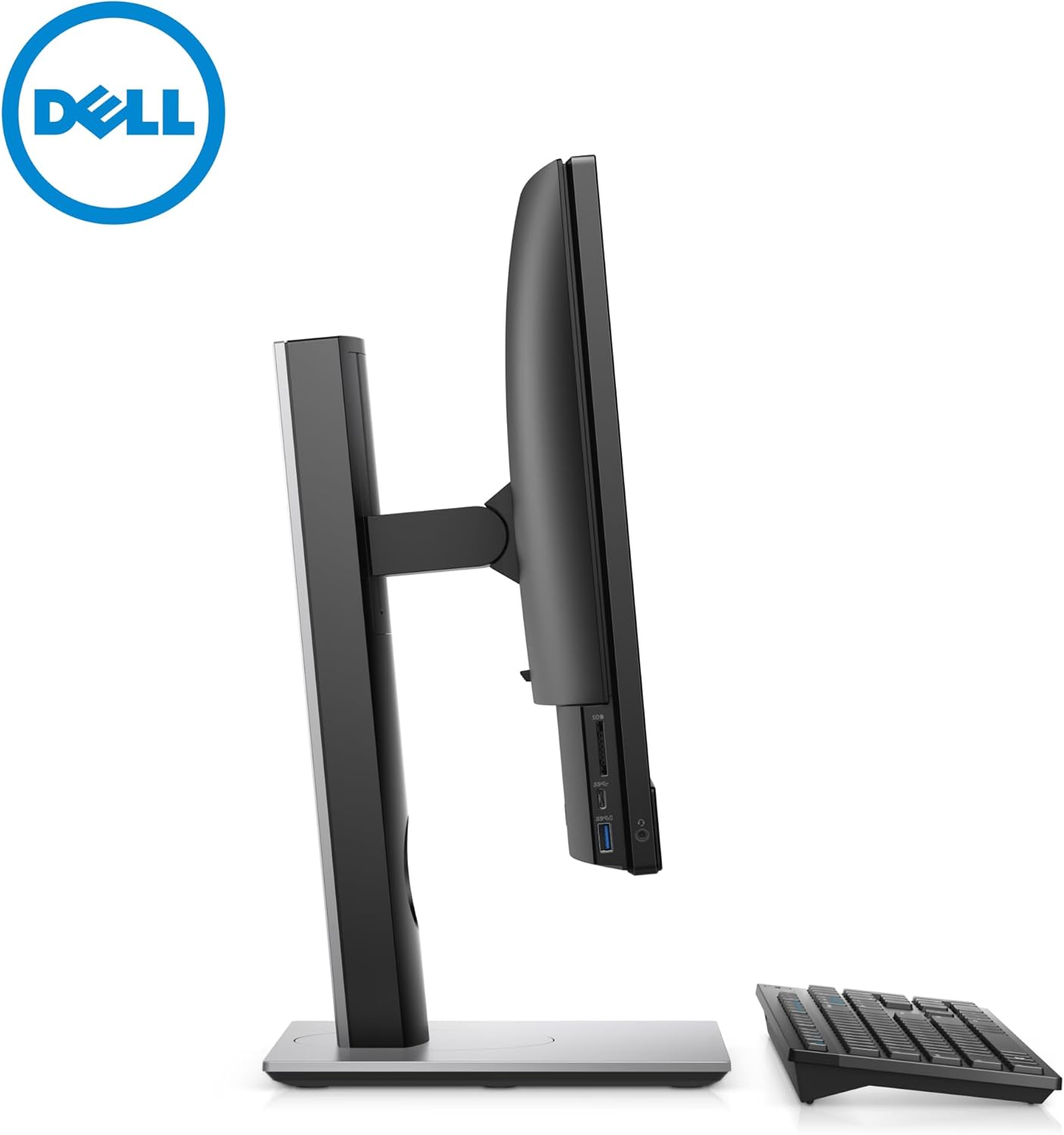
- USB порттору: Locate the USB ports (Type-A and Type-C) on the left side and rear of the unit. Connect your keyboard and mouse.
- Кубат туташуу: Connect the power adapter cable to the power connector on the back of the AIO PC, then plug the adapter into a wall outlet.
- Тармак (милдеттүү эмес): For a wired network connection, connect an Ethernet cable to the RJ-45 port on the back.
- Тышкы дисплей (кошумча): If connecting an additional monitor, use the DisplayPort (DP++) on the back.
2.3 Алгачкы күйгүзүү жана Windowsту орнотуу
- Press the power button, usually located on the bottom right side of the display bezel.
- Follow the on-screen instructions to complete the Windows 11 Pro setup process. This includes selecting your region, language, creating a user account, and connecting to a Wi-Fi network if not using a wired connection.
3. Иштөө нускамалары
3.1 Күйгүзүү/өчүрүү жана Уйку режими
- Күйгүзүү: Кубат баскычын басыңыз.
- Өчүрүү: Windows'то "Баштоо" баскычын, андан кийин "Күтүү" > "Жабуу" баскычын чыкылдатыңыз.
- Уйку режими: Click the Start button, then Power > Sleep, or press the power button briefly.
3.2 Дисплейди тууралоо
The 21.5-inch Full HD display offers a clear viewing experience. Adjustments for brightness and other display settings can be made through the Windows Display Settings (Right-click on desktop > Display settings).

Сүрөт: алдыңкы view of the Dell OptiPlex 3280 All-in-One PC, showcasing the display, integrated speakers, and the included wired keyboard and mouse.
3.3 Байланыш (Wi-Fi, Bluetooth, USB)
- Wi-Fi: To connect to a wireless network, click the network icon in the system tray, select your network, and enter the password.
- Bluetooth: Enable Bluetooth in Windows Settings > Bluetooth & devices to pair with compatible devices like headphones or speakers.
- USB порттору: Use the various USB 2.0, USB 3.2 Gen 1 Type-A, and USB 3.2 Gen 1 Type-C ports for connecting external drives, printers, and other peripherals. The USB 3.2 Gen 1 Type-A port with PowerShare can charge devices even when the PC is off or in sleep mode.
- SD картаны окугуч: Insert SD cards into the dedicated slot on the left side for data transfer.
3.4 Using the Camera and Audio
- FHD IR Pop-up Camera: The integrated camera can be used for video conferencing and Windows Hello facial recognition. It pops up from the top bezel when activated.
- Аудио: The AIO PC includes stereo speakers. For private listening, connect headphones to the headset/universal audio port on the left side.
4. Техникалык тейлөө
4.1 Cleaning the AIO PC
- Дисплей: Бир аз жумшак, түксүз кездемени колдонуңуз dampсуу же абразивдүү эмес экран тазалагыч менен иштетиңиз. Суюктукту экранга түз чачпаңыз.
- Шасси: Сырткы беттерди жумшак, кургак чүпүрөк менен сүртүңүз. Өжөр кир үчүн бир азamp кездеме колдонсо болот. Катуу химиялык заттардан алыс болуңуз.
- Вентиляция: Ensure the ventilation slots on the back and bottom of the unit are clear of dust and obstructions to prevent overheating.
4.2 Программалык камсыздоо жаңыртуулары
Оптималдуу иштөөнү жана коопсуздукту камсыз кылуу үчүн Windows 11 Pro операциялык тутумуңузду жана драйверлериңизди үзгүлтүксүз жаңыртып туруңуз. Жаңыртууларды текшерүү жана орнотуу үчүн Windows жөндөөлөрү > Windows жаңыртуу бөлүмүнө өтүңүз.
5. Кыйынчылыктарды
5.1 Жалпы маселелер жана чечимдер
- Кубат жок:
- Ensure the power cable is securely connected to both the AIO PC and the wall outlet.
- Башка аспапка туташтыруу менен розетка иштеп жатканын текшериңиз.
- Кубат адаптеринде кандайдыр бир бузулуулар бар экенин текшериңиз.
- Дисплей жок:
- Компьютердин күйгүзүлгөнүн текшериңиз.
- If an external monitor is connected, ensure it is powered on and correctly configured in Windows Display Settings.
- Интернет байланышы жок (Wi-Fi):
- Windows жөндөөлөрүндө Wi-Fi иштетилгенин текшериңиз.
- Роутериңизди жана модемиңизди өчүрүп күйгүзүңүз.
- Ensure you have the correct Wi-Fi password.
- Баскычтоп/чычкан жооп бербейт:
- Ensure the USB cables are securely plugged into the AIO PC.
- Аларды ар кандай USB портторуна туташтырып көрүңүз.
- Компьютерди өчүрүп күйгүзүңүз.
6. Техникалык шарттар
| Өзгөчөлүк | Спецификация |
|---|---|
| Модел | Dell OptiPlex 3280 All-in-One |
| Операция системасы | Windows 11 Pro |
| Процессор | Intel Core i3-10105T (4 cores, 8 threads, up to 3.9 GHz) |
| Эстутум (RAM) | 16 GB DDR4 DIMM |
| Сактагыч | 512 GB SSD (PCIe-NVMe) |
| Дисплей | 21.5-inch FHD (1920 x 1080) IPS, 60 Hz, Anti-glare |
| Графика | Intel UHD графикасы (интегралдык) |
| Камера | FHD IR Pop-up Camera |
| Байланыш | Wi-Fi, Bluetooth |
| Порттар |
|
| Өлчөмдөрү (H x W x D) | 12.96 x 19.6 x 2.14 дюйм (тактагычсыз) |
| Салмагы | 10.31 фунттан башталат |
7. Кепилдик жана колдоо
7.1 Продукциянын абалы жана кепилдик
This Dell OptiPlex 3280 All-in-One PC is a renewed product. Renewed products typically come with a limited warranty provided by the seller or the renewal program. Please refer to your purchase documentation for specific warranty details. A 90-day return/replacement policy is generally offered for renewed products.
7.2 Техникалык колдоо
For technical assistance, please contact the seller from whom you purchased this renewed product. You may also find general support resources on the official Dell support website for driver downloads and documentation related to the OptiPlex 3280 model.
- Сатуучуну колдоо: Refer to your purchase invoice or platform for seller contact information.
- Dell колдоо кызматы: Visit www.dell.com/support for general product information and driver downloads.


