Introduction
This manual provides instructions for the Monster Persona 4th ANC Active Noise Canceling Headphones. Please read this manual thoroughly before using the product to ensure proper operation and to understand its features.

Image: Monster Persona 4th ANC Headphones in white, showcasing жалпы дизайн.
Коопсуздук маалыматы
Observe the following safety guidelines to prevent damage to the device or injury to yourself:
- Do not expose the headphones to extreme temperatures or humidity.
- Кулакчындарды түшүрүүдөн же катуу тийүүдөн сактаныңыз.
- Наушниктерди өзүңүз чечбеңиз же оңдоого аракет кылбаңыз.
- Кулакчындарды жумшак, кургак чүпүрөк менен тазалаңыз. Күчтүү химиялык заттарды колдонбоңуз.
- Үндүн катуу деңгээлинде узакка созулган угуу угуунун бузулушуна алып келиши мүмкүн.
Пакеттин мазмуну
Пакетте бардык буюмдар бар экенин текшериңиз:
- 1x Monster Persona 4th ANC Headphones
- 1x Type-C заряддоо кабели
- 1x Aux кабели
- 1x Колдонуучунун колдонмосу

Image: Contents of the product box, including the headphones, charging cable, aux cable, and user manual.
Продукт бүттүview жана Controls
Кулакчындын компоненттери жана башкаруу баскычтары менен таанышып алыңыз.

Image: Diagram illustrating the location and function of the control buttons on the headphones.
- Көлөм +: Press once to increase volume. Long press for 2 seconds for next song.
- Көлөм -: Press once to decrease volume. Long press for 2 seconds for previous song.
- Кубат баскычы:
- КҮЙҮК: 3 секунд узак басуу.
- ӨЧҮК: 5 секунд узак басуу.
- Ойнотуу/тындыруу: Бир жолу басыңыз.
- Чалууга жооп берүү/түп коюу: Бир жолу басыңыз.
- Чакырууну четке кагуу: 2 секунд узак басуу.
- Үн жардамчысы: 2 секунд узак басуу.
- ANC Switching Modes: Press once to cycle through modes (Active Noise Canceling, Transparency, Standard).
Жайгашуу
Наушниктерди заряддоо
Биринчи колдонуудан мурун, наушниктерди толук заряддаңыз.
- Type-C кубаттоочу кабелин кулакчындардын кубаттоо портуна туташтырыңыз.
- Кабелдин экинчи учун USB кубат булагына туташтырыңыз (мисалы, дубал адаптери, компьютердин USB порту).
- Индикатор жарыгы заряддоо абалын көрсөтөт. Толук кубаттоо болжол менен 2 саатты талап кылат.
10 мүнөттүк кубаттоо болжол менен 5 саат ойнотууну камсыз кылат.

Image: Visual representation of the headphone's battery life and fast charging capability.
Күйгүзүү/өчүрүү
- Күйгүзүү үчүн: Кубат баскычын 3 секунд басып туруңуз.
- Өчүрүү үчүн: Кубат баскычын 5 секунд басып туруңуз.
Bluetooth Жупташтыруу
Кулакчындарды Bluetooth аркылуу түзмөккө туташтыруу үчүн:
- Наушниктердин өчүрүлгөнүн текшериңиз.
- Long press the Power button for 3 seconds to power on and enter pairing mode (indicator light will flash).
- Түзмөгүңүздө (смартфон, планшет, компьютер) Bluetooth иштетип, жеткиликтүү түзмөктөрдү издеңиз.
- Select "Monster Persona 4th ANC" from the list of devices.
- Туташтырылгандан кийин, индикатор жарыгы күйүп-өчүп токтойт.

Image: Close-up of the internal Bluetooth 6.0 chip, indicating advanced wireless connectivity.
Көп чекиттүү туташуу
Кулакчындар бир эле учурда эки Bluetooth түзмөгүнө туташууну колдойт.
- Connect the headphones to the first device as described in the Bluetooth Pairing section.
- Disconnect Bluetooth on the first device temporarily.
- Кулакчындарды экинчи түзмөккө туташтырыңыз.
- Биринчи түзмөктөгү Bluetooth'ту кайра туташтырыңыз. Эми кулакчындар эки түзмөккө тең туташтырылышы керек.

Image: Headphones connected simultaneously to a smartphone and a laptop, demonstrating multi-point connection.
Зымдуу туташуу
Наушниктерди зымдуу туташуу менен колдонуу үчүн:
- Connect the included Aux Cable to the 3.5mm audio jack on the headphones.
- Connect the other end of the Aux Cable to your audio source's 3.5mm output.
Note: The wired connection on mobile devices only supports Type-C port input and output if using a Type-C to 3.5mm adapter (not included).
Иштеп жатат
Музыканы ойнотуу жана үн деңгээли
- Ойнотуу/тындыруу: Кубат баскычын бир жолу басыңыз.
- Кийинки ыр: Long press Volume + for 2 seconds.
- Мурунку ыр: Long press Volume - for 2 seconds.
- Көлөмүн жогорулатуу: Press Volume + once.
- Көлөмдү азайтуу: Press Volume - once.
Чалууларды башкаруу
- Жооп/трубканы коюу: Кубат баскычын бир жолу басыңыз.
- Чакырууну четке кагуу: Кубат баскычын 2 секунд басып туруңуз.
Үн жардамчысы
- Үн Жардамчысын жандыруу: Кубат баскычын 2 секунд басып туруңуз.
Sound Modes (ANC, Transparency, Standard)
The headphones offer three listening modes:
- Active Noise Canceling (ANC) Mode: Айланадагы ызы-чууларды азайтат.
- Ачыктык режими: Аудио угуп жатканда айланаңызды угууга мүмкүнчүлүк берет.
- Стандарттык режим: Balanced sound for everyday listening without noise cancellation or transparency.
To switch between modes, press the ANC Switching Modes button once.
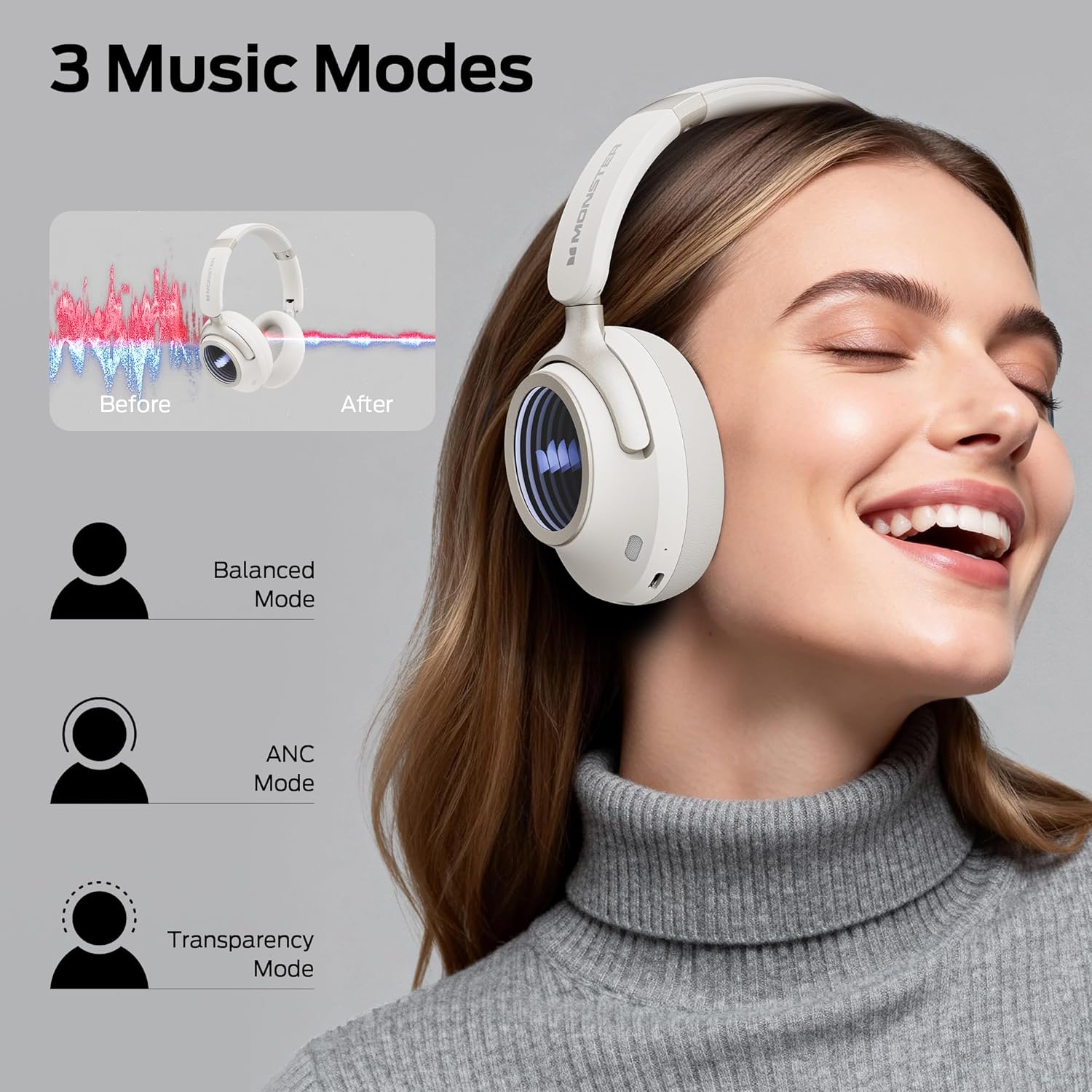
Image: Illustration of the three available music modes: Balanced, ANC, and Transparency, with a user demonstrating the headphones.
Наушник тагынуу
Adjust the headband and earcups for a comfortable and secure fit. The earcups rotate for flexible adjustments.

Image: Close-up of an earcup, highlighting the breathable cushion design for comfort.

Image: Diagrams showing the dimensions of the headphones for both wireless and wired configurations.
Техникалык тейлөө
- Тазалоо: Use a soft, dry, lint-free cloth to clean the headphones. Do not use liquid cleaners or aerosols.
- Сактагыч: Колдонулбаганда, наушниктерди салкын, кургак жерде, тике күндүн нурунан жана өтө температурадан алыс сактаңыз. Бүктөлүүчү дизайн компакт сактоого мүмкүндүк берет.
- Батареяга кам көрүү: Батареянын иштөө мөөнөтүн сактоо үчүн, кулакчындарды көп колдонбосо дагы, дайыма заряддап туруңуз. Батареяны узак убакытка толук зарядсыздандырбаңыз.
Проблемаларды чечүү
| Көйгөй | Чечим |
|---|---|
| Кулакчындар күйбөйт. | Ensure the headphones are charged. Connect to a power source using the Type-C cable. |
| Bluetooth аркылуу жупташтыруу мүмкүн эмес. | Ensure headphones are in pairing mode (flashing indicator light). Turn off and on Bluetooth on your device. Forget previous pairings and try again. Ensure headphones are within range. |
| Үн жок же үнү төмөн. | Check headphone and device volume levels. Ensure headphones are properly connected (Bluetooth or wired). Try restarting both devices. |
| Active Noise Canceling (ANC) is not effective. | Ensure ANC mode is activated. Check that the earcups form a good seal around your ears. ANC is most effective against low-frequency sounds. |
| Чалуу учурунда микрофон иштебейт. | Ensure the headphones are connected via Bluetooth. Check your device's audio input settings to confirm the headphones are selected as the microphone. |
Техникалык шарттар
| Өзгөчөлүк | Деталь |
|---|---|
| Модель аты | Monster Persona 4th ANC |
| Байланыш технологиясы | Зымдуу, Зымсыз (Bluetooth 6.0) |
| Наушник уясы | 3.5 мм Джек |
| Зымсыз байланыш технологиясы | Bluetooth |
| Материал | Булгаары, пластик |
| Заряддоо убактысы | 2 саат |
| Батареянын орточо иштөө мөөнөтү | 70 саат (ANC өчүрүлгөн), 50 саат (ANC күйүк) |
| Башкаруу түрү | Control Button |
| Элемент Салмагы | 0.2 килограмм |
| Сууга туруктуулук деңгээли | Сууга чыдамдуу |
| Максималдуу операциялык аралык | 33 Фут |
| Noise Control | Активдүү ызы-чууну жокко чыгаруу |
| Форма фактору | Кулак үстүндө |
| Продукциянын өлчөмдөрү | 17.4 x 8 x 19.5 см |
Кепилдик жана колдоо
Monster products are designed and manufactured to the highest quality standards. For warranty information and customer support, please refer to the warranty card included in your package or visit the official Monster webсайт. Кепилдик дооматтар үчүн сатып алганыңыздын далилин сактаңыз.
If you encounter any issues not covered in this manual, please contact customer support for assistance.


