1. Продукт бүтүп калдыview
This manual provides detailed instructions for the Anpviz 4K 8MP PTZ POE IP Camera, Model PTZIP3182WD-SU-5X. This advanced security camera features 4K Ultra HD resolution, 5X optical zoom, Pan-Tilt-Zoom (PTZ) capabilities, two-way audio, and intelligent human/vehicle detection. Designed for both indoor and outdoor use, it offers robust surveillance with 100ft IR night vision and flexible connectivity options.
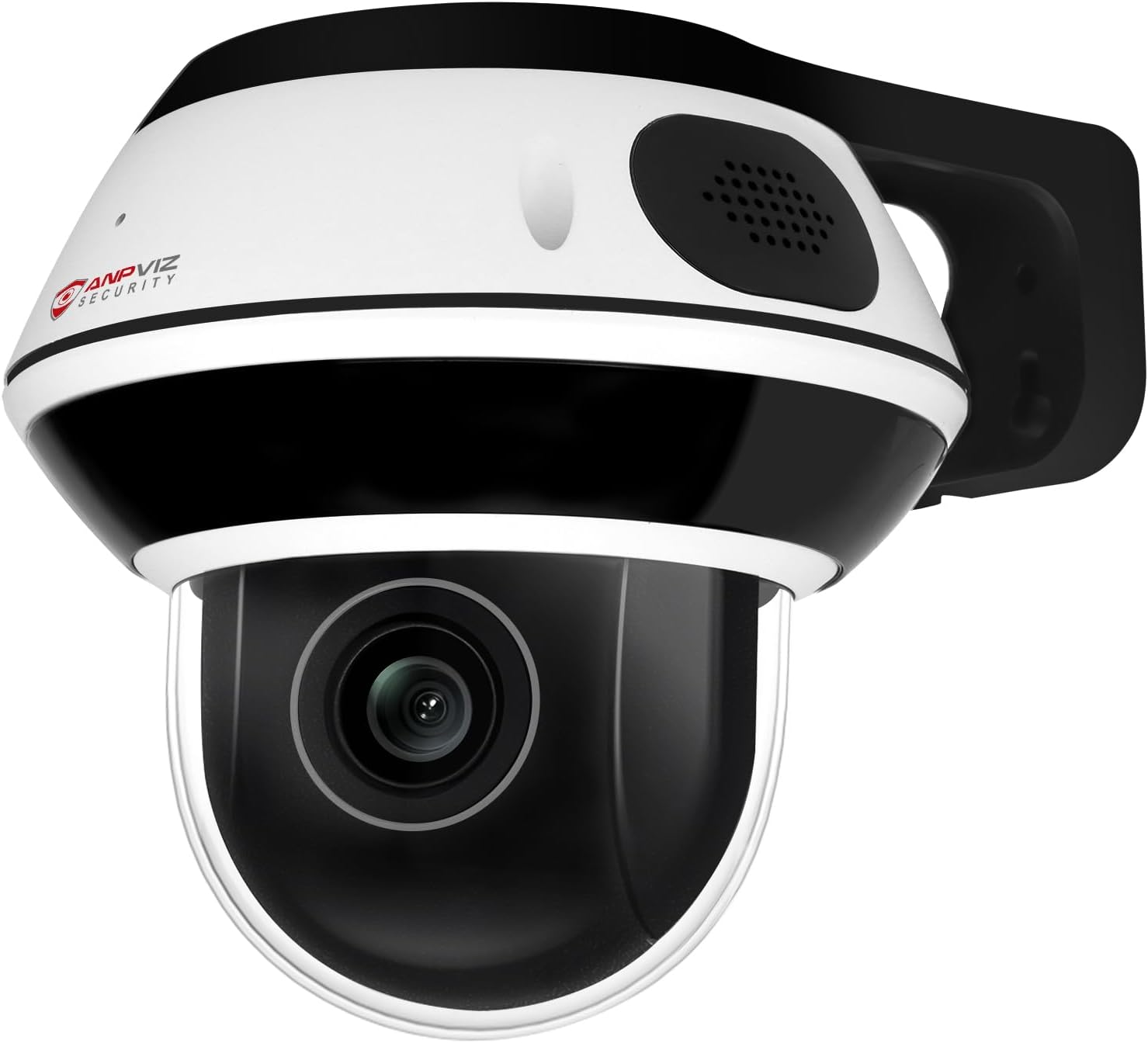
Figure 1: Anpviz 4K 8MP PTZ POE IP Camera
2. Кутуда эмне бар
Сиздин пакетте бардык компоненттер бар экенин текшериңиз:
- Anpviz 4K PTZ IP Dome Camera
- Монтаждоо плитасы жана монтаждык кронштейн
- Монтаждоо бурамасы
- Көрсөтмө (бул документ)
- Warning Sign Sticker
- Кепилдик картасы

2-сүрөт: Пакеттин мазмуну
3. Орнотуу жана орнотуу
3.1 Камераны орнотуу
The camera can be mounted on a wall or ceiling. Ensure the mounting surface is strong enough to support the camera's weight.
- Mark the drill holes using the mounting plate as a template.
- Drill holes and insert expansion screws if necessary.
- Secure the quick mounting plate with screws.
- Align the camera with the mounting plate and rotate clockwise to secure it.
- Tighten the camera to the mounting plate using the provided hex wrench.

Figure 3: Mounting Options (Wall and Ceiling)
3.2 Электр энергиясы жана тармакка туташуу
The camera supports Power over Ethernet (PoE) or a separate DC 12V power supply.
- PoE туташуу: Connect the camera directly to a PoE switch or a PoE NVR using an Ethernet cable. This provides both power and data.
- DC 12V кубаттуулугу: If not using PoE, connect a DC 12V power adapter (not included) to the camera's power input and an Ethernet cable to your router for network access.
- Anpviz U-Series NVR: For plug-and-play functionality, connect the camera to an Anpviz U-Series NVR.

Сүрөт 4: Байланыш параметрлери
4. Иштөө нускамалары
4.1 4K Ultra HD видео сапаты
The camera features a 1/2.8" Sony IMX415 CMOS Sensor, delivering 3840x2160 (8MP) resolution video at up to 20 frames per second. This sensor provides exceptional noise reduction, accurate color reproduction, and ultra-low night sensitivity for clear images.

Figure 5: IMX415 Sensor Quality
4.2 5X Optical Zoom and PTZ Functionality
Equipped with a 2.7-13.5mm motorized lens, the camera offers 5X optical zoom without compromising image clarity. The Pan-Tilt-Zoom (PTZ) function allows for a 0-350° horizontal pan and 0-90° vertical tilt, providing extensive coverage of your surveillance area.

Figure 6: 5X Optical Zoom and PTZ Range
4.3 Эки тараптуу аудио
The integrated microphone and speaker enable real-time two-way communication. This feature allows you to speak with visitors or deter intruders directly through the camera. Note: Two-way audio functionality is optimized when used with Anpviz U-Series NVRs.

7-сүрөт: Эки тараптуу аудио байланыш
4.4 Human/Vehicle/Motion Detection
The camera incorporates advanced human and vehicle detection technology. When motion is detected, the camera can send instant email alerts or push notifications to your device, enhancing security by focusing on relevant events.

Figure 8: Smart Detection Alerts
4.5 IR Night Vision
Equipped with 8 infrared LED lights, the camera provides clear night vision up to 100 feet (30 meters), ensuring continuous surveillance even in complete darkness.

Figure 9: Daytime and Night Vision
4.6 Remote Access and Storage
Live foo кирүүtage and recorded videos remotely using the VideoLink mobile app (available for Android and iOS) or the LMS/VideoLink PC client. The camera supports a micro SD card up to 512GB for local video storage, ensuring recordings are saved even if network connectivity is interrupted.

Figure 10: Multi-platform Remote Access

Figure 11: Micro SD Card Slot
5. Техникалык тейлөө
5.1 Тазалоо
Regularly clean the camera lens and housing to ensure optimal performance. Use a soft, dry cloth. For stubborn dirt, a slightly damp кездемени колдонсо болот, андан кийин кургатыңыз. Абразивдүү тазалоочу каражаттардан же эриткичтерден алыс болуңуз.
5.2 Микропрограмма жаңыртуулары
Periodically check the Anpviz website or your VideoLink app for available firmware updates. Keeping your camera's firmware updated ensures access to the latest features, security patches, and performance improvements.
6. Кыйынчылыктарды
- Видео түрмөгү жок:
- Check power connection (PoE or DC 12V adapter).
- Verify network cable connection to router/switch/NVR.
- Ensure the camera is properly added and online in the VideoLink app/client. - Сүрөттүн сапаты начар:
- Камеранын линзасын тазалаңыз.
- Ensure sufficient lighting for optimal daytime performance.
- Verify IR night vision is active in low-light conditions. - Аныктоо иштебей жатат:
- Check detection settings in the VideoLink app/client (e.g., sensitivity, detection zones).
- Ensure the camera's view тоскоол болбойт. - Алыстан кирүү мүмкүн эмес:
- Confirm your mobile device has internet access.
- Ensure the camera is connected to the internet and online in the app.
- Check router settings for any firewall restrictions.
7. Техникалык шарттар
| Өзгөчөлүк | Спецификация |
|---|---|
| Модель аты | PTZIP3182WD-SU-5X |
| Натыйжалуу дагы эле чечим | 8 МП (3840x2160) |
| Фото сенсор технологиясы | SO-NY IMX415 CMOS |
| Оптикалык масштаб | 5X |
| Объектив | 2.7-13.5mm Auto Focus |
| Пан колому | 0-350° |
| Тилтүү диапазону | 0-90° |
| Түнкү көрүү диапазону | 100 Фут (30 метр) |
| Аудио | Эки тараптуу аудио (Киргизилген микрофон жана динамик) |
| Сактагыч | Micro SD Card Slot (512 ГБ чейин) |
| аныктоо | Human/Vehicle/Motion Detection |
| Байланыш | PoE (Power over Ethernet), Ethernet |
| Connectivity Protocol | ONVIF |
| Башкаруу ыкмасы | App (VideoLink), PC Client (LMS/VideoLink) |
| Power Source | PoE or DC 12V (adapter not included) |
| Аба ырайына каршылык | IP66 суу өткөрбөйт |
| Таасирге каршылык | IK10 Explosion-Proof (glass) |
| Материал | Металл |
| Продукциянын өлчөмдөрү | 5 x 5 x 4 дюйм |
| Элемент Салмагы | 2.07 фунт |
8. Кепилдик жана колдоо
Anpviz provides a 1-year warranty for this product. Lifetime technical support is also available to assist with any questions or issues you may encounter.
Техникалык жардам алуу үчүн төмөнкү дарекке кайрылыңыз:
- Электрондук почта: support@anpvizsecurity.com
- Колдоо сааттары: Monday-Friday, 9:00 AM - 6:00 PM (Time Zone not specified, assume local business hours)


