Introduction
The AOC ACG3506 Gaming Headset is designed to provide an immersive audio experience with versatile connectivity options. This manual will guide you through the setup, operation, and maintenance of your headset to ensure optimal performance and longevity. Please read these instructions carefully before using the product.
Продукт өзгөчөлүктөрү
- 7.1ch айланадагы үн: Experience immersive audio with precise sound positioning.
- 50 мм драйверлер: Delivers powerful and clear sound across all frequencies.
- 4-Way Connectivity: Supports 2.4GHz USB, Type-C, Bluetooth 5.3, and wired 3.5mm connections.
- Ажыратылуучу ызы-чууну жокко чыгаруучу микрофон: Ensures clear voice communication by reducing ambient noise.
- Жеңил жана ыңгайлуу дизайн: Adjustable headband and breathable ear cushions for extended wear.
- Батареянын узак иштөө мөөнөтү: Бир кубаттоо менен 30 саатка чейин үзгүлтүксүз колдонуу.
Пакеттин мазмуну
Пакетте бардык буюмдар бар экенин текшериңиз:
- AOC ACG3506 Wireless Gaming Headset
- 2-in-1 USB-A/Type-C Transmitter
- Алынуучу микрофон
- 3.5 мм аудио кабель
- USB заряддоо кабели (Type-C)
- Көрсөтмө (бул документ)
Жайгашуу
Баштапкы заряддоо
Before first use, fully charge the headset. Connect the USB charging cable to the headset's Type-C port and a power source. The LED indicator will show charging status and turn off when fully charged. A full charge takes approximately 2.5 hours.
Микрофонду туташтыруу
Align the detachable microphone with the port on the left earcup and insert it firmly until it clicks into place.
Туташуу параметрлери
The AOC ACG3506 offers four ways to connect to your devices:
- 2.4GHz Wireless (USB-A / Type-C Transmitter):
Insert the 2-in-1 USB transmitter into an available USB-A or Type-C port on your PC, PS4, PS5, or compatible device. The headset will automatically connect, providing stable, low-latency audio (≤20ms). This mode is ideal for gaming.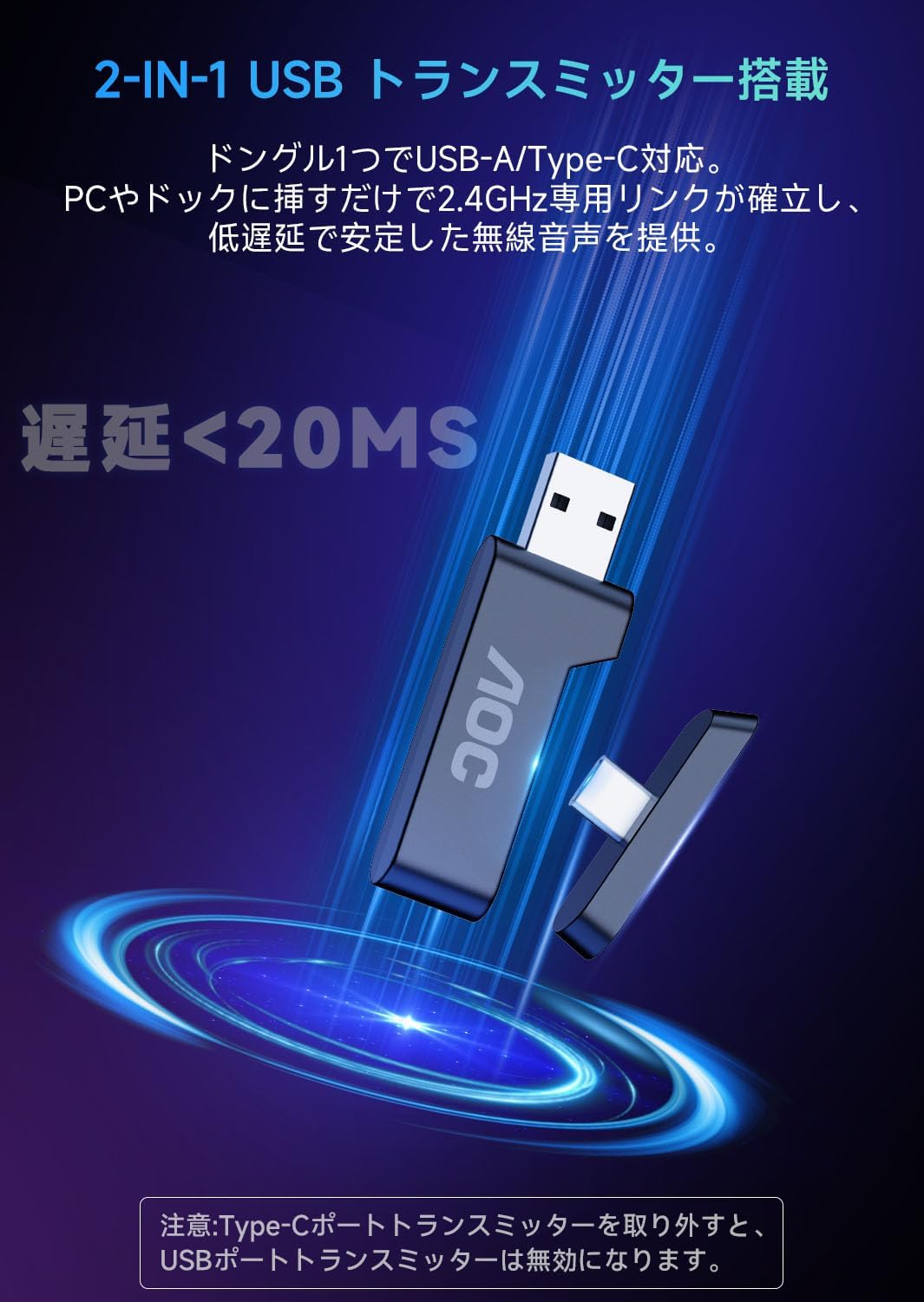
Image: The 2-in-1 USB-A/Type-C transmitter, showing its dual compatibility for various devices.
- Bluetooth 5.3:
Press and hold the power button on the headset for 3 seconds to enter pairing mode (LED will flash). On your smartphone, tablet, or laptop, enable Bluetooth and select 'AOC ACG3506' from the list of available devices to pair. Bluetooth 5.3 ensures stable and power-efficient wireless communication.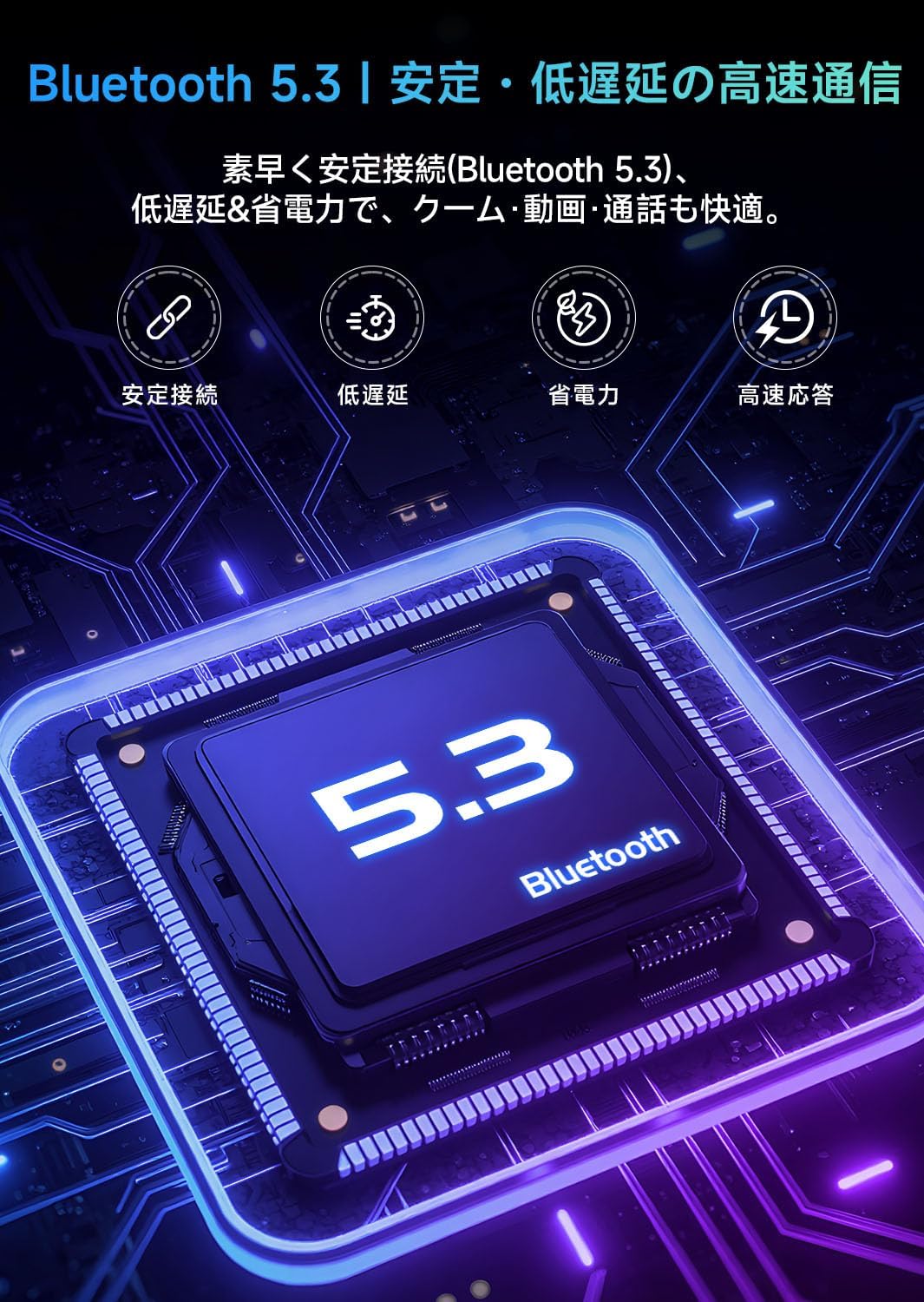
Image: A close-up of the headset's earcup with the Bluetooth 5.3 logo, indicating wireless connectivity.
- Зымдуу (3.5 мм аудио кабель):
Connect one end of the 3.5mm audio cable to the headset's 3.5mm port and the other end to the audio jack of your PC, PS4, PS5, Xbox, or other compatible device. This provides a stable, low-latency connection without battery consumption.
Шайкештик бүттүview:
| Түзмөк | 2.4GHz Mode (Headset) | 2.4GHz Mode (Mic) | Bluetooth 5.3 (Headset) | Bluetooth 5.3 (Mic) | Wired (Headset) | Wired (Mic) |
|---|---|---|---|---|---|---|
| PS4/PS5 | ✓ | ✓ | X | X | ✓ | ✓ |
| PC | ✓ | ✓ | ✓ | ✓ | ✓ | ✓ (Adapter needed) |
| Nintendo Switch | ✓ | X | ✓ | X | ✓ | X |
| Ноутбук | ✓ | ✓ | ✓ | ✓ | ✓ (3.5mm Jack) | ✓ (3.5mm Jack) |
| Планшет/Смартфон | ✓ (Type-C) | ✓ (Type-C) | ✓ | ✓ | ✓ (3.5mm Jack) | ✓ (3.5mm Jack) |
| Xbox Сериялар | X | X | X | X | ✓ | ✓ (Adapter needed) |
Иштөө нускамалары
Кулактан башкаруу
The headset features intuitive controls located on the left earcup:
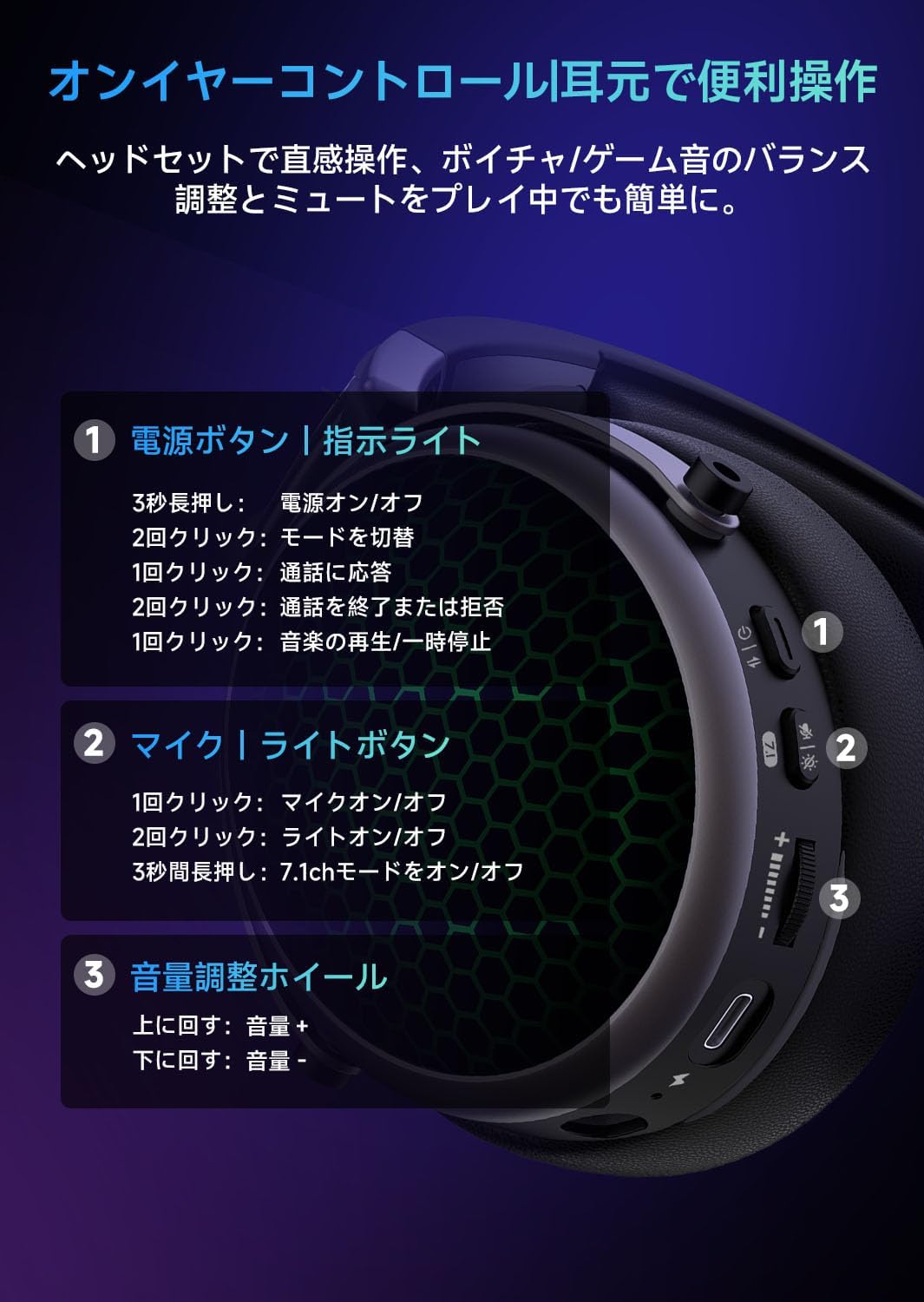
Image: Diagram illustrating the location and function of the power button, mic/light button, and volume wheel on the headset's earcup.
- Power Button / Indicator Light:
- Press and hold for 3 seconds: Power ON/OFF.
- Double click: Switch connection mode.
- Single click: Answer incoming call.
- Double click: End or reject call.
- Single click: Play/Pause music.
- Mic / Light Button:
- Single click: Mic ON/OFF (mute).
- Double click: Light ON/OFF.
- Press and hold for 3 seconds: 7.1ch mode ON/OFF.
- Volume Adjustment Wheel:
- Scroll up: Volume +.
- Scroll down: Volume -.
7.1ch Surround Sound
Activate 7.1ch surround sound for an enhanced gaming experience. This feature provides 360-degree audio, allowing you to pinpoint in-game sounds like footsteps and explosions with greater accuracy. Press and hold the Mic/Light button for 3 seconds to toggle 7.1ch mode.

Image: Headset with visual representation of 7.1ch surround sound, highlighting precise sound localization for gaming.
Ызы-чууну жок кылган микрофон
The detachable microphone features noise-canceling technology to filter out up to 99% of ambient noise, ensuring your voice is transmitted clearly during online calls and gaming sessions. Use the one-touch mute function on the Mic/Light button for quick privacy.
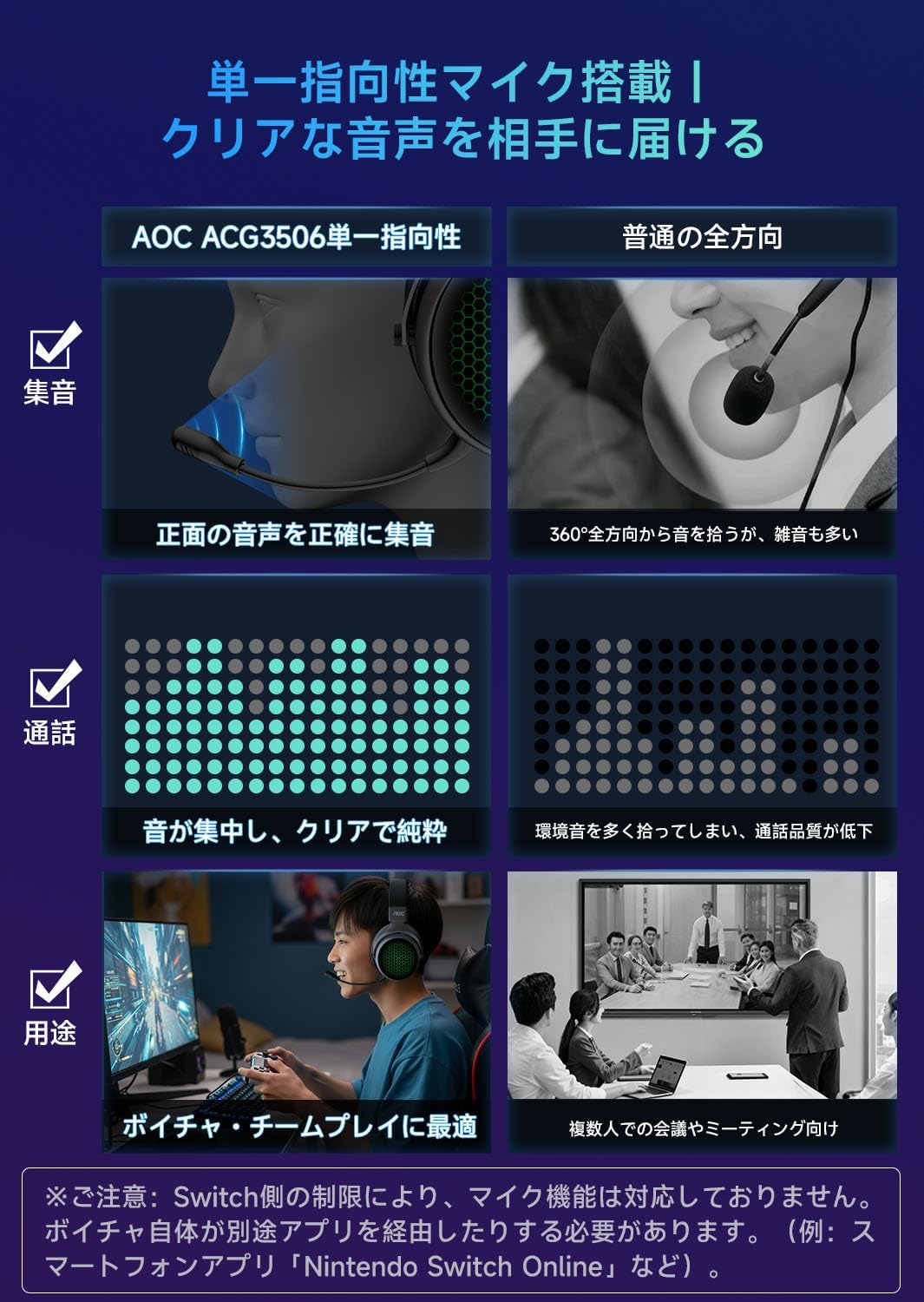
Image: Close-up of the detachable microphone, illustrating its unidirectional pickup pattern for clear voice capture.
Техникалык тейлөө
Батареяга кам көрүү
To prolong battery life, avoid completely draining the battery. It is recommended to fully charge the headset upon receiving it and whenever the battery is low. Turn off the breathing light feature to conserve power and extend usage time.

Image: Diagram showing the 1200mAh battery capacity and charging details, including 2.5 hours for full charge and up to 30 hours of gaming time with lights off.
Тазалоо жана сактоо
Гарнитураны жумшак, кургак чүпүрөк менен сүртүңүз. Кулак жаздыкчалары үчүн бир аз d колдонуңузamp cloth if necessary, and allow to air dry completely. Store the headset in a cool, dry place. The foldable design allows for compact storage and easy portability.

Image: Four panels illustrating the headset's high-quality headband, breathable ear pads, adjustable headband, and foldable design for comfort and portability.
Проблемаларды чечүү
- No Sound/Mic Not Working:
- Ensure the headset is powered on and correctly connected (2.4GHz transmitter, Bluetooth paired, or 3.5mm cable inserted).
- Гарнитурадагы жана туташкан түзмөгүңүздүн үнүнүн деңгээлин текшериңиз.
- Ensure the microphone is not muted (single click the Mic/Light button).
- For Nintendo Switch: Microphone function is not supported via Bluetooth, 2.4GHz, or wired connections due to console specifications. Voice chat requires a dedicated app (e.g., 'Nintendo Switch Online' on a smartphone).
- For Xbox Series: Bluetooth and 2.4GHz connections are not supported. A wired connection requires a specific Xbox Series adapter (sold separately).
- Echo on PS5:
To prevent echo during PS5 use, adjust the PS5 console's microphone level to approximately 80%. Navigate to Settings > Sound > Microphone > Adjust Mic Level for Controller Headset. - Туташуу маселелери:
- If using 2.4GHz wireless, ensure the transmitter is fully inserted and the headset is in 2.4GHz mode.
- For Bluetooth, ensure the headset is in pairing mode and within range of your device. Try unpairing and re-pairing if issues persist.
- Low Mic Volume:
If others report your voice is too quiet, check the microphone level settings on your connected device. Ensure the microphone is positioned correctly near your mouth.
Техникалык шарттар
| Өзгөчөлүк | Спецификация |
|---|---|
| Модель аты | ACG3506 |
| Бренд | AOC |
| Байланыш технологиясы | Wired, 2.4GHz Wireless, Bluetooth 5.3 |
| Айдоочунун өлчөмү | 50мм |
| Наушник форма фактору | Ашыкча кулак |
| Микрофон түрү | Detachable, Noise-Canceling |
| Батарея сыйымдуулугу | 1200mAh |
| Заряддоо убактысы | Болжол менен 2.5 саат |
| Үзгүлтүксүз колдонуу убактысы | Up to 30 hours (with breathing light off) |
| Салмагы | 460г |
| Түс | Кара |
Кепилдик жана колдоо
Your AOC ACG3506 Wireless Gaming Headset comes with a 1 жылдык өндүрүүчүнүн кепилдиги from the date of purchase. In the unlikely event of a defect, the product will be repaired or replaced free of charge.
24-Hour Support: Our support team is available around the clock to assist you with any issues or questions you may have.
Japanese Language Support: We offer support in Japanese to ensure clear communication and efficient problem resolution.
Байланыш ыкмасы: To contact support, please go to your Amazon account, view your order history, select the relevant order, and contact the seller.

Image: A graphic depicting a shield with a checkmark, symbolizing the 1-year warranty and reliable customer support.


