Introduction
This manual provides essential instructions for setting up, operating, maintaining, and troubleshooting your BOSGAME P3 Mix Mini PC. Please read this guide thoroughly before using your device to ensure optimal performance and longevity.
Жайгашуу
1. Кутудан чыгаруу жана Пакеттин мазмуну
Carefully unpack your BOSGAME P3 Mix Mini PC and verify all components are present. The package should contain the following items:
- 1x P3 MIX Mini PC
- 1x HDMI кабели
- 1x VESA Mount & Screws
- 1x Power адаптер
- 1x Колдонуучунун колдонмосу (бул документ)
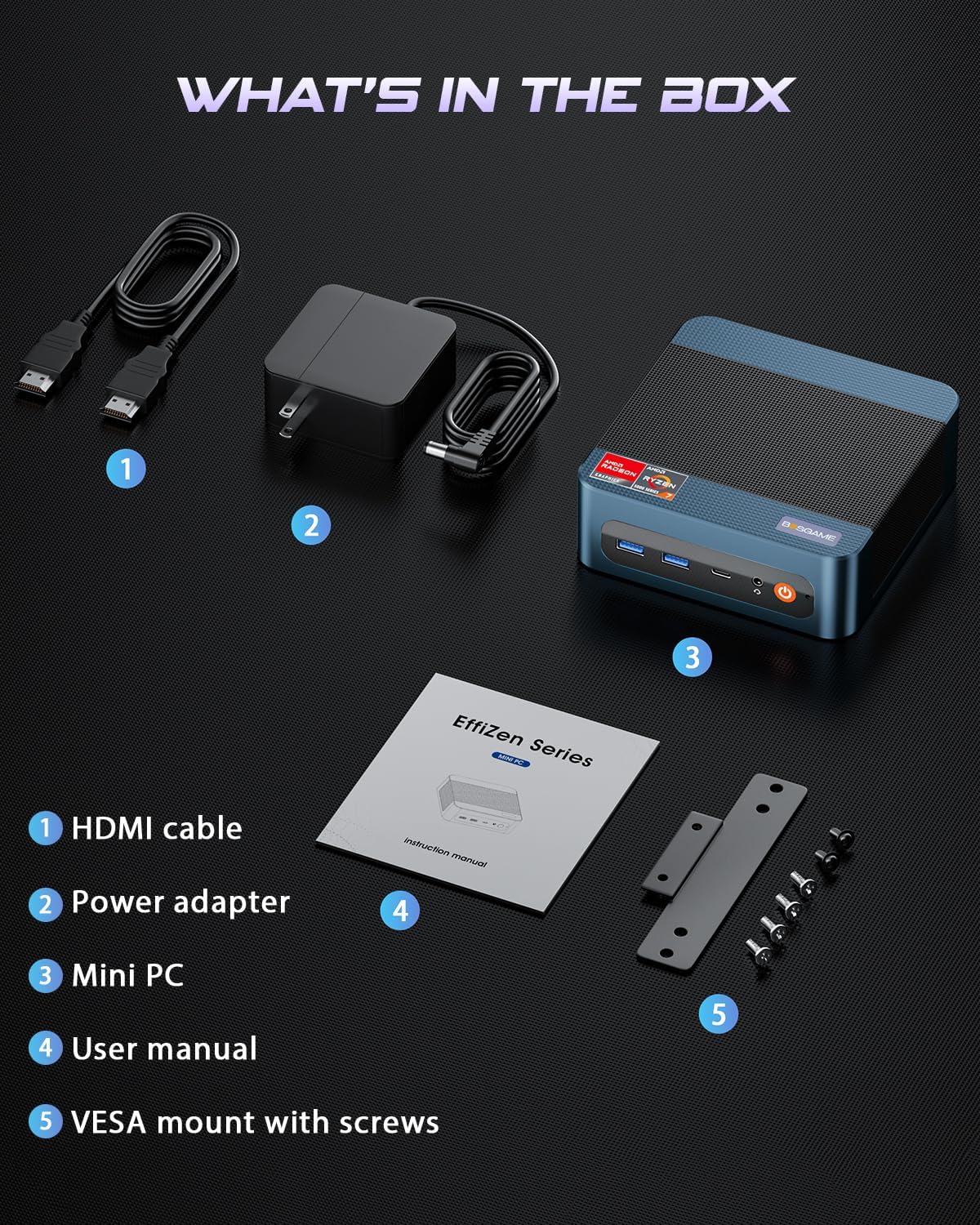
Сүрөт: All items included in the BOSGAME P3 Mix Mini PC package.
2. Перифериялык түзүлүштөрдү туташтыруу
Күйгүзүүдөн мурун негизги перифериялык түзүлүштөрдү туташтырыңыз:
- Монитор: Connect your monitor(s) using the HDMI, DisplayPort (DP), or USB4.0 ports. The Mini PC supports up to three displays simultaneously.
- Баскычтоп жана чычкан: USB клавиатураңызды жана чычканыңызды жеткиликтүү USB портторуна туташтырыңыз.
- Тармак: For wired internet, connect an Ethernet cable to one of the Dual 2.5G LAN ports. For wireless, ensure Wi-Fi 6E is enabled in the operating system.
- Күч: Connect the power adapter to the DC 19V 6.3 port on the Mini PC, then plug it into a power outlet.

Сүрөт: Бүттүview of the BOSGAME P3 Mix Mini PC's multiple connectivity ports.
3. Баштапкы күйгүзүү
Press the power button located on the front of the Mini PC. The device will boot up, and the operating system (Windows/Ubuntu/Linux compatible) will load. Follow any on-screen instructions for initial setup.
Видео: Аткаминерview of the BOSGAME Ryzen 5 7640HS Mini PC, demonstrating its features and connectivity.
Иштөө нускамалары
1. Дисплей конфигурациясы
The BOSGAME P3 Mix Mini PC supports up to three displays simultaneously, offering flexibility for various tasks such as stock trading, video editing, or multi-application workflows. Connect displays using a combination of the HDMI 2.0, DisplayPort 1.4, and USB4.0 ports.
- HDMI2.0: Supports up to 4K resolution at 60Hz.
- DisplayPort 1.4: Supports up to 4K resolution at 60Hz.
- USB4.0: Supports up to 8K resolution at 60Hz.
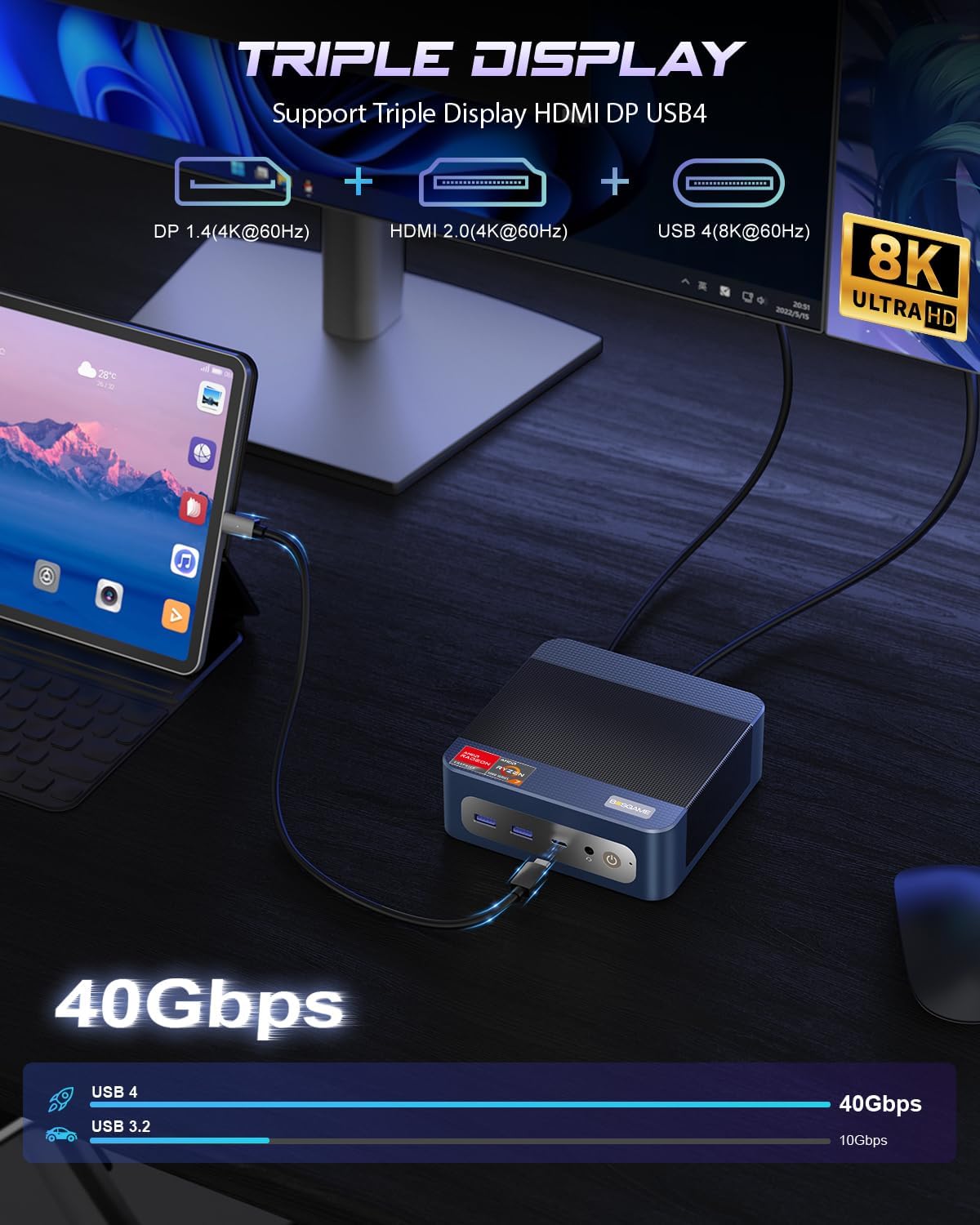
Сүрөт: Triple display setup capability of the Mini PC.
2. Тармак жана байланыш
The Mini PC offers robust networking options for stable and high-speed connections:
- Кош 2.5G LAN: Two RJ45 Ethernet ports provide up to 2.5Gbps network transmission rate each, allowing for a 5Gbps aggregate speed for demanding network tasks or internal corporate networks.
- Wi-Fi 6E (Intel AX210): Supports higher frequency bands (2.4 GHz, 5 GHz, and 6 GHz) with theoretical maximum data rates up to 9.6Gbps, offering faster and more stable wireless connectivity than Wi-Fi 5.
- Bluetooth 5.2: Provides improved data transfer speed (up to 2Mbps) and extended range (4x over BT4.2), ensuring stable connections to wireless headsets, keyboards, mice, and other Bluetooth devices.
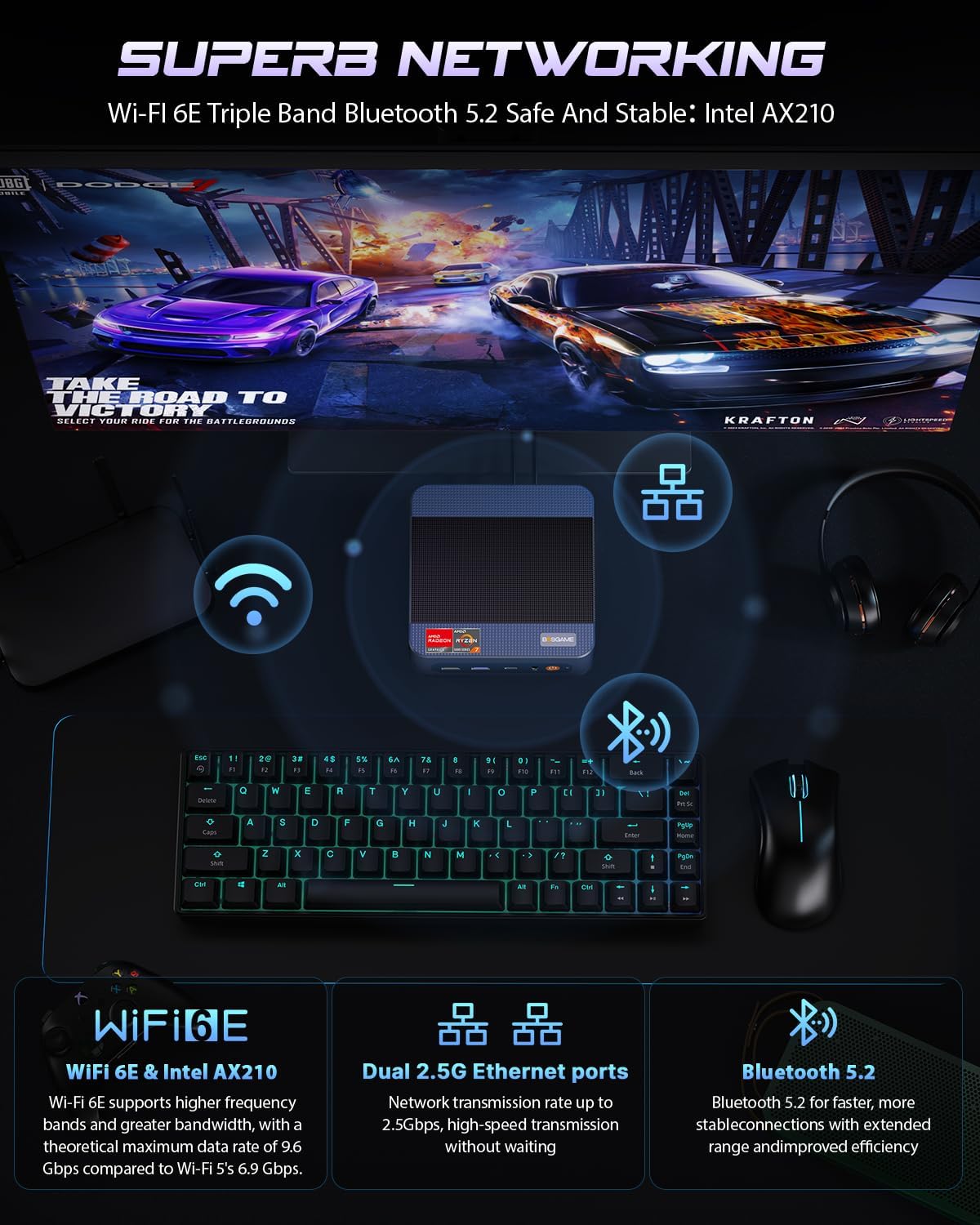
Сүрөт: Advanced networking capabilities including Wi-Fi 6E, Dual 2.5G LAN, and Bluetooth 5.2.
3. USB4.0 функциясы
The USB4.0 port offers versatile high-speed connectivity:
- Маалыматтарды өткөрүү: Up to 40Gbps for ultra-fast file которуулар.
- Видео чыгаруу: Supports 8K resolution at 60Hz.
- External GPU (eGPU) Support: Connect external graphics processing units for enhanced performance in AI training, gaming, or other graphics-intensive applications.
- Кубат жеткирүү: Bi-directional 65W power delivery for ultimate performance and flexibility.

Сүрөт: USB4.0 capabilities including 8K display, eGPU support, and 65W power delivery.
Техникалык тейлөө жана жаңыртуу
1. RAM and SSD Upgrades
The BOSGAME P3 Mix Mini PC features an easily disassembled design, allowing for convenient upgrades of RAM and SSD storage. The device supports:
- SSD M.2 2280: Dual slot SSD M.2 2280 with a maximum capacity of 4TB per slot (8TB total).
- DDR5 4800MHz RAM: Dual Channel SO-DIMM*2 with a maximum capacity of 128GB per slot (256GB total).
To upgrade or replace components, follow these steps:
- Remove the screws from the base plate.
- Carefully open the base plate.
- Move the system fan to access the RAM and SSD slots.
- Replace or install the desired RAM modules or M.2 SSDs.
- Reassemble the Mini PC by reversing these steps.

Сүрөт: Step-by-step guide for upgrading RAM and SSD storage.
2. Жалпы тазалоо
To maintain optimal performance, regularly clean the exterior of the Mini PC with a soft, dry cloth. Ensure ventilation openings are free from dust accumulation. Do not use liquid cleaners or solvents.
Проблемаларды чечүү
If you encounter issues with your BOSGAME P3 Mix Mini PC, refer to the following common troubleshooting steps:
- Кубат жок:
- Кубат адаптери Мини компьютерге жана иштеген электр розеткасына бекем туташып турганын текшериңиз.
- Кубат баскычы бекем басылганын текшериңиз.
- Дисплей чыгышы жок:
- Check all display cable connections (HDMI, DP, USB4.0) to the monitor and Mini PC.
- Монитордун күйгүзүлгөнүн жана туура киргизүү булагына коюлганын текшериңиз.
- Try connecting to a different display port or monitor if available.
- Тармакка туташуу маселелери:
- For wired connections, ensure the Ethernet cable is properly connected and the router is functioning.
- For Wi-Fi, check if Wi-Fi is enabled in the operating system and if you are connected to the correct network with the correct password.
- Роутериңизди/модемиңизди жана мини-компьютериңизди өчүрүп-күйгүзүңүз.
- Жай аткаруу:
- Фондо иштеп жаткан керексиз тиркемелерди жабыңыз.
- Ensure the Mini PC has adequate ventilation and is not overheating.
- Check for available operating system updates and driver updates.
- Consider upgrading RAM or SSD if performance issues persist under heavy workloads.
Бул кадамдар маселени чечпесе, кошумча жардам алуу үчүн кардарларды тейлөө кызматына кайрылыңыз.
Техникалык шарттар
Detailed technical specifications for the BOSGAME P3 Mix Mini PC (Model: P3, R5 7640HS 32GB/1TB variant):

Сүрөт: AMD Ryzen 5 7640HS Processor details and performance comparison.
| Өзгөчөлүк | Деталь |
|---|---|
| Процессор | AMD Ryzen 5 7640HS (6 ядро/12 жип, 5.0 ГГц чейин) |
| Графика | AMD Radeon 760M (интеграцияланган) |
| RAM | 32GB DDR5 4800MHz (2x16GB, expandable up to 256GB) |
| Сактагыч | 1TB PCIe 4.0 SSD (Dual M.2 2280 slots, expandable up to 8TB total) |
| Операция системасы | OS11 Support (Windows/Ubuntu/Linux compatible) |
| Video Output | HDMI 2.0 (4K@60Hz), DisplayPort 1.4 (4K@60Hz), USB4.0 (8K@60Hz) - Triple Display Support |
| Networking | Dual 2.5G RJ45 LAN, Wi-Fi 6E (Intel AX210), Bluetooth 5.2 |
| USB порттору | 1x USB 2.0, 3x USB 3.0 (USB 3.2*3 10Gbps), 1x USB4.0 (40Gbps) |
| Аудио | 3.5 мм аудио джек |
| Өлчөмдөр | 6.5 x 6.5 x 4.13 дюйм (Пакеттин өлчөмдөрү) |
| Салмагы | 2.77 фунт (предметтин салмагы) |
Кепилдик жана колдоо
1. Чектелген кепилдик
BOSGAME offers a 1 жылдык чектелген кепилдик for the P3 Mix Mini PC, covering manufacturing defects and hardware malfunctions under normal use conditions. Please retain your proof of purchase for warranty claims.
2. Кардарларды колдоо кызматы
For technical assistance, troubleshooting, or warranty inquiries, please contact BOSGAME customer service:
- Электрондук почта: Qingzhuomao@163.com
- Онлайн колдоо: Refer to your Amazon order details to "Ask Product Question" for direct seller support.
- Тейлөө сааттары: Суткасына 24 саат, жумасына 7 күн.
- Техникалык колдоо: Өмүр бою техникалык колдоо көрсөтүлөт.


